
OKP K8
OKP K8 Robot Vacuum and Mop Combo User Manual
Model: K8 | Brand: OKP
1. Setup and Initial Use
Before using your OKP K8 Robot Vacuum and Mop Combo, please ensure all packaging materials are removed and the device is properly prepared for operation.
1.1 Unboxing and Component Check
Carefully remove the robot vacuum and all accessories from the box. Verify that all components listed in the packing list are present. This typically includes the robot vacuum, charging dock, power adapter, side brushes, cleaning tool, dust box/water tank, and user manual.
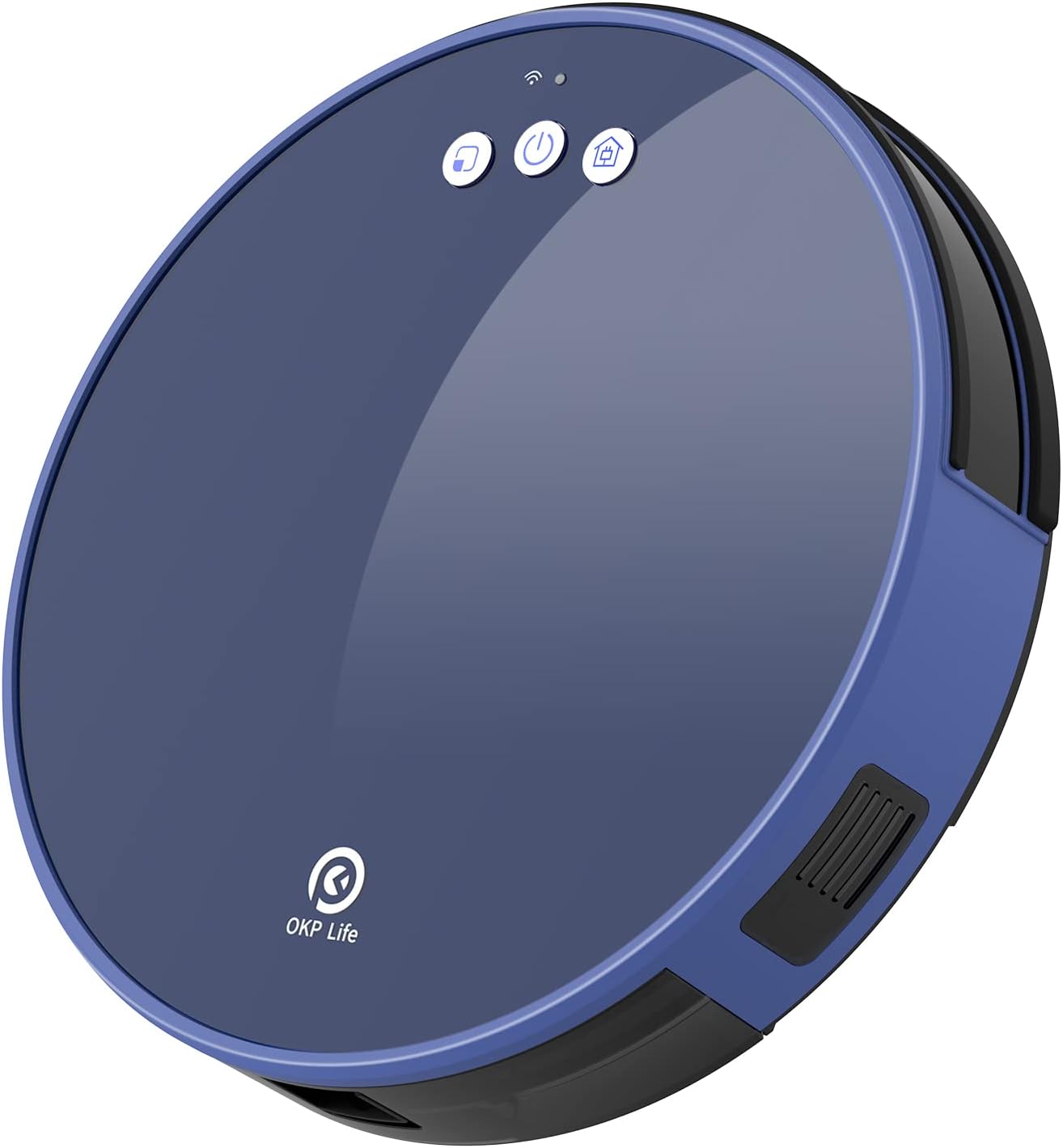
Image: The OKP K8 Robot Vacuum and Mop Combo, showcasing its sleek blue design.
1.2 Charging the Robot Vacuum
Place the charging dock against a wall in an open, uncluttered area. Ensure there are no obstacles within 1 meter (3 feet) to the sides and 2 meters (6 feet) in front of the charging dock. Connect the power adapter to the charging dock and plug it into a wall outlet. Place the robot vacuum onto the charging dock. The indicator lights on the robot will illuminate to show it is charging. For first-time use, fully charge the robot for at least 6 hours.

Image: The OKP K8 Robot Vacuum automatically returning to its charging dock for recharge, illustrating its self-charging capability.
Video: An official demonstration of the OKP K8 Robot Vacuum, including its charging process and various features.
1.3 App Pairing and Initial Configuration
Download the "OKP" application from your smartphone's app store. Follow the in-app instructions to pair your robot vacuum. This allows for advanced control, scheduling, and monitoring of cleaning progress. Ensure your Wi-Fi network is 2.4GHz for successful pairing.

Image: Illustrates the multiple control types for the OKP K8, including app control via "OKP Life", voice control with Amazon Alexa and Google Assistant, and remote control.
2. Operating the Robot Vacuum
The OKP K8 offers various cleaning modes and powerful suction to effectively clean different floor types.
2.1 Cleaning Modes
The robot vacuum supports four primary cleaning modes:
- Auto Clean: The robot intelligently navigates and cleans the entire floor area.
- Random Clean: The robot cleans in a random pattern, suitable for quick cleans.
- Along-edge Clean: The robot focuses on cleaning along walls and furniture edges.
- Spot Clean: The robot cleans a specific concentrated area in a spiral pattern.
Additionally, you can schedule cleaning times and manually control the robot via the app or remote control.

Image: Visual representation of the four smart cleaning modes: Auto clean, Wall follow clean, Spot clean, and Manual clean.
2.2 Suction Power and Floor Types
The K8 robot vacuum cleaner features 2000Pa super suction, making it effective for various household cleaning tasks. It is suitable for both hardwood floors and low-pile carpets, providing thorough cleaning results.

Image: Demonstrates the different suction levels (Standard 800Pa, Powerful 1300Pa, Super Powerful 2000Pa) and the vacuum and mop function working simultaneously on various floor types.
2.3 Mopping Function
The K8 robot mop includes an integrated dust box and water tank (0.16L water tank, 0.5L dust box). To use the mopping function, fill the water tank with clean water. You can select from 3 different water discharge levels via the app to suit your cleaning needs. Attach the mopping pad to the designated area on the robot.
Image: Step-by-step guide on how to set up the mopping function, including filling the water tank and attaching the mop pad.

Image: Shows the disposable mop feature and how to remove and dispose of the used mop pad.
2.4 Smart Navigation and Safety
The robot is equipped with upgraded FreeMove technology, including built-in anti-collision smart sensors and ground detection smart sensors. These sensors help the robot navigate around obstacles and prevent falls from stairs or elevated surfaces, ensuring safe and efficient cleaning.

Image: Visualizes the anti-drop and anti-collision protection features of the OKP K8 robot vacuum, showing how it avoids obstacles and stairs.
3. Maintenance
Regular maintenance is crucial for optimal performance and longevity of your OKP K8 robot vacuum.
3.1 Cleaning the Dust Box and Filter
The integrated dust box (0.5L capacity) should be emptied after each cleaning cycle, especially if cleaning large areas or areas with significant debris. Open the dust box, discard the collected debris, and clean the filter. The filter is of cloth type and can be gently brushed or rinsed with water (ensure it is completely dry before reinserting).
Image: Illustrates the process of cleaning the dustbin and filter of the OKP K8 robot vacuum.
3.2 Cleaning Side Brushes and Main Brush
Periodically check the side brushes and main brush for tangled hair or debris. Use the provided cleaning tool to cut and remove any wrapped hair. Replace worn-out brushes to maintain effective cleaning.
3.3 Cleaning Sensors and Charging Contacts
Wipe the anti-drop sensors, anti-collision sensors, and charging contacts on both the robot and the charging dock with a clean, dry cloth. This ensures proper navigation and charging.
4. Troubleshooting
If you encounter issues with your OKP K8, refer to the following common troubleshooting steps:
4.1 Robot Not Charging
- Ensure the charging dock is plugged in and its indicator light is on.
- Check that the charging contacts on both the robot and the dock are clean and free of dust or debris.
- Verify the robot is correctly positioned on the charging dock.
4.2 App Connection Issues
- Confirm your Wi-Fi network is 2.4GHz. The robot does not support 5GHz networks.
- Restart your Wi-Fi router and the robot vacuum.
- Ensure the robot is within range of your Wi-Fi signal.
- If pairing fails in EZ mode, try AP mode (slow blinking light) by holding the pairing button for an additional 5 seconds.
4.3 Poor Cleaning Performance
- Empty the dust box and clean the filter. A clogged filter can reduce suction power.
- Clean the side brushes and main brush, removing any tangled hair or debris.
- Check for obstacles that might be preventing the robot from reaching certain areas.
4.4 Robot Getting Stuck Frequently
- Clear loose cables, rugs with long fringes, or small objects from the cleaning path.
- Ensure the driving wheels are not obstructed.
- Utilize the "No-Go Boundary Strip" feature if available, or physically block off problematic areas.
5. Specifications
| Feature | Detail |
|---|---|
| Brand | OKP |
| Model Name | K8 |
| Special Feature | Bagless |
| Color | Blue |
| Product Dimensions | 12.59"L x 12.59"W x 3.14"H |
| Included Components | Instruction Guide, Water Tank |
| Filter Type | Cloth |
| Battery Life | 150 minutes |
| Voltage | 19.6 Volts |
| Capacity | 0.5 Liters (Dust Box) / 0.16 Liters (Water Tank) |
| Power Source | Battery Powered |
| Batteries Included | Yes (1 AAA batteries required for remote, included) |
| Control Method | Voice, App, Remote |
| Lithium Battery Voltage | 3.7 Volts |
| Compatible Devices | Amazon Echo (Alexa), Google Assistant |
| Form Factor | Robotic |
| UPC | 780627998293 |
| Item Weight | 9.5 pounds |
| Manufacturer | OKP |
| ASIN | B0915C3KDD |
| Date First Available | March 26, 2021 |
6. Warranty and Support
For warranty information, technical support, or any inquiries regarding your OKP K8 Robot Vacuum and Mop Combo, please refer to the contact details provided in your product packaging or visit the official OKP website.
You can also visit the OKP Brand Store on Amazon for more information and support resources.
Related documentsK8


Ask a question about this manual
Ask about setup, troubleshooting, compatibility, parts, safety, or missing instructions. Manuals+ will review the question and use this page’s manual context to help answer it.