
1. Introduction
Thank you for choosing PowerLocus P6 Wireless Bluetooth Over-Ear Headphones. These headphones are designed to provide a high-fidelity audio experience with deep bass, extended playtime, and comfortable wear. This manual provides essential information for setting up, operating, maintaining, and troubleshooting your device.

Image 1.1: PowerLocus P6 Wireless Bluetooth Over-Ear Headphones in Blue. A front-facing view of the PowerLocus P6 wireless over-ear headphones in blue, showcasing the earcups and headband.
2. Package Contents
Please verify that all items are present in your package:
- PowerLocus P6 Wireless Bluetooth Over-Ear Headphones
- 3.5mm Audio Cable
- USB Charging Cable
- User Manual (this document)
- Protective Carry Case

Image 2.1: PowerLocus P6 headphones package contents. A flat lay image showing the PowerLocus P6 headphones, 3.5mm audio cable, USB charging cable, user manual, and premium carry case.
3. Product Overview
The PowerLocus P6 headphones feature a foldable design for portability, soft over-ear earmuffs for comfort, and intuitive controls for ease of use.
3.1 Key Features
- Bluetooth 5.3 Connectivity: Ensures stable and low-latency wireless audio.
- Hi-Fi Stereo Sound: Delivers powerful crisp sound with deep bass.
- 50 Hours Playtime: Extended battery life for prolonged use.
- Built-in HD Microphone: For clear hands-free calls.
- Foldable & Lightweight Design: Enhances portability and comfort.
- Multi-Point Connection: Connect to two devices simultaneously.

Image 3.1: PowerLocus P6 headphones features. An infographic displaying key features of the PowerLocus P6 headphones, including Hi-Fi stereo sound, stable wireless connectivity, HD microphones for clear calls, foldable design, and long battery life.
3.2 Headphone Components
Refer to the image below for an overview of the headphone's physical components and controls.

Image 3.2: Side view of PowerLocus P6 headphones with control buttons. A side view of the PowerLocus P6 headphones, highlighting the control buttons located on the earcup for power, volume, and playback.
- Power Button: Press and hold to power on/off.
- Volume Up/Next Track: Short press for volume up, long press for next track.
- Volume Down/Previous Track: Short press for volume down, long press for previous track.
- Multi-function Button (MFB): Play/Pause, Answer/End Call, Activate Voice Assistant.
- 3.5mm Audio Jack: For wired connection.
- USB Charging Port: For charging the headphones.
- Microphone: For hands-free calls.
4. Setup
4.1 Charging the Headphones
- Connect the USB charging cable to the charging port on the headphones.
- Connect the other end of the USB cable to a compatible USB power source (e.g., computer USB port, USB wall adapter).
- The LED indicator will illuminate during charging. It typically takes approximately 2.5 hours for a full charge.
- Once fully charged, the LED indicator will change color or turn off, depending on the model. Disconnect the charging cable.
A full charge provides up to 50 hours of playtime.
4.2 Powering On/Off
- To Power On: Press and hold the Power Button for approximately 3 seconds until the LED indicator flashes.
- To Power Off: Press and hold the Power Button for approximately 3 seconds until the LED indicator turns off.
4.3 Bluetooth Pairing
The PowerLocus P6 headphones utilize Bluetooth 5.3 for quick and stable connections.
- Ensure the headphones are powered off.
- Press and hold the Power Button for approximately 5-7 seconds until the LED indicator flashes red and blue alternately. This indicates pairing mode.
- On your device (smartphone, tablet, PC), enable Bluetooth and search for available devices.
- Select "PowerLocus P6" from the list of found devices.
- Once connected, the LED indicator will typically flash blue slowly or remain solid blue.
The headphones will automatically attempt to reconnect to the last paired device when powered on. The Bluetooth range is approximately 39 feet (12 meters).
4.4 Multi-Point Connection
The P6 headphones can connect to two Bluetooth devices simultaneously.
- Pair the headphones with the first device as described in Section 4.3.
- Disable Bluetooth on the first device. The headphones will re-enter pairing mode.
- Pair the headphones with the second device.
- Re-enable Bluetooth on the first device. The headphones should automatically connect to both devices.
You can now switch between audio sources from either connected device without re-pairing.
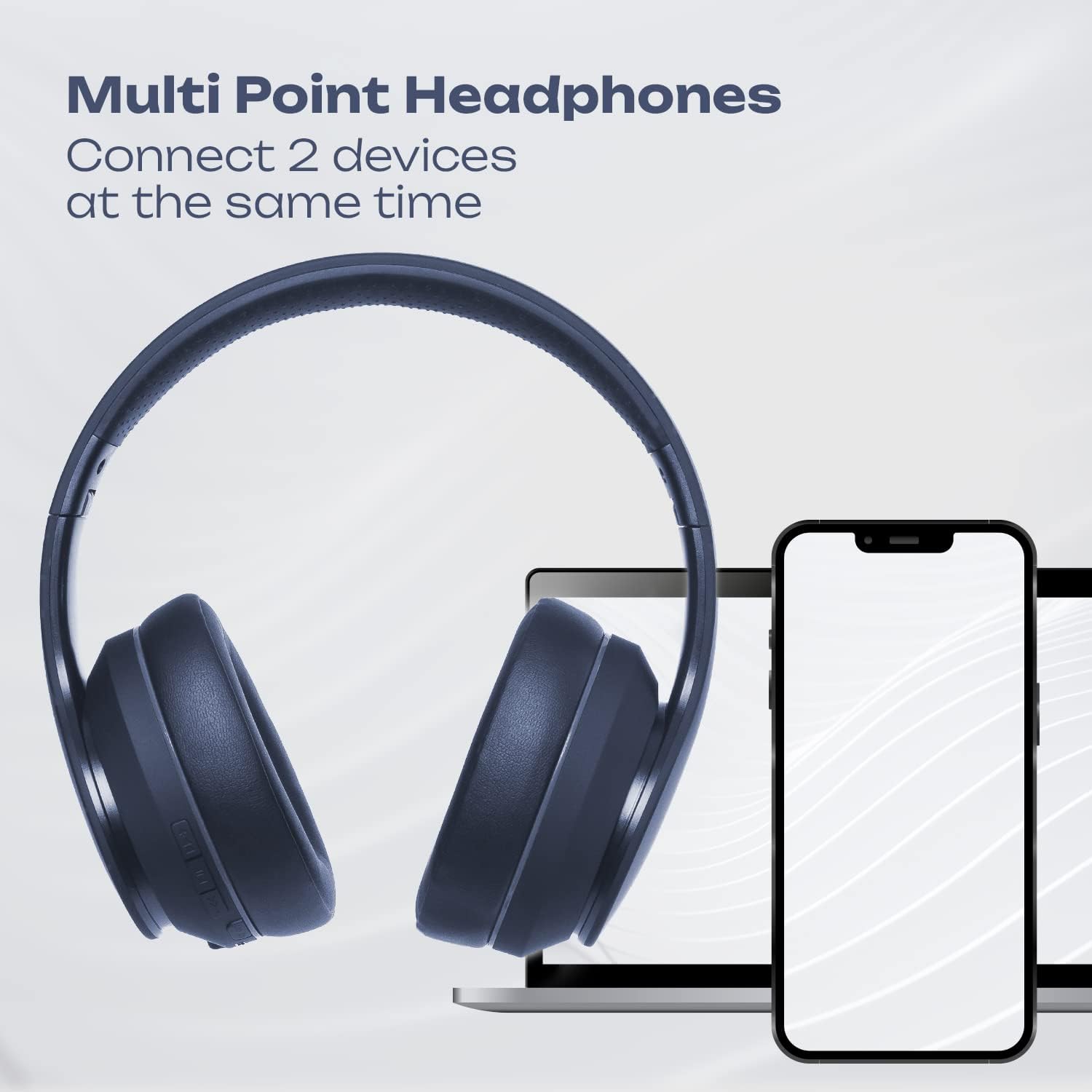
Image 4.1: Multi-Point Connection. An illustration showing the PowerLocus P6 headphones simultaneously connected to a laptop and a smartphone, demonstrating its multi-point connectivity feature.
5. Operating Instructions
5.1 Music Playback
- Play/Pause: Short press the MFB.
- Volume Up: Short press the 'Volume Up' button.
- Volume Down: Short press the 'Volume Down' button.
- Next Track: Long press the 'Volume Up' button.
- Previous Track: Long press the 'Volume Down' button.
5.2 Phone Calls
- Answer Call: Short press the MFB when an incoming call rings.
- End Call: Short press the MFB during a call.
- Reject Call: Long press the MFB when an incoming call rings.
- Redial Last Number: Double-press the MFB.
5.3 Voice Assistant
To activate your device's voice assistant (Siri, Google Assistant, etc.), short press the MFB twice quickly.
5.4 Wired Mode
You can use the PowerLocus P6 headphones with the included 3.5mm audio cable, even if the battery is depleted.
- Connect one end of the 3.5mm audio cable to the headphone's 3.5mm audio jack.
- Connect the other end to the audio output jack of your device.
In wired mode, the headphone's built-in controls (volume, track skip, calls) will not function. Control audio directly from your connected device.
6. Maintenance
6.1 Cleaning
- Wipe the headphones with a soft, dry cloth.
- Do not use abrasive cleaners, solvents, or strong chemicals.
- Avoid getting moisture into any openings.
6.2 Storage
When not in use, store the headphones in the provided protective carry case to prevent damage. The foldable design allows for compact storage.

Image 6.1: PowerLocus P6 headphones stored in their carry pouch. The PowerLocus P6 headphones partially visible inside their protective carry pouch, emphasizing portability and storage.
7. Troubleshooting
| Problem | Possible Cause | Solution |
|---|---|---|
| Headphones do not power on. | Low battery. | Charge the headphones for at least 30 minutes. |
| Cannot pair with device. | Headphones not in pairing mode; Bluetooth disabled on device; device too far. | Ensure headphones are in pairing mode (flashing red/blue). Enable Bluetooth on your device. Move device closer to headphones (within 39 feet). |
| No sound or poor sound quality. | Volume too low; headphones not connected; interference. | Increase volume on headphones and device. Re-pair headphones. Move away from sources of interference (e.g., Wi-Fi routers). |
| Microphone not working. | Headphones in wired mode; device settings. | Ensure headphones are in Bluetooth mode for microphone functionality. Check microphone input settings on your connected device. |
8. Specifications
| Feature | Detail |
|---|---|
| Model Name | P6 (pwl-6) |
| Connectivity Technology | Wireless (Bluetooth) |
| Wireless Communication Technology | Bluetooth 5.3 |
| Bluetooth Range | 39 Feet (12 meters) |
| Battery Life | Up to 50 Hours |
| Charging Time | 2.5 Hours |
| Headphones Jack | 3.5 mm Jack |
| Noise Control | Sound Isolation |
| Audio Driver Type | Dynamic Driver |
| Frequency Range | 20Hz-20000kHz |
| Impedance | 32 Ohm |
| Material | Leather (earmuffs) |
| Special Features | Foldable, Lightweight, Microphone Included, Wireless |
| Item Weight | 12 ounces |
| Manufacturer | PowerLocus |
9. Warranty and Support
9.1 Warranty Information
PowerLocus P6 headphones come with a 24-month warranty covering manufacturing defects from the date of purchase. Additionally, a 30-day free return policy is offered.
This warranty does not cover damage caused by misuse, accident, unauthorized modification, or normal wear and tear.
9.2 Customer Service
For any questions, technical support, or warranty claims, please contact PowerLocus customer service. Our USA-based customer service team is available to assist you.
Please refer to the PowerLocus official website or your purchase documentation for the most current contact information.


