
Soundcore A3028
Soundcore by Anker Life Q30 Hybrid Active Noise Cancelling Headphones
User Manual
Model: A3028 | Brand: Soundcore
Introduction
The Soundcore Life Q30 headphones are designed to provide an immersive audio experience with advanced hybrid active noise cancellation. Featuring 40mm drivers for Hi-Res Sound, custom EQ via the Soundcore app, and up to 40 hours of playtime, these headphones are built for comfort and superior sound quality. They offer multiple noise cancellation modes to adapt to various environments, ensuring an undisturbed listening experience.

Image: Soundcore Life Q30 Headphones in Pink, showcasing their sleek design.
Setup
What's in the Box
- Soundcore Life Q30 Headphones
- Protective Case
- USB-C Charging Cable
- 3.5mm AUX Cable

Image: The Soundcore Life Q30 headphones, their protective carrying case, and included charging and audio cables.
Charging Your Headphones
Before first use, fully charge your Life Q30 headphones. Connect the provided USB-C cable to the charging port on the headphones and to a power source. A full charge provides up to 40 hours of playtime. A quick 5-minute charge can provide several hours of listening.

Image: A close-up view of the right earcup, highlighting the USB-C charging port and control buttons.
Bluetooth Pairing
- Ensure the headphones are powered off.
- Press and hold the power button for 3 seconds until the LED indicator flashes blue, indicating pairing mode.
- On your device, enable Bluetooth and select "Soundcore Life Q30" from the list of available devices.
- Once connected, the LED indicator will turn solid blue.
The headphones support connecting to two devices simultaneously for seamless switching.

Image: Soundcore Life Q30 headphones resting on a table beside a smartphone, illustrating connectivity.
Operating Your Headphones
Controls Overview
The Life Q30 headphones feature intuitive controls located on the earcups for easy management of audio playback, calls, and noise cancellation modes.
- Power Button: Press and hold to power on/off.
- NC Button: Cycle through Noise Cancellation modes (Transport, Outdoor, Indoor) and Transparency mode.
- Volume Up/Down: Adjust audio volume.
- Multi-function Button: Play/Pause music, answer/end calls.
- 3.5mm Audio Jack: For wired connection using the AUX cable.

Image: A detailed view of the right earcup, showing the Soundcore logo and the noise cancellation (NC) button.
Noise Cancellation Modes
The Life Q30 offers three distinct noise cancellation modes to optimize your listening experience based on your environment:
- Transport Mode: Minimizes low-frequency sounds like airplane engines or bus noise.
- Outdoor Mode: Reduces ambient noise from traffic and wind.
- Indoor Mode: Dampens sounds from busy offices or conversations.
Switch between modes using the NC button on the earcup or through the Soundcore app.
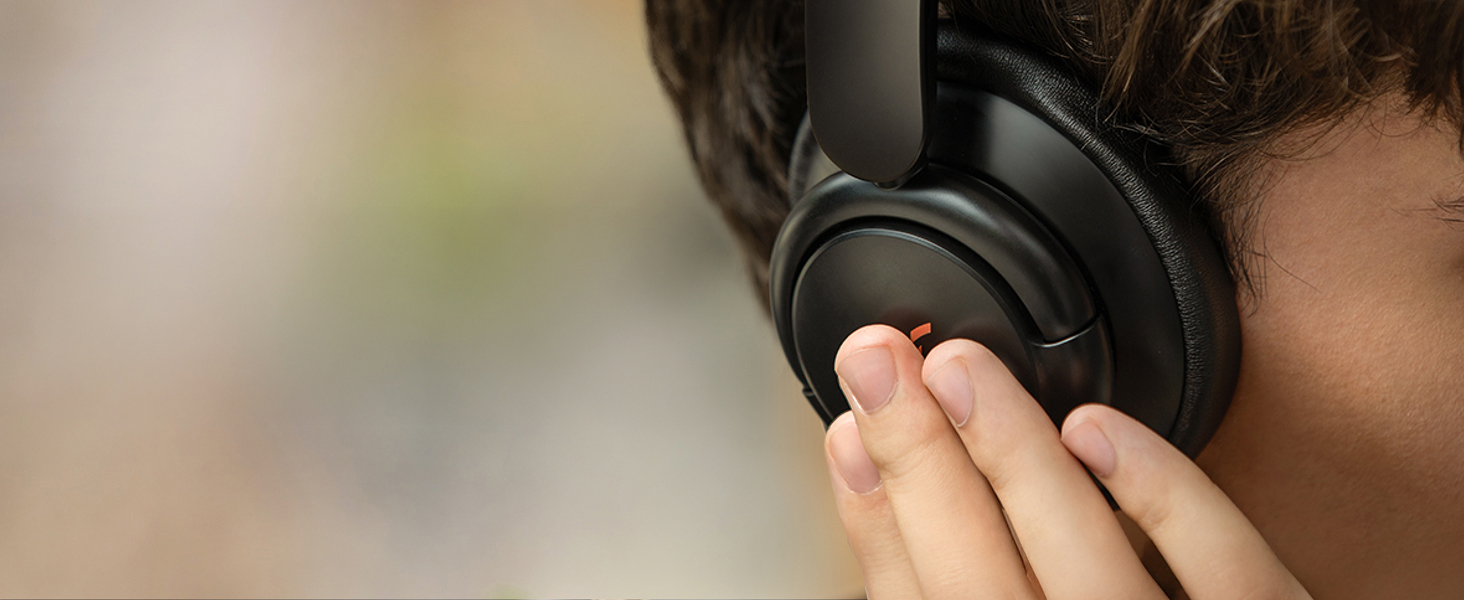
Image: A person wearing Soundcore Life Q30 headphones while seated on an airplane, demonstrating the use of noise cancellation in a travel environment.
Soundcore App Integration
For a personalized audio experience, download the Soundcore app. The app allows you to:
- Customize the EQ settings to your preference.
- Switch between noise cancellation modes.
- Access firmware updates.
- Utilize additional features like white noise sounds for relaxation.

Image: A visual representation of the Soundcore app interface, displaying options for noise cancellation modes and custom EQ settings.
Maintenance
Cleaning
To maintain the condition of your headphones, gently wipe the earcups and headband with a soft, dry cloth. Avoid using harsh chemicals or abrasive materials. Ensure no moisture enters the charging port or audio jack.
Storage
When not in use, store your Soundcore Life Q30 headphones in their protective case to prevent damage from dust, scratches, and impacts. The headphones are designed to fold compactly for easy storage within the case.
Image: The Soundcore Life Q30 headphones folded neatly inside their protective carrying case, demonstrating proper storage.
Troubleshooting
If you encounter issues with your Soundcore Life Q30 headphones, consider the following common solutions:
- No Power: Ensure the headphones are fully charged.
- Cannot Pair: Make sure Bluetooth is enabled on your device and the headphones are in pairing mode. Try unpairing and re-pairing.
- No Sound: Check volume levels on both the headphones and your connected device. Ensure the correct audio output is selected on your device.
- Poor Sound Quality: Move closer to your device to reduce interference. Check for obstructions between the headphones and the device.
- Noise Cancellation Issues: Ensure the NC button is pressed to activate noise cancellation. Adjust modes via the Soundcore app if needed.
For persistent issues, refer to the official Soundcore support website or contact customer service.
Specifications
| Model Name | Anker Life Q30 (A3028) |
| Noise Control | Active Noise Cancellation (Hybrid) |
| Connectivity Technology | Bluetooth |
| Audio Driver Type | Dynamic Driver (40mm) |
| Frequency Range | 20 Hz - 40,000 Hz |
| Battery Life | 40 Hours |
| Charging Time | 5 minutes for quick charge |
| Bluetooth Range | 10 Meters |
| Item Weight | 9.3 ounces (0.58 Pounds) |
| Product Dimensions | 7.68 x 7.09 x 3.07 inches |
| Material | Faux Leather |
| Color | Pink |
Warranty and Support
Soundcore products typically come with a limited warranty. Please refer to the warranty card included with your product or visit the official Soundcore website for detailed warranty information and terms and conditions.
For technical support, troubleshooting assistance, or any product-related inquiries, please contact Soundcore Customer Service. Contact details can usually be found on the Soundcore official website or within the Soundcore app.
Online Resources:
Related documentsA3028


Ask a question about this manual
Ask about setup, troubleshooting, compatibility, parts, safety, or missing instructions. Manuals+ will review the question and use this page’s manual context to help answer it.