
Introduction
This manual provides instructions for the Dekain Projector Lamp, designed for the Optoma X306ST projector. This replacement lamp is built with original bulbs from OEM manufacturers (UHP, P-VIP, NSH, SHP, UHE, UHM, and HS) and includes a compatible housing made from durable materials for proper fit. Each lamp is tested to meet OEM standards for quality, function, and performance, offering an extended lifespan compared to standard economic alternatives.

Image: Dekain OEM original projector replacement lamps, illustrating the quality and design.
Setup and Installation
To install the projector lamp, follow these steps carefully:
- Ensure the projector is powered off and disconnected from the main power supply.
- Allow the projector to cool down completely before proceeding.
- Carefully remove the old lamp module. Refer to your projector's specific user manual for detailed instructions on accessing the lamp compartment.
- Insert the new Dekain lamp module, ensuring the plug is securely connected.
- Close the lamp compartment cover.
- Reconnect the projector to power and reset the lamp timer according to your projector's instructions.
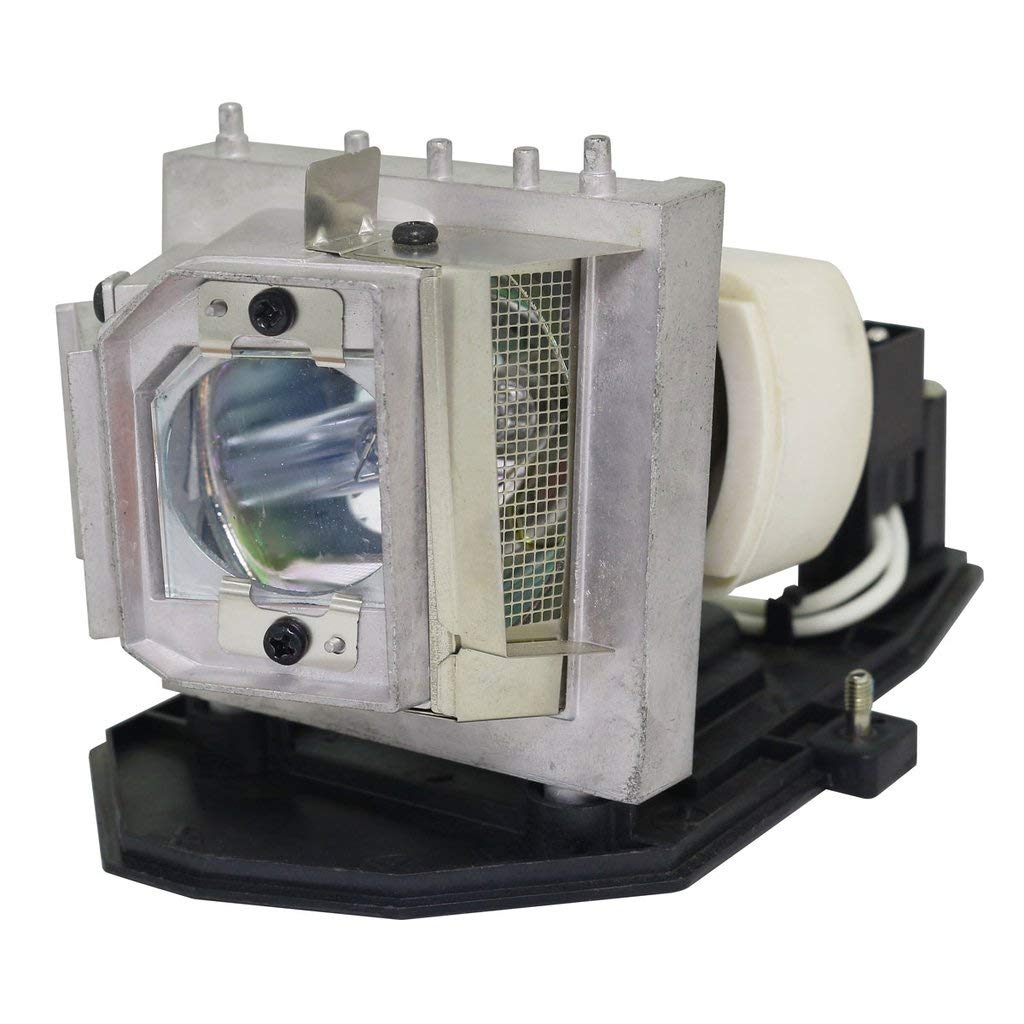
Image: The Dekain projector lamp module, ready for installation.
Operating Guidelines
For optimal performance and longevity of your projector lamp, it is recommended to:
- Avoid frequent power cycles (turning the projector on and off rapidly).
- Ensure adequate ventilation around the projector to prevent overheating.
- Operate the projector within its recommended temperature and humidity ranges.

Image: A projector in operation, illustrating typical usage.
Maintenance
Regular maintenance helps extend the life of your projector lamp and maintain image quality.
- Cleaning the Air Filter: Periodically clean or replace the projector's air filter to ensure proper airflow and prevent dust accumulation, which can lead to overheating and reduced lamp life. Refer to your projector's manual for filter cleaning instructions.
- Lamp Lifespan: This lamp is designed for an extended lifespan, typically three times longer than standard economic lamps, under normal operating conditions.
Troubleshooting
If you encounter issues with your projector lamp, consider the following:
- Lamp Not Illuminating:
- Verify that the lamp module is correctly seated and all connections are secure.
- Ensure the projector's lamp cover is properly closed, as a safety interlock may prevent operation.
- Check if the lamp timer needs to be reset after installation.
- Dim Image or Poor Color:
- Confirm the lamp timer has been reset. A lamp nearing the end of its life may produce a dimmer image.
- Ensure the projector's settings (brightness, contrast, color) are correctly configured.
- Check for any obstructions in the projector's lens or light path.
Specifications
| Feature | Detail |
|---|---|
| Brand | Dekain |
| Light Type | Metal Halide |
| Special Feature | Timer |
| Wattage | 15 watts |
| Bulb Shape Size | MR20 |
| Bulb Base | Prong |
| Light Source Type | Projector lamps |
| Control Method | Remote |
| Unit Count | 1 Count |
| UPC | 770429097546 |
| ASIN | B0912S3Z57 |
Warranty and Support
This Dekain projector lamp comes with a return policy allowing for refund or replacement within 30 days of purchase. The manufacturer provides a long-term warranty to cover quality-related issues. Customer service inquiries typically receive a response within 12 hours.
For further assistance, technical support, or warranty claims, please contact Dekain customer service. Response to inquiries is typically provided within 12 hours.
Video: Guidance on selecting a genuine OEM projector replacement lamp, covering compatibility, quality, warranty, brightness, and lamp life.