
1. Introduction
Thank you for choosing the Arcchio Walisa Spotlight. This manual provides essential information for the safe installation, operation, and maintenance of your new lighting fixture. Please read these instructions carefully before installation and retain them for future reference.
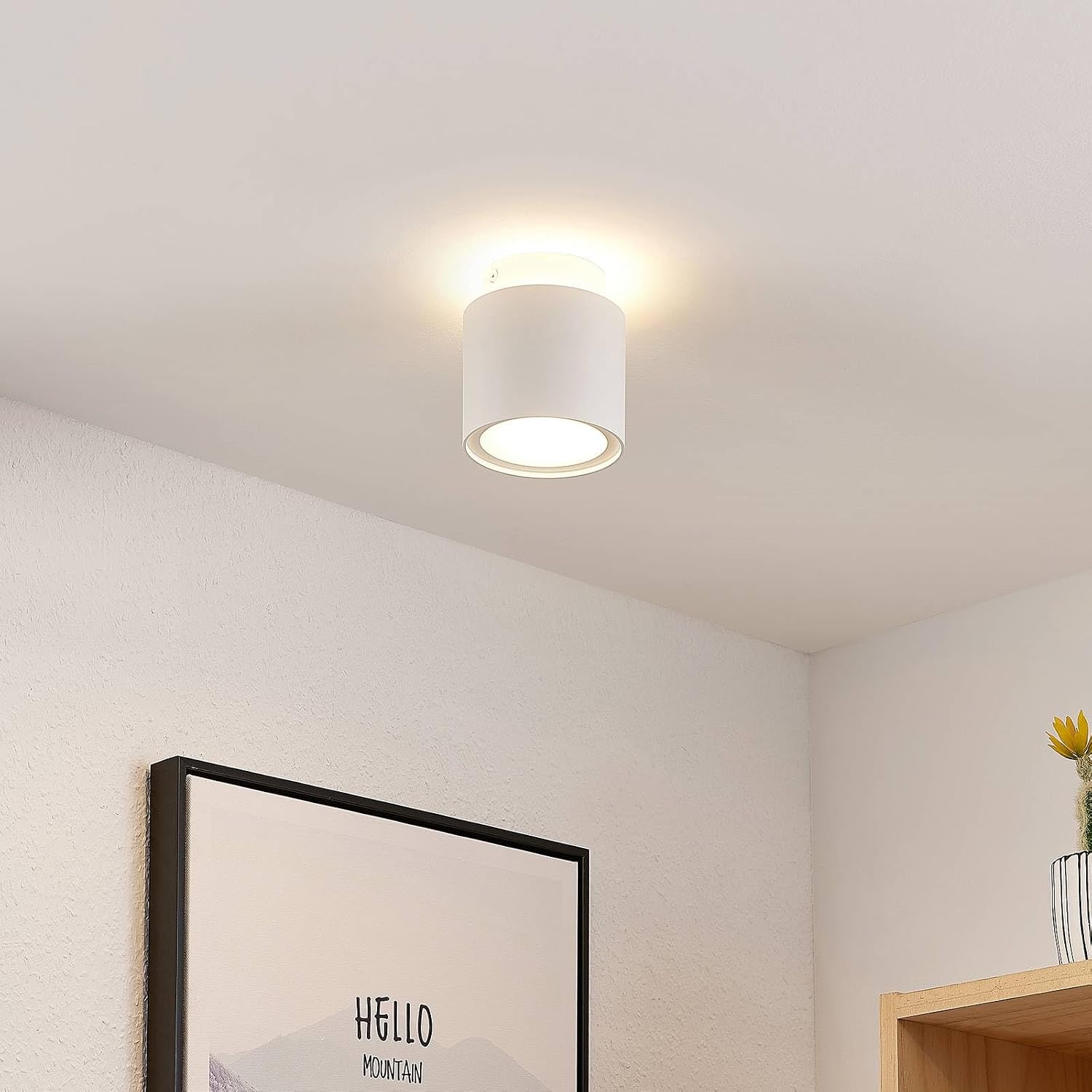
Image: Arcchio Walisa Spotlight illuminated in a room, showcasing its modern design and light output.
2. Important Safety Information
WARNING: Risk of electric shock. Always disconnect power before installation, maintenance, or bulb replacement.
- Installation should only be performed by a qualified electrician in accordance with local wiring regulations.
- Ensure the main power supply is switched off at the circuit breaker before commencing any work.
- Do not connect the fixture to a dimmer switch unless explicitly stated as compatible.
- Do not modify the fixture in any way.
- Keep packaging materials out of reach of children.
- This product is designed for indoor use only (IP20). Do not expose to moisture or extreme temperatures.
3. Package Contents
Verify that all components are present and undamaged before beginning installation.
- 1 x Arcchio Walisa Spotlight Fixture
- 1 x Mounting Bracket
- Screws and Wall Anchors (may vary)
- User Manual
4. Technical Specifications
| Feature | Specification |
|---|---|
| Model Number | 9626300 |
| Brand | Arcchio |
| Material | Aluminum |
| Color | White (RAL 9003) |
| Dimensions (Diameter x Height) | 100 mm x 115 mm |
| Lamp Holder | GU10 |
| Light Source Type | LED (1 light source) |
| Max Wattage | 10 W |
| Operating Voltage | 230 V |
| Connection Voltage | 230 V |
| Protection Class (IP Rating) | IP20 |
| Safety Class | I |
| Mounting Type | Ceiling Mounting |

Image: Technical drawing illustrating the dimensions of the Arcchio Walisa Spotlight (100mm diameter, 115mm height).
Energy Efficiency Information
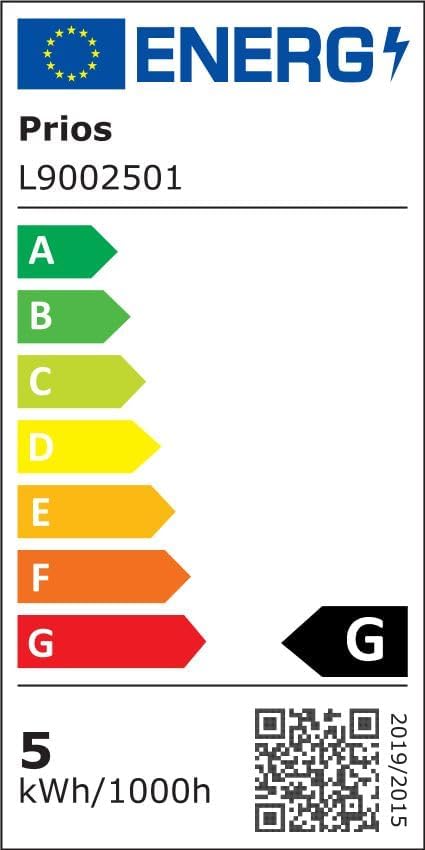
Image: Current EU energy efficiency label for the Arcchio Walisa Spotlight, indicating class G and 5 kWh/1000h.
For detailed product information and energy efficiency data, please refer to the EPREL database: https://eprel.ec.europa.eu/qr/747676
5. Setup and Installation
5.1. Before You Begin
- Ensure the power supply to the installation area is switched off at the main circuit breaker.
- Gather necessary tools: screwdriver, drill, wire strippers, voltage tester.
- Unpack the fixture carefully and inspect for any damage.
5.2. Mounting the Fixture
- Prepare the Mounting Surface: Choose a suitable location on the ceiling. Mark the drilling points for the mounting bracket.
- Install the Mounting Bracket: Drill holes at the marked points. Insert wall anchors if necessary. Secure the mounting bracket to the ceiling using the provided screws. Ensure it is firmly attached.
- Make Electrical Connections: Connect the household wiring to the terminal block inside the spotlight fixture. Ensure correct polarity: Live (L) to Live, Neutral (N) to Neutral, and Earth (E) to Earth. Double-check all connections for security.
- Attach the Fixture: Carefully align the spotlight fixture with the mounting bracket and secure it. Ensure all wires are tucked safely inside the housing and not pinched.
- Install the GU10 Bulb: Insert a GU10 LED bulb (max 10W) into the lamp holder by pushing it in and twisting clockwise until it locks into place.
- Restore Power: Once installation is complete and all connections are secure, switch the main power supply back on at the circuit breaker.

Image: Separate view of the mounting bracket for the Arcchio Walisa Spotlight, ready for installation.

Image: Internal view of the spotlight showing electrical connections and the terminal block.
6. Operating Instructions
The Arcchio Walisa Spotlight operates via a standard wall switch connected to your household electrical system. Simply toggle the switch to turn the light on or off.

Image: Arcchio Walisa Spotlight mounted on a ceiling, unlit, showing its sleek design.
7. Maintenance
7.1. Cleaning
- Always disconnect power before cleaning.
- Wipe the fixture with a soft, dry cloth.
- Do not use abrasive cleaners, solvents, or harsh chemicals, as these can damage the finish.
7.2. Light Source Replacement
To replace the GU10 LED bulb:
- Ensure the power supply is switched off at the main circuit breaker and the bulb has cooled down.
- Gently push the old GU10 bulb upwards and twist it counter-clockwise to release it from the lamp holder.
- Insert the new GU10 LED bulb (max 10W) by pushing it in and twisting clockwise until it locks into place.
- Restore power and test the new bulb.

Image: Detailed view of the spotlight's light source housing, showing the GU10 bulb area.
8. Troubleshooting
| Problem | Possible Cause | Solution |
|---|---|---|
| Light does not turn on | No power supply Faulty bulb Incorrect wiring | Check circuit breaker Replace bulb Verify wiring connections (consult electrician) |
| Light flickers | Loose bulb Incompatible dimmer Faulty bulb | Ensure bulb is securely seated Remove dimmer or replace with compatible one Replace bulb |
| Overheating | Incorrect bulb wattage Poor ventilation | Use correct wattage bulb (max 10W GU10 LED) Ensure fixture is not covered or in an enclosed space |
9. Warranty and Customer Support
Arcchio products are manufactured to high-quality standards. If you have any questions regarding this product, its installation, or operation, please contact your retailer or Arcchio customer support. Please retain your proof of purchase for warranty claims.