1. Introduction and Overview
The KESIEME A6S Wireless Bluetooth Headphones offer a superior audio experience with high-fidelity stereo sound, deep bass, and crystal-clear treble, powered by an advanced Bluetooth 5.0 chip. Designed for comfort and versatility, these over-ear headphones feature soft, skin-textured earmuffs and an adjustable, foldable design, making them ideal for travel, sports, and everyday use. With long battery life and dual-mode connectivity, you can enjoy uninterrupted music whether wirelessly or via a wired connection.

Figure 1: KESIEME A6S Wireless Bluetooth Headphones (Black & Red)
2. Product Features
- Hi-Fi Stereo Sound: Equipped with an advanced Bluetooth 5.0 chip for high-fidelity audio, deep bass, and clear treble.
- Bluetooth 5.0 Connectivity: Ensures fast, stable connections and low latency for seamless audio/video streaming. Features a high-quality built-in microphone for hands-free calling.
- Comfortable & Durable Design: Earmuffs imitate human skin texture for lasting comfort. Foldable and stretchable design provides a perfect fit and excellent durability.
- Adjustable & Portable: Ergonomically designed adjustable headbands and ultra-soft ear cups ensure comfort. The foldable design allows for easy portability.
- Long Battery Life & Dual Mode: Built-in 500mAh rechargeable battery offers up to 20 hours of music time with only 2.5 hours of fast charging. Can switch to wired mode for non-stop listening after battery depletion.
- Multi-functional Controls: Integrated buttons for power, volume, track navigation, call management, and mode switching.
- TF Card Support: Play music directly from a TF (Micro SD) card (card not included).

Figure 2: Versatile usage of the headphones for outdoor activities, transport, and study.

Figure 3: Highlighting the impressive 40-hour playtime and quick charging capability.
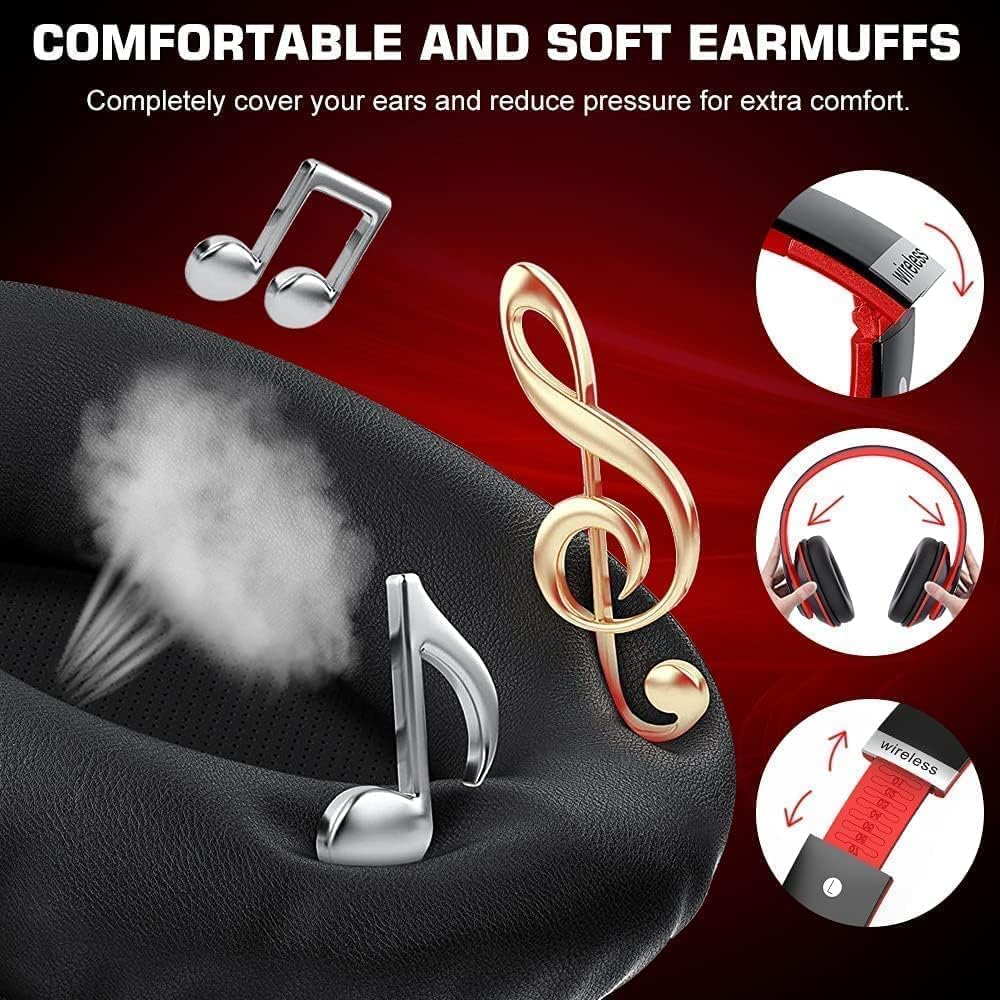
Figure 4: Close-up of the comfortable, skin-textured earmuffs and adjustable headband.
Product Video Overview
Video: Comprehensive overview of the KESIEME A6S Wireless Headphones, demonstrating features and usage.
3. Setup
3.1 Charging the Headphones
Before first use, fully charge your headphones. Connect the provided Micro USB charging cable to the charging port on the headphone (refer to Figure 5 for port location) and plug the other end into a USB power source. The indicator light will show charging status and turn off when fully charged.
3.2 Bluetooth Pairing
- Ensure the headphones are powered off.
- Long press the Power ON/OFF button (refer to Figure 5) until the indicator light flashes blue and red, indicating pairing mode.
- On your Bluetooth-enabled device (smartphone, tablet, PC), go to Bluetooth settings and turn on Bluetooth.
- Search for available devices and select "6S" from the list.
- Once connected, the indicator light will turn solid blue, and you will hear a confirmation tone.
3.3 Wired Connection
To use the headphones in wired mode, simply plug one end of a 3.5mm audio cable (not included) into the headphone's 3.5mm jack and the other end into your audio device. The headphones will automatically switch to wired mode.

Figure 5: Detailed view of headphone controls and ports, including charging port and audio cable link hole.
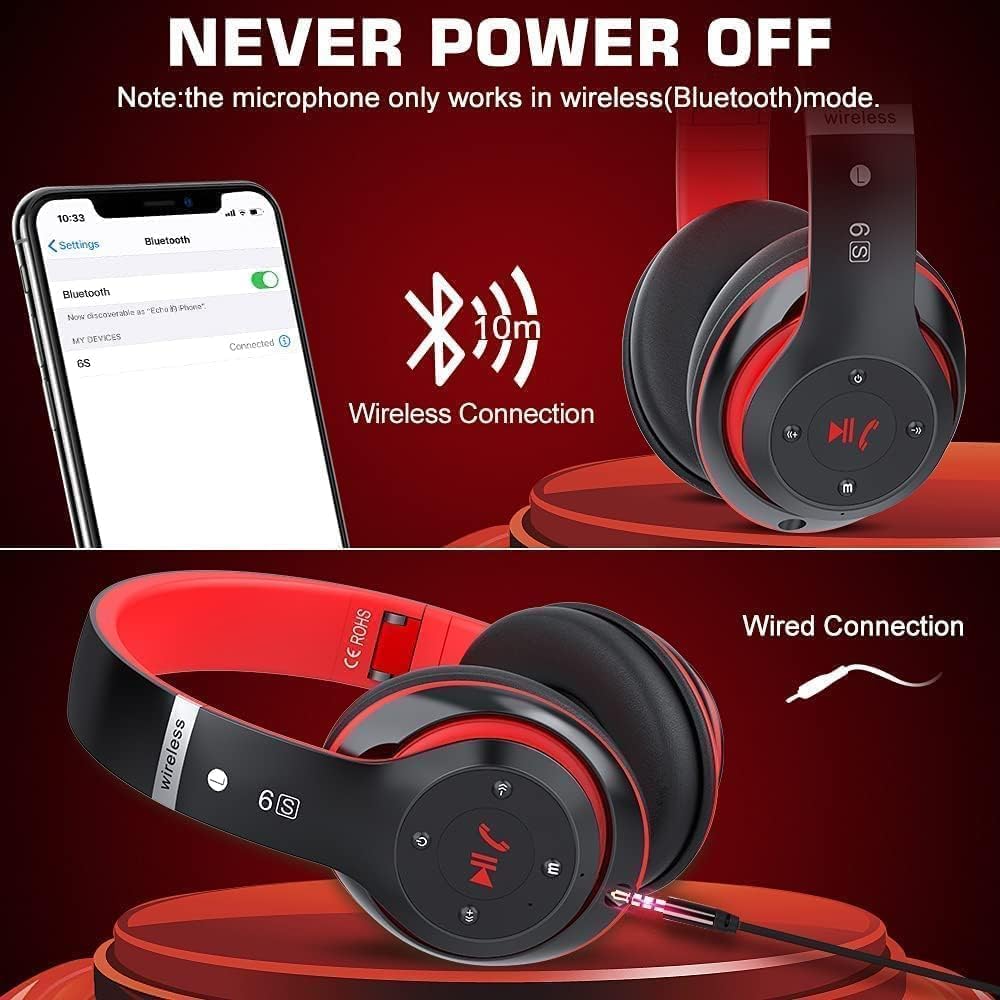
Figure 6: Demonstrating both wireless (Bluetooth) and wired (3.5mm jack) connection methods.
4. Operating Instructions
- Power ON/OFF: Long press the Power button for 3 seconds.
- Play/Pause/Answer/Hang Up: Press the Play/Pause/Call button (center button).
- Volume Up/Next Track: Short press the Volume+ button for volume up. Long press for next track.
- Volume Down/Previous Track: Short press the Volume- button for volume down. Long press for previous track.
- Mode Switching: Press the M button to switch between Wireless (Bluetooth), FM Radio, and TF Card modes.
- Microphone: The built-in microphone is active in wireless (Bluetooth) mode for hands-free calls.
5. Maintenance
- Cleaning: Wipe the headphones with a soft, dry cloth. Avoid using abrasive cleaners or solvents.
- Storage: When not in use, fold the headphones and store them in a cool, dry place away from direct sunlight and extreme temperatures.
- Battery Care: To prolong battery life, avoid fully discharging the headphones frequently. Charge them regularly, even if not in constant use.
- Water Resistance: While the product is listed as waterproof, avoid submerging the headphones in water or exposing them to heavy rain to prevent damage.
6. Troubleshooting
| Problem | Possible Cause | Solution |
|---|---|---|
| Headphones do not power on. | Low battery. | Charge the headphones fully. |
| No sound or low volume. | Volume too low on headphones or device; improper connection. | Adjust volume on both headphones and connected device. Ensure Bluetooth is connected or 3.5mm cable is fully inserted. |
| Cannot pair via Bluetooth. | Headphones not in pairing mode; device Bluetooth off; out of range; interference. | Ensure headphones are flashing blue/red. Turn device Bluetooth off/on. Move headphones closer to device (within 10m). Clear previous pairings on device. |
| Microphone not working. | Headphones are in wired mode. | Ensure headphones are connected via Bluetooth (wireless mode). |
| Sound is distorted. | Volume too high; weak Bluetooth signal; interference. | Lower volume. Move closer to the Bluetooth device. Avoid obstacles between headphones and device. |
7. Specifications
| Feature | Detail |
|---|---|
| Model Name | Bluetooth Headphones (A6S) |
| Brand | KESIEME |
| Connectivity Technology | Wireless (Bluetooth 5.0), Wired (3.5mm Jack) |
| Bluetooth Range | 10 Meters |
| Battery Capacity | 500mAh Lithium Polymer |
| Music Playtime | Up to 20 hours |
| Charging Time | 2.5 Hours |
| Frequency Range | 20 Hz - 20,000 Hz |
| Earpiece Shape | Around Ear (Over Ear) |
| Material | Plastic |
| Color | Black & Red |
| Product Dimensions | 6.5 x 9 x 0.39 inches |
| Item Weight | 10.8 ounces |
| Water Resistance Level | Waterproof |
| UPC | 752771029062 |
8. Warranty and Support
For warranty information and customer support, please refer to the documentation included with your purchase or contact KESIEME customer service through their official website or the retailer where the product was purchased. Keep your proof of purchase for warranty claims.


