
1. Introduction
Thank you for choosing the Beacon Pet Fully Automatic Digital Egg Incubator. This device is designed to provide a stable and controlled environment for hatching various types of poultry eggs, including chicken, duck, quail, and more. With its automatic temperature control, egg turning, and LED candling features, this incubator simplifies the hatching process, making it suitable for both beginners and experienced breeders. Please read this manual thoroughly before operation to ensure proper use and optimal hatching results.
2. Safety Instructions
- Always connect the incubator to a grounded power outlet.
- Do not immerse the incubator or its power cord in water or other liquids.
- Unplug the incubator from the power source before cleaning or performing any maintenance.
- Keep the incubator away from direct sunlight, drafts, and extreme temperature fluctuations.
- Ensure proper ventilation around the incubator.
- Do not allow children to operate the incubator without adult supervision.
- Handle eggs with clean hands to prevent contamination.
3. Package Contents
Verify that all items are present in the package:
- 1x Beacon Pet Egg Incubator Unit
- 1x Power Cord
- 1x Blister Tray (Egg Holder)
4. Product Features
- Capacity: Accommodates 9 standard-sized eggs or 4 quail eggs.
- Digital Temperature Control: Clear digital display for monitoring and adjusting internal temperature.
- Automatic Egg Turning: Integrated mechanism for regular egg rotation to ensure even heating and development.
- LED Candler: Built-in LED lamps under egg holders for easy observation of embryo development without disturbing the hatching process.
- Constant Heating: Ceramic heater maintains a stable internal temperature.
- Even Heat Distribution: Turbo fan ensures uniform heat transfer with low noise operation.
- Humidification Sponge: Included sponge for maintaining appropriate humidity levels.
- Transparent Lid: Allows for easy observation of the hatching process.
- Durable Construction: Made from ABS material for longevity.
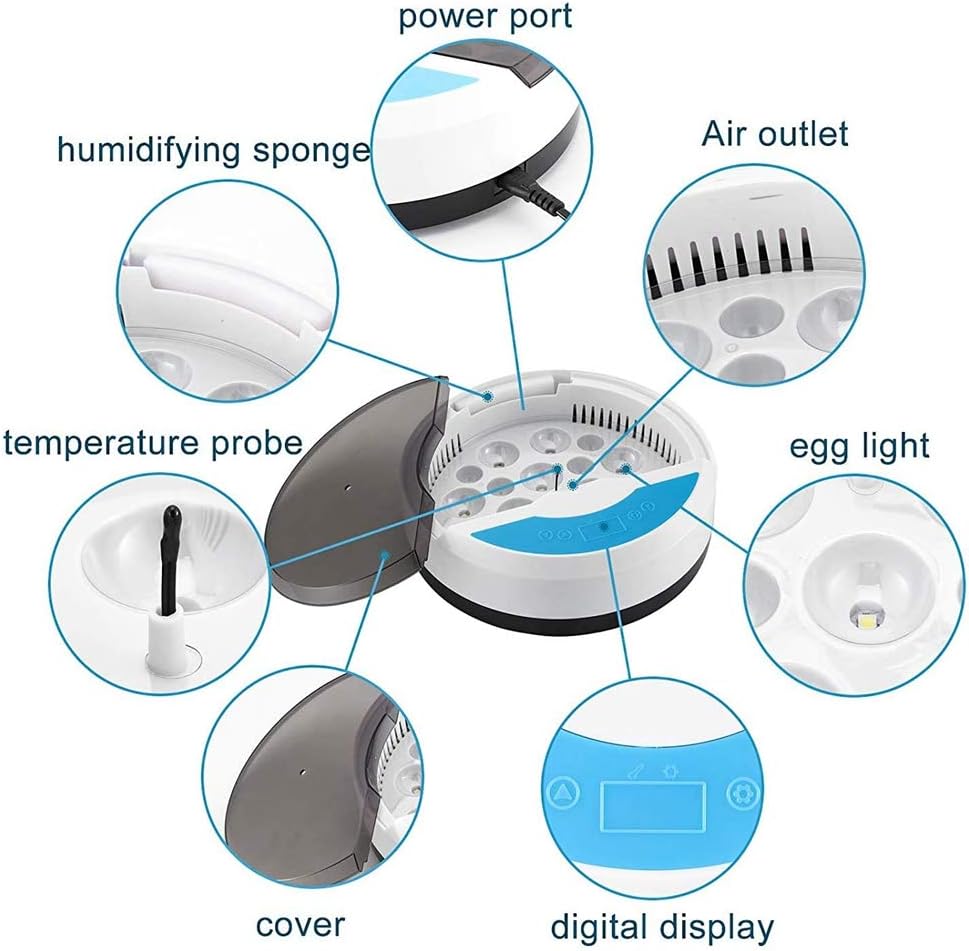
Figure 1: Key components of the Beacon Pet Egg Incubator, including the power port, humidifying sponge, temperature probe, cover, digital display, air outlet, and egg light.
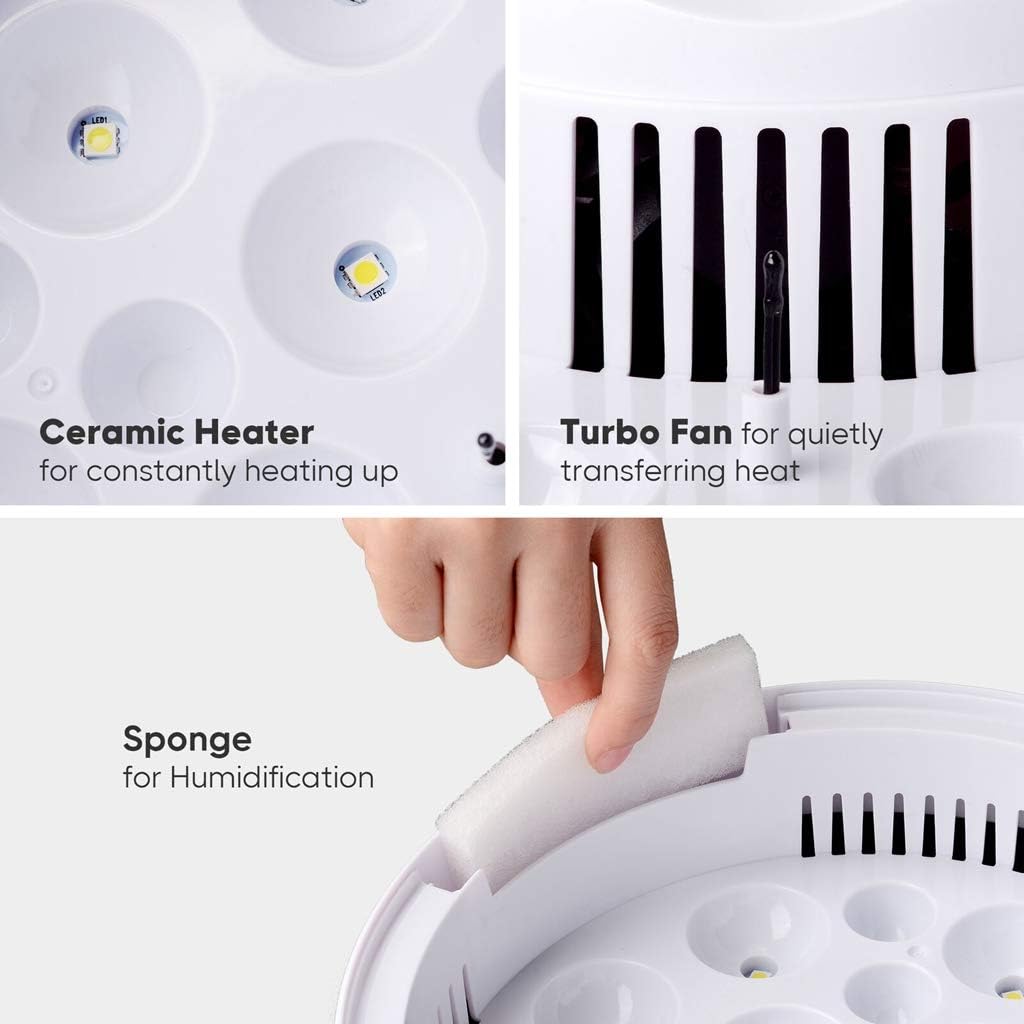
Figure 2: Detailed view of the ceramic heater for constant warmth, the turbo fan for quiet heat distribution, and the sponge for humidification.
5. Setup
- Unpack: Carefully remove all components from the packaging.
- Placement: Place the incubator on a stable, level surface in a room with a consistent ambient temperature (ideally between 20-25°C / 68-77°F) and away from direct sunlight or drafts.
- Add Water: Locate the humidifying sponge. Moisten the sponge with clean, distilled water and place it in its designated slot within the incubator. Ensure water does not spill onto electronic components.
- Connect Power: Plug the power cord into the incubator's power port, then into a suitable electrical outlet. The digital display should illuminate.
- Pre-heat: Allow the incubator to pre-heat for at least 2-3 hours to stabilize the internal temperature before placing eggs inside.

Figure 3: The Beacon Pet Egg Incubator ready for operation, showing the digital temperature display and egg placement.
6. Operating Instructions
6.1. Setting Temperature
- The digital display shows the current internal temperature.
- Press the 'Set' button (often represented by a gear icon) to enter temperature adjustment mode.
- Use the '+' and '-' buttons to increase or decrease the target temperature. Refer to specific egg type requirements for optimal hatching temperatures (e.g., chicken eggs typically require 37.5°C / 99.5°F).
- Press 'Set' again to confirm the new temperature. The incubator will automatically adjust to the set temperature.
6.2. Placing Eggs
- Ensure eggs are clean and fertile.
- Carefully place eggs into the designated slots on the blister tray. Ensure they are positioned correctly for automatic turning.
- Close the transparent lid securely.
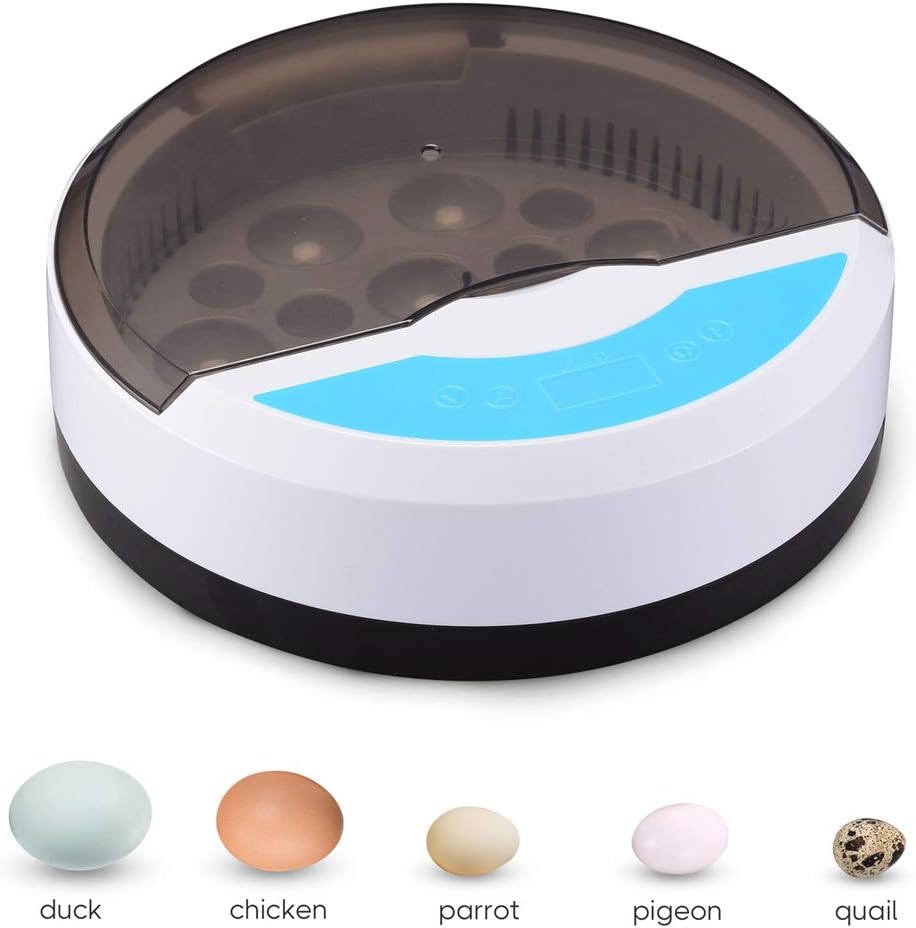
Figure 4: The incubator is compatible with various egg sizes, including duck, chicken, parrot, pigeon, and quail eggs.
6.3. Automatic Egg Turning
- The incubator is equipped with an automatic egg turning mechanism. This feature typically operates every 2 hours.
- Do not manually turn the eggs once the automatic turning is active, as this may interfere with the mechanism.
- Stop automatic turning 3 days before the expected hatch date to allow chicks to position themselves for hatching.
6.4. Candling Eggs
- The built-in LED candler allows you to observe the embryo development.
- To use, gently lift an egg and place it over one of the LED lights.
- Observe for signs of development, such as blood vessels or a visible embryo. Remove infertile or non-developing eggs to prevent contamination.
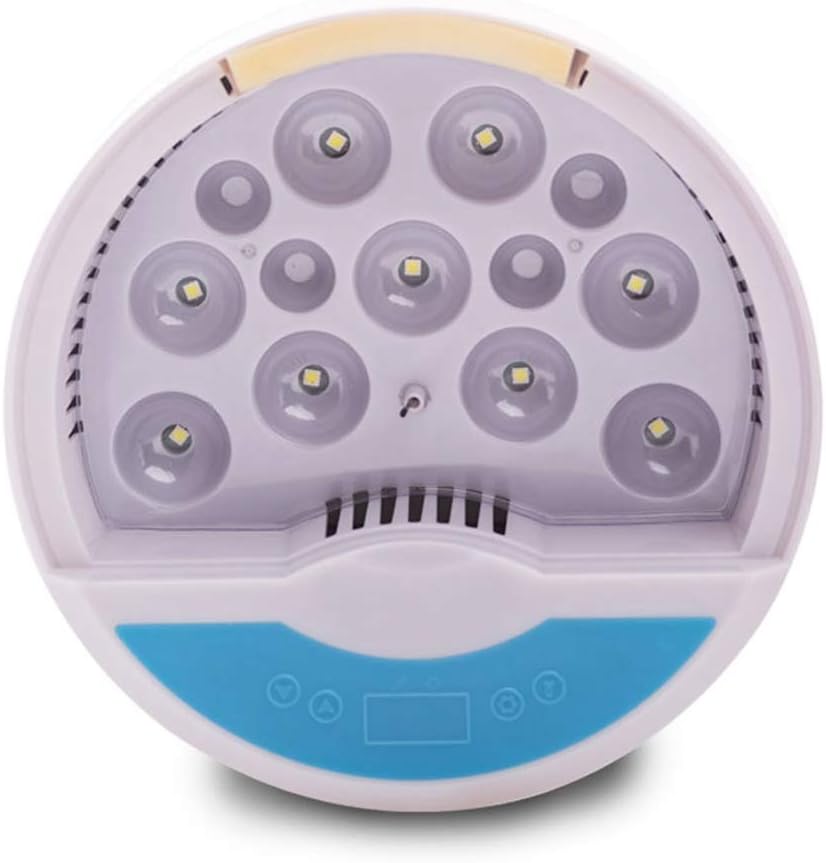
Figure 5: The internal LED lights used for candling eggs, allowing observation of embryo development.
7. Maintenance
7.1. Cleaning
- After each hatch, unplug the incubator and allow it to cool completely.
- Remove the blister tray and clean it with mild soap and water. Rinse thoroughly and dry completely.
- Wipe the interior and exterior surfaces of the incubator with a damp cloth. For stubborn stains, use a mild disinfectant.
- Ensure all parts are completely dry before reassembling or storing the incubator.
7.2. Water Refill
- Regularly check the humidifying sponge and replenish water as needed to maintain desired humidity levels.
- Use distilled water to prevent mineral buildup.
8. Troubleshooting
| Problem | Possible Cause | Solution |
|---|---|---|
| Incubator not powering on | Power cord not connected; Power outlet issue | Check power cord connection; Try a different outlet. |
| Temperature unstable | Lid not closed properly; Room temperature fluctuations; Faulty sensor | Ensure lid is sealed; Move incubator to a stable environment; Contact support if issue persists. |
| Eggs not turning | Automatic turning disabled; Obstruction; Motor issue | Verify automatic turning is active; Check for obstructions; Contact support. |
| Low humidity | Insufficient water in sponge; Sponge dry | Add more water to the humidifying sponge; Ensure sponge is moist. |
| Poor hatch rate | Incorrect temperature/humidity; Infertile eggs; Improper egg handling | Review temperature/humidity settings; Use fresh, fertile eggs; Follow proper handling procedures. |
9. Specifications
- Overall Dimensions (L x W x H): 9 9/16" x 9 9/16" x 3 1/8" (24.3 x 24.3 x 8 cm)
- Voltage: 95 to 125V
- Frequency: 50/60Hz
- Power: 20W
- Net Weight: 1.34 Lbs (0.61 kg)
- Material: ABS
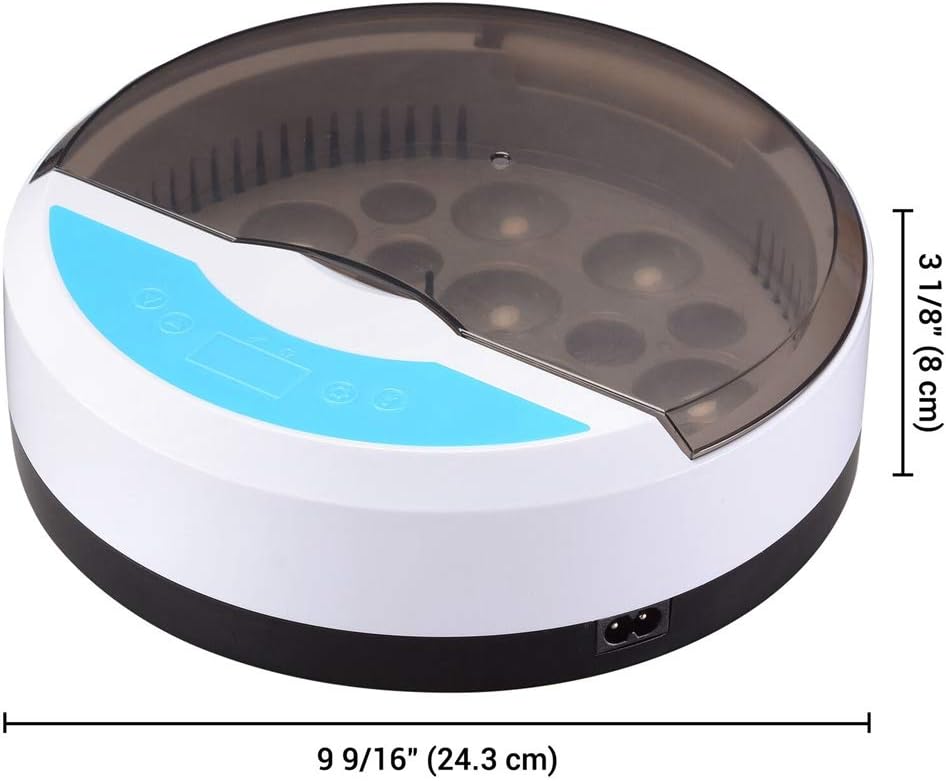
Figure 6: Dimensions of the Beacon Pet Egg Incubator.
10. Warranty and Support
For warranty information or technical support, please refer to the contact details provided with your purchase or visit the official Beacon Pet website. Please have your model number (B08ZXQYC8G) and purchase date ready when contacting support.