
1. Introduction
The Amazon Echo Show 8 (2nd Gen, 2021 Release) is an HD smart display with Alexa built-in, featuring an 8-inch touchscreen and a 13 MP camera. This manual provides instructions for setting up, operating, maintaining, and troubleshooting your device.
2. What's in the Box
Upon unboxing, verify that the following items are included:
- Echo Show 8 device
- Glacier White power adapter (30W) and cable (4.9 ft.)
- Quick start guide
3. Setup
Follow these steps to set up your Echo Show 8:
- Power On: Connect the included power adapter to your Echo Show 8 and plug it into a wall outlet. The device will automatically power on.
- On-Screen Instructions: Follow the on-screen prompts to select your language and connect to your Wi-Fi network. The Echo Show 8 supports dual-band Wi-Fi (802.11a/b/g/n/ac).
- Amazon Account: Log in with your Amazon account credentials. If you do not have an account, you will be prompted to create one.
- Alexa App: For full functionality and advanced settings, download the Alexa app on your Fire OS, Android, or iOS device. The app is also accessible via a web browser.
Amazon WiFi simple setup can automatically connect your device to your Wi-Fi network if you have compatible devices and have previously enabled this feature.
4. Operating Your Echo Show 8
Basic Interaction
Interact with your Echo Show 8 using voice commands (by saying "Alexa") or by touching the 8.0-inch HD display.
Entertainment
The Echo Show 8 provides access to various entertainment options:
- Video Streaming: Watch TV shows and movies in HD from services like Prime Video and Netflix.
- Music Streaming: Stream music from Amazon Music, Apple Music, or Spotify.

Image: The Echo Show 8 screen showing various music streaming services, indicating its capability to play audio from different platforms.

Image: The Echo Show 8 displaying a movie from Prime Video, demonstrating its video playback capabilities.
Communication
Utilize the 13 MP camera for video calls. The camera features auto-framing to keep you centered during calls. Simply ask Alexa to call your contacts.
Daily Assistance
Alexa can assist with daily tasks:
- View calendars and reminders.
- Get daily recipe ideas with step-by-step instructions.
- Set timers and update lists.
- Receive news and traffic updates.
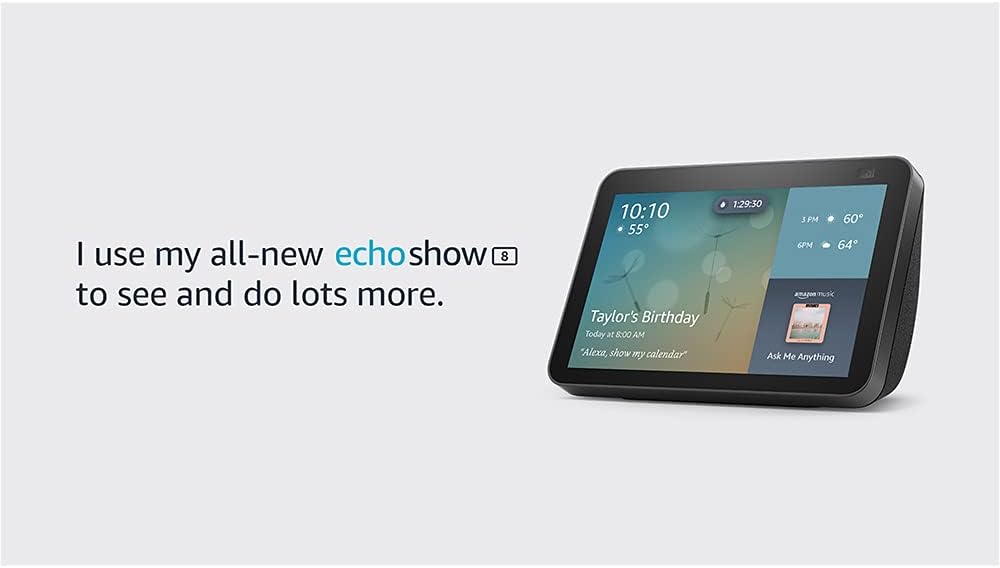
Image: The Echo Show 8 screen showing the current time, weather, and a calendar event, illustrating its utility as a personal assistant.
Photo Display
Use Amazon Photos to turn your home screen into a digital photo frame. Adaptive color technology ensures your photos look good in any lighting condition.
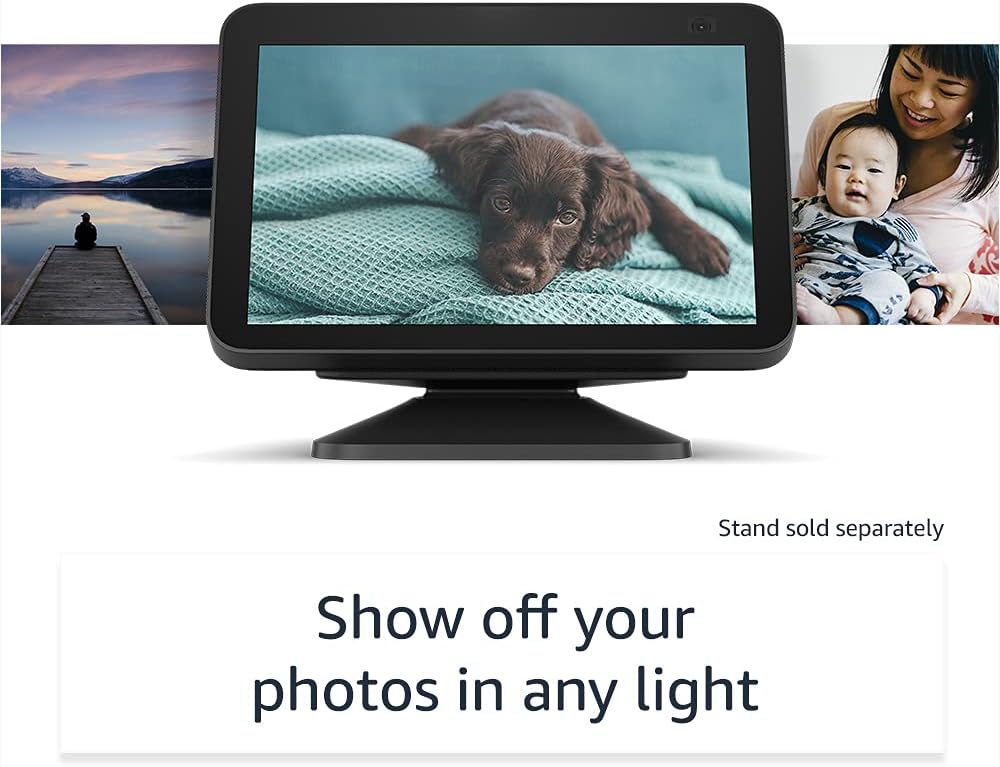
Image: The Echo Show 8 displaying a personal photo, highlighting its digital photo frame feature.
5. Smart Home Integration
The Echo Show 8 can manage compatible smart home devices using its interactive display, your voice, or motion. It supports Wi-Fi, Bluetooth Low Energy Mesh, and Matter for device compatibility.
- Remote Monitoring: Use the built-in camera to look in on your home when you are away.
- Device Control: Control compatible devices such as cameras, lights, and thermostats.

Image: The Echo Show 8 screen showing live feeds from four different cameras, demonstrating its smart home monitoring capabilities.
Amazon Sidewalk
Amazon Sidewalk is a shared network that helps compatible devices work better. It uses a small portion of your internet bandwidth to provide benefits to you and your neighbors via Sidewalk Bridges (participating Echo and Ring devices). Sidewalk is turned on by default but can be disabled at any time through the Alexa app.
6. Privacy Features
The Echo Show 8 is designed with multiple layers of privacy controls:
- Microphone/Camera Off Button: A physical button to electronically disconnect the microphones and camera.
- Built-in Camera Shutter: A physical slider to cover the camera lens.
- Wake Word Technology: Alexa devices only begin recording and sending audio to the cloud after detecting the wake word.
- Streaming Indicators: Visual indicators show when your device is streaming to the cloud.
- Voice Recording Management: Ability to view and delete your voice recordings.
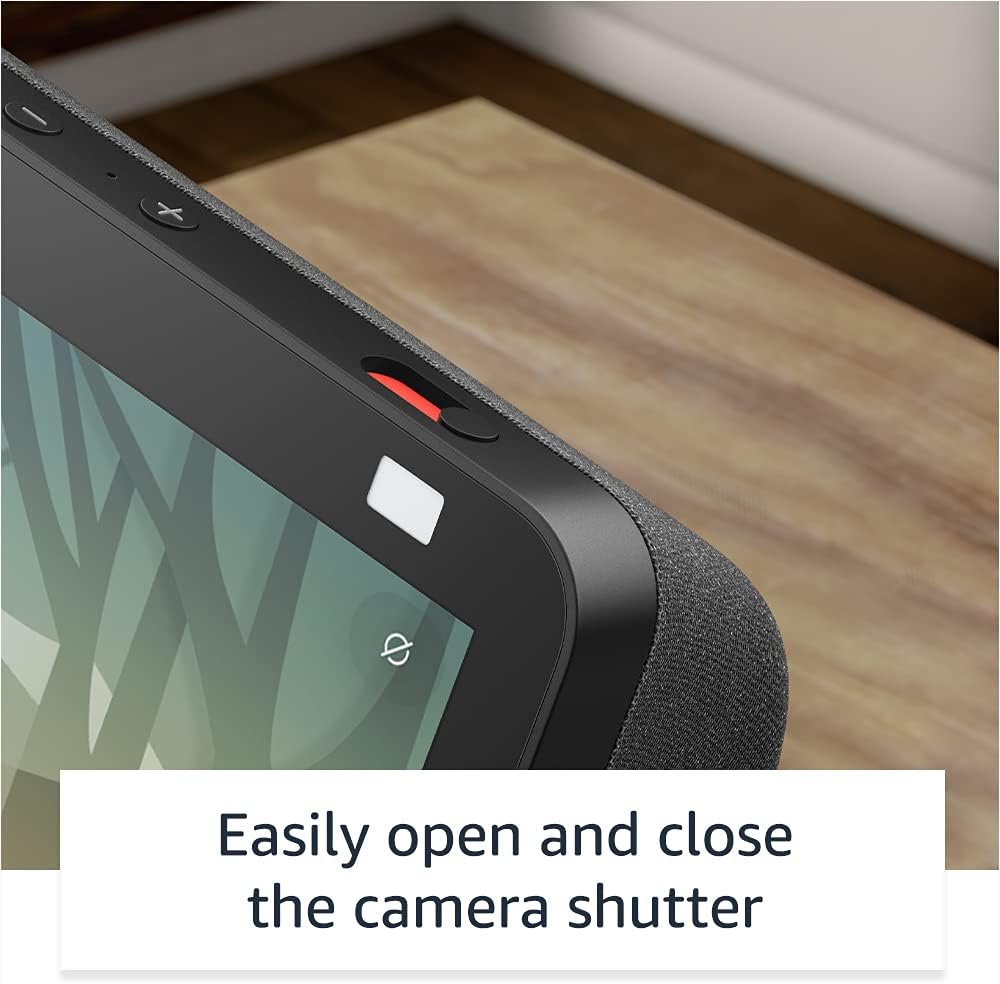
Image: A close-up view of the Echo Show 8's physical camera shutter and microphone/camera off button, highlighting its privacy controls.
For more information, visit the Alexa Privacy Hub.
7. Accessibility Features
The Echo Show 8 includes various accessibility features. Access these settings via Settings → Accessibility on your device:
- Tap to Alexa: Interact with Alexa via touch using on-screen tiles or a keyboard.
- Adaptive Listening: Provides more time to finish speaking before Alexa responds.
- Preferred Speaking Rate: Control Alexa's speaking speed.
- Captioning: Alexa Captioning, Call Captioning, and Closed Captioning for supported content.
- Show and Tell: Helps identify products for blind or visually impaired users by saying "Alexa, what am I holding."
- VoiceView Screen Reader: Provides audio feedback for blind or visually impaired users.
- Screen Magnifier: Zoom in/out and pan around the screen.
- Notify When Nearby: Plays notification sounds when detected near the device.
- Kindle Read Aloud: Alexa can read your Kindle books aloud.
- Real Time Text: Type live text during a video call.
- Additional settings include Color Inversion, Color Correction, and Request Sound.
8. Maintenance
To ensure optimal performance and longevity of your Echo Show 8:
- Cleaning: Gently wipe the screen and device exterior with a soft, lint-free cloth. Avoid abrasive cleaners or sprays.
- Software Updates: The device receives automatic software security updates. Ensure your device is connected to Wi-Fi to receive these updates.
- Placement: Place the device on a stable, flat surface away from direct sunlight, heat sources, and moisture.
9. Troubleshooting
If you encounter issues with your Echo Show 8, consider the following:
- No Power: Ensure the power adapter is securely connected to both the device and a working power outlet.
- Wi-Fi Connectivity Issues:
- Check if your Wi-Fi router is on and functioning.
- Restart your router and the Echo Show 8.
- Verify that the device is within range of your Wi-Fi network.
- Ensure you are connecting to a supported Wi-Fi network (802.11a/b/g/n/ac). Ad-hoc networks are not supported.
- Alexa Not Responding:
- Ensure the microphone is not muted (check the mic/camera off button).
- Speak clearly and at a normal volume.
- Move closer to the device.
- Screen Unresponsive: Restart the device by unplugging it for a few seconds and then plugging it back in.
- Video Call Issues: Check your internet connection speed. Ensure the camera shutter is open.
For persistent issues, consult the Alexa app or Amazon's online support resources.
10. Specifications
| Feature | Detail |
|---|---|
| Size | 7.9”x 5.4”x 3.9” (200mm x 135mm x 99mm) |
| Weight | 36.6 oz (1037 grams) |
| Display | 8.0” touch screen |
| Camera | 13 MP camera with built-in shutter |
| WiFi Connectivity | Dual-band Wi-Fi (802.11a/b/g/n/ac) |
| Bluetooth Connectivity | A2DP support for audio streaming, AVRCP for voice control of connected mobile devices |
| Audio | 2.0” (52 mm) neodymium speakers with passive bass radiator |
| Processor | MediaTek MT 8183 |
| System Requirements | WiFi connection, Alexa app (Fire OS, Android, iOS, web browser) |
| Smart Home Compatibility | WiFi, Bluetooth Low Energy Mesh, Matter |
| Language | Alexa speaks English and Spanish |
| Generation | Echo Show 8 (2nd Gen) - 2021 release |
11. Warranty and Service
Your Echo Show 8 includes a 1-year limited warranty and service. Optional extended warranty plans (1-year, 2-year, and 3-year) are available for purchase separately for U.S. customers. Use of the Echo Show 8 is subject to these terms.
12. Support
For further assistance, refer to the following resources:
- Alexa App: The Alexa app provides comprehensive settings, help topics, and troubleshooting guides.
- Amazon Support Website: Visit the official Amazon support website for your Echo Show 8 model for FAQs, community forums, and contact options.


