
1. Introduction
This manual provides detailed instructions for the assembly, operation, and maintenance of your Teraves Reversible L-Shaped Desk. Please read this manual thoroughly before assembly and use to ensure proper setup and safe operation.
Key Features:
- Spacious Workspace: This large L-desk offers a generous surface area, suitable for multiple monitor setups, writing, working, gaming, and remote learning.
- Integrated Storage: Features 2-tier shelves on the side for organizing your items.
- Reversible Design: The L-shape can be configured with the shorter side on either the left or right to adapt to your space and maximize room utility.
- Monitor Mount Hole: Includes a pre-drilled hole on the rounded board for easy installation of monitor mounts.
- Adjustable Leg Pads: Equipped with adjustable leg pads to ensure stability on uneven floors and protect your flooring from scratches.
2. Safety Information
Please follow all assembly instructions carefully to ensure a stable and safe desk. This product has a maximum weight limit of approximately 204 kg (450 pounds). Exceeding this limit may lead to stability issues or damage to the desk. It is recommended that two people assemble this desk for safety and ease of installation.
3. Package Contents
Before beginning assembly, please verify that all parts listed in the included parts list are present and undamaged. If any parts are missing or damaged, please contact customer support.
4. Assembly Instructions
Follow these steps carefully for proper assembly. Do not fully tighten screws until all components are in place, unless otherwise specified.
Step 4.1: Assemble the Frame
Begin by laying out the metal frame components. Connect the main frame pieces using the provided screws and connectors. Ensure all connections are secure but do not overtighten yet.

Figure 4.1: Assembled metal frame.
Step 4.2: Install Crossbars and Adjustable Leg Pads
Attach the crossbars to the frame, ensuring they are correctly aligned. Insert and partially tighten the screws. Once the frame is stable, install the adjustable leg pads at the bottom of each leg. These can be adjusted later to level the desk.

Figure 4.2: Adjustable leg pad installation.
Step 4.3: Attach the Bookshelf/Storage Unit
Secure the 2-tier bookshelf unit to the designated side of the desk frame using the provided hardware. Ensure it is firmly attached.

Figure 4.3: Bookshelf/Storage unit attached.
Step 4.4: Position the Desktop Panels (Reversible Design)
The desk features reversible panels, allowing you to choose the orientation of the L-shape (left or right). Carefully place the desktop panels onto the assembled frame according to your desired configuration. Align the pre-drilled holes on the desktop with the frame.

Figure 4.4: Reversible panel configuration.
Step 4.5: Secure the Desktop and Final Tightening
Once the desktop panels are correctly positioned, secure them to the frame using the remaining screws. After all components are in place, go back and fully tighten all screws to ensure the desk is rigid and stable.
Step 4.6: Monitor Mount Hole
The rounded corner of the desk includes a pre-drilled hole designed for easy installation of a monitor mount. This allows for a clean and organized setup for your display.

Figure 4.5: Monitor mount hole detail.
5. Operating Instructions
The Teraves L-Shaped Desk is designed for versatile use in home offices, gaming setups, or study areas. Utilize the spacious desktop for your computer, monitor(s), and other work essentials. The integrated 2-tier shelves provide convenient storage for books, documents, or decorative items. The open design allows for easy cable management and access to power outlets.
6. Maintenance
Cleaning:
- Wipe the desk surfaces with a soft, damp cloth. Avoid using harsh chemicals or abrasive cleaners, as these can damage the engineered wood finish.
- For spills, wipe immediately with a dry cloth to prevent moisture absorption. The desk features a waterproof wood board, but prolonged exposure to liquids should be avoided.
- Clean the metal frame with a damp cloth.
General Care:
- Periodically check all screws and connections to ensure they remain tight. Retighten if necessary to maintain stability.
- Adjust the leg pads as needed to keep the desk level and prevent wobbling.
- Avoid placing extremely hot or cold items directly on the desktop without protective coasters.
7. Troubleshooting
Desk is Wobbly:
- Ensure all screws are fully tightened.
- Adjust the leg pads on the bottom of the desk legs to compensate for uneven flooring.
Missing Parts:
- Carefully check all packaging materials. If parts are genuinely missing, contact Teraves customer support with your product model number and purchase details.
Difficulty Assembling:
- Review the assembly instructions carefully, paying close attention to diagrams.
- Ensure you are not overtightening screws prematurely, which can prevent proper alignment. Loosen all screws slightly, align parts, then retighten.
- It is recommended to have two people for assembly.
8. Specifications
| Feature | Detail |
|---|---|
| Brand | Teraves |
| Model Number | SLUGRIAS |
| Shape | L-Shape |
| Product Dimensions (D x W x H) | 61"D x 43.3"W x 29.3"H (19.68 x 43.3 x 29.3 inches) |
| Color | White + Gold Frame |
| Style | Modern |
| Base Material | Metal |
| Top Material Type | Engineered Wood |
| Special Feature | Reversible |
| Number of Shelves | 1 (2-tier storage unit) |
| Maximum Weight Recommendation | 450 Pounds (approx. 204 kg) |
| Recommended People for Assembly | 2 |
| Included Components | Shelves, Monitor Mount Hole |

Figure 8.1: Desk Dimensions.
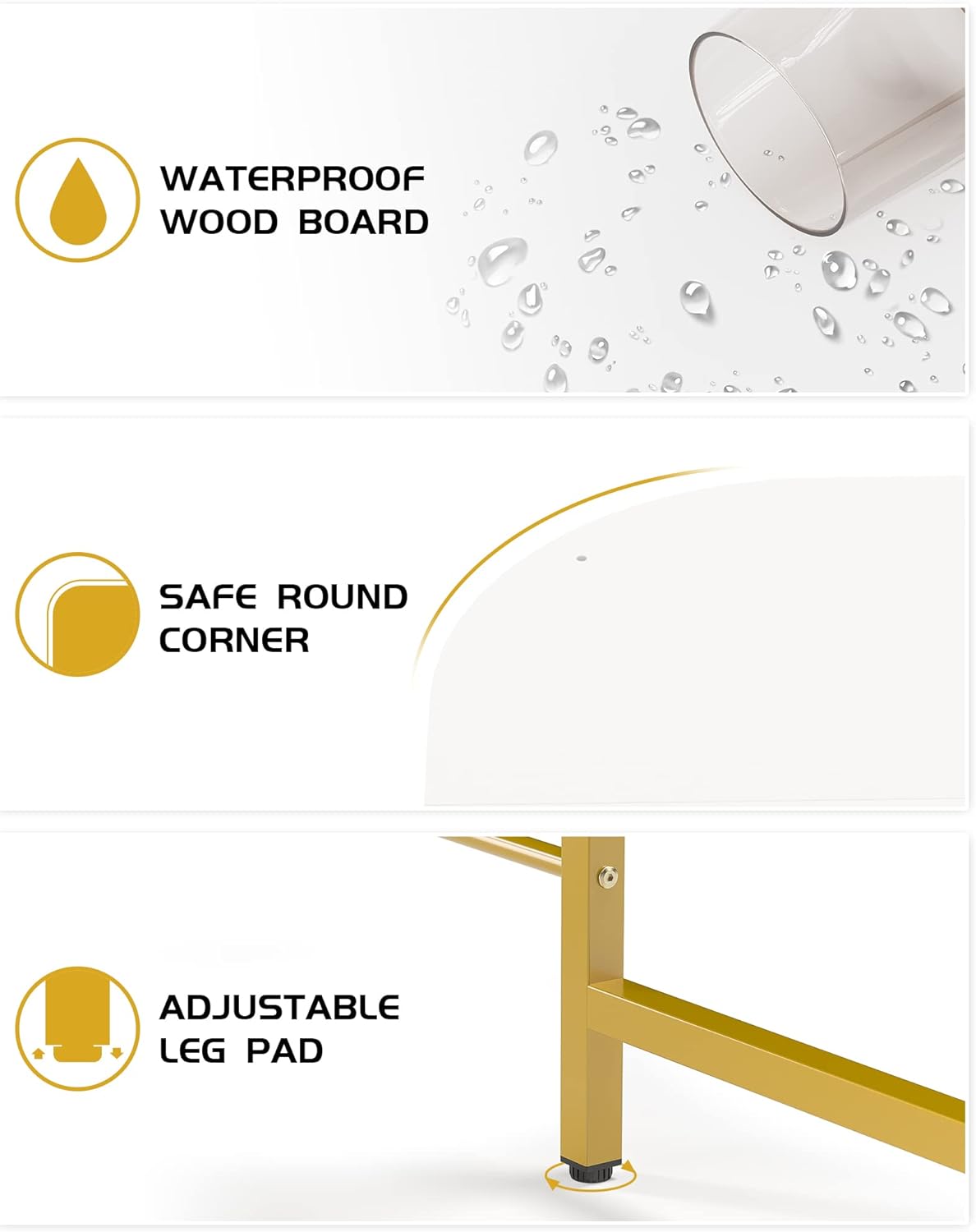
Figure 8.2: Key Desk Features.
9. Warranty and Support
Warranty information for this product is not specified in the provided details. For any product inquiries, missing parts, or support needs, please refer to your purchase documentation or contact Teraves customer service directly through the retailer where the product was purchased.

