
Sharper Image 1014851
Sharper Image Road Rage RC Speed Bumper Cars Instruction Manual
Model: 1014851
1. Introduction
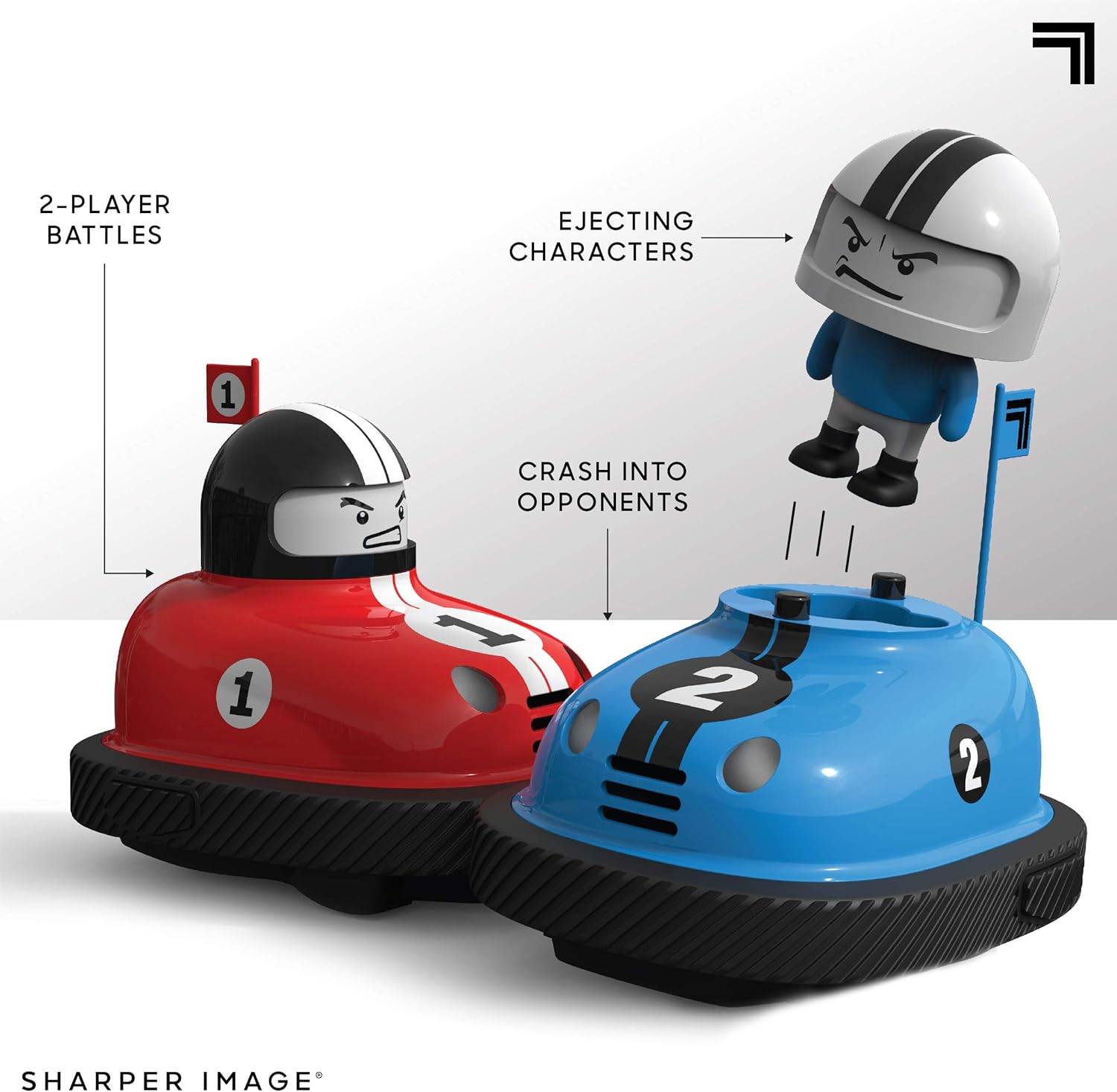
The Sharper Image Road Rage RC Speed Bumper Cars provide an engaging two-player remote-controlled vehicle experience. This set includes two bumper cars and two remote controls, designed for head-to-head battles where drivers eject upon impact. This manual provides essential information for setup, operation, maintenance, and troubleshooting to ensure optimal performance and enjoyment.
2. What's Included
Your Sharper Image Road Rage RC Speed Bumper Cars package contains the following items:
- 1x Red RC Bumper Car with Ejecting Driver
- 1x Blue RC Bumper Car with Ejecting Driver
- 1x Red Remote Control (2.4 GHz)
- 1x Blue Remote Control (2.4 GHz)

3. Setup
3.1 Battery Installation
The Sharper Image Road Rage RC Speed Bumper Cars and their remote controls require AAA batteries (not included).
- For each Bumper Car: Locate the battery compartment on the underside of the car. Use a small Phillips head screwdriver to open the compartment. Insert 4 AAA batteries, ensuring correct polarity (+/-). Securely close the compartment.
- For each Remote Control: Locate the battery compartment on the back of the remote. Use a small Phillips head screwdriver to open the compartment. Insert 2 AAA batteries, ensuring correct polarity (+/-). Securely close the compartment.
Important: Always use new batteries of the same type. Do not mix old and new batteries, or different types of batteries. Remove batteries if the product will not be used for an extended period.

4. Operating Instructions
4.1 Powering On and Pairing
Once batteries are installed, turn on each bumper car and its corresponding remote control. The 2.4 GHz wireless technology should automatically pair the car with its remote. Ensure each player uses their designated remote (red for red car, blue for blue car) to avoid interference.
4.2 Basic Controls
Each remote control features omnidirectional steering, allowing for precise movement.
- Left Joystick: Controls forward and backward movement.
- Right Joystick: Controls left and right turning.
- Combine joystick movements for diagonal or circular motion.

4.3 Head-to-Head Battle
The primary objective is to crash into your opponent's car. Upon a successful impact, the opponent's driver character will eject from their vehicle, accompanied by sound effects.

5. Maintenance
- Cleaning: Wipe the cars and remotes with a dry, soft cloth. Do not use water or cleaning solutions, as this may damage electronic components.
- Storage: Store the bumper cars and remotes in a cool, dry place away from direct sunlight when not in use. Remove batteries if storing for extended periods to prevent leakage.
- Battery Replacement: Replace all batteries when performance diminishes. Refer to Section 3.1 for battery installation instructions.
6. Troubleshooting
- Car not responding to remote:
- Ensure both the car and remote are powered on.
- Check that batteries are correctly installed and not depleted. Replace all batteries if necessary.
- Ensure the remote is within range of the car (typically several meters).
- Driver not ejecting upon impact:
- Verify that the driver figure is properly seated in the car.
- Ensure the impact is direct and sufficient to trigger the ejection mechanism.
- Remote controls interfering with each other:
- While the 2.4 GHz system is designed to minimize interference, ensure each player is using their designated remote for their car.
- If interference persists, try operating the cars in a different area, away from other 2.4 GHz devices.
- Short battery life:
- Ensure you are using high-quality alkaline AAA batteries.
- Heavy usage will deplete batteries faster. Consider using rechargeable AAA batteries for frequent play.
7. Specifications
| Feature | Detail |
|---|---|
| Model Number | 1014851 |
| Product Dimensions | 14.75 x 7.68 x 8 inches |
| Item Weight | 2.05 pounds |
| Recommended Age | 6 years and up |
| Wireless Frequency | 2.4 GHz |
| Car Battery Requirement | 4 x AAA batteries (not included) per car |
| Remote Battery Requirement | 2 x AAA batteries (not included) per remote |
| Manufacturer | MerchSource |
| Release Date | March 20, 2021 |

8. Safety Information
- Not suitable for children under 6 years due to small parts.
- Adult supervision is recommended during play.
- Do not operate near stairs, busy streets, or other hazardous areas.
- Avoid operating in wet conditions or on water.
- Do not attempt to modify or disassemble the product.
- Dispose of used batteries responsibly according to local regulations.
9. Warranty and Support
For warranty information or customer support regarding your Sharper Image Road Rage RC Speed Bumper Cars, please refer to the official Sharper Image website or contact their customer service department. Keep your purchase receipt as proof of purchase.
A digital version of the user manual may also be available for download from the manufacturer's website or the product's retail page.
Related documents1014851


Ask a question about this manual
Ask about setup, troubleshooting, compatibility, parts, safety, or missing instructions. Manuals+ will review the question and use this page’s manual context to help answer it.