Introduction
Thank you for choosing AMZANE Wireless Earbuds. This manual provides detailed instructions for setting up, operating, maintaining, and troubleshooting your new earbuds. Please read it carefully to ensure optimal performance and longevity of your device.
Package Contents
- AMZANE Wireless Earbuds (Left and Right)
- Wireless Charging Case
- USB Charging Cable
- User Manual
- Multiple Sizes of Eartips (S, M, L)

Image: The AMZANE Wireless Earbuds, featuring a sleek black design, are shown resting inside their open charging case. The case displays a green LED digital readout indicating battery levels for both the case and the individual earbuds.
Setup
Charging the Case and Earbuds
Before first use, fully charge both the charging case and the earbuds. The charging case features an LED digital display to show the battery percentage of the case and the charging status of each earbud.
- Charging the Case: Connect the provided USB-C cable to the charging port on the case and to a USB power source. The LED display will show the battery percentage increasing.
- Wireless Charging: Place the charging case on a compatible wireless charging pad. The LED display will indicate charging.
- Charging the Earbuds: Place the earbuds into their respective slots in the charging case. They will automatically begin charging. The LED display on the case will show individual earbud charging indicators.

Image: The AMZANE charging case is shown with two charging methods: a USB-C cable connected for wired charging and the case placed on a wireless charging pad for wireless charging. Both methods are illustrated to meet user needs.

Image: A close-up of the AMZANE charging case's LED display. It clearly shows the battery percentage of the charging case (100%) and individual battery level indicators for both the left and right earbuds, allowing users to easily monitor power status.
Initial Pairing
The earbuds are designed for one-step pairing for convenience.
- Open the charging case. The earbuds will automatically power on and enter pairing mode.
- On your device (smartphone, tablet, etc.), enable Bluetooth.
- Search for available Bluetooth devices and select "AMZANE PRO" from the list.
- Once connected, you will hear a confirmation tone, and the device's Bluetooth settings will show "Connection Succeeded."
After the initial pairing, the earbuds will automatically connect to the last paired device when taken out of the case, provided Bluetooth is enabled on the device.

Image: A smartphone screen displays the Bluetooth settings, showing "AMZANE PRO" as a paired device with a checkmark indicating a successful connection. The AMZANE earbuds are shown next to the phone, illustrating the simple one-step pairing process.
Wearing the Earbuds
For optimal sound quality and comfort, choose the eartips that best fit your ears. The earbuds come with small (S), medium (M), and large (L) eartips. The medium size is pre-installed.
- Gently insert the earbud into your ear canal.
- Rotate the earbud slightly until it feels secure and comfortable.
- Ensure a snug fit to maximize bass response and noise isolation.

Image: A person is shown comfortably wearing an AMZANE earbud. Insets highlight the ergonomic design, which aims to reduce pressure and provide a better fit, and illustrate the three different sizes of eartips (S, M, L) included to accommodate various ear shapes.
Operating Instructions
Touch Controls
The AMZANE Wireless Earbuds feature intuitive touch controls on each earbud. The touch-sensitive area is located on the outer surface of the earbud.
| Function | Action | Earbud (L/R) |
|---|---|---|
| Answer Call | Touch twice | L/R |
| Hang Up Call | Long press 1s | L/R |
| Activate Voice Assistant | Touch three times | L/R |
| Play/Pause | Touch twice | L/R |
| Previous Song | Long press 1s | L |
| Next Song | Long press 1s | R |
| Volume + | Touch once | R |
| Volume - | Touch once | L |
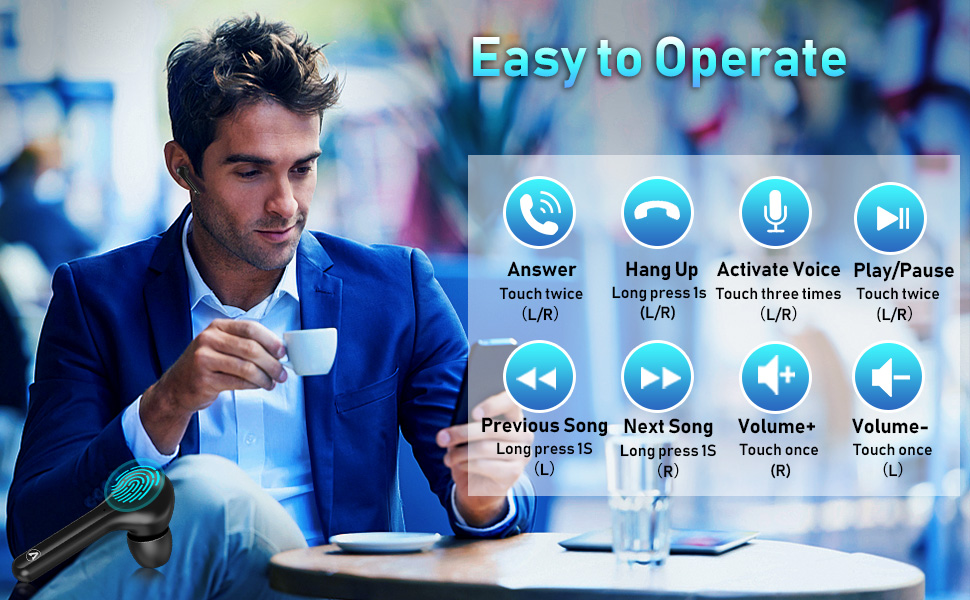
Image: A diagram illustrating the various touch control functions of the AMZANE earbuds, including answering calls, hanging up, activating voice assistant, play/pause, previous/next song, and volume adjustment, with corresponding actions and earbud assignments (L/R).
Single Earbud Mode (Mono Mode)
You can use either the left or right earbud independently. Simply take one earbud out of the charging case, and it will automatically connect to your device. The other earbud can remain in the case or be used by another person in 'Share' mode if desired.
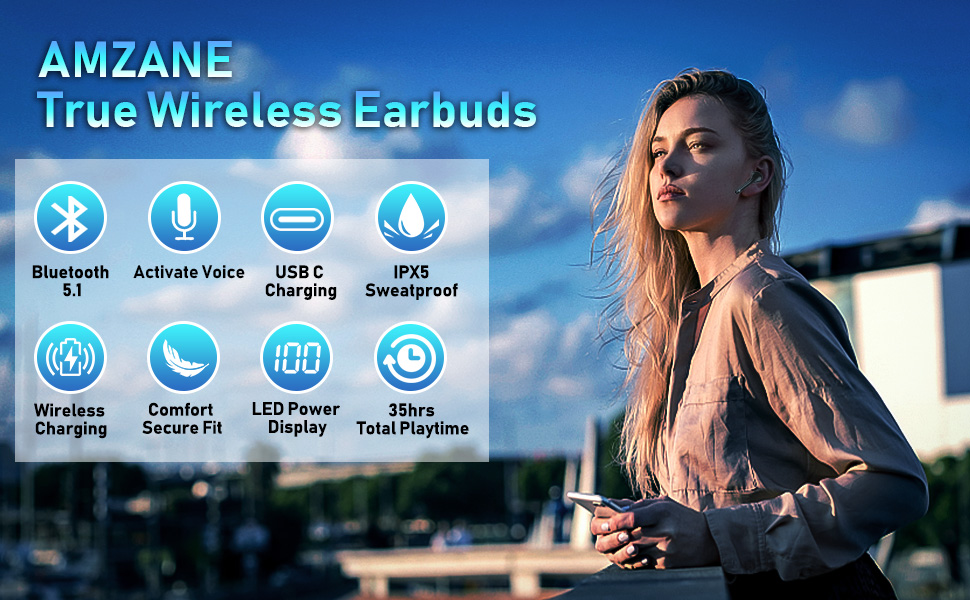
Image: A visual representation of the three usage modes for AMZANE earbuds: 'Mono' (one earbud in use), 'Stereo' (both earbuds in use by one person), and 'Share' (each earbud used by a different person), highlighting their versatility.
Battery Life and Usage
The AMZANE Wireless Earbuds offer extended playtime and convenient charging.
- Earbuds Playtime: Up to 10 hours on a single charge.
- Charging Case Recharges: The charging case provides 2-3 additional full charges for the earbuds.
- Total Playtime: Up to 35 hours with the charging case.

Image: An infographic detailing the battery performance of the AMZANE earbuds. It shows 10 hours of playtime on a single earbud charge, 2-3 charge times provided by the case, and a total playtime of 35 hours, emphasizing long-lasting use.
Maintenance
Cleaning
Regular cleaning helps maintain sound quality and hygiene.
- Use a soft, dry, lint-free cloth to wipe the earbuds and charging case.
- For eartips, remove them from the earbuds and clean with a mild soap solution if necessary, then rinse thoroughly and dry completely before reattaching.
- Do not use abrasive cleaners or solvents.
Storage
When not in use, store the earbuds in their charging case to protect them and keep them charged.
- Store in a cool, dry place, away from extreme temperatures and direct sunlight.
- Avoid storing in dusty or dirty environments.
Water Resistance (IPX5)
The earbuds are IPX5 sweatproof, meaning they can resist a sustained, low-pressure water jet spray. This makes them suitable for workouts and light rain.
- Do not submerge the earbuds in water.
- Do not expose the charging case to water, as it is not water-resistant.
- If earbuds get wet, wipe them dry before placing them back in the charging case.

Image: The AMZANE earbuds and their charging case are depicted with water droplets on their surfaces, illustrating their IPX5 sweatproof rating. This feature allows users to enjoy music during daily activities without concern for sweat or light splashes.
Troubleshooting
If you encounter any issues with your AMZANE Wireless Earbuds, please refer to the following common problems and solutions:
- Earbuds not pairing with each other or with device:
Ensure both earbuds are charged. Place them back in the case, close the lid, wait a few seconds, then open the lid again. On your device, forget/delete "AMZANE PRO" from your Bluetooth list and try pairing again. - Only one earbud working:
Place both earbuds back into the charging case. Close the lid and open it again. Ensure both earbuds are fully charged. If the issue persists, try resetting the earbuds (refer to specific reset instructions if available in a separate quick start guide, or try holding the touch area for 10 seconds while in the case). - No sound or low volume:
Check the volume level on both your device and the earbuds. Ensure the earbuds are properly seated in your ears. Try cleaning the earbud mesh to remove any debris. - Charging case not charging:
Ensure the USB-C cable is securely connected to both the case and the power source. Try a different USB-C cable or power adapter. If using wireless charging, ensure the case is correctly positioned on the charging pad. - Earbuds not charging in the case:
Ensure the charging contacts on both the earbuds and inside the case are clean and free of debris. Make sure the earbuds are correctly seated in their slots.
Specifications
| Feature | Detail |
|---|---|
| Model Number | K8 |
| Connectivity Technology | Wireless (Bluetooth 5.1) |
| Connector Type | USB-C (for wired charging) |
| Special Feature | Wireless Charging, LED Digital Display |
| Earbuds Playtime | Up to 10 hours (single charge) |
| Total Playtime (with case) | Up to 35 hours |
| Water Resistance Rating | IPX5 (Sweatproof) |
| Item Weight | 3.52 ounces |
| Material | Plastic, Silicone, or Rubber |
Warranty Information
AMZANE products are manufactured to the highest quality standards. For specific warranty terms and conditions, please refer to the warranty card included in your product packaging or visit the official AMZANE website. Please retain your proof of purchase for any warranty claims.
Customer Support
If you have any questions, require technical assistance, or need further support, please contact AMZANE customer service through the platform where you purchased the product or visit our official support channels. Our team is dedicated to providing prompt and helpful assistance.
For the latest information and FAQs, please visit: AMZANE Official Website (Placeholder link, replace with actual URL if available)