
Introduction
The Walker's Razor X-TRM Electronic Muffs are designed to provide superior hearing protection and sound enhancement for various activities, including hunting, shooting, and other loud environments. These muffs feature advanced digital circuitry for fast response times, Bluetooth connectivity for mobile devices, and active dynamic sound suppression technology to protect your hearing while amplifying important ambient sounds.
Key features include:
- Advanced Digital Circuit for optimal hearing protection.
- Built-in Bluetooth technology for seamless mobile device connection.
- 2 Hi-Gain Omnidirectional Microphones to amplify crucial sounds.
- Active Dynamic Sound Suppression with a 0.02-second sound-activated compression.
- 21dB Noise Reduction Rating (NRR).
- Ultra Low-Profile Design with a cool mesh headband and comfort gel earpads.
- Compact Folding Design for portability.
- Powered by 2 AAA Batteries (Included).
Setup
Battery Installation
The Walker's Razor X-TRM Electronic Muffs require two AAA batteries for operation. These are typically included with your purchase.
- Locate the battery compartment on one of the ear cups. It is usually a small door that can be slid or unclipped open.
- Open the battery compartment door.
- Insert two AAA batteries, ensuring correct polarity (+/-) as indicated inside the compartment.
- Close the battery compartment door securely.
Video: Demonstrates the process of opening the battery compartment and inserting AAA batteries into the Walker's Razor X-TRM Electronic Muffs.
Adjusting Fit
For optimal performance and comfort, ensure the muffs fit snugly over your ears.
- Extend the headband by pulling the ear cups downwards from the headband.
- Place the muffs over your ears, ensuring the ear cups fully cover your ears.
- Adjust the headband by sliding the ear cups up or down until a comfortable and secure fit is achieved. The cool mesh headband and comfort gel earpads are designed for extended wear.

Image: A person wearing the Walker's Razor X-TRM Electronic Muffs, illustrating how they should fit over the ears for effective hearing protection.
Operating Instructions
Power On/Off and Volume Control
The muffs feature a recessed volume control knob for easy adjustment.
- To power on, rotate the recessed volume control knob clockwise until you hear a click.
- Continue rotating the knob clockwise to increase the ambient sound amplification volume.
- Rotate the knob counter-clockwise to decrease the volume.
- To power off, rotate the knob counter-clockwise until you hear a click.
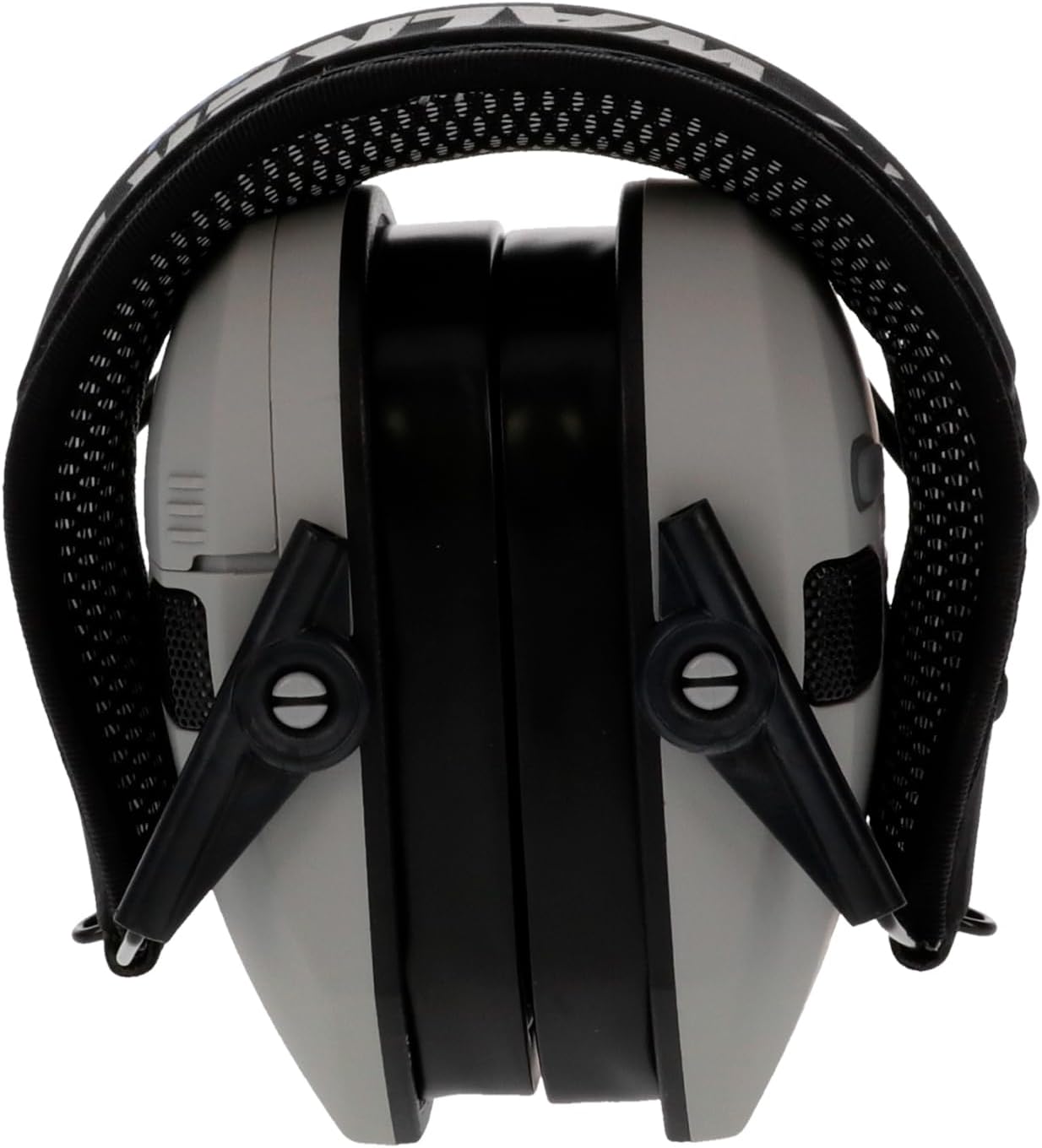
Image: A close-up view of the side of the ear muff, highlighting the recessed volume control knob for power and sound adjustment.
Sound Amplification and Suppression
The muffs utilize two Hi-Gain Omnidirectional Microphones to pick up and amplify low-level sounds, enhancing your awareness of your surroundings. When loud noises occur, the Sound Activated Compression (SAC) technology instantly reacts, compressing harmful sounds to a safe level within 0.02 seconds, protecting your hearing.
Bluetooth Connectivity
To connect your muffs to a Bluetooth-enabled device:
- Ensure the muffs are powered on.
- Activate Bluetooth on your mobile device and search for available devices.
- Select "Walker's Razor X-TRM" (or similar name) from the list of devices.
- Once paired, you can stream audio from your device through the muffs. The volume of streamed audio is controlled by your mobile device.
Video: An official video demonstrating the Bluetooth features and general use of Walker's Razor electronic hearing protection.
Maintenance
Cleaning
To maintain the performance and longevity of your muffs:
- Wipe the exterior of the ear cups and headband with a soft, damp cloth.
- Do not use abrasive cleaners or solvents.
- Ensure no moisture enters the microphone ports or battery compartment.
Storage
The muffs feature a compact folding design for easy storage and transport.
- Fold the ear cups inward towards the headband.
- Store the muffs in a cool, dry place away from direct sunlight and extreme temperatures.
- Remove batteries if storing for extended periods to prevent leakage.

Image: The Walker's Razor X-TRM Electronic Muffs shown folded, demonstrating their compact design for storage and portability.
Battery Replacement
When the sound quality diminishes or the unit fails to power on, it is time to replace the AAA batteries. Follow the battery installation steps outlined in the Setup section.
Troubleshooting
| Problem | Possible Cause | Solution |
|---|---|---|
| Muffs do not power on. | Dead or incorrectly installed batteries. | Check battery polarity. Replace with fresh AAA batteries. |
| No sound or very low ambient sound amplification. | Volume knob set too low; dead batteries; improper fit. | Rotate volume knob clockwise to increase. Replace batteries. Adjust muffs for a secure fit over ears. |
| Bluetooth audio is low or inaudible, especially in noisy environments. | Mobile device volume too low; environmental noise overpowering Bluetooth audio. | Increase volume on your connected mobile device. Note that in very loud environments, ambient sound amplification takes precedence for hearing protection, which may make Bluetooth audio less prominent. |
| Cannot pair with Bluetooth device. | Muffs not in pairing mode; device Bluetooth off; too far from device. | Ensure muffs are on. Turn Bluetooth off and on again on your device. Move closer to the muffs. Try restarting both devices. |
| Muffs feel loose or uncomfortable. | Improper headband adjustment. | Adjust the ear cups up or down along the metal wire frame until a snug and comfortable fit is achieved. |
Specifications
| Feature | Detail |
|---|---|
| Model Number | GWP-XDRSEM-BT-GY |
| Noise Reduction Rating (NRR) | 21 dB |
| Microphones | 2 Hi-Gain Omnidirectional |
| Sound Activated Compression (SAC) | 0.02-second response time |
| Power Source | 2 AAA Batteries (Included) |
| Connectivity | Bluetooth |
| Headband | Cool Mesh |
| Earpads | Comfort Gel |
| Weight | 16 ounces |
| Color | Grey |
| Manufacturer | GSM Outdoors |
Warranty and Support
Walker's products are designed for durability and performance. For specific warranty information regarding your Walker's Razor X-TRM Electronic Muffs, please refer to the documentation included with your product or visit the official Walker's website. If you encounter any issues not covered in this manual or require further assistance, please contact Walker's customer support directly.
You can typically find contact information for support on the manufacturer's website or on the product packaging.