
Introduction
The Insta360 Extended Edition Selfie Stick is a versatile accessory designed to enhance your action camera footage. Constructed from durable carbon fiber, this pole extends significantly to capture unique perspectives, including simulated drone shots, while remaining invisible in 360-degree footage. This manual provides essential information for its proper use and care.
Key Features
- Extended Reach: Capable of extending from 36cm (14 inches) to 3m (9.8 feet) for diverse shooting angles.
- Invisible Design: Engineered to be automatically removed from 360-degree footage when used with compatible Insta360 cameras, creating a seamless, floating camera effect.
- Carbon Fiber Construction: Lightweight yet durable, ensuring stability during use.
- Standard 1/4-inch Screw: Features a universal mounting screw for broad compatibility with various cameras and accessories.
- Compact Storage: Folds down to a portable size for easy transport.
Setup
Attaching Your Camera
- Locate the 1/4-inch screw mount at the top of the selfie stick.
- Align your compatible Insta360 camera or other device with the screw mount.
- Gently twist your camera clockwise onto the screw until it is securely fastened. Ensure it is tight enough to prevent wobbling but do not overtighten.
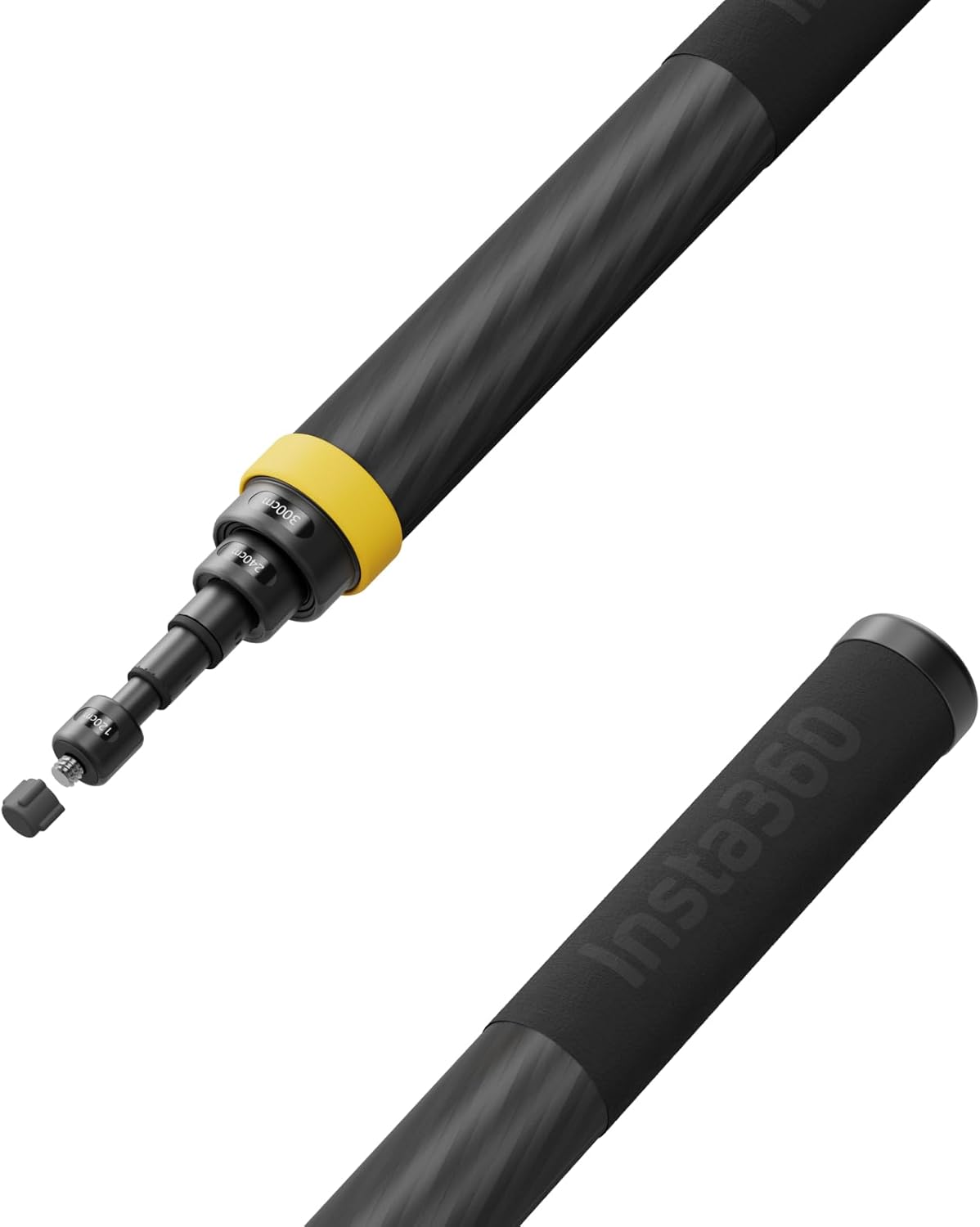
Image: Close-up of the 1/4-inch screw mount for camera attachment.
Operating Instructions
Extending and Retracting the Pole
- To extend: Hold the base of the stick and pull each section outwards until it reaches the desired length. The sections are designed to hold their position through friction.
- To retract: Push each section back into the main body of the stick until it is fully collapsed.

Image: The multi-section design of the selfie stick allows for variable extension.
Usage Tips for Invisible Effect
For the best 'invisible' effect in 360-degree footage, ensure your camera is properly calibrated and the stick is positioned directly below the camera's stitching line. The camera's software will automatically remove the stick from the final video.

Image: The selfie stick in use, extended to capture a wide perspective.
Demonstration Videos
Video: Demonstrates how to use the Insta360 3m pole to achieve unique shots.
Video: Shows the selfie stick's effectiveness for 360-degree camera users.
Video: Highlights the benefits of the 3m selfie stick for Insta360 X4.
Maintenance
- Cleaning: Wipe the selfie stick with a soft, dry cloth after each use to remove dust, dirt, or moisture. Avoid abrasive cleaners or solvents.
- Storage: Store the stick in a cool, dry place, away from direct sunlight and extreme temperatures. Ensure it is fully retracted before storage to protect the internal mechanisms.
- Inspection: Periodically check the screw mount for any signs of wear or damage. Ensure all sections extend and retract smoothly.
Troubleshooting
- Stick appears in 360 footage: Ensure your camera is compatible with the 'invisible selfie stick' feature and that the stick is positioned correctly (directly below the camera) during shooting. Check your camera's software for any necessary updates or settings adjustments.
- Excessive bending when extended: While a slight bend is normal due to the length and material, excessive bending may occur if the maximum recommended weight (800 grams) is exceeded. Ensure your camera and any attached accessories do not exceed this limit.
- Difficulty extending/retracting sections: Check for any debris or foreign objects obstructing the sections. Clean the stick thoroughly. If the issue persists, avoid forcing the sections to prevent damage.
Specifications
| Brand | Insta360 |
| Model Name | Extended Edition Selfie Stick |
| Color | Black |
| Minimum Length | 36 cm (14 inches) |
| Maximum Length | 3 m (9.8 feet) |
| Item Weight | 365 Grams |
| Maximum Weight Recommendation | 800 Grams |
| Compatible Devices | Insta360 Ace, Ace Pro, Ace Pro 2, GO 3, GO Ultra, GO 3S, GO Ultra, ONE X2, X3, X4, X5 Action Cameras |
| Screw Type | Standard 1/4'' |
Safety Guidelines
- For your safety, do not use the Extended Edition Selfie Stick while riding a motorcycle or bicycle, driving a car, or in other high-speed sports scenarios.
- When a camera is mounted on the selfie stick and it is extended, there may be a slight bend in the stick that causes part of it to become visible in the shot. This is normal and does not indicate a defect.
- Do not exceed the maximum weight recommendation of 800 grams.
- Not recommended for use with the ONE RS 1-Inch 360 Edition due to potential visibility in footage.
Warranty
The Insta360 Extended Edition Selfie Stick comes with a limited 1-year warranty. Please retain your proof of purchase for warranty claims. For detailed warranty terms and conditions, refer to the official Insta360 website or contact customer support.
Support
For further assistance, technical support, or inquiries regarding your Insta360 Extended Edition Selfie Stick, please visit the official Insta360 support page or contact their customer service team. You can find contact information and FAQs on the Insta360 Store on Amazon or their official website.


