
1. Introduction
The Amicool YB88 Portable Air Conditioner is a versatile 4-in-1 device designed to enhance your personal comfort. It functions as an air cooler, spray humidifier, air purifier, and fan. Its compact and portable design makes it suitable for various personal spaces such as dorms, offices, bedrooms, and kitchens. This manual provides detailed instructions for the safe and efficient operation, setup, and maintenance of your Amicool YB88 unit.

Figure 1.1: The Amicool YB88 combines mini air conditioning, night light, humidifier, and air cleaner functions.
2. Product Features
- 4-in-1 Functionality: Integrates air cooling, spray humidification, purification, and fan functions.
- Adjustable Wind Speeds: Features 3 wind speed settings (high, medium, low) for personalized comfort.
- Timing Function: Includes a 1-hour, 2-hour, and 3-hour timer for convenient operation and energy saving.
- Ultra-Quiet Operation: Designed for low noise levels, especially suitable for sleep and work environments.
- LED Night Light: Equipped with a soft night light feature.
- USB Powered: Conveniently powered via USB (5V 2A), allowing use with various power sources like adapters, power banks, or laptops.
- Portable and Compact: Lightweight design for easy relocation and use in different personal spaces.
- Air Purification: Features an improved carbon fiber filter to help purify the air.

Figure 2.1: The 4-in-1 design of the Amicool YB88, illustrating temperature reduction with different water types.
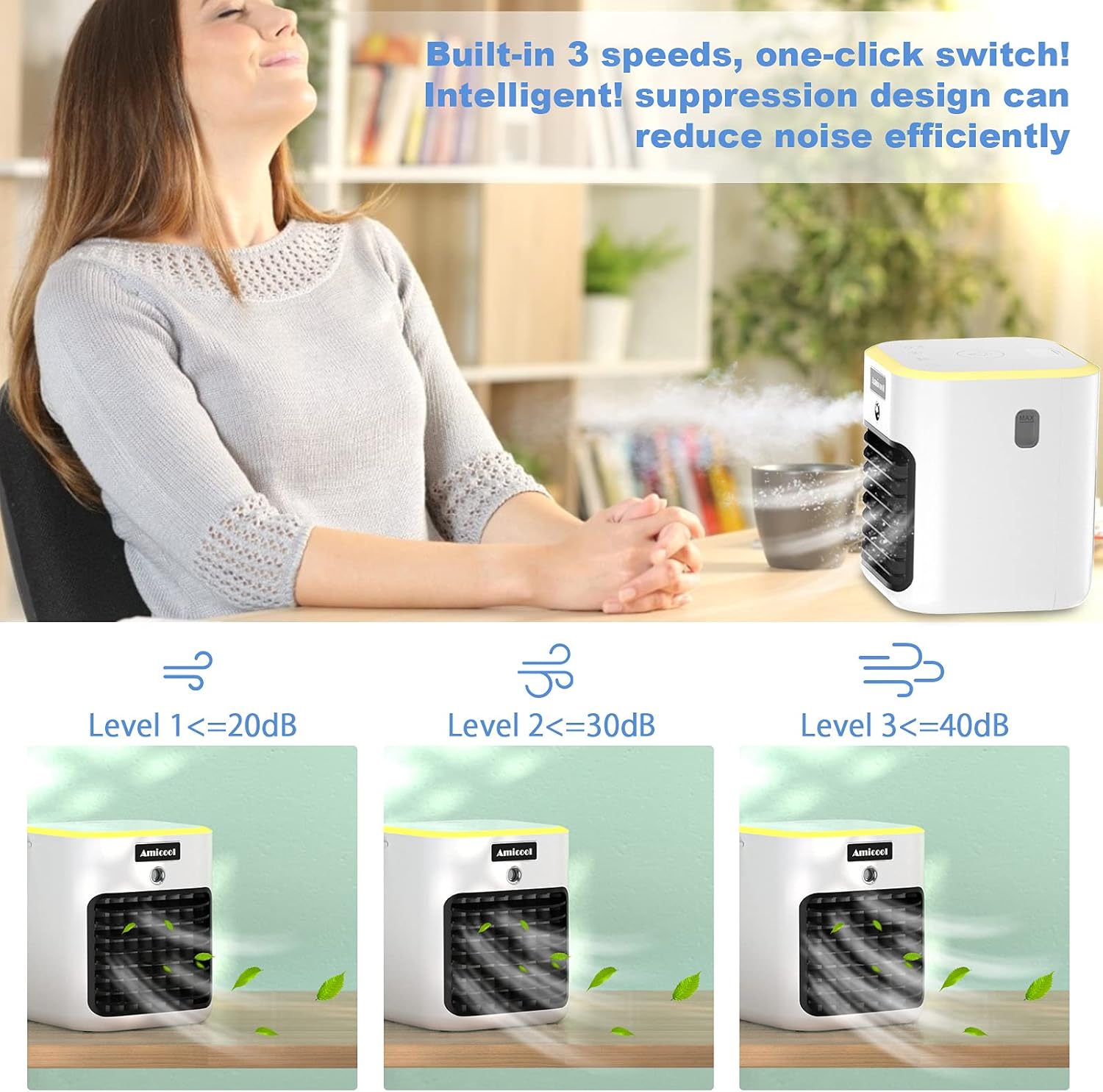
Figure 2.2: Illustration of the three wind speed settings and their corresponding noise levels.

Figure 2.3: The USB power design allows for flexible power options.

Figure 2.4: The unit features an LED light and a timer function for convenience.
3. Product Components
Familiarize yourself with the different parts of your Amicool YB88 Portable Air Conditioner:

Figure 3.1: Labeled diagram of the Amicool YB88 Portable Air Conditioner.
- Touch Control Panel: For operating various functions.
- Water Tank Cap & Water Inlet: Located at the top for filling the water tank.
- Night Light: Integrated LED light for ambient illumination.
- Water Level Monitoring: Indicator to check the water level in the tank.
- Humidification Spray Nozzle: Emits fine mist for humidification.
- Adjustable Fan Blades: Allows manual adjustment of airflow direction.
- Air Filter: Located behind the front grille (not explicitly labeled but implied by purification feature).
- USB Power Port: For connecting the power cable.
4. Setup
- Unpack the Unit: Carefully remove the air conditioner from its packaging.
- Place on a Stable Surface: Position the unit on a flat, stable surface away from direct sunlight or heat sources.
- Fill the Water Tank (Optional for Cooling/Humidification):
- Open the water tank cap/inlet at the top of the unit.
- Pour clean tap water into the tank. For enhanced cooling, you may add ice water or small ice cubes.
- Important: Do not exceed the maximum water level indicated to prevent leaks.
- Close the water tank cap securely.

Figure 4.1: Illustration of adding water or crushed ice to the unit.
- Connect Power: Insert the USB cable into the unit's power port and connect the other end to a compatible 5V 2A USB power source (e.g., wall adapter, power bank, computer USB port).
5. Operating Instructions
Operate your Amicool YB88 using the touch control panel located on the top of the unit.
5.1 Power On/Off
- Power Button: Press the power icon on the touch control panel to turn the unit on or off.
5.2 Adjusting Wind Speed
- Fan Speed Button: Press the fan icon to cycle through the three wind speed settings: Low, Medium, and High.
5.3 Humidification Function
- The humidification function activates automatically when water is present in the tank and the unit is running.
- Ensure the water tank is filled for mist output. The unit can operate as a fan without water.
5.4 Timer Function
- Timer Button: Press the timer icon to set the automatic shut-off time. Available settings are 1 hour, 2 hours, and 3 hours.
5.5 Night Light Function
- Light Button: Press the light bulb icon to turn the LED night light on or off.
5.6 Adjusting Airflow Direction
- Manually adjust the horizontal louvers on the front of the unit to direct the airflow up or down as desired.
6. Maintenance
Regular maintenance ensures optimal performance and longevity of your Amicool YB88.
6.1 Cleaning the Water Tank
- Frequency: Clean the water tank regularly, especially if using the humidification function frequently or if water has been stagnant for a long time.
- Procedure:
- Unplug the unit from the power source.
- Empty any remaining water from the tank.
- Wipe the inside of the tank with a soft cloth. For stubborn deposits, use a mild detergent solution and rinse thoroughly.
- Ensure the tank is completely dry before refilling or storing the unit.
6.2 Air Filter Maintenance
- The unit features an improved carbon fiber filter for air purification.
- Cleaning: Periodically check the filter for dust accumulation. Gently brush off any dust or debris. Do not wash the carbon filter with water.
- Replacement: The lifespan of the filter depends on usage and air quality. Replace the filter if you notice a decrease in air purification effectiveness or airflow. (Refer to manufacturer's website for replacement filters).

Figure 6.1: The unit's air purification capability with an improved carbon fiber filter.
6.3 General Cleaning
- Wipe the exterior of the unit with a soft, damp cloth. Do not use abrasive cleaners or solvents.
- Ensure no water enters the electrical components.
7. Troubleshooting
If you encounter issues with your Amicool YB88, refer to the following common problems and solutions:
| Problem | Possible Cause | Solution |
|---|---|---|
| Unit does not turn on. | No power supply or loose connection. | Ensure the USB cable is securely connected to both the unit and a working 5V 2A power source. Try a different USB port or adapter. |
| No mist/humidification. | Water tank is empty or water level is too low. | Fill the water tank with clean water, ensuring it is above the minimum level. |
| Weak airflow. | Air filter is dirty or fan speed is set too low. | Clean the air filter. Increase the fan speed setting. |
| Unit is leaking water. | Water tank overfilled or cap not secured. | Do not overfill the water tank; ensure water is below the MAX line. Securely close the water tank cap. |
| Unusual noise. | Unit not on a stable surface or internal obstruction. | Place the unit on a flat, stable surface. If noise persists, contact customer support. |
8. Specifications
| Attribute | Value |
|---|---|
| Brand | Amicool |
| Model Number | YB88 |
| Product Dimensions | 25.4 x 38.1 x 25.4 cm |
| Item Weight | 454 g |
| Colour | Withe |
| Power Source | Corded Electric (USB) |
| Voltage | 5V (USB Powered) |
| Wattage | 37W |
| Mounting Type | Freestanding |
| Special Features | Portable, Compact, 4-in-1 (Cooler, Humidifier, Purifier, Fan), 3 Wind Speeds, Timer, Night Light |
| Controls Type | Button (Touch Control Panel) |
9. Warranty and Support
Amicool products are manufactured to high-quality standards. For warranty information, please refer to the warranty card included with your purchase or visit the official Amicool website.
If you require technical support, have questions about your product, or need to claim warranty service, please contact Amicool Customer Support through the following channels:
- Website: Visit the official Amicool website for FAQs and support contact forms.
- Email: Refer to your product packaging or the official website for customer service email addresses.
- Phone: Check the official website for regional customer service phone numbers.
Please have your model number (YB88) and purchase date ready when contacting support.