
Product Overview
This instruction manual provides detailed guidance for the assembly, operation, and maintenance of your Armocity Corner Desk. This compact, triangular desk is designed to maximize space efficiency in various settings, including home offices, bedrooms, and living rooms. It features an integrated power strip with AC outlets and USB ports for convenient device charging, a pull-out keyboard tray, and an under-desk storage shelf.
Important Safety Information
- Children Safety: Children are not allowed to climb on the corner computer desk. Ensure safe use by supervising children around the desk.
- Correct Hardware: Always use the correct screws and hardware as specified in the assembly instructions. Using incorrect screws can cause the desk board to split or break.
- Weight Limit: Do not exceed the maximum weight recommendation of 100 pounds on the desktop.
- Stability: Ensure all connections are securely tightened before use to prevent wobbling or instability.
Package Contents
Before beginning assembly, verify that all components listed below are present and undamaged. Refer to the assembly diagram for part identification.
- Desktop Panel (1)
- Keyboard Tray (1)
- Under-Desk Storage Shelf (1)
- Metal Frame Legs (Various pieces)
- Power Strip with 2 AC Outlets and 3 USB Ports (1)
- Adjustable Feet (6)
- Assembly Hardware (Screws, Allen wrench, etc.)
- Instruction Manual (1)
Assembly Instructions
Follow these steps carefully for a smooth assembly process. It is recommended to have one person for assembly.
- Attach Adjustable Feet: Secure the adjustable feet (Part A) to the bottom of the metal frame legs (Parts 1, 2, 3). Ensure they are firmly screwed in.

Image: Close-up of a hand screwing an adjustable foot into the bottom of a black metal desk leg.
- Assemble Side Frames: Connect the horizontal support bars (Parts 7, 9) to the vertical metal frames (Parts 1, 2, 3) using screws (Part B). Create the two side shelf units.

Image: Exploded view of desk components including metal frames, wooden panels, and hardware, with numerical labels for each part.
- Connect Side Frames: Attach the two assembled side frames to the central triangular support (Part 6) using screws (Part B).
- Install Keyboard Tray Rails: Secure the keyboard tray rails to the underside of the main desktop panel (Part 10) using screws (Part C).
- Attach Main Desktop: Carefully place the main desktop panel onto the assembled frame and secure it with screws (Part D).
- Install Under-Desk Storage Shelf: Position the triangular storage shelf (Part 14) into the lower section of the desk frame and secure it with screws (Part E).
- Integrate Power Strip: Insert the power strip (Part F) into the pre-cut opening on the desktop and secure it with screws (Part E). Ensure the power cord is routed neatly.
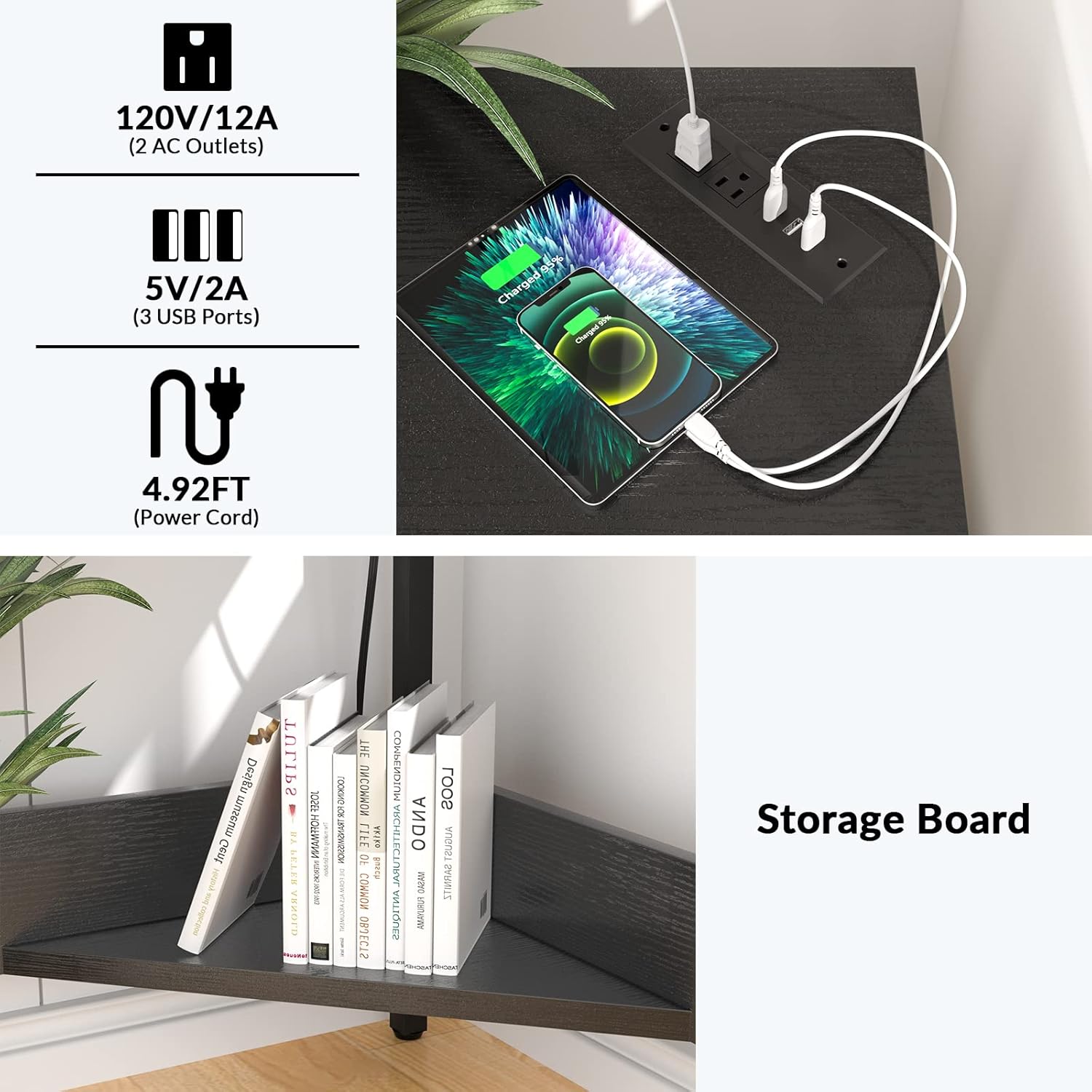
Image: A close-up view of the integrated power strip on the desk, showing two AC outlets and three USB ports, with devices charging.
- Final Checks: Verify all screws are tightened and the desk is stable before placing items on it.
Assembly Video Guide
For a visual guide on the assembly process, please watch the official installation video below:
Video: Official Armocity video demonstrating the assembly of the Corner Desk with Outlets and USB Ports. This video provides step-by-step visual instructions for putting the desk together.
Operating Instructions
Using the Integrated Power Strip
- Plug the desk's 4.9 ft power cord into a standard wall outlet.
- Use the 2 AC outlets to power devices such as laptops, desk lamps, or printers.
- Use the 3 USB ports to charge smartphones, tablets, and other USB-powered devices.
- Ensure devices are compatible with the 120V/12A AC outlets and 5V/2A USB ports.
Utilizing Storage Space
- The pull-out keyboard tray provides convenient access to your keyboard and mouse, and can be stowed away when not in use.
- The triangular storage shelf underneath the desk is suitable for storing books, documents, a mini printer, or decorative items.
Maintenance
Cleaning
To maintain the appearance and longevity of your desk:
- Wipe the desk surfaces with a soft, damp cloth.
- Avoid using harsh chemicals or abrasive cleaners, as these may damage the finish.
- Promptly clean up any spills to prevent staining.
Troubleshooting
Desk Wobbles After Assembly
- Ensure all screws are fully tightened.
- Check that the adjustable feet are evenly set on the floor. Adjust as needed to stabilize the desk.
USB Ports or AC Outlets Not Working
- Verify the desk's main power cord is securely plugged into a functional wall outlet.
- Check if the devices you are trying to charge or power are working correctly with other outlets.
- If issues persist, contact Armocity customer support for assistance.
Product Specifications
| Feature | Detail |
|---|---|
| Brand | Armocity |
| Model Number | armocity_DESK |
| Shape | Triangular |
| Product Dimensions (D x W x H) | 26.77"D x 29.53"W x 29.53"H |
| Color | Black |
| Style | Desk with Outlets |
| Top Material Type | Engineered Wood |
| Base Material | Wood, Metal |
| Special Feature | Integrated Power Strip (2 AC outlets, 3 USB ports) |
| Power Cord Length | 4.9 ft |
| Maximum Weight Recommendation | 100 Pounds |
| Item Weight | 23.8 Pounds |
| Required Assembly | Yes (Tools included) |
Warranty Information
This Armocity Corner Desk comes with a 2-year limited manufacturer's warranty. This warranty covers defects in materials and workmanship under normal use. For warranty claims or detailed terms and conditions, please contact Armocity customer support.
Customer Support
For any questions regarding assembly, product functionality, or warranty claims, please contact Armocity customer support. Our team is dedicated to providing reliable after-sales assistance.
Visit the Armocity Store on Amazon for more information and support resources.