
wendeekun B08Z7YRVGS
wendeekun 4G LTE Modem Dongle User Manual
Model: B08Z7YRVGS
Introduction
This user manual provides comprehensive instructions for the wendeekun 4G LTE Modem Dongle (Model: B08Z7YRVGS). This device is designed to provide high-speed 4G LTE internet access by simply inserting a SIM card, allowing you to create and share network hotspots. It supports up to 10 associated users and offers a convenient plug-and-play experience across various operating systems.
Product Overview
The wendeekun 4G LTE Modem Dongle is a compact and portable device that provides wireless internet connectivity. It features a USB interface for power and data transfer, a SIM card slot, and an LED status indicator.

Figure 1: Front view of the wendeekun 4G LTE Modem Dongle, showing the 4G LTE WiFi Modem branding.

Figure 2: The modem dongle with its USB connector exposed, ready for connection to a computer or power source.

Figure 3: Rear view of the modem dongle, displaying technical specifications such as DL: 150Mbps UL: 50Mbps and WiFi Cat4.
Key Features:
- Easy to Use: USB interface for plug-and-play functionality.
- High-speed Connectivity: Supports up to 150Mbps downlink and 50Mbps uplink (4G LTE CAT4).
- SIM Card Slot: Enables 4G internet access and hotspot sharing without broadband.
- LED Status Indicator: Provides visual feedback on device status.
- Memory Card Expansion: Supports expansion with a small memory card up to 32GB (not included).
- Wide Compatibility: Compatible with Windows, OS X, Android, and Linux operating systems.
- Portable Design: Small and convenient for on-the-go use.
Package Contents:
- 1 x Modem Dongle
- 1 x User Manual
- Note: SIM card is not included.
Setup Guide
Follow these steps to set up your wendeekun 4G LTE Modem Dongle and establish an internet connection.
1. SIM Card Installation
- Prepare a Micro SIM card (not included).
- Gently open the back cover of the modem dongle.
- Insert the Micro SIM card into the designated slot, ensuring correct orientation.
- Close the back cover securely.
2. Connecting the Dongle
- Insert the modem dongle into a computer's USB port or any other compatible USB power supply port.
- The LED status indicator will illuminate, indicating the device is powered on.
3. Connecting to the Network
Once the dongle is connected, you can connect your devices to its Wi-Fi network.
For Windows (7/8/10/Vista):
- Open Control Panel > Network and Internet > Network and Sharing Center.
- Select Connect to the network.
- In the list of available networks, select the Wi-Fi network with the SSID: 4G MIFI**** (or 4GUFI_**** for UFI models).
- Enter the Default Password: 1234567890 and click OK.
- Wait for the connection status to show "Connected".
For Android Phones:
- Go to Settings.
- Tap the Wi-Fi switch to turn on Wi-Fi.
- In the list, select the network that matches the device's SSID (e.g., 4G MIFI****).
- Enter the correct password (1234567890) and tap Connect.
Note: The SSID and default password are typically printed on the device or included in the packaging.
Operating Instructions
Once connected, your modem dongle functions as a portable Wi-Fi hotspot.
Network Sharing
The dongle allows up to 10 associated users to connect simultaneously to its Wi-Fi network, sharing the 4G LTE internet connection.
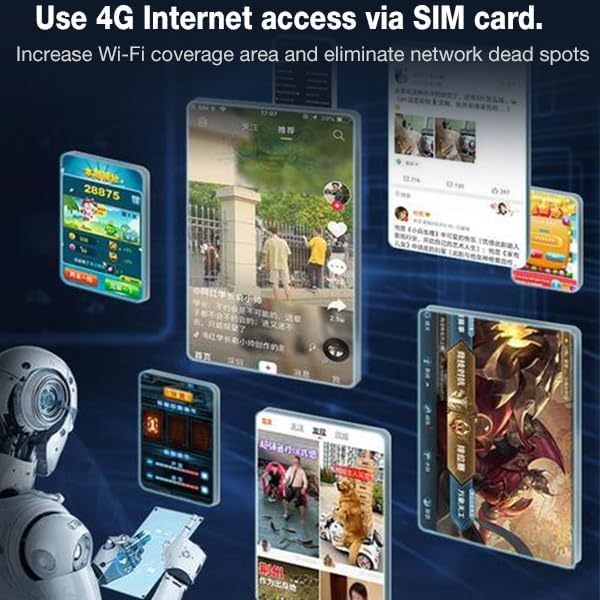
Figure 4: Visual representation of using the modem dongle for 4G internet access via a SIM card, increasing Wi-Fi coverage and eliminating network dead spots.
LED Status Indicator
The LED indicator provides visual cues about the device's operational status. Refer to the device's specific LED patterns for detailed status information (e.g., connected, searching for network, no SIM).
Memory Card Expansion
The modem dongle supports the expansion of storage via a small memory card (up to 32GB, not included). This feature allows for additional data storage directly on the device.
Maintenance
To ensure the longevity and optimal performance of your modem dongle, follow these general maintenance guidelines:
- Keep the device clean and free from dust. Use a soft, dry cloth for cleaning.
- Avoid exposing the device to extreme temperatures, direct sunlight, or high humidity.
- Do not drop or subject the device to strong impacts.
- Store the device in a cool, dry place when not in use.
- Ensure the USB port and SIM card slot are free from debris.
Troubleshooting
If you encounter issues with your modem dongle, refer to the following common troubleshooting steps:
No Internet Connection After Reconnecting
If the product is unplugged and then plugged back into the same USB port, you may need to re-initiate the connection:
- Click the installed software or connection utility again to re-establish the connection.
Device Not Recognized / No Power
- Ensure the dongle is fully inserted into the USB port.
- Try a different USB port on your computer or a different USB power adapter.
- Verify that the USB port is functional.
Cannot Connect to Wi-Fi Network
- Double-check the Wi-Fi SSID and password. Ensure you are entering the default password 1234567890 unless you have changed it.
- Ensure the SIM card is correctly inserted and active with a data plan.
- Restart the modem dongle by unplugging and re-plugging it.
- Check if the LED status indicator shows any error states.
Slow Internet Speed
- Ensure you are within good signal range of your cellular network.
- Reduce the number of connected devices if multiple users are sharing the connection.
- Check your SIM card's data plan for any speed limitations or data caps.
Specifications
| Feature | Detail |
|---|---|
| Model | B08Z7YRVGS |
| Frequency | 4G / LTE-FDD: B1 / B3 / B5 (850/1800/2100MHz) 4G / LTE-TDD: B38 / B39 / B40 / B41 (1900/2300/2500/2600MHz) 3G / WCDMA: B1 (2100MHz) |
| Peak Rate | LTE FDD: DL/UL 150M / 50 Mbps (category 4) |
| Internet Standard | 2.4G, 802.11 b/g/n |
| Display Mode | LED status indicator |
| Power Port | USB2.0 |
| SIM Card Type | Micro SIM |
| Port Input Voltage | 5V / 1A |
| Supported Operating Systems | Windows / Vista / 7 / 8 / 10 / OS X / Android / Linux |
| Associated Users | Up to 10 |
| Language | Chinese and English shared |
| APN Settings | Supported |
| Network Settings | Supported |
| Device Settings | Supported |
| Routing Setting | Supported |
| Firewall Setting | Supported |
| Dimensions (L x W x H) | 0.39 x 0.39 x 0.39 inches |
| Item Weight | 1.52 ounces |
| Manufacturer | wendeekun |
Customer Support
wendeekun is committed to providing quality service and support for its products. If you have any questions, encounter issues, or require assistance with your 4G LTE Modem Dongle, please contact our professional customer service team.
- 24-Hour Online Support: Our team is available to assist you with any product-related inquiries.
- For contact information, please refer to the product packaging or the official wendeekun website.
Ask a question about this manual
Ask about setup, troubleshooting, compatibility, parts, safety, or missing instructions. Manuals+ will review the question and use this page’s manual context to help answer it.