
1. Product Overview
This document provides instructions for the CS BATTERY replacement lithium-ion battery, designed for use with Braven BRV-X and BRVXBBB Bluetooth speakers. This battery offers a capacity of 6800mAh (25.16Wh) at 3.7V, providing extended operational time for your compatible device.
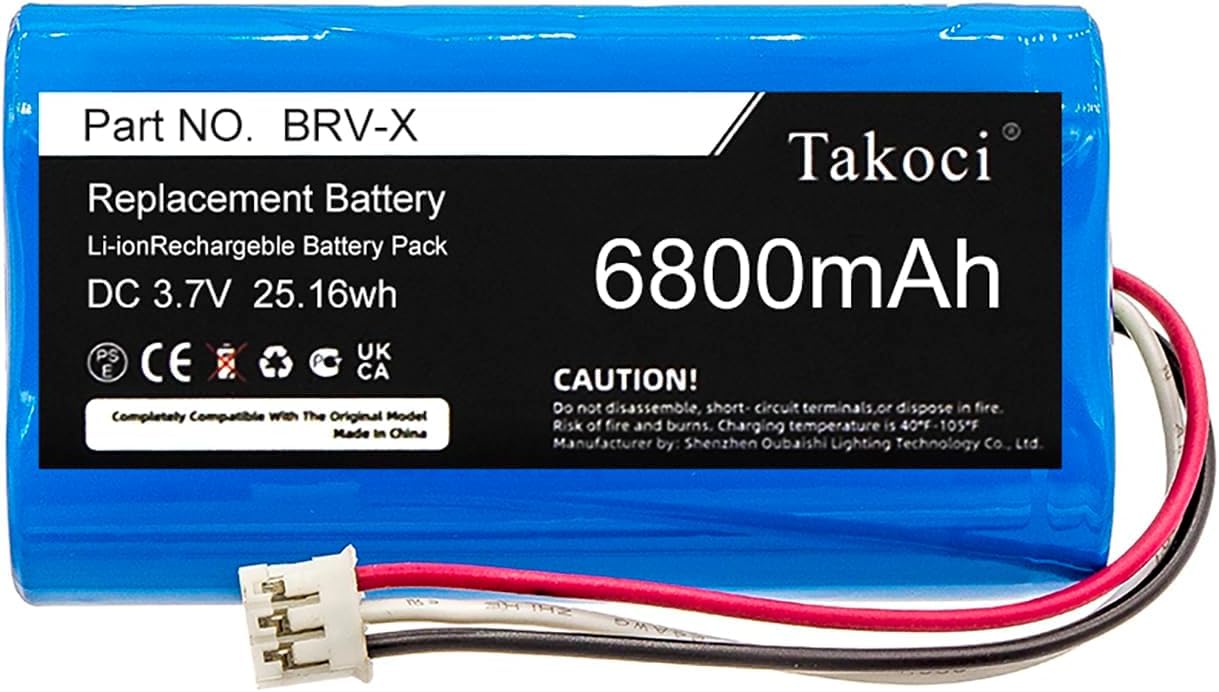
Image 1.1: CS BATTERY 6800mAh Replacement Battery. This image shows the full battery pack with its label indicating part number BRV-X, Li-ion rechargeable battery pack, DC 3.7V 25.16Wh, and 6800mAh capacity.
The battery is equipped with internal protection mechanisms against over-charge, over-discharge, over-heat, over-current, and short-circuit conditions to ensure safe operation.
2. Setup and Installation
Important Safety Information: Battery replacement should only be performed by individuals familiar with electronic device repair. Incorrect installation can damage the device or cause personal injury. Always ensure the device is powered off and disconnected from any power source before beginning installation.
- Preparation: Gather necessary tools, which may include small screwdrivers (Phillips, Torx), plastic prying tools, and tweezers. Refer to your Braven BRV-X or BRVXBBB speaker's original service manual or online guides for specific disassembly instructions.
- Accessing the Battery Compartment: Carefully open your Braven speaker to access the internal battery compartment. Follow the speaker's specific disassembly steps to avoid damaging components.
- Disconnecting the Old Battery: Gently disconnect the old battery's connector from the speaker's circuit board. Note the orientation of the connector before removal.
- Removing the Old Battery: Carefully remove the old battery from its compartment.
- Installing the New Battery: Place the new CS BATTERY replacement battery into the compartment. Ensure it fits securely without bending or forcing.
- Connecting the New Battery: Align the new battery's connector with the corresponding port on the speaker's circuit board. Gently push the connector into place until it is fully seated. Do not force the connection.

Image 2.1: Close-up view of the battery's 3-pin connector. This image highlights the white plastic connector with three wires (red, white, black) that connects the battery to the device's circuit board.
- Reassembly: Carefully reassemble your Braven speaker, ensuring all screws and components are correctly placed.
- Initial Charge: After installation, fully charge the speaker using its original charger before first use.
3. Operating the Battery
Once installed, the CS BATTERY replacement battery operates as the power source for your Braven BRV-X or BRVXBBB Bluetooth speaker. The battery is a rechargeable Lithium-ion type, designed for consistent performance.
- Charging: Use the original charger provided with your Braven speaker to charge the battery. The speaker's charging indicator will show the charging status.
- Discharging: The battery will power your speaker during use. The speaker's battery level indicator will show the remaining charge.
- First Use: For optimal performance, it is recommended to fully charge and then fully discharge the battery for the first few cycles.
4. Maintenance and Care
- Regular Charging: Avoid completely draining the battery frequently. Recharge the battery when the speaker indicates a low battery level.
- Storage: If the speaker will not be used for an extended period, store it with the battery charged to approximately 50-70% in a cool, dry place. Avoid extreme temperatures.
- Temperature: Operate and charge the battery within recommended temperature ranges (typically 0°C to 45°C or 32°F to 113°F). Extreme temperatures can degrade battery performance and lifespan.
- Disposal: Do not dispose of lithium-ion batteries with household waste. Always follow local regulations for proper battery recycling and disposal.
5. Troubleshooting
- Speaker Not Powering On After Battery Replacement:
- Ensure the battery connector is securely and correctly seated.
- Verify the battery has an initial charge by connecting the speaker to its charger.
- Confirm the speaker was reassembled correctly and no internal cables were pinched or disconnected.
- Battery Not Charging:
- Ensure the charging cable and adapter are functioning correctly.
- Check the speaker's charging port for any debris or damage.
- Reduced Operating Time: If your speaker's operating time is significantly shorter than expected after replacing the battery, ensure the battery has been fully charged and discharged a few times to calibrate. If the issue persists, contact support.
6. Specifications
| Model Numbers | BRV-X, BRVXBBB |
| Battery Type | Lithium-ion (Li-ion) |
| Voltage | 3.7V |
| Capacity | 6800mAh / 25.16Wh |
| Net Weight | 99.0g / 3.49oz |
| Dimensions (L x W x H) | 66.60 x 37.00 x 18.60mm (2.6 x 1.46 x 0.71 inches) |
| Certifications | ROSH, CE, UL |
| Protection Features | Over-charge, Over-discharge, Over-heat, Over-current, Short-circuit protection |
7. Support
If you encounter any issues or have questions regarding the CS BATTERY replacement battery, please contact our customer support. Provide details of your battery or pictures if necessary, and we will endeavor to provide professional assistance within 24 hours.
For specific instructions on disassembling your Braven BRV-X or BRVXBBB speaker, please refer to the speaker's original user manual or manufacturer's support resources.