
1. Introduction
This manual provides detailed instructions for the installation, operation, and maintenance of your REIGY PT Cam-EU 3MP PT Security Camera. Please read this manual thoroughly before using the product to ensure proper setup and functionality. This camera is designed for outdoor surveillance, offering high-definition video, pan/tilt capabilities, two-way audio, and advanced night vision modes.

Image 1.1: Front view of the REIGY PT Cam-EU 3MP PT Security Camera.
2. Package Contents
Please check the package for the following items:
- REIGY PT Cam-EU 3MP PT Security Camera
- Power Adapter
- Mounting Screws and Wall Plugs
- Waterproof Kit for Network Cable (if applicable)
- Quick Start Guide
If any items are missing or damaged, please contact REIGY customer support.
3. Setup
3.1 Physical Installation
- Choose a Location: Select a suitable outdoor location for optimal surveillance coverage. Ensure the camera is within range of your 2.4GHz Wi-Fi network and has access to a power outlet. The camera is IP66 waterproof, suitable for outdoor use in temperatures ranging from -4°F to +140°F.
- Mounting: Use the provided mounting screws and wall plugs to securely attach the camera to a wall or ceiling. Ensure the mounting surface is strong enough to support the camera's weight.
- Power Connection: Connect the power adapter to the camera's power input and then plug it into a standard electrical outlet. The camera operates on 12 Volts and consumes 24 watts.

Image 3.1: Overview of REIGY PT Cam-EU features including dual Wi-Fi antennas, IP66 waterproof rating, night vision, motion detection, two-way audio, and MicroSD card support.
3.2 Network Connection and App Setup
- Download the App: Search for the official REIGY surveillance app on your smartphone's app store (available for iOS and Android). Install the application.
- Account Registration: Open the app and register a new account or log in if you already have one.
- Add Camera: Follow the in-app instructions to add your new camera. This typically involves scanning a QR code on the camera or manually entering its ID.
- Wi-Fi Configuration: Connect the camera to your 2.4GHz Wi-Fi network. This camera only supports 2.4GHz Wi-Fi. Ensure your smartphone is also connected to the same 2.4GHz network during the setup process.
- Initial Configuration: Once connected, you can set a device password, name the camera, and adjust initial settings like time zone.

Image 3.2: Illustrates wireless connection to a REIGY NVR system, local viewing on a monitor, and remote monitoring via a smartphone app.
3.3 NVR System Compatibility
The REIGY PT Cam-EU can be used as a standalone camera or integrated into an existing REIGY NVR surveillance system for comprehensive home security. Refer to your NVR system's manual for instructions on adding new cameras.
4. Operating Instructions
4.1 Live View and Pan/Tilt Control
Access the live video feed through the REIGY app. Use the on-screen controls to remotely adjust the camera's viewing angle. The camera offers a 355° horizontal pan and a 90° vertical tilt range, providing extensive coverage.

Image 4.1: Demonstrates the 355° horizontal pan and 110° (approx. 90° tilt) vertical rotation capabilities of the camera.
4.2 Two-Way Audio
The camera features a built-in microphone and speaker, enabling two-way audio communication. From the app, you can listen to the camera's surroundings and speak through the camera to communicate with visitors or deter intruders.
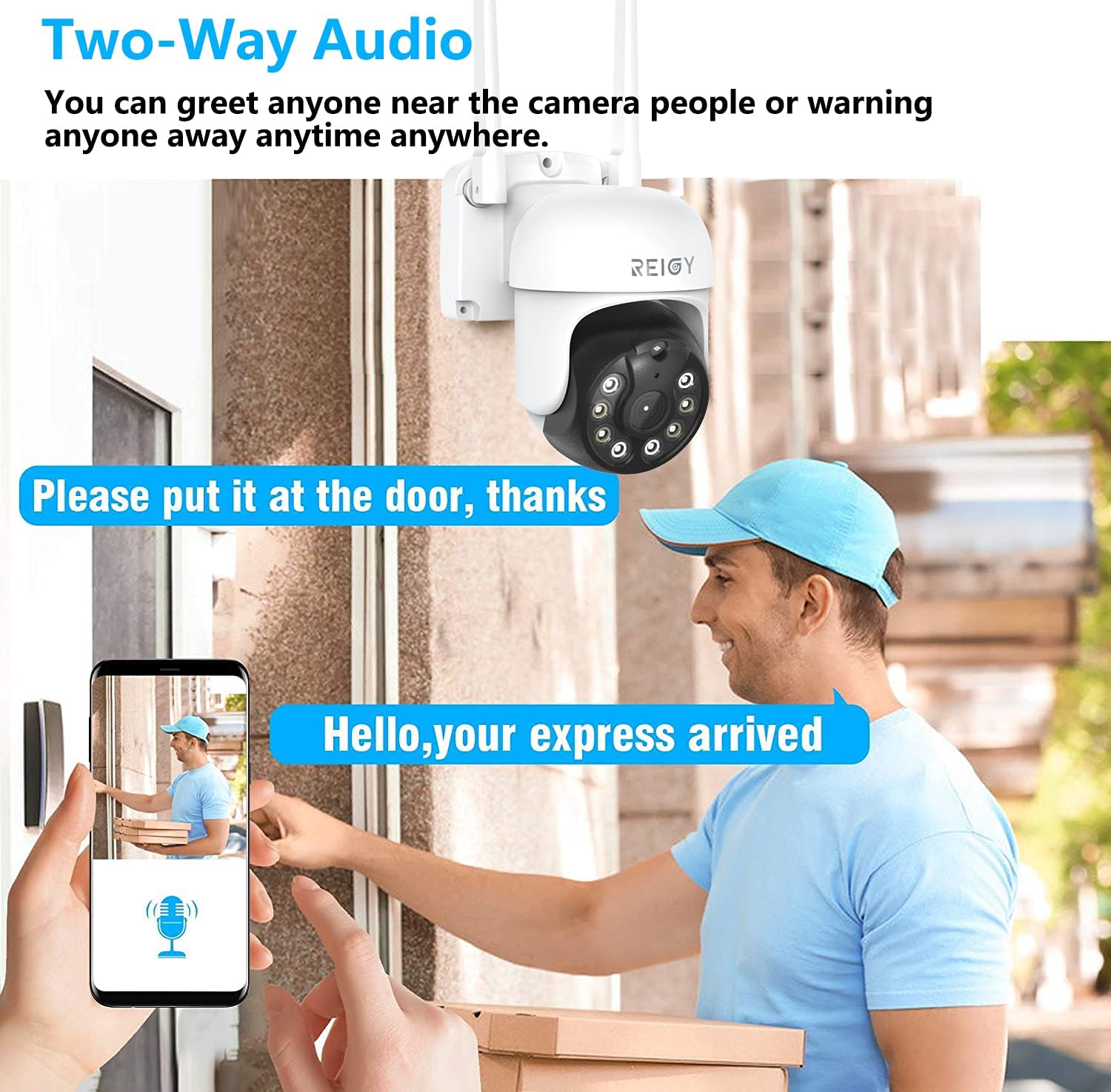
Image 4.2: Illustrates the two-way audio function, allowing users to speak and listen via the smartphone app.
4.3 Motion Detection and Notifications
The camera is equipped with motion detection capabilities. When motion is detected, the camera can send real-time alerts with snapshots to your smartphone. You can customize motion detection zones and sensitivity settings within the app to minimize false alarms.

Image 4.3: Depicts the motion detection feature, showing an alert being sent to a smartphone when suspicious activity is detected.
4.4 Night Vision Modes
The camera offers three distinct night vision modes to ensure clear visibility in low-light conditions:
- Infrared Mode: Provides black and white video using infrared (IR) illumination.
- Spotlight Mode: Activates built-in spotlights to provide full-color night vision.
- Smart Mode: Automatically switches between infrared and spotlight modes. It typically uses infrared and activates spotlights upon motion detection to capture color video.
You can select your preferred night vision mode in the camera settings within the app.
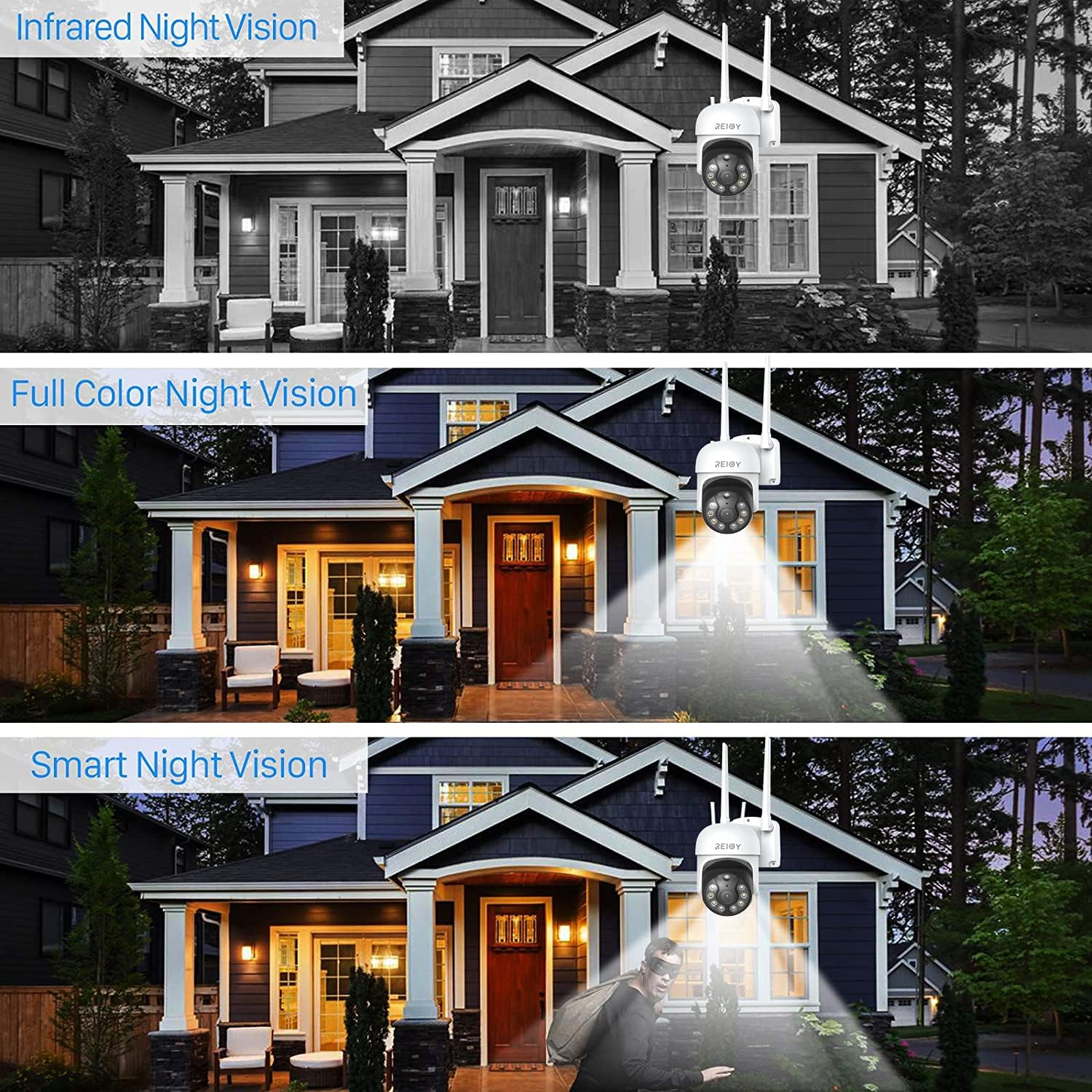
Image 4.4: Comparison of Infrared Night Vision, Full Color Night Vision (Spotlight Mode), and Smart Night Vision.
4.5 Video Recording
The camera supports local storage via a MicroSD card (up to 128GB, not included). You can configure continuous recording, schedule recording, or event-triggered recording (e.g., motion detection) through the app. Recorded footage can be reviewed directly from your smartphone.
5. Maintenance
Regular maintenance ensures optimal performance and longevity of your security camera.
- Cleaning: Periodically clean the camera lens with a soft, dry cloth to remove dust, dirt, or smudges that may affect image quality. Do not use harsh chemicals.
- Firmware Updates: Check the REIGY app regularly for available firmware updates. Keeping your camera's firmware up-to-date ensures you have the latest features, security patches, and performance improvements.
- Power Supply: Ensure the power adapter and cable are free from damage. Replace them if any wear or tear is observed.
6. Troubleshooting
If you encounter issues with your REIGY PT Cam-EU camera, refer to the following common problems and solutions:
- Camera Offline:
- Check if the camera is powered on and the power adapter is securely connected.
- Verify your Wi-Fi network is active and the camera is within range.
- Ensure your router is broadcasting a 2.4GHz Wi-Fi signal.
- Restart the camera by unplugging and replugging the power.
- Poor Image Quality:
- Clean the camera lens.
- Ensure sufficient lighting in the area, especially at night. Adjust night vision settings if necessary.
- Check your internet connection speed.
- Motion Detection Not Working or Too Sensitive:
- Verify motion detection is enabled in the app settings.
- Adjust the sensitivity level and detection zones to reduce false alarms (e.g., from moving trees or shadows).
- Two-Way Audio Issues:
- Ensure your phone's microphone and speaker are enabled for the app.
- Check the volume settings on both your phone and within the app.
- Minimize background noise for clearer communication.
For further assistance, please contact REIGY customer support.
7. Specifications
| Model Number | PT Cam-EU |
| Video Capture Resolution | 3MP (2304*1296) |
| Effective Video Resolution | 1296 Pixels |
| Pan/Tilt Range | 355° Horizontal, 90° Vertical |
| Connectivity Technology | Wireless (Wi-Fi) |
| Wi-Fi Frequency | 2.4GHz Only |
| Night Vision | Infrared, Spotlight (Color), Smart Mode |
| Two-Way Audio | Yes |
| Motion Detection | Yes, with App Notifications |
| Storage | MicroSD Card (up to 128GB, not included) |
| Compatibility | REIGY NVR Systems, iOS & Android Smartphones |
| Indoor/Outdoor Usage | Outdoor (IP66 Waterproof) |
| Operating Temperature | -4°F ~ +140°F (-20°C ~ +60°C) |
| Power Source | Corded Electric (12 Volts, 24 Watts) |
| Material | Metal |
| Mounting Type | Wall Mount |
8. Warranty and Support
REIGY products are designed for reliability and performance. For warranty information, please refer to the warranty card included with your product or visit the official REIGY website. If you require technical assistance or have questions not covered in this manual, please contact REIGY customer support through the contact information provided on our website or within the product packaging.
Please retain your proof of purchase for warranty claims.