Introduction
The NEBO DAVINCI 5000 is a versatile, rechargeable LED flashlight designed for various applications, including outdoor activities, automotive repairs, and general home use. It features a powerful 5,000-lumen output, multiple light modes, 3X zoom, and a built-in power bank for charging external devices. Its durable construction ensures reliability in challenging environments.
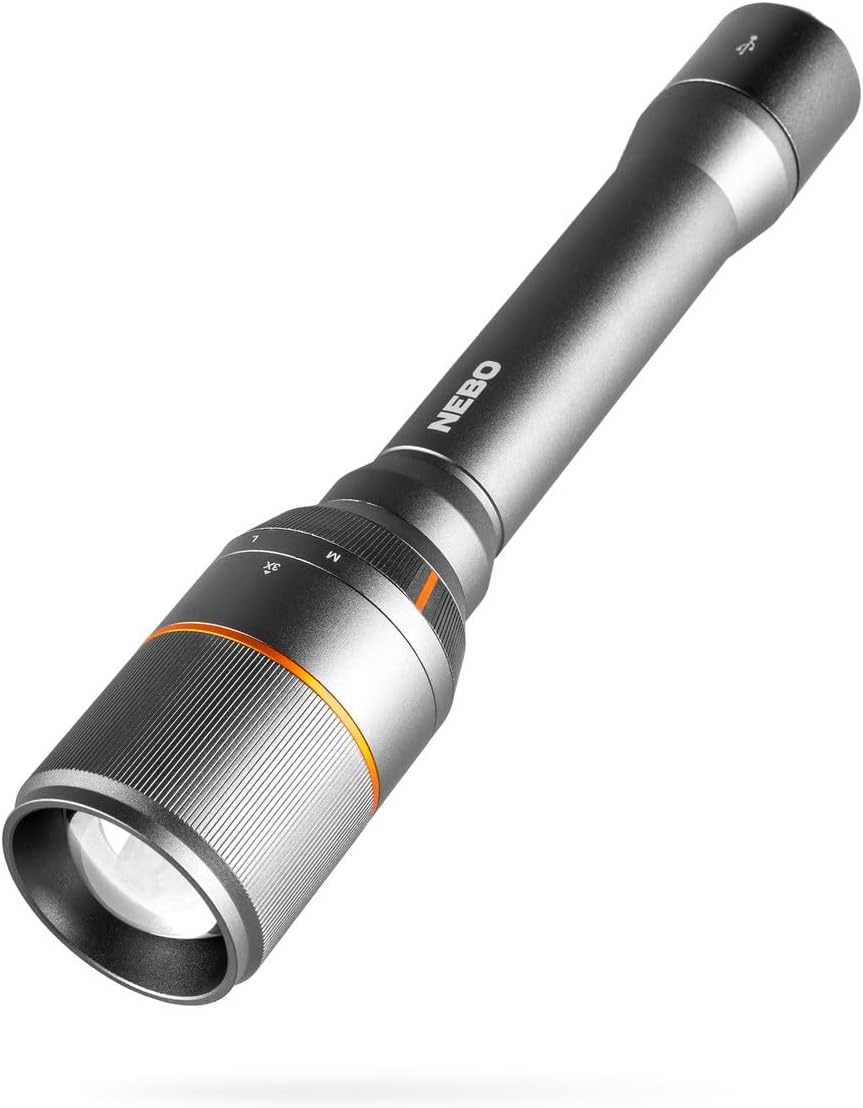
Image: The NEBO DAVINCI 5000 Flashlight, showcasing its sleek design and robust build.
Setup
- Initial Battery Preparation: Before first use, ensure the battery compartment is free of any protective plastic discs. Unscrew the tail cap to access the battery. Remove any packaging materials from the battery and reinsert it correctly, then securely fasten the tail cap.
- First Charge: For optimal performance, fully charge the flashlight before its initial use. Refer to the "Charging the Flashlight" section for detailed instructions.
Operating Instructions
Powering On/Off
- To turn the flashlight ON, press the power button located on the tail cap.
- To turn the flashlight OFF, press the power button again.
Selecting Light Modes
The DAVINCI 5000 features a Mag Dial mode selector for easy switching between light modes.
- Rotate the Mag Dial (located near the head of the flashlight) to select between High (H), Medium (M), Low (L), and Strobe modes.
- The selected mode will be active when the flashlight is turned on.

Image: Close-up of the flashlight's mode select dial, indicating different light settings.
Using 3X Zoom
Adjust the beam focus from a wide floodlight to a concentrated spotlight.
- To adjust the zoom, gently slide the head of the flashlight forward or backward.
- Sliding forward narrows the beam for a focused spotlight.
- Sliding backward widens the beam for a broad floodlight.

Image: A person using the flashlight with its 3X zoom feature, illuminating a distant tree.
Light Modes and Performance
The DAVINCI 5000 offers four distinct light modes to suit various needs:
- High (5,000 Lumens): Provides intense illumination for maximum visibility.
- Medium (1,000 Lumens): Offers a balanced output for general use.
- Low (100 Lumens): Extended runtime, suitable for close-range tasks or conserving battery. Up to 20 hours of use.
- Strobe (5,000 Lumens): Flashing light for emergency signaling or disorientation.

Image: A person walking on a path at night, illuminated by the powerful 5000 lumens of the flashlight.
Power Bank Function
The NEBO DAVINCI 5000 can function as a portable power bank to charge other USB-powered devices.
- Locate the USB output port on the flashlight (typically under a protective cover).
- Connect your device's charging cable to the flashlight's USB output port.
- The flashlight will begin charging your device. Monitor your device's charging indicator.
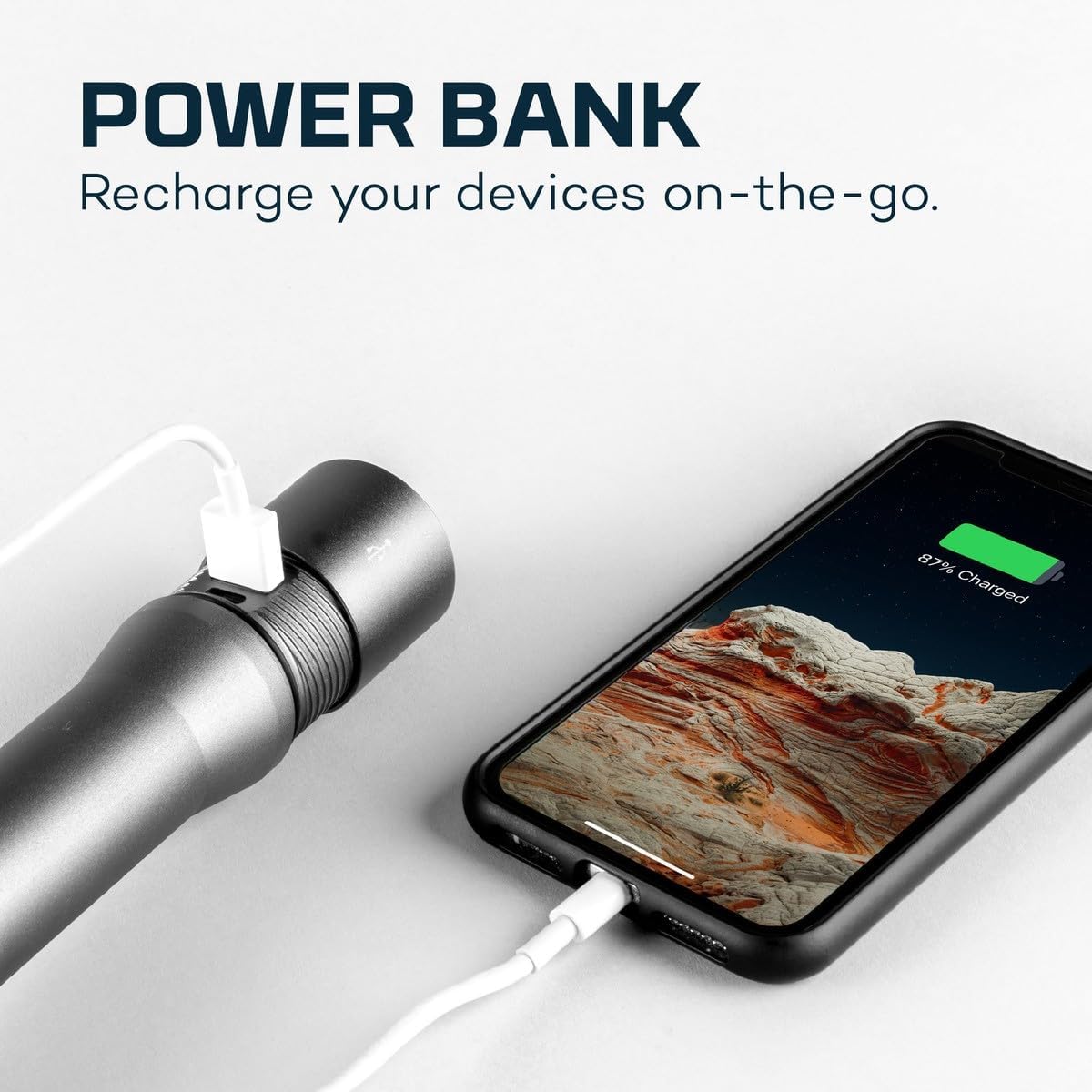
Image: The flashlight connected via USB to a smartphone, demonstrating its power bank capability.
Charging the Flashlight
The internal Lithium-ion battery is rechargeable via the included Micro-USB cable.
- Locate the Micro-USB charging port on the flashlight (typically under a protective cover).
- Connect the Micro-USB cable to the flashlight's charging port.
- Connect the other end of the USB cable to a powered USB port (e.g., wall adapter, computer, power bank).
- A charging indicator light will illuminate (e.g., red for charging, blue for fully charged).
- Charging typically takes approximately 5 hours.

Image: The flashlight connected to a charging cable, with the charging indicator visible.
Maintenance
- Cleaning: Wipe the flashlight body with a soft, damp cloth. Do not use abrasive cleaners or solvents.
- Battery Care: To prolong battery life, avoid fully discharging the battery frequently. Recharge the flashlight regularly, especially if it will be stored for extended periods.
- Water Resistance: The flashlight is IP67-rated, meaning it is waterproof for up to 30 minutes at a depth of 3.28 feet. Ensure all caps and covers are securely closed before exposure to water.
- Storage: Store the flashlight in a cool, dry place away from direct sunlight and extreme temperatures.
Troubleshooting
| Problem | Possible Cause | Solution |
|---|---|---|
| Flashlight does not turn on. | Battery is depleted or incorrectly installed. | Charge the battery. Ensure the battery is inserted with correct polarity and the tail cap is fully tightened. Check for any protective plastic disc that might still be on the battery. |
| Flashlight does not charge. | Charging cable or power source issue; internal battery issue. | Ensure the Micro-USB cable is securely connected to both the flashlight and a working power source. Try a different cable or power adapter. If the issue persists, contact customer support. |
| Light output is dim. | Low battery level; incorrect mode selected. | Recharge the battery. Rotate the Mag Dial to select a higher lumen mode (Medium or High). |
Specifications
| Feature | Detail |
|---|---|
| Light Output (High) | 5000 Lumens |
| Light Output (Medium) | 1000 Lumens |
| Light Output (Low) | 100 Lumens |
| Light Output (Strobe) | 5000 Lumens |
| Zoom | 3X Adjustable Zoom |
| Power Source | Rechargeable Lithium-Ion Battery (4500 mAh, 7.4V) |
| Charging Time | Approximately 5 hours |
| Water Resistance | IP67 (Waterproof up to 1 meter for 30 minutes) |
| Material | Anodized Aircraft-Grade Aluminum |
| Dimensions | 10.25"D x 2"W x 2"H |
| Weight | 1.37 - 1.5 lbs |
| Included Components | Flashlight, Micro-USB charging cable, detachable lanyard |
Warranty and Support
For warranty information, product support, or to inquire about replacement parts, please visit the official NEBO website or contact their customer service department. Keep your proof of purchase for any warranty claims.
Official NEBO Store: NEBO Store on Amazon


