
1. Introduction
This manual provides detailed instructions for the installation, operation, and maintenance of your CLOUDY BAY 3 Color Indoor Outdoor Motion Sensor LED Wall Light. Please read this guide thoroughly before installation and retain it for future reference. This LED wall light features selectable color temperatures (3000K, 4000K, 5000K) and an integrated motion sensor for enhanced functionality and energy efficiency.
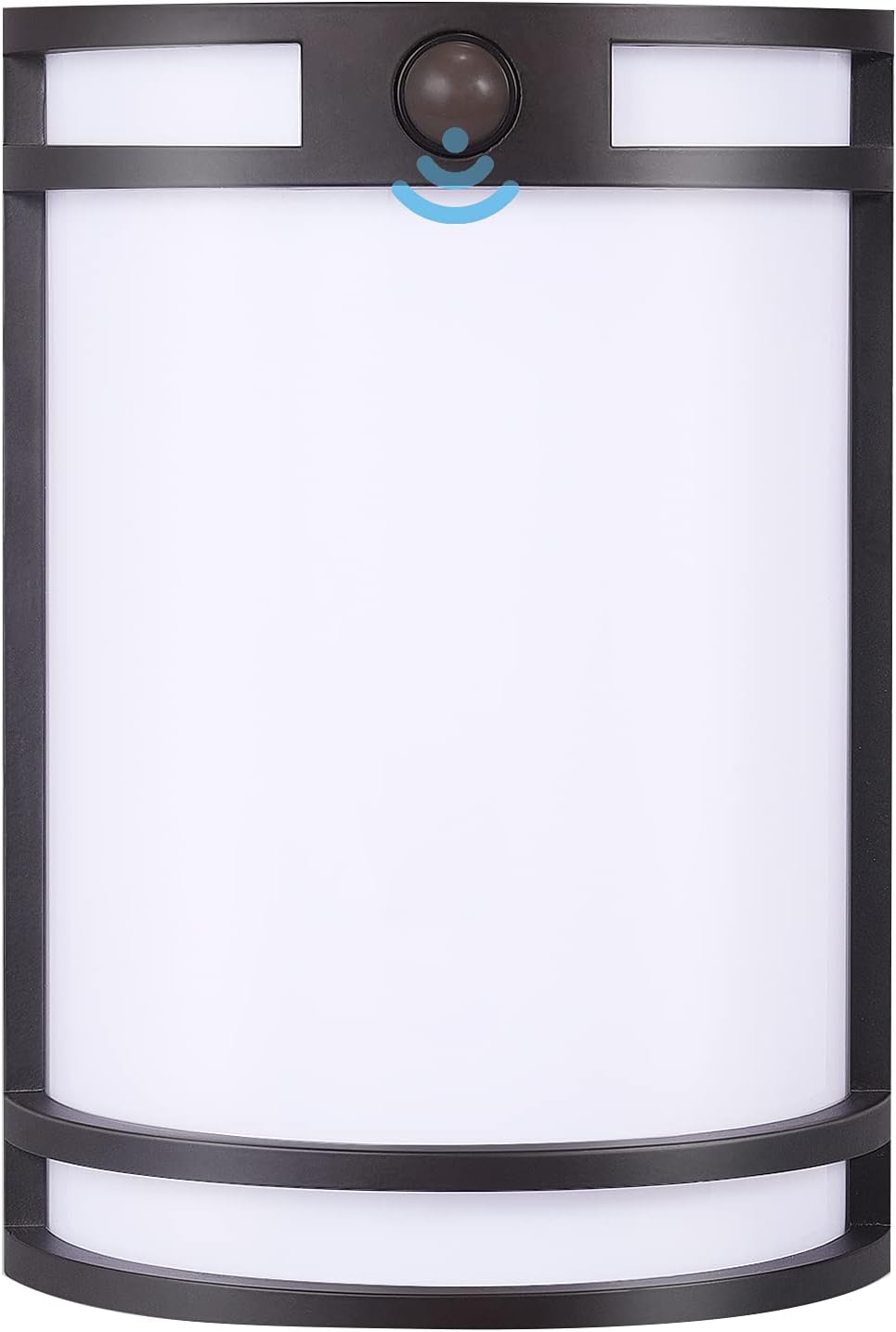
Figure 1: CLOUDY BAY 7-inch Oil-Rubbed Bronze Motion Sensor LED Wall Light.
2. Safety Information
WARNING: Risk of electric shock. Disconnect power at the fuse or circuit breaker before installation or servicing.
- Ensure the electrical supply is disconnected before handling the fixture.
- Installation must be performed by a qualified electrician or a person familiar with the construction and operation of the product and the hazards involved.
- Use only UL/ETL listed wire connectors.
- This fixture is designed for 120V AC power supply only.
- Do not attempt to modify the fixture. Any modifications may void the warranty and create safety hazards.
- Do not install near flammable materials or in areas with explosive atmospheres.
3. Package Contents
Verify that all components are present before beginning installation:
- LED Wall Light Fixture (1)
- Mounting Hardware Kit (screws, wire nuts) (1 set)
- Instruction Manual (1)
4. Product Features
- 3 Color Temperature Settings: Easily switch between 3000K (Warm White), 4000K (Cool White), and 5000K (Daylight) to suit your preference.
- Integrated Motion Sensor: Automatically turns the light on at night when motion is detected, providing security and convenience.
- Dusk-to-Dawn Functionality: The light remains off during the day and activates its motion sensor at night.
- Weather Resistant: Constructed with high-quality aluminum, designed for wet locations and resistant to various weather conditions (waterproof, heat, and cold resistant).
- Energy Efficient LED: 15W LED provides 1000 lumens of brightness.
- Durable Construction: Aluminum body ensures longevity and stable performance.

Figure 2: Weather Resistance Features. The fixture is designed to withstand rain, heat, and cold.
5. Setup and Installation
Before installation, ensure the power supply is turned off at the circuit breaker.
5.1 Pre-Installation
- Unpack the fixture and inspect for any damage.
- Ensure the mounting surface is clean, dry, and structurally sound.
- Determine the desired installation height. For optimal motion detection, an installation height of 6-8 feet is recommended.
5.2 Wiring Instructions
- Connect the black wire from the fixture to the black (live) wire from the junction box using a wire nut.
- Connect the white wire from the fixture to the white (neutral) wire from the junction box using a wire nut.
- Connect the green or bare copper ground wire from the fixture to the ground wire from the junction box using a wire nut.
- Carefully tuck all wires into the junction box.
5.3 Mounting the Fixture
- Attach the mounting bracket to the junction box using the provided screws.
- Align the fixture with the mounting bracket and secure it with the provided screws.
- Ensure the fixture is flush against the mounting surface to prevent water intrusion.

Figure 3: Product Dimensions and Key Components. Dimensions are 10 inches height, 7 inches width, and 3.5 inches depth. The image also highlights the PIR sensor and CCT toggle switch.

Figure 4: Motion Sensor Detection Area. The sensor has a maximum detection range of 19 feet and a 100-degree detection angle.
6. Operating Instructions
6.1 Color Temperature (CCT) Selection
The fixture features a CCT toggle switch located on the back or side of the unit (refer to Figure 3 for location). Before final installation, or by carefully accessing the switch, select your desired color temperature:
- 3000K: Warm White, ideal for a cozy and inviting atmosphere.
- 4000K: Cool White, suitable for general task lighting.
- 5000K: Daylight, providing bright, crisp illumination.

Figure 5: CCT Selection Switch. Use the toggle switch to choose between 3000K, 4000K, or 5000K.
6.2 Motion Sensor Functionality
The integrated motion sensor and daylight sensor work together to provide automatic lighting:
- Daytime: The light remains in standby mode.
- Nighttime: When the ambient light level is low enough (dusk), the motion sensor becomes active. If human motion is detected within its range, the light will automatically turn on for approximately 60 seconds.
- The light will turn off 60 seconds after motion is no longer detected.

Figure 6: Motion Sensor Operation. The light activates only at night upon detecting movement and turns off after 60 seconds of inactivity.
Video 1: Demonstration of the Cloudy Bay Motion Sensor Dusk to Dawn Outdoor Wall Sconce functionality, showcasing its automatic activation and color temperature options.
7. Maintenance
Regular maintenance ensures optimal performance and longevity of your LED wall light.
- Cleaning: Clean the fixture periodically with a soft, damp cloth. Do not use abrasive cleaners or solvents, as they may damage the finish or electrical components.
- Inspection: Periodically check the fixture for any signs of damage, loose wiring, or corrosion. Ensure all mounting screws are tight.
- LEDs: The integrated LED light source is designed for long life and is not user-replaceable.
8. Troubleshooting
If you experience issues with your LED wall light, refer to the following common problems and solutions:
| Problem | Possible Cause | Solution |
|---|---|---|
| Light does not turn on. | No power supply; faulty wiring; daylight sensor detects too much light. | Check circuit breaker and wiring connections. Ensure it is dark enough for the daylight sensor to activate. |
| Motion sensor not detecting movement. | Obstruction in sensor's field of view; incorrect installation height; sensor dirty. | Clear obstructions. Verify installation height (6-8 ft). Clean sensor lens. |
| Light stays on continuously. | Constant motion in detection zone; sensor malfunction. | Ensure no continuous motion is present. If problem persists, contact support. |
| Light flickers. | Loose wiring connection; unstable power supply. | Check all wiring connections. Consult an electrician if power supply is unstable. |
If these steps do not resolve the issue, please contact CLOUDY BAY customer support.
9. Specifications
| Specification | Detail |
|---|---|
| Model Number | CBWP715PCMSORB |
| Brand | CLOUDY BAY |
| Color | Oil-Rubbed Bronze |
| Material | Aluminum, Plastic |
| Dimensions (L x W x H) | 7"L x 3.5"W x 10"H |
| Item Weight | 1.05 kg |
| Voltage | 120 volts |
| Wattage | 15 watts |
| Brightness | 1000 lumens |
| Light Color (CCT) | 3000K, 4000K, or 5000K Selectable |
| Control Method | Motion Sensor/Day Light Sensor |
| Indoor/Outdoor Usage | Indoor/Outdoor (Wet Location) |
| Dimmable | Not dimmable |
| Certification | ETL Listed |
10. Warranty and Support
This CLOUDY BAY LED Wall Light comes with a manufacturer's warranty. The product features indicate a 3-year warranty, while the specifications list a 5-year manufacturer warranty. Please refer to your purchase documentation or contact customer support for the most accurate warranty information.
For technical assistance, troubleshooting beyond this manual, or warranty claims, please contact CLOUDY BAY customer support through their official website or the retailer where the product was purchased.


