
1. Product Overview
The Sleepbox Sound White Noise Machine (Model SWN-M2) is designed to create a peaceful environment for sleep, relaxation, and focus. It features a wide selection of soothing sounds, a customizable night light, and convenient timer functions.

Image: Sleepbox Sound White Noise Machine, top-down view showing control panel and glowing light ring.
Key Features:
- 25 Soothing Sounds: Includes White, Pink, Brown, Blue Noise, Fans, Rain, Brook, Sea Wave, Bird, Campfire, Train, Piano, and more. All sounds are non-looping for continuous tranquility.
- 32 Adjustable Volume Levels: Fine-tune the sound output to your preference.
- 10 Colors Warm Night Light: Offers a variety of ambient light options.
- 4 Adjustable Brightness Levels: Control the intensity of the night light.
- 5 Timer Options: Set the device to automatically turn off after 1, 2, 3, or 4 hours, or choose continuous play.
- Memory Function: Automatically remembers your last volume, sound, and timer settings upon restart.
- Portable Design: Compact size (4.13 x 4.13 x 2.6 inches) for easy transport.

Image: Person sleeping peacefully with the Sleepbox Sound Machine on a nightstand, illustrating its use for sleep.
2. Package Contents
Please check the box for the following items:
- Sleepbox Sound White Noise Machine (SWN-M2)
- USB Charging Cable
- Power Adapter
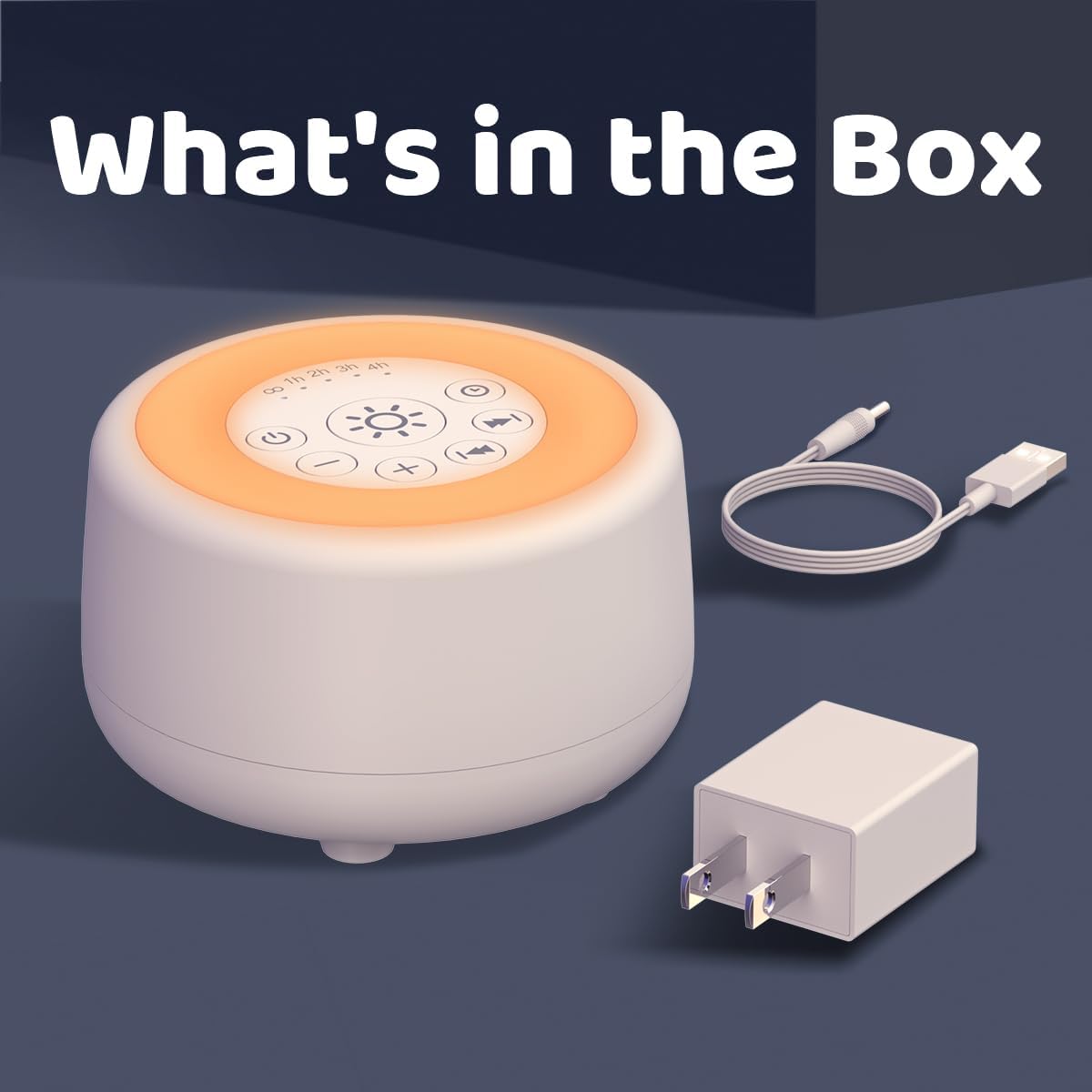
Image: Contents of the Sleepbox Sound Machine box, showing the device, USB cable, and power adapter.
3. Initial Setup
Follow these steps to set up your Sleepbox Sound White Noise Machine:
- Remove the noise machine from its packaging.
- Place it in the desired location, ensuring it is on a stable surface.
- Connect the USB charging cable to the machine and the power adapter.
- Plug the power adapter into a standard electrical outlet.

Image: Top view of the Sleepbox Sound Machine with its control panel, ready for operation.
4. Operating Instructions
4.1 Power On/Off
- Press the Power button () to turn the device on or off.
4.2 Sound Selection
- Once powered on, the device will play the last selected sound.
- Press the Next Sound button () to cycle through the 25 available sounds.
- Press the Previous Sound button () to go back to the previous sound.

Image: A collage illustrating the variety of 25 soothing sounds available, including nature sounds and musical tones.
4.3 Volume Control
- Press the Volume Up button () to increase the volume.
- Press the Volume Down button () to decrease the volume. There are 32 adjustable volume levels.
4.4 Night Light Functions
- Press the Light button () to turn the night light on or off.
- With the light on, press and hold the Light button to cycle through the 10 available colors. Release the button when your desired color is displayed.
- To adjust brightness, press the Brightness Up button () or Brightness Down button (). There are 4 brightness levels.

Image: The Sleepbox Sound Machine showcasing its 10 different night light color options.

Image: The Sleepbox Sound Machine demonstrating 4 adjustable brightness levels for its night light, from dim to bright.
4.5 Timer and Memory Function
- Press the Timer button () to set the auto-off timer. Available options are 1 hour, 2 hours, 3 hours, 4 hours, or continuous play (indicated by 'OO').
- The device will automatically remember your last volume, sound, and timer settings when restarted.

Image: The Sleepbox Sound Machine with timer settings (1H, 2H, 3H, 4H, Cont.) displayed, next to a sleeping child, highlighting its timer function.
5. Care and Maintenance
- Ensure the device is unplugged before cleaning.
- Wipe the exterior with a soft, dry cloth. Do not use liquid cleaners or abrasive materials.
- Keep the device away from water or excessive moisture.
- Store in a cool, dry place when not in use.
6. Troubleshooting Guide
- No Power: Ensure the power adapter is securely plugged into both the device and a working electrical outlet.
- No Sound: Check the volume level and ensure it is not muted. Cycle through sounds to confirm functionality.
- Light Not Working: Press the Light button to turn it on. If it doesn't turn on, ensure the device has power.
- Device Not Responding: Unplug the device from the power source, wait a few seconds, and then plug it back in to reset.
7. Technical Specifications
| Product Dimensions | 4.13 x 4.13 x 2.6 inches |
| Item Weight | 11.99 ounces |
| Model Number | SWN-M2 |
| Brand Name | Sleepbox |
| Number of Sounds | 25 |
| Night Light Colors | 10 |
| Brightness Levels | 4 |
| Volume Levels | 32 |
| Timer Options | 1H, 2H, 3H, 4H, Continuous |
| Material Type | Acrylonitrile Butadiene Styrene (ABS), Plastic |
| UPC | 788703043059 |
8. Warranty and Customer Support
For warranty information or customer support, please refer to the product packaging or contact Sleepbox customer service directly. Keep your purchase receipt for any warranty claims.