
1. Introduction
The Sleepbox Sound White Noise Machine is designed to create a calming environment for improved sleep and relaxation. It features a selection of soothing sounds, a multi-color night light, adjustable brightness and volume levels, and convenient timer functions. Its compact design makes it suitable for use at home or while traveling.

2. Safety Information
Please read and understand all safety instructions before using this product. Failure to follow these instructions may result in electric shock, fire, or serious injury.
- This product is not a toy and should be kept out of reach of children.
- Use only the recommended power source and voltage specified for this device.
- To prevent electric shock, do not expose the device to water or moisture.
- Do not disassemble, repair, or modify the device yourself. Contact qualified service personnel for assistance.
- Ensure proper ventilation around the device; do not cover it during operation.
- Set the volume to an appropriate level to avoid hearing damage.
- Handle with care to avoid physical damage to the unit.
3. Package Contents
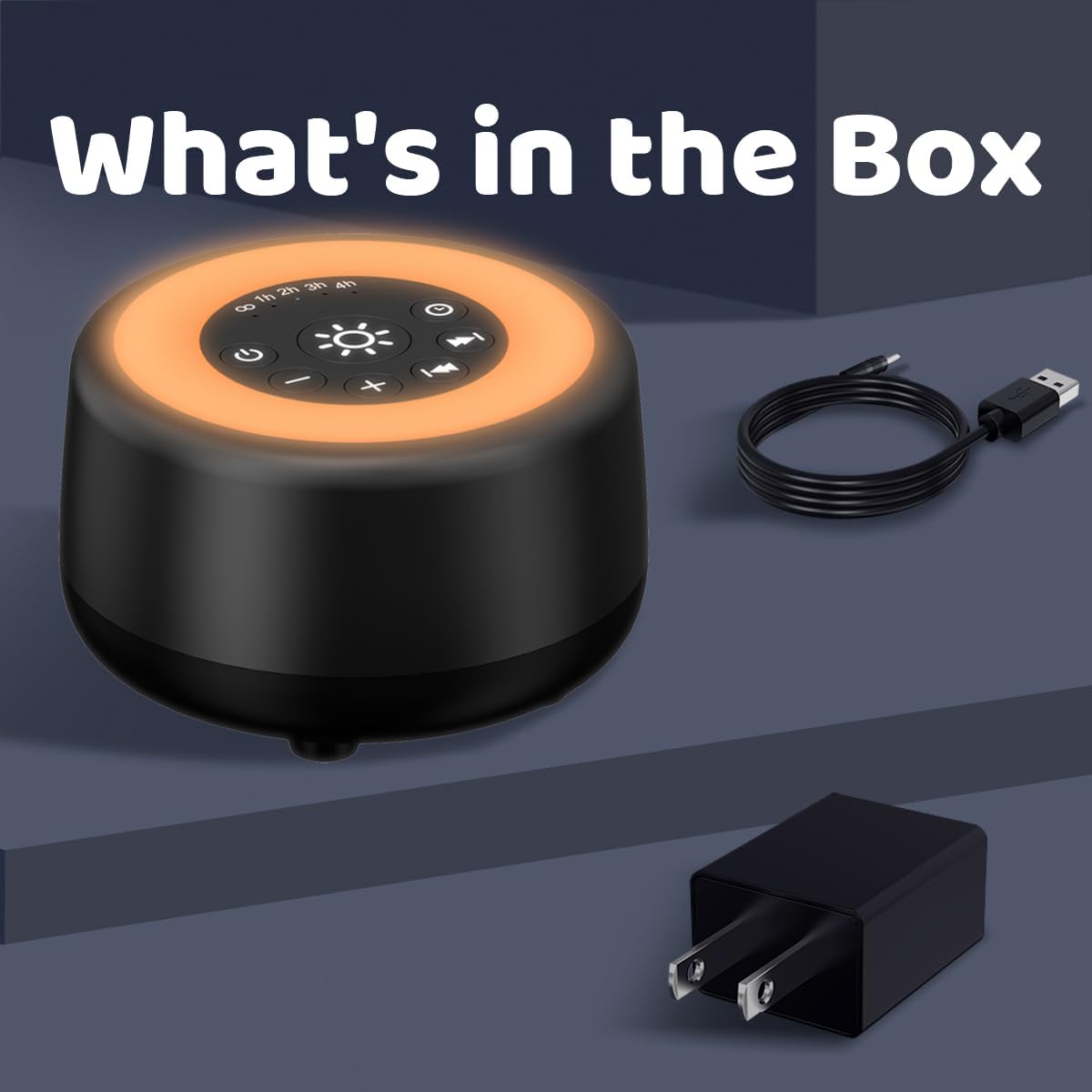
Verify that all items are present in the package:
- Sleepbox Sound White Noise Machine
- USB Power Cable
- Power Adapter
- User Manual (this document)
4. Product Overview
Familiarize yourself with the device's components and controls.

Control Buttons:
- Power Button (⏻): Turns the device On/Off.
- Light Button (☀): Cycles through night light colors and adjusts brightness.
- Timer Button (⏱): Sets the auto-off timer (1H, 2H, 3H, 4H, Continuous).
- Volume Down Button (-): Decreases the sound volume.
- Volume Up Button (+): Increases the sound volume.
- Previous Sound Button (⏮): Selects the previous sound.
- Next Sound Button (⏭): Selects the next sound.
5. Setup
5.1 Power Connection
- Connect the small end of the USB power cable to the power input port on the Sleepbox Sound White Noise Machine.
- Connect the large end of the USB power cable to the provided power adapter.
- Plug the power adapter into a standard electrical outlet.
- The device is now ready for use.
6. Operation
6.1 Power On/Off
- Press the Power Button (⏻) to turn the device on.
- Press the Power Button (⏻) again to turn the device off.
6.2 Sound Selection
The device offers 25 non-looping soothing sounds.
- Press the Next Sound Button (⏭) to cycle through the available sounds.
- Press the Previous Sound Button (⏮) to go back to the previous sound.
- Available sounds include: White Noise, Pink Noise, Brown Noise, Blue Noise, Fans, Rain, Brook, Sea Wave, Bird, Campfire, Train, Piano, and more.

6.3 Volume Adjustment
The device has 32 adjustable volume levels.
- Press the Volume Up Button (+) to increase the volume.
- Press the Volume Down Button (-) to decrease the volume.
6.4 Night Light Function
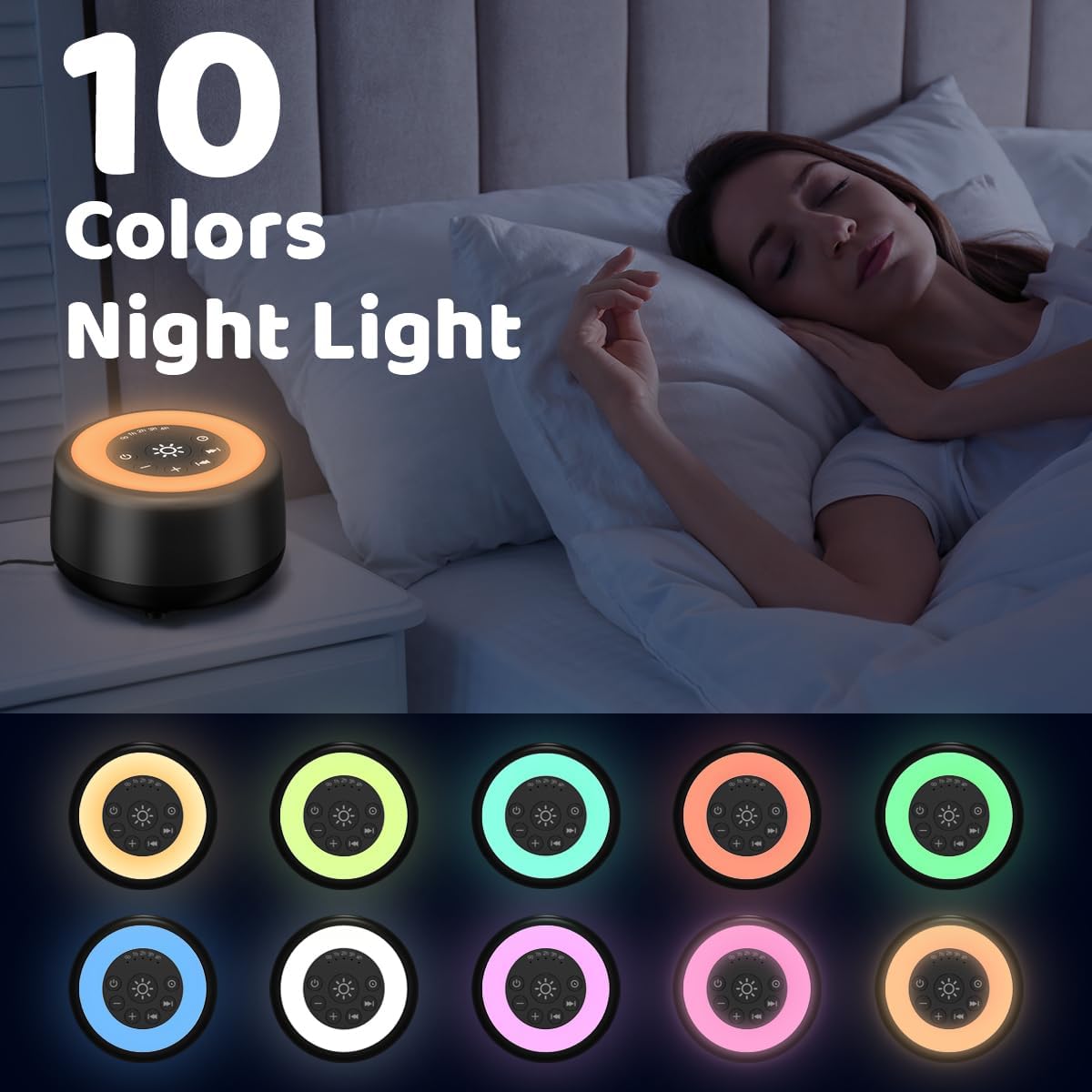
The device features a night light with 10 colors and 4 brightness levels.
- Press the Light Button (☀) to turn on the night light and cycle through the 10 available colors.
- To adjust brightness, press and hold the Light Button (☀). The brightness will cycle through 4 levels. Release the button at the desired brightness.
- Press the Light Button (☀) repeatedly to turn off the light after cycling through all colors.

6.5 Timer Function
The auto-off timer can be set for 1, 2, 3, or 4 hours, or for continuous play.
- Press the Timer Button (⏱) repeatedly to cycle through the timer options: 1H, 2H, 3H, 4H, and Continuous (indicated by an infinity symbol ∞).
- The device will automatically turn off after the selected time period, or play continuously if ∞ is selected.
6.6 Memory Function
The device remembers your last used volume, sound, and timer settings.
- When the Sleepbox Sound White Noise Machine is restarted, it will automatically resume with the settings that were active before it was turned off.

7. Maintenance
7.1 Cleaning
- Ensure the device is unplugged before cleaning.
- Wipe the exterior of the device with a soft, dry cloth.
- Do not use abrasive cleaners, waxes, or solvents as they may damage the finish.
- Avoid getting moisture into any openings.
7.2 Storage
- Store the device in a cool, dry place away from direct sunlight and extreme temperatures.
- Keep the device away from dust and dirt when not in use for extended periods.
8. Troubleshooting
If you encounter issues with your Sleepbox Sound White Noise Machine, refer to the following common problems and solutions:
| Problem | Possible Cause | Solution |
|---|---|---|
| Device does not turn on. | No power connection. | Ensure the power cable is securely connected to the device and the power adapter is plugged into a working electrical outlet. |
| No sound. | Volume is too low or muted. | Press the Volume Up Button (+) to increase the volume. |
| Night light not working. | Light function is off. | Press the Light Button (☀) to turn on and cycle through light options. |
| Device turns off unexpectedly. | Timer function is active. | Check the timer setting. If continuous play is desired, set the timer to ∞. |
9. Specifications
- Model: B08YYMQ23J
- Product Dimensions: 4.13 x 4.13 x 2.6 inches
- Item Weight: 10.93 ounces (0.31 Kilograms)
- Sound Options: 25 non-looping soothing sounds
- Volume Levels: 32 adjustable levels
- Night Light Colors: 10 colors
- Night Light Brightness: 4 adjustable levels
- Timer Settings: 1H, 2H, 3H, 4H, Continuous
- Material: Plastic or Stainless Steel
- Manufacturer: Sleepbox
10. Warranty & Support
Sleepbox provides professional after-sales service. If you have any questions or require support regarding your Sleepbox Sound White Noise Machine, please do not hesitate to contact us. Refer to your purchase documentation or the Sleepbox official website for specific warranty details and contact information.
Legal Disclaimer: Statements regarding dietary supplements have not been evaluated by the FDA and are not intended to diagnose, treat, cure, or prevent any disease or health condition. This product is not a medical device.
