
Product Overview
The Oviitech 8-Outlet Heavy Duty Metal Power Strip (Model LTS-08S) is designed to provide reliable power distribution and surge protection for your electronic devices. Constructed from durable aluminum alloy, this power strip features 8 AC outlets, a 6-foot grounded power cord, and an integrated 15A circuit breaker for enhanced safety. It is ETL certified, ensuring quality and protection against power surges.

Figure 1: Oviitech 8-Outlet Heavy Duty Metal Power Strip, Model LTS-08S.
Key Features
- 8 AC Outlets: Provides ample power connections for multiple devices.
- Surge Protection: 300 Joules surge protection to safeguard connected electronics.
- Durable Construction: Made with aluminum alloy for heavy-duty use.
- 6-Foot Extension Cord: 14 AWG/3C grounded power cord for flexible placement.
- Independent Switch: Rocker switch with integrated 15A circuit breaker for easy control and overload protection.
- ETL Certified: Ensures compliance with safety standards.
- Wall Mountable: Designed for convenient installation in various environments.
Setup Instructions
- Unpack the Power Strip: Carefully remove the power strip and any accessories from its packaging. Inspect for any damage.
- Choose a Location: Select a dry, indoor location away from heat sources and moisture. Ensure the 6-foot power cord can reach a grounded 3-prong AC outlet without being stretched.
- Mounting (Optional): If wall mounting, use the provided mounting brackets and screws. Secure the brackets to a stable surface, then attach the power strip. Ensure the power strip is firmly in place before connecting devices.
- Plug into Wall Outlet: Insert the power strip's 3-prong plug into a properly grounded 125V AC wall outlet.
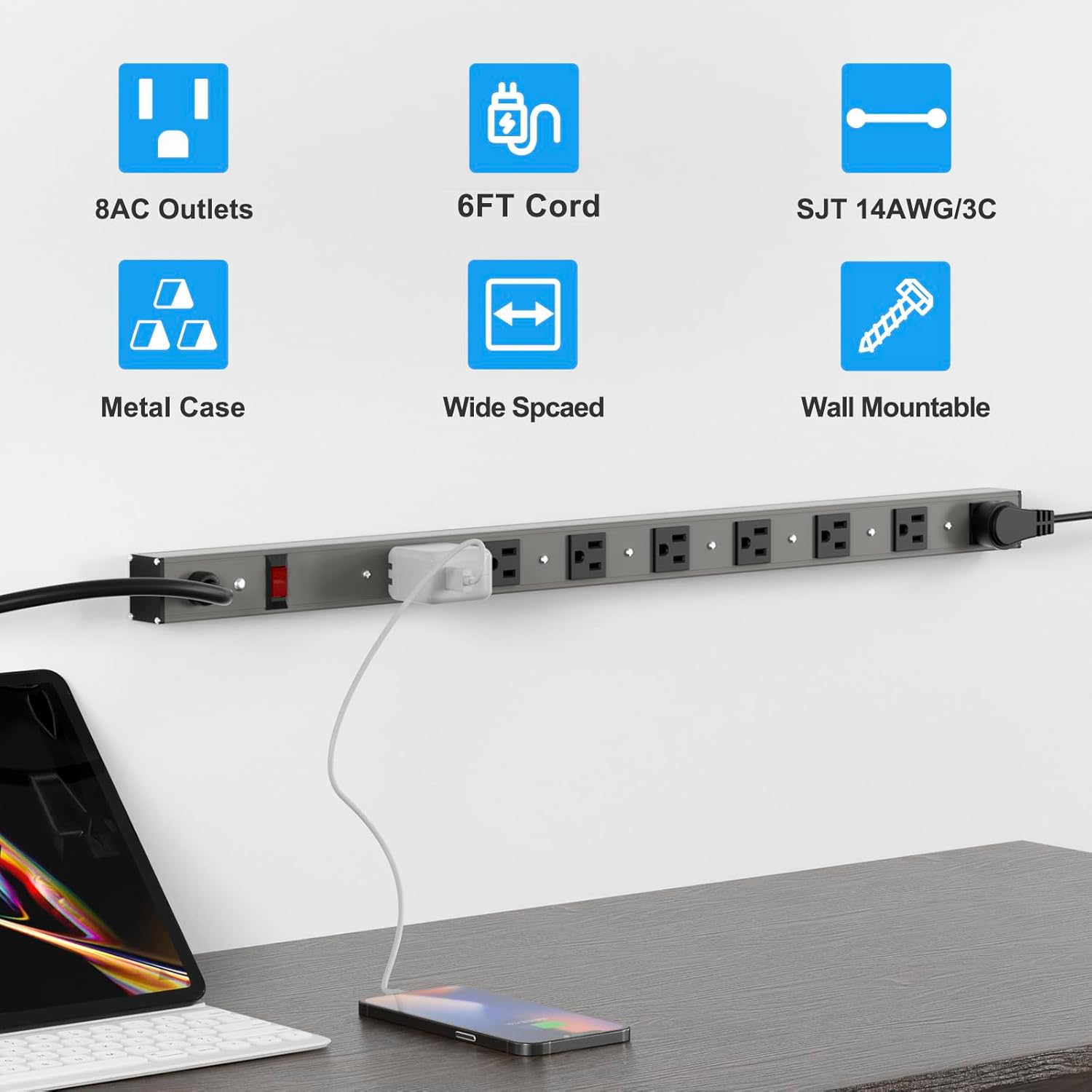
Figure 2: Example of the power strip mounted on a wall, providing power to a laptop and phone.
Operating Instructions
- Power On/Off: Locate the red rocker switch on the power strip. Press the switch to the "ON" position to supply power to the outlets. The switch will illuminate when power is active. Press it to "OFF" to cut power.
- Connect Devices: Plug your electronic devices into any of the 8 AC outlets. Ensure that the total power consumption of all connected devices does not exceed 1875W (15A, 125V).
- Surge Protection Indicator: The power strip includes a surge protection indicator (often a small LED light). If this light is off, the surge protection feature may no longer be active, and the unit should be replaced to ensure continued protection.

Figure 3: Close-up view of the power strip's outlets and illuminated power switch.
Product Demonstration Video
Video 1: An official product video demonstrating the Oviitech Aluminum Power Strip's features and usage.
Maintenance
- Cleaning: Disconnect the power strip from the wall outlet before cleaning. Use a dry, soft cloth to wipe the exterior. Do not use liquid cleaners or sprays.
- Regular Inspection: Periodically check the power cord and the power strip for any signs of damage, such as frayed wires, cracks, or loose connections. If any damage is found, discontinue use and replace the unit.
- Avoid Overloading: Do not exceed the maximum electrical rating of 1875W (15A, 125V). Overloading can cause the circuit breaker to trip or lead to overheating.
Troubleshooting
| Issue | Possible Cause | Solution |
|---|---|---|
| No power to devices | Power switch is off; circuit breaker tripped; power strip unplugged; wall outlet not working. | Ensure power switch is ON. Reset the circuit breaker by pressing it. Check if the power strip is securely plugged into a working wall outlet. Test the wall outlet with another device. |
| Surge protection indicator light is off | Surge protection components have been consumed by a power surge. | The power strip has protected your devices from a surge. Replace the power strip to ensure continued surge protection. |
| Power strip feels hot | Overloaded with too many high-power devices. | Unplug some devices to reduce the load. Ensure total wattage does not exceed 1875W. |
Technical Specifications

Figure 4: Dimensions of the Oviitech 8-Outlet Power Strip.
| Specification | Detail |
|---|---|
| Model Number | LTS-08S |
| Total Power Outlets | 8 AC Outlets |
| Voltage | 125 Volts |
| Maximum Current | 15 Amps |
| Maximum Wattage | 1875 Watts |
| Frequency | 60 Hz |
| Surge Protection Rating | 300 Joules |
| Power Cord Length | 6 Feet (SJT 14AWG/3C) |
| Enclosure Material | Aluminum, Metal |
| Plug Type | Type B - 3 pin (North American) |
| Certifications | ETL Certified |
Warranty and Support
This Oviitech power strip comes with a 1-year warranty from the date of purchase. This warranty covers defects in materials and workmanship under normal use. It does not cover damage caused by misuse, abuse, unauthorized modification, or natural disasters.
For warranty claims, technical support, or product inquiries, please refer to the contact information provided on the product packaging or visit the official Oviitech website. Please have your model number (LTS-08S) and proof of purchase ready when contacting support.
For further information, you may also visit the product detail page on Amazon.com.