
iodoo Zm-8714
iodoo 30W 10000mAh Portable LED Camping Lantern Instruction Manual
Model: Zm-8714 | Brand: iodoo
1. Introduction
Thank you for choosing the iodoo 30W 10000mAh Portable LED Camping Lantern. This versatile device is designed to provide reliable illumination for various outdoor and indoor activities, including camping, hiking, emergencies, and power outages. It features a high-capacity rechargeable battery, multiple lighting modes, and a power bank function for charging other devices. Please read this manual thoroughly before use to ensure proper operation and maintenance.
2. Important Safety Information
- To ensure the product can be used for a long time, please fully charge it before storing. Storing the product with a completely drained battery for more than one month may cause it to fail to charge again.
- Do not expose the lantern to extreme temperatures or direct sunlight for extended periods.
- Keep out of reach of children.
- Do not attempt to disassemble or modify the device, as this will void the warranty and may cause damage or injury.
- Ensure the magnetic suction is firm when using the magnet mounting option to prevent falling.
3. Package Contents
Please check the package for the following items:
- iodoo 30W 10000mAh Portable LED Camping Lantern
- USB Charging Cable
- User Manual
4. Product Overview
Familiarize yourself with the components of your iodoo camping lantern:


5. Setup
5.1 Initial Charge
Before first use, fully charge the lantern. Connect the provided USB cable to the lantern's charging port and to a USB power source (e.g., wall adapter, computer USB port). The digital power display will indicate the charging progress. A full charge is recommended for optimal battery life and performance.
6. Operating Instructions
6.1 Power On/Off and Brightness Adjustment
Press the power button once to turn on the lantern. Subsequent short presses will cycle through brightness modes (e.g., Low, Medium, High). The digital display will show the remaining battery percentage.
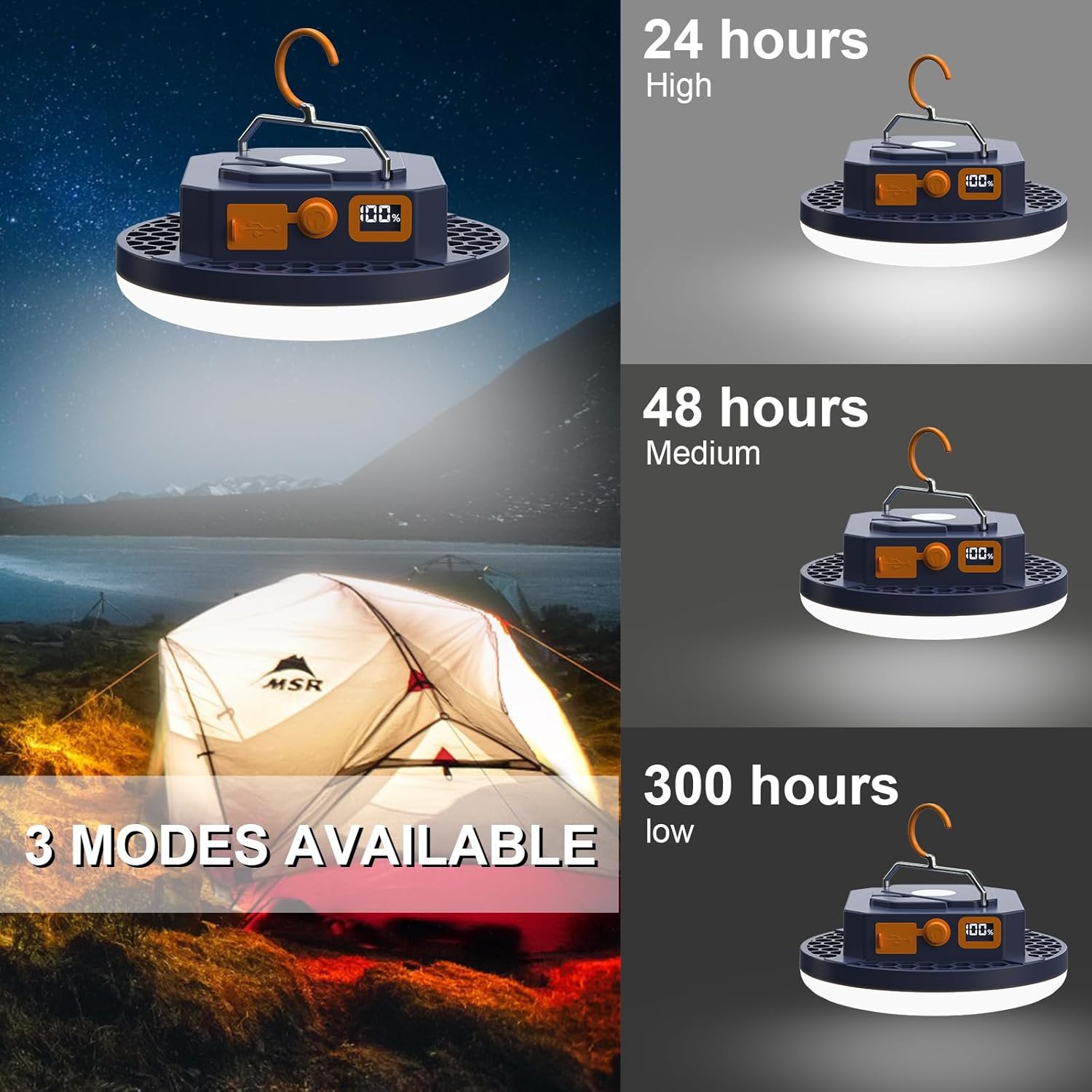
6.2 SOS Flash Mode
To activate the SOS flash mode, long-press the power button. This mode is useful for emergency signaling. Long-press again to turn off or short-press to return to normal lighting modes.
6.3 Power Bank Function
The lantern can be used to charge other electronic devices. Connect your device's USB charging cable to the lantern's USB output port. The 10000mAh battery can charge most smartphones or tablets multiple times.

6.4 Mounting Options
The lantern offers flexible mounting options:
- Integrated Hook: Use the adjustable suspension hook to hang the lantern from tent poles, branches, or other suitable fixtures.
- Magnetic Base: The strong magnetic base allows for secure attachment to metallic surfaces, such as car hoods, metal shelves, or toolboxes. Ensure the surface is clean and the magnet is firmly attached before releasing the lantern.

7. Charging the Lantern
To recharge the lantern, connect the provided USB cable to the input port on the lantern and to a standard USB power adapter (not included) or a computer's USB port. The digital power display will show the charging status. Charging time varies depending on the power source.
8. Specifications
| Feature | Specification |
|---|---|
| Model Number | Zm-8714 |
| Battery Capacity | 10000mAh (3 Lithium Polymer batteries included) |
| Brightness | Up to 4000LM |
| Wattage | 30 Watts |
| Voltage | 30 Volts |
| Water Resistance Level | IPX4 (Waterproof) |
| Battery Life (High) | Approximately 14 Hours |
| Product Dimensions | 4.72"L x 4.72"W x 1.72"H |
| Item Weight | 9.8 ounces (278 Grams) |
| Material | Plastic |
| Mounting Type | Tabletop Mount, Hook, Magnetic |
9. Maintenance
9.1 Cleaning
Wipe the lantern with a soft, damp cloth. Do not use abrasive cleaners or solvents. Ensure the charging ports are dry before use or charging.
9.2 Storage
Store the lantern in a cool, dry place away from direct sunlight. As mentioned in the safety information, ensure the battery is fully charged before long-term storage to prevent irreversible battery damage.
10. Troubleshooting
- Lantern not turning on: Ensure the battery is charged. Connect to a power source and check the digital display.
- Cannot charge external devices: Verify the lantern has sufficient charge. Ensure the USB cable is correctly connected to both the lantern's output port and the external device.
- Reduced battery life: Battery performance can decrease over time. Ensure proper charging and storage practices are followed. Extreme temperatures can also affect battery life.
- Light flickering: Try recharging the lantern. If the issue persists, contact customer support.
11. Warranty and Support
This iodoo camping lantern comes with a 90-day warranty. We also provide 180 days replacement or risk-free refund warranty for our camping lantern. If you have any questions or encounter issues with your product, please contact us immediately. Our customer service team is dedicated to solving your problem.
For support, please visit the iodoo Store on Amazon or refer to your purchase documentation for direct contact information.
Ask a question about this manual
Ask about setup, troubleshooting, compatibility, parts, safety, or missing instructions. Manuals+ will review the question and use this page’s manual context to help answer it.