
1. Product Overview
The VONETS VM5G is an industrial-grade Dual Band AC1200 WiFi Module designed for various networking applications. It functions as a wireless bridge, repeater, Ethernet adapter, and WiFi hotspot, supporting both 2.4GHz and 5GHz bands. This module is suitable for converting WiFi to wired connections or wired to WiFi connections, making it ideal for integrating network devices in industrial and DIY engineering environments.
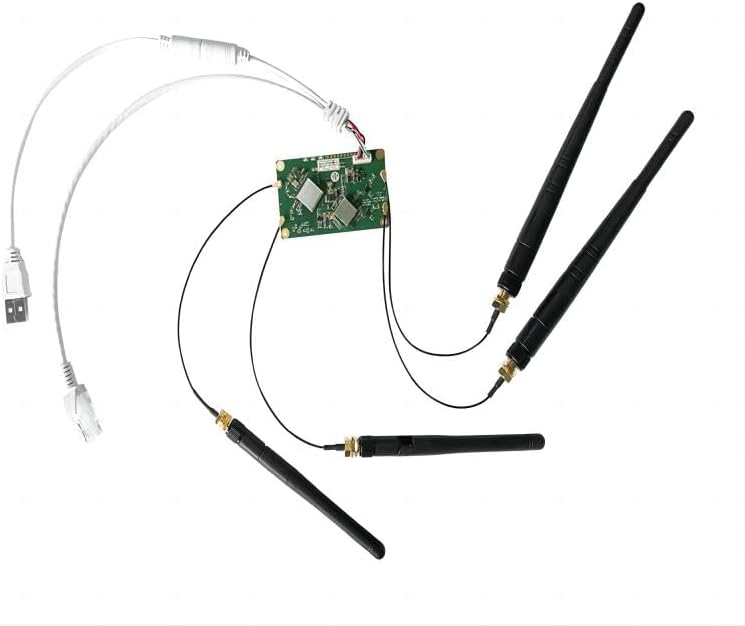
Image 1.1: The VONETS VM5G WiFi Module, showing the main circuit board, four external antennas (two 2.4GHz and two 5GHz), a USB power cable, and an Ethernet cable.
2. Key Features
- Dual Band AC1200: Supports 2.4GHz (300Mbps) and 5GHz (900Mbps) wireless transmission protocols for a combined 1200Mbps rate.
- Multiple Operating Modes: Functions as a Router, WiFi Repeater (Extender), WiFi Bridge (IP layer and MAC layer transparent transmission), and WiFi Access Point (AP).
- Wide Voltage Power Supply: Operates with DC5V-15V input (typical 5V/2A), featuring two-stage automatic overvoltage protection (up to 15.5V).
- Automatic Hotspot Reconnection: Supports automatic reconnection to WiFi hotspots with memory for up to 10 hotspots.
- SSA Protocol Support: Built-in hotspot signal strength detection and reporting for WiFi mobile positioning.
- High Sensitivity: Integrated LNA with a receiving sensitivity of 14dBi.
- UART Data Interface: Provides a TTL level UART data transparent transmission interface.
- Industrial Grade: Designed for robust performance in various industrial applications, including network printers, monitoring systems, IP cameras, and IoT devices.
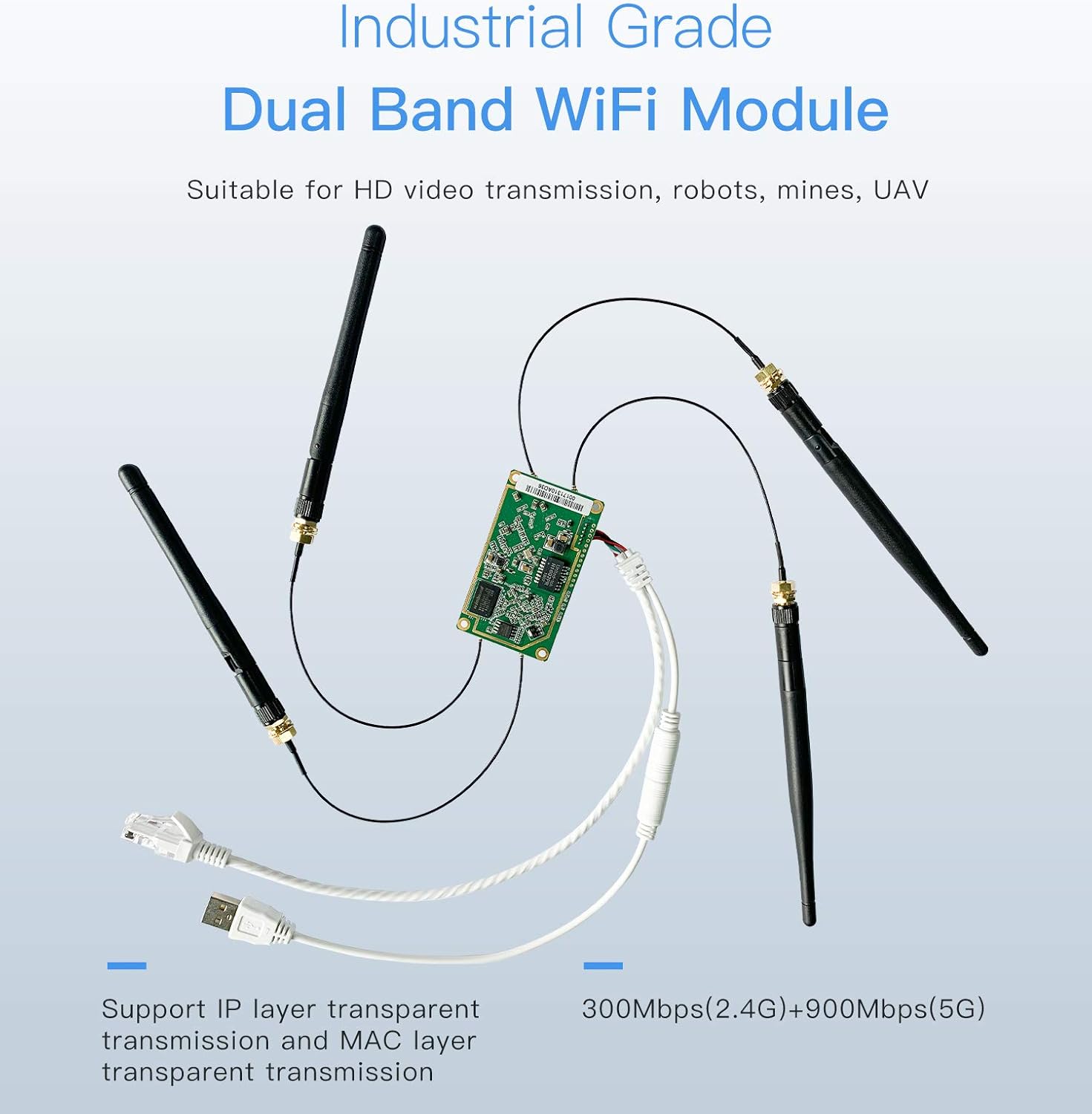
Image 2.1: The VM5G module emphasizing its industrial-grade dual-band capabilities, supporting both IP layer and MAC layer transparent transmission, and indicating 2.4G (300Mbps) and 5G (900Mbps) speeds.
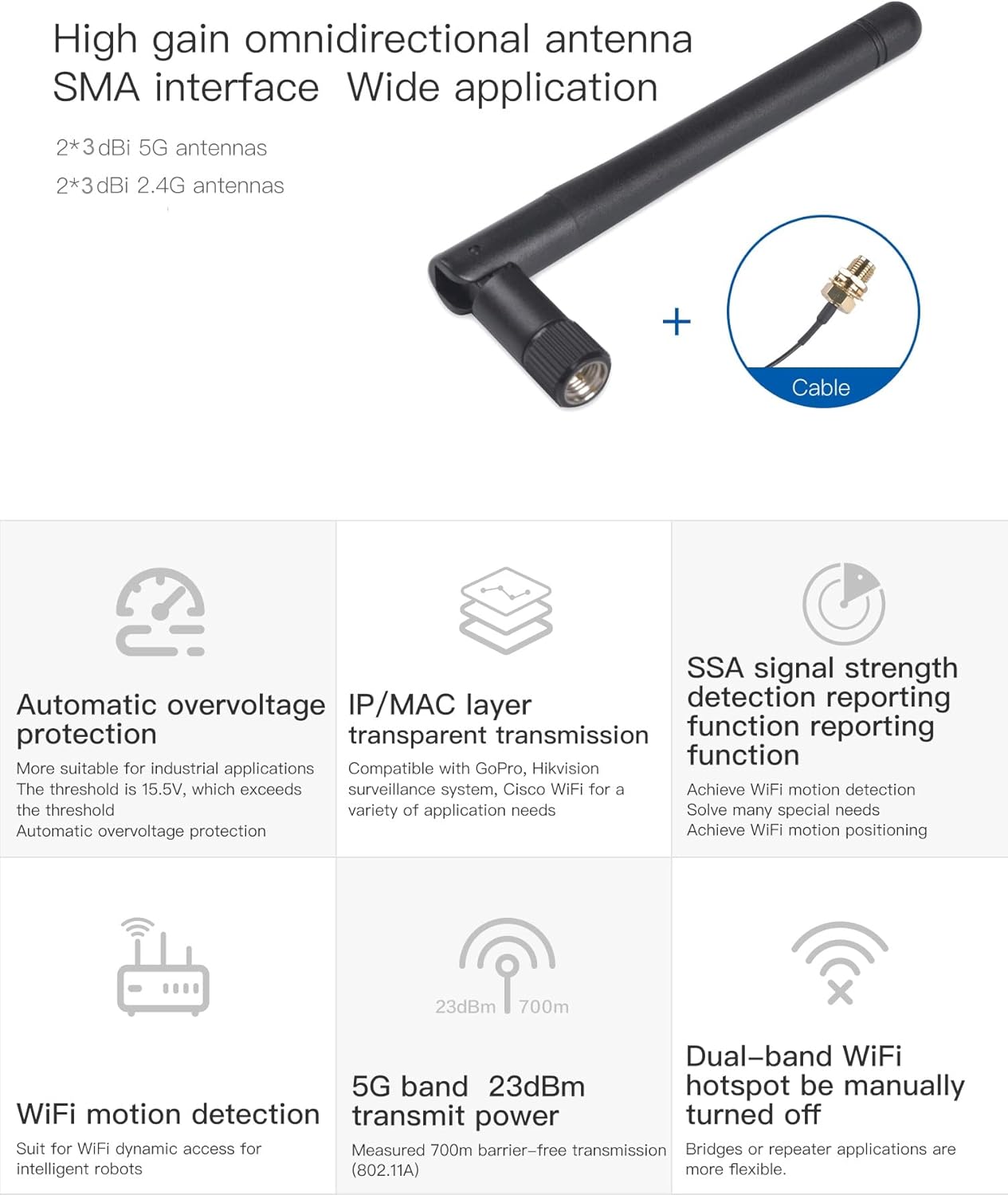
Image 2.2: A visual summary of key features including automatic overvoltage protection, IP/MAC layer transparent transmission, SSA signal strength detection, WiFi motion detection, 5G 23dBm transmit power, and the ability to manually turn off the dual-band WiFi hotspot.
3. Package Contents
Verify that all items are present in the package:
- 1 x VONETS VM5G WiFi Module
- 2 x 2.4GHz External Antennas
- 2 x 5GHz External Antennas
- 1 x USB/DC Power Cable
- 1 x 10/100Mbps Adaptive Ethernet Cable (RJ45 male)
- 1 x User Manual (this document)
4. Setup and Installation
4.1 Connecting Antennas
Carefully screw the provided 2.4GHz and 5GHz external antennas onto their respective SMA connectors on the VM5G module. Ensure they are securely fastened but do not overtighten.
4.2 Power Supply Connection
The VM5G module supports a wide voltage range of DC5V-15V. Use the included USB/DC power cable to connect the module to a compatible power source. A typical 5V/2A power supply is recommended. The module features automatic overvoltage protection up to 15.5V.
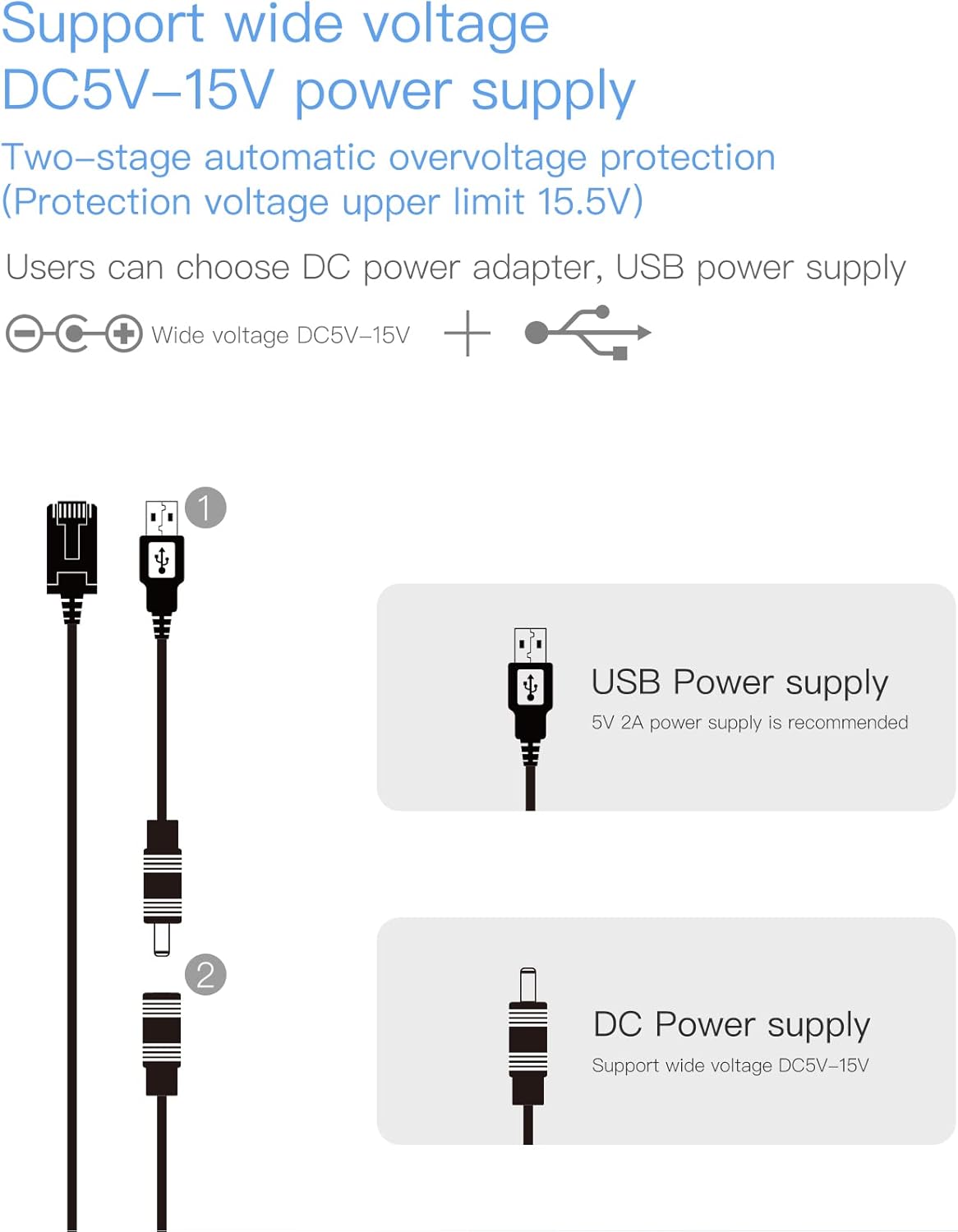
Image 4.1: Illustration of power supply options, including a USB power supply (5V 2A recommended) and a DC power supply (supporting wide voltage DC5V-15V).
4.3 Ethernet Connection
Connect the 10/100Mbps adaptive Ethernet cable to the RJ45 port on the VM5G module and to your network device (e.g., PC, router, IP camera) as required by your application.
4.4 Reset Button
To reset the device to factory settings, locate the reset button on the module. Press and hold the button for 5 seconds, then release. Important: Do not power down the product during a reset operation, as this may cause damage.
4.5 LED Status Indicators
- Yellow LED: Indicates Ethernet port status.
- Blue LED: Indicates 2.4G WiFi connection status.
- Green LED: Indicates 5G WiFi connection status.
5. Operating Modes
The VM5G module supports several operating modes to suit various networking needs.
5.1 WiFi Repeater (Extender) Mode
In this mode, the VM5G extends the transmission distance of an existing WiFi signal, improving coverage in areas with weak signals. It receives a wireless signal and re-transmits it.
5.2 WiFi Bridge Mode
The bridge mode allows for transparent transmission between wired and wireless networks. It supports both IP layer and MAC layer transparent transmission, enabling devices that typically require a wired connection to connect wirelessly. This is useful for devices like network printers, surveillance cameras, or industrial equipment.
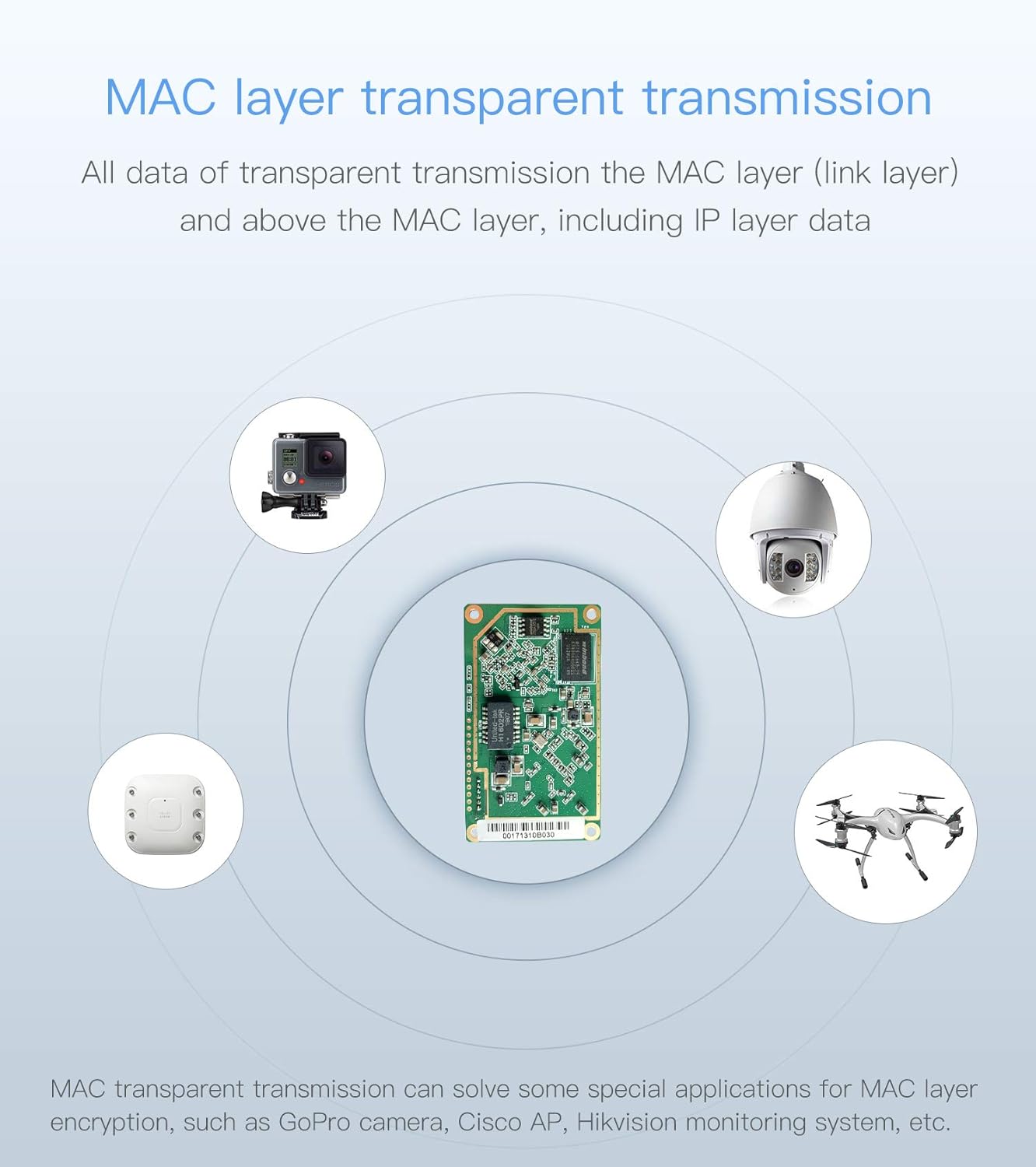
Image 5.1: MAC layer transparent transmission allows the VM5G to connect devices such as GoPro cameras, Cisco APs, Hikvision monitoring systems, and drones to a network wirelessly.
5.3 WiFi Access Point (AP) Mode
In AP mode, the VM5G can convert a wired network connection into a wireless access point, allowing wireless devices to connect to the internet or local network without needing to dial in.
5.4 Router Mode
The router mode supports WiFi WAN access and allows for WAN/LAN exchange. It also supports WAN/LAN switching of wired network ports, providing basic routing functionalities.

Image 5.2: Visual examples of the VM5G in Repeater/Bridge application (extending WiFi to wired devices like cash registers or printers), AP application (providing wireless access from a wired network), and Remote Video Transmission application (point-to-point wireless transmission between two VM5Gs).
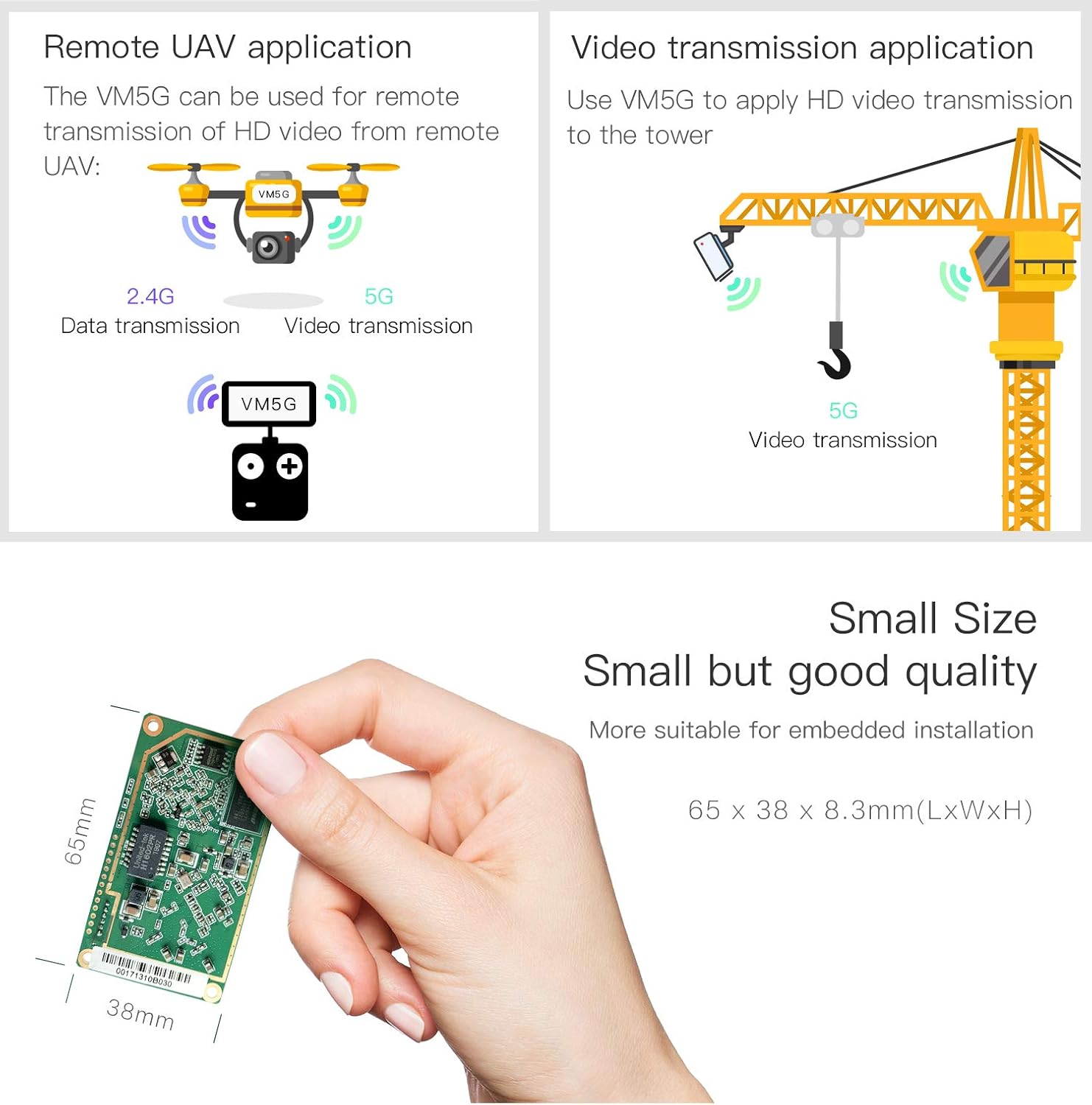
Image 5.3: Examples of VM5G applications in remote UAV control (2.4G for data, 5G for video) and video transmission to a tower (5G for video). Also highlights the module's small size (65x38x8.3mm) for embedded installations.

Image 5.4: The VM5G module is suitable for a variety of applications, including robots, electronic scales, printers, doll machines, electronic monitoring systems, mine robots, robotic arms, cashier systems, and UAVs.
6. Specifications
| Feature | Description |
|---|---|
| Model Number | VM5G |
| Wireless Standard | 802.11a/b/g/n/ac |
| Frequency Band | Dual-Band (2.4GHz & 5GHz) |
| Transmission Rate | 1200Mbps (2.4GHz: 300Mbps, 5GHz: 900Mbps) |
| Power Supply | DC5V-15V (Typical 5V/2A), Automatic Overvoltage Protection (max 15.5V) |
| Module Power Consumption | 1.3W - 3.75W |
| Antennas | 2 x 2.4GHz (3dBi), 2 x 5GHz (3dBi) Omnidirectional, SMA Interface |
| Ethernet Port | 1 x 10/100Mbps Adaptive RJ45 |
| Receiving Sensitivity | 14dBi (Built-in LNA) |
| Operating Temperature | -20℃ to 50℃ |
| Product Dimensions | 2.44 x 0.98 x 0.31 inches (65 x 38 x 8.3 mm) |
| Item Weight | 3.53 ounces |

Image 6.1: The VM5G module highlighting its 1200Mbps transmission rate, with 300Mbps for 2.4GHz and 900Mbps for 5GHz, enabled by 11AC Dual Band technology.
7. Troubleshooting
If you encounter issues with your VM5G module, consider the following:
- No Power/LEDs Off: Ensure the power cable is securely connected and the power source (DC5V-15V) is functioning correctly. Check the power adapter's output.
- No WiFi Connection: Verify that the antennas are properly attached. Check the Blue (2.4G) and Green (5G) LEDs for connection status. Ensure the module is within range of the WiFi hotspot or that client devices are within range of the module.
- Poor Signal Strength: Reposition the module and its antennas for optimal signal reception. Ensure there are no major obstructions. The SSA protocol can help detect signal strength.
- Ethernet Connectivity Issues: Check the Yellow LED for Ethernet port status. Ensure the Ethernet cable is correctly connected to both the module and the network device. Verify the network device's settings.
- Module Unresponsive: Try performing a factory reset by pressing and holding the reset button for 5 seconds. Remember not to power off the device during this process.
- Hotspot Reconnection Failure: Ensure the WiFi hotspot's SSID and password have not changed. The module remembers up to 10 hotspots; if a new hotspot is not connecting, manually configure it.


