
Introduction
Thank you for purchasing the Carrera RC Nintendo Mario Kart Mini RC Car. This miniature radio-controlled vehicle brings the excitement of Mario Kart to your hands with its compact design and responsive controls. Designed for ages 6 and up, this RC car operates on a 2.4 GHz frequency, allowing for multiple cars to race simultaneously without interference. Please read this manual carefully to ensure proper setup, operation, and maintenance of your new RC car.
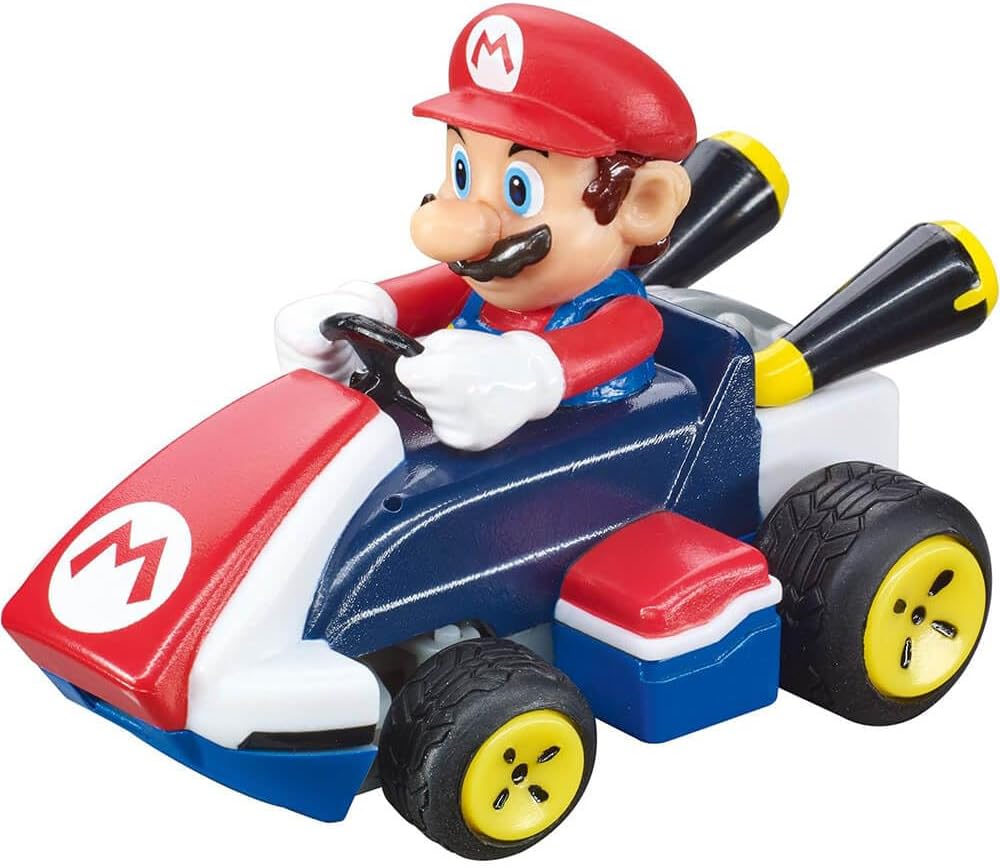
Image: The Carrera RC Mario Kart Mini RC Car featuring Mario in his kart.
Safety Information
WARNING: CHOKING HAZARD - Small Parts. Not for children under 3 years.
- Always operate the RC car in a safe environment, away from obstacles, people, and pets.
- Do not operate near water or in wet conditions.
- Ensure adult supervision for children operating the RC car.
- Do not disassemble or modify the product.
- Use only the provided charging cable and battery.
What's in the Box
Upon opening your Carrera RC Mario Kart Mini RC Car package, you should find the following components:
- Mini Collectible RC Car (Mario)
- Remote Controller
- USB Charging Cable
- 3.7V Rechargeable LiPo-Akku Battery (pre-installed in car)
- Clear Plastic Jewel Display Case
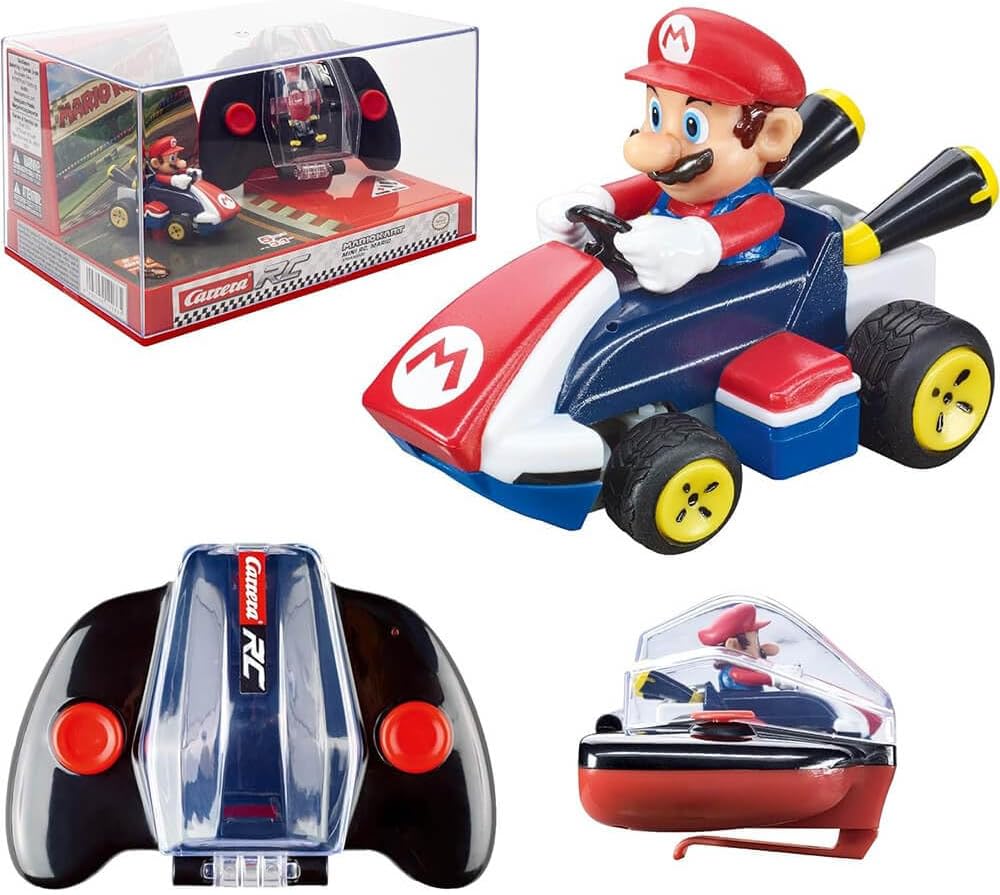
Image: The Carrera RC Mario Kart Mini RC Car, remote controller, and jewel display case.
Setup
1. Charging the RC Car Battery
The RC car comes with a pre-installed 3.7V rechargeable LiPo-Akku battery. Before first use, fully charge the battery.
- Locate the charging port on the RC car.
- Connect the small end of the USB charging cable to the car's charging port.
- Connect the larger end of the USB charging cable to a USB power source (e.g., computer USB port, USB wall adapter).
- The charging indicator light on the car will illuminate during charging and turn off when fully charged. A full charge takes approximately 30 minutes.
- Disconnect the charging cable once charging is complete.
2. Installing Remote Controller Batteries
The remote controller requires batteries (not specified in input, assuming standard AA/AAA, will state 'appropriate batteries').
- Open the battery compartment on the back of the remote controller.
- Insert the required batteries, ensuring correct polarity (+/-).
- Close the battery compartment securely.
3. Pairing the RC Car and Remote Controller
The 2.4 GHz technology allows for automatic pairing. Follow these steps:
- Turn on the RC car using its power switch.
- Turn on the remote controller using its power switch.
- The car and controller should automatically pair within a few seconds. An indicator light on the controller may change from blinking to solid once paired.
- If pairing fails, turn both devices off and repeat the process.

Image: The remote controller features a clear storage section to house the RC car when not in use, as shown here.
Operating Your RC Car
Controls
The remote controller features intuitive controls for easy operation:
- Left Joystick/Button: Controls steering (left/right).
- Right Joystick/Button: Controls acceleration (forward/backward).
Driving Tips
- Start in an open area to get accustomed to the controls.
- Avoid driving on very rough surfaces, deep carpets, or through water.
- For optimal performance, ensure the car's battery is fully charged.
- The car can race for up to 7 minutes on a single charge.

Image: Top-down view of the Carrera RC Mario Kart Mini RC Car, illustrating its compact design.
Maintenance
- Cleaning: Use a soft, dry cloth to wipe down the RC car and remote controller. Do not use water or cleaning solvents.
- Storage: When not in use, store the RC car in its clear plastic jewel display case to protect it from dust and damage. Remove batteries from the remote controller if storing for extended periods.
- Battery Care: Do not overcharge or completely drain the LiPo battery. Charge it periodically if not used for a long time.
Troubleshooting
| Problem | Possible Cause | Solution |
|---|---|---|
| Car does not respond to remote. | Low car battery, low remote battery, not paired, interference. | Charge car battery. Replace remote batteries. Re-pair car and remote. Move to an area with less interference. |
| Car moves slowly or erratically. | Low car battery, debris in wheels/axles. | Charge car battery. Clean wheels and axles. |
| Car does not charge. | Faulty USB cable, power source issue, damaged charging port. | Try a different USB cable or power source. Contact support if issue persists. |
Specifications
| Feature | Detail |
|---|---|
| Product Dimensions | 2.5 x 1.5 x 1.75 inches |
| Item Weight | 15.8 ounces |
| Model Number | 370430002 |
| Recommended Age | 6 years and up |
| Battery Type | 1 Lithium Polymer battery (included) |
| Charging Time | Approx. 30 minutes |
| Run Time | Up to 7 minutes |
| Frequency | 2.4 GHz (allows up to 16 cars simultaneously) |
| Scale | 1:50 |
Warranty and Support
For warranty information, technical support, or replacement parts, please contact Carrera customer service. You can typically find contact details on the product packaging or by visiting the official Carrera website. Keep your purchase receipt as proof of purchase.
For more information and to explore other Carrera products, visit the Carrera Store on Amazon.


