
1. Introduction
This manual provides detailed instructions for the safe and proper installation and operation of your LEADZM TMW798 TV Wall Mount. This wall mount is designed to securely hold televisions ranging from 32 to 70 inches, with a maximum load capacity of 110 lbs (50 kg). Please read this manual thoroughly before installation and retain it for future reference.

Image 1.1: The LEADZM TMW798 TV Wall Mount, highlighting its compatibility for 32-70 inch TVs, VESA 600x400mm, and support for up to 110 lbs.
2. Safety Information
Improper installation or use of this product can result in serious injury or damage. Please observe the following safety guidelines:
- Ensure the mounting surface can safely support the combined weight of the mount and the television.
- Do not exceed the maximum load capacity of 110 lbs (50 kg).
- Always use appropriate tools and follow all installation steps carefully.
- If you are unsure about any part of the installation process, consult a qualified professional.
- Keep children and pets away from the work area during installation.
Wall Type Compatibility
This mount is designed for installation on:
- Wood stud walls
- Solid brick walls
- Solid concrete walls
WARNING: Do not mount this product on drywall alone. Anchors are required for brick and concrete walls.
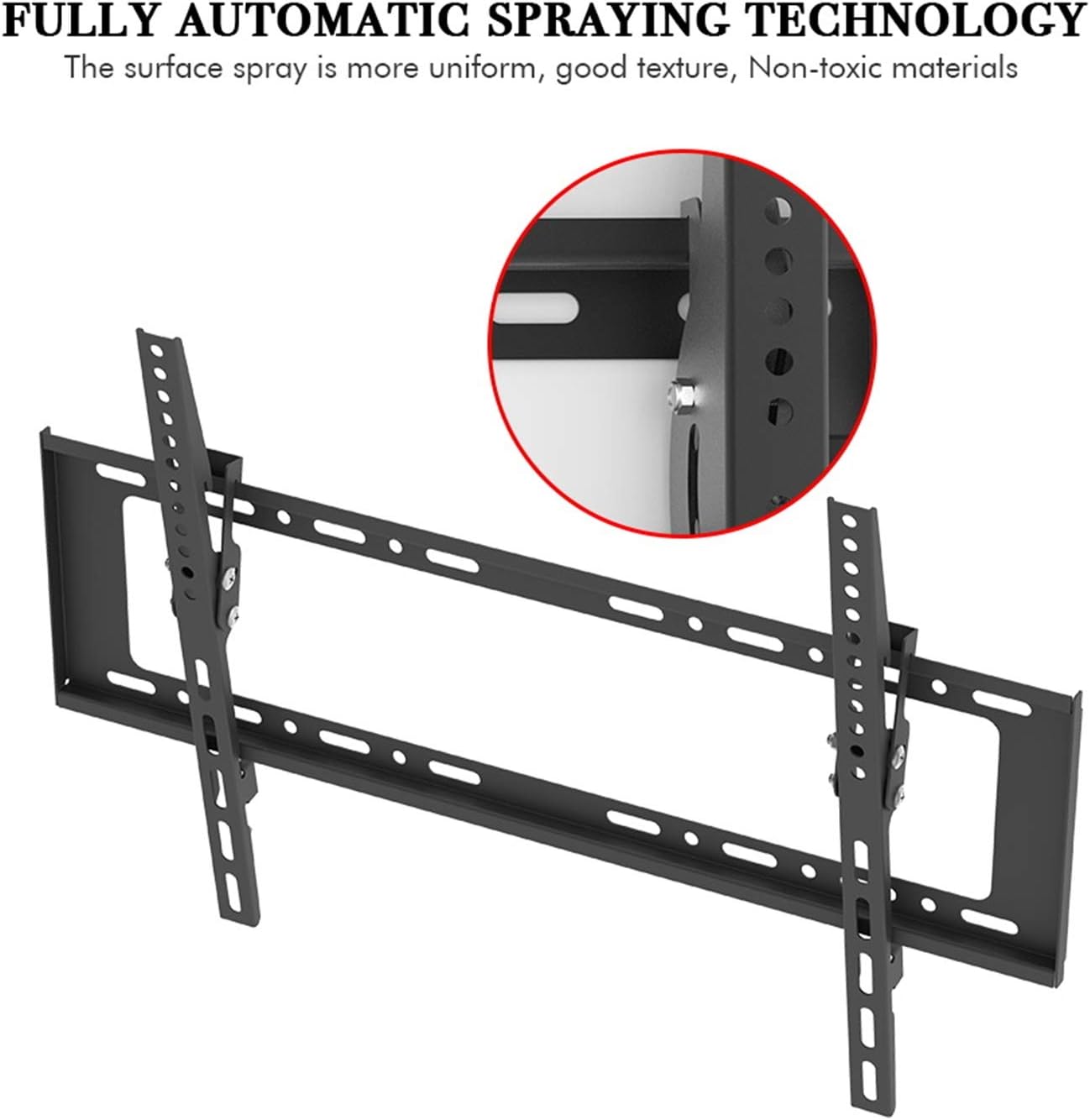
Image 2.1: Illustration of compatible wall types: wood stud, brick, and concrete. Mounting on drywall alone is not supported.
3. Package Contents
Please verify that all components are present and undamaged before beginning installation. The package includes the TV wall mount and a standard hardware kit. Refer to the accessory information table below for a detailed list of included hardware.

Image 3.1: Detailed table listing all included hardware accessories, their sizes, and quantities.

Image 3.2: A comprehensive layout of all screws, washers, spacers, wall anchors, and the spirit level included in the mounting hardware kit.
4. Specifications
The following table outlines the technical specifications for the LEADZM TMW798 TV Wall Mount:
| Specification | Value |
|---|---|
| Brand | LEADZM |
| Model | TMW798 |
| Type | Wall Mount |
| Supportable Display Size | 32-70 inches (81.82-177.8 cm) |
| Tilt Range | 0-10° |
| Max VESA Mounting Pattern | 600 x 400 mm |
| Distance Between TV and Wall | 25mm |
| Load Capacity | 110 lbs (50 kg) |
| Material | Cold Rolled Plate (Alloy Steel) |
| Surface | High Temperature Paint Piano (Black) |

Image 4.1: A diagram illustrating the dimensions and tilt range of the TV wall mount, including measurements for VESA compatibility and wall distance.
5. Setup and Installation
Follow these general steps for installing your TV wall mount. Always refer to the specific instructions provided with your hardware kit for detailed diagrams and safety warnings.
- Prepare the TV: Attach the vertical TV brackets to the back of your television using the appropriate screws, washers, and spacers from the hardware kit. Ensure the brackets are securely fastened and centered. The VESA mounting pattern on your TV should match the mount's compatibility (up to 600x400mm).
- Locate Mounting Position: Determine the desired height and position for your TV on the wall. Use a stud finder to locate wood studs if mounting on a wood stud wall. For brick or concrete walls, mark the drilling points.
- Drill Pilot Holes: Carefully drill pilot holes at the marked locations. The size of the drill bit will depend on the type of wall and the anchors/lag bolts being used.
- Attach Wall Plate: Secure the main wall plate to the wall using the provided lag bolts and washers. Use the included spirit level to ensure the wall plate is perfectly horizontal before tightening all fasteners.
- Hang the TV: With assistance, carefully lift the television and hook the attached TV brackets onto the wall plate. Ensure the TV is securely seated on the wall plate.
- Secure the TV: Use the security screws or locking mechanisms on the TV brackets to prevent the TV from accidentally disengaging from the wall plate.
Note: The included screw kit is standard and may not fit all TV models. If the provided screws do not fit your television, please purchase a compatible screw kit separately.

Image 5.1: An overhead view of the LEADZM TMW798 TV Wall Mount, showing the main wall plate and two vertical TV brackets, illustrating the primary components for setup.
6. Operating
Tilt Angle Adjustment
The LEADZM TMW798 TV Wall Mount features a tilt range of 0-10 degrees, allowing you to adjust the viewing angle of your television. To adjust the tilt, loosen the tilt adjustment knobs or bolts on the side of the TV brackets, set the desired angle, and then securely tighten them to lock the TV in place.

Image 6.1: An illustration demonstrating the 0-10 degree depression angle adjustment feature of the TV wall mount, allowing for optimal viewing angles.
7. Maintenance
The LEADZM TMW798 TV Wall Mount is constructed from high-quality cold rolled plate (alloy steel) with a high-temperature paint piano surface finish, designed for durability and resistance to rust and deformation. Regular maintenance is minimal:
- Periodically check all mounting screws and bolts to ensure they remain tight and secure.
- Clean the mount with a soft, dry cloth. Avoid abrasive cleaners or solvents that could damage the finish.
- Ensure no excessive weight is placed on the mounted television beyond its specified load capacity.

Image 7.1: An image highlighting key features of the mount, including its cold rolled steel sheet construction and security screw lock.
8. Troubleshooting
If you encounter issues during installation or use, consider the following:
- Mount not level: Ensure the wall plate was installed using a spirit level. If not, carefully remove and re-install, ensuring it is perfectly horizontal.
- TV not fitting: Double-check your TV's VESA mounting pattern against the mount's specifications (Max VESA 600x400mm). Ensure you are using the correct screws and spacers for your TV model.
- Screws not fitting TV: The included screw kit is standard. If the provided screws do not match your TV's threading or length requirements, you may need to purchase a compatible screw kit separately from a hardware store.
- Mount feels unstable: Verify that all lag bolts securing the wall plate to the wall are fully tightened. Ensure the wall type is compatible and that appropriate anchors were used for brick/concrete. Confirm the TV's weight does not exceed the 110 lbs (50 kg) load capacity.
- Difficulty with tilt adjustment: Ensure the tilt adjustment knobs or bolts are sufficiently loosened before attempting to change the angle. Tighten them firmly once the desired angle is achieved.