
1. Product Overview
This manual provides instructions for the Legami MATH Calculator, Model CA0002. This compact calculator features a dual power system, operating on both solar energy and a single LR1130 battery, ensuring reliable performance in various lighting conditions. It includes standard arithmetic functions and an automatic shut-off feature to conserve power. A unique maze game is integrated on the back panel for entertainment.
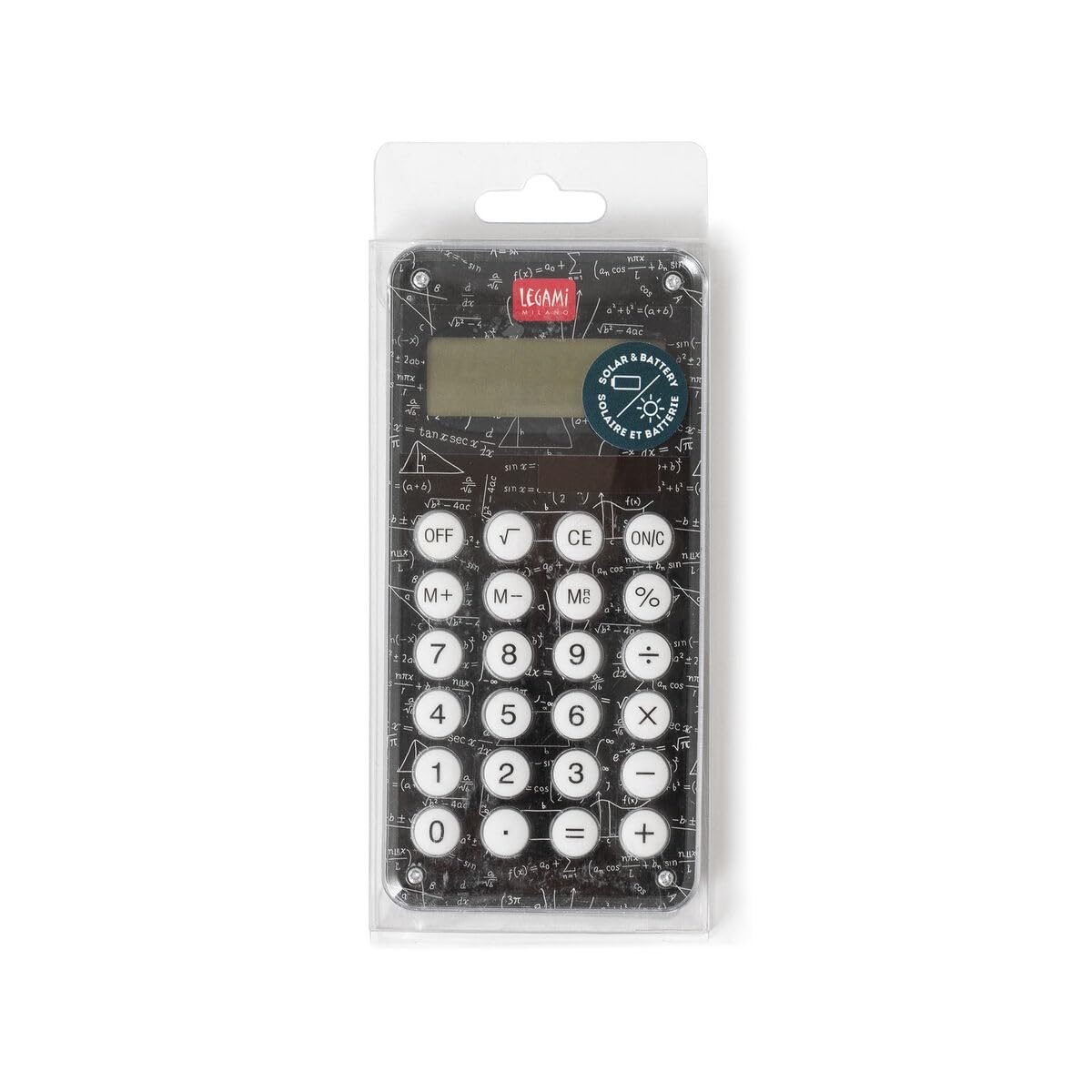
Figure 1: Front view of the Legami MATH Calculator, showing the display and buttons.
2. Safety Information
- Keep the calculator out of reach of small children to prevent accidental ingestion of small parts or batteries.
- Do not attempt to disassemble, modify, or repair the calculator. This may void the warranty and cause damage.
- Avoid exposing the calculator to extreme temperatures, direct sunlight for prolonged periods, or high humidity.
- Dispose of used batteries according to local regulations. Do not incinerate batteries.
- Clean the calculator with a soft, dry cloth only. Do not use liquid cleaners or solvents.
3. Setup
3.1 Battery Installation
The Legami MATH Calculator comes with one LR1130 battery pre-installed. If battery replacement is necessary:
- Locate the battery compartment on the back of the calculator.
- Carefully open the battery compartment cover.
- Remove the old LR1130 battery and insert a new LR1130 battery, ensuring correct polarity (+/-).
- Close the battery compartment cover securely.
3.2 Power Source
The calculator utilizes a two-way power system: solar and battery. In well-lit environments, the calculator will primarily use solar power. In low-light conditions, it will automatically switch to battery power.
3.3 Initial Use
To turn on the calculator, press the ON/C button.

Figure 2: Back view of the Legami MATH Calculator, featuring a maze game and battery compartment details.
4. Operating Instructions
4.1 Basic Arithmetic Operations
- Addition (+): Enter the first number, press +, enter the second number, then press =.
- Subtraction (-): Enter the first number, press -, enter the second number, then press =.
- Multiplication (x): Enter the first number, press x, enter the second number, then press =.
- Division (/): Enter the first number, press /, enter the second number, then press =.
4.2 Clear Functions
- CE (Clear Entry): Press CE to clear the last entered number or operation without affecting previous calculations.
- ON/C (On/Clear All): Press ON/C once to clear the current entry. Press ON/C twice to clear all calculations and reset the calculator.
4.3 Memory Functions
- M+ (Memory Plus): Adds the currently displayed number to the memory.
- M- (Memory Minus): Subtracts the currently displayed number from the memory.
- MR (Memory Recall): Recalls the value stored in memory to the display.
- MC (Memory Clear): Clears the value stored in memory. (Often, pressing MR then MC clears the memory).
4.4 Special Functions
- Percentage (%): Used for percentage calculations. For example, to calculate 10% of 50, enter 50 x 10 %. To add 10% to 50, enter 50 + 10 %.
- Square Root (√): Calculates the square root of the number currently displayed.
4.5 Automatic Shut-off
The calculator is designed to automatically power off after approximately 6 minutes of inactivity to conserve battery life.
5. Maintenance
5.1 Cleaning
Wipe the calculator's exterior with a soft, dry cloth. Do not use any liquid cleaners, sprays, or abrasive materials, as these can damage the device.
5.2 Storage
Store the calculator in a cool, dry place, away from direct sunlight and extreme temperatures. Avoid placing heavy objects on top of the calculator.
5.3 Battery Replacement
If the display becomes dim or the calculator is unresponsive even in sufficient light, it may be time to replace the LR1130 battery. Refer to Section 3.1 for battery installation instructions.
6. Troubleshooting
- Calculator does not turn on:
- Ensure there is sufficient light for the solar panel to operate.
- Check if the LR1130 battery is correctly installed.
- Replace the battery if it is depleted.
- Incorrect calculations:
- Verify that the correct buttons are being pressed for the desired operation.
- Clear any previous calculations by pressing ON/C twice.
7. Specifications
| Feature | Specification |
|---|---|
| Brand | Legami |
| Model Number | CA0002 |
| Dimensions (L x W) | 12.5 cm x 6 cm |
| Power Source | Dual (Solar and 1 x LR1130 battery) |
| Battery Type | 1 x LR1130 (included) |
| Material | Plastic |
| Display Type | VFD |
| Automatic Shut-off | After approximately 6 minutes of inactivity |

Figure 3: Legami MATH Calculator in its packaging, illustrating its dimensions (12.5cm length, 6cm width).
8. Warranty and Support
For warranty information, technical support, or any inquiries regarding your Legami MATH Calculator, please refer to the product packaging or contact Legami customer service directly through their official website or contact channels.