
Dreo DR-KAF002
Dreo Air Fryer DR-KAF002 User Manual
Model: DR-KAF002 | Brand: Dreo
Introduction
Thank you for choosing the Dreo Air Fryer DR-KAF002. This manual provides important information for the safe and efficient operation of your new appliance. Please read it thoroughly before use and keep it for future reference.
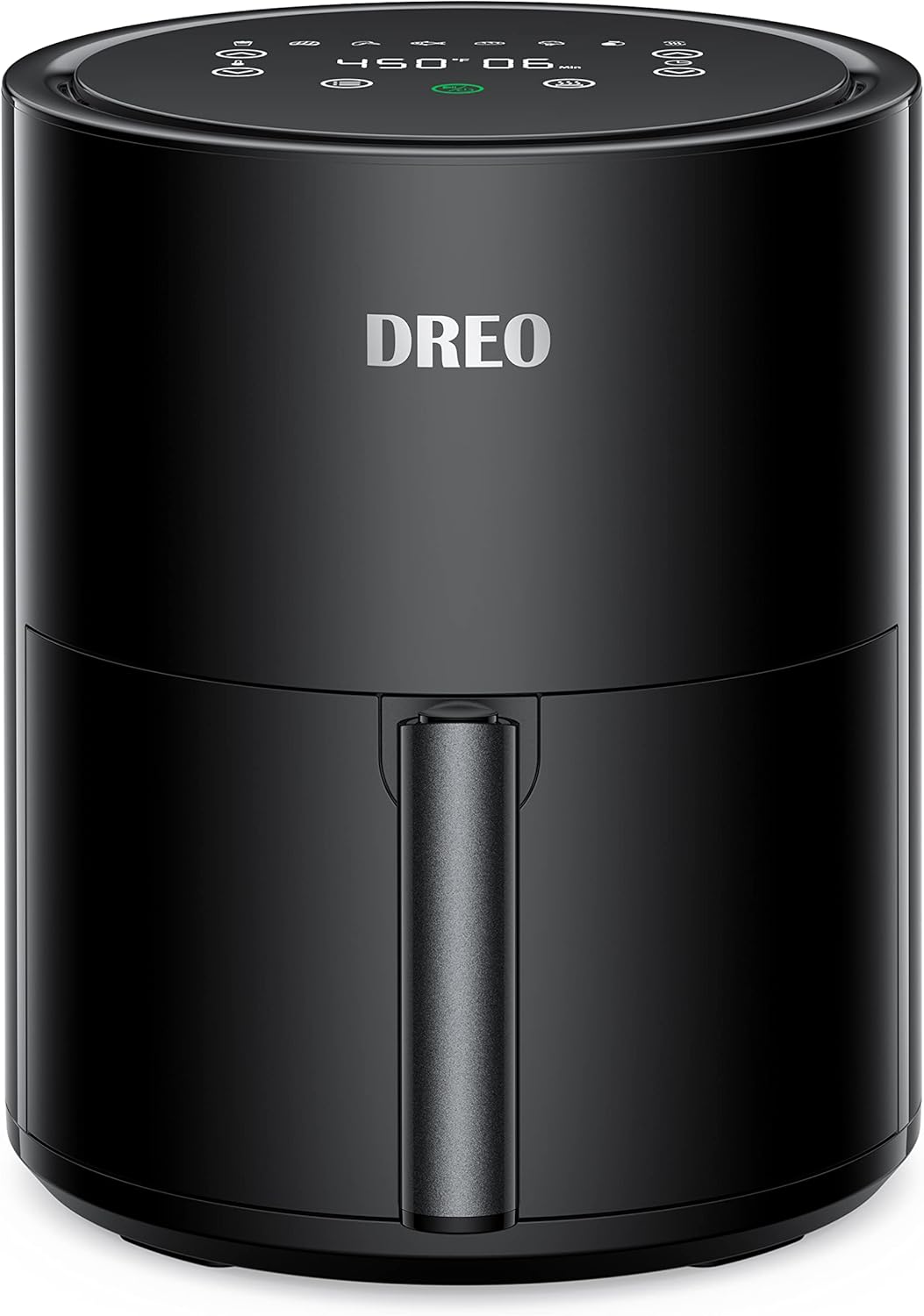
Image: The Dreo Air Fryer DR-KAF002, a sleek black cylindrical appliance with a front handle and a digital control panel on top.
Important Safety Instructions
When using electrical appliances, basic safety precautions should always be followed to reduce the risk of fire, electric shock, and injury to persons, including the following:
- Read all instructions before using the appliance.
- Do not touch hot surfaces. Use handles or knobs.
- To protect against electric shock, do not immerse cord, plugs, or main unit in water or other liquid.
- Close supervision is necessary when any appliance is used by or near children.
- Unplug from outlet when not in use and before cleaning. Allow to cool before putting on or taking off parts.
- Do not operate any appliance with a damaged cord or plug or after the appliance malfunctions or has been damaged in any manner.
- The use of accessory attachments not recommended by the appliance manufacturer may cause injuries.
- Do not use outdoors.
- Do not let cord hang over edge of table or counter, or touch hot surfaces.
- Do not place on or near a hot gas or electric burner, or in a heated oven.
- Extreme caution must be used when moving an appliance containing hot oil or other hot liquids.
- Always attach plug to appliance first, then plug cord into the wall outlet. To disconnect, turn any control to "off", then remove plug from wall outlet.
- Do not use appliance for other than intended use.
- This appliance is for household use only.
Product Overview
The Dreo Air Fryer DR-KAF002 is a versatile kitchen appliance designed for healthy cooking with less oil. It features a compact design and a user-friendly touch screen interface.
Components
- Main Unit with Digital Touch Screen
- Removable Frying Basket
- Crisper Plate

Image: The compact design of the Dreo Air Fryer, showing its dimensions of 9.4 inches deep, 11.6 inches wide, and 9.4 inches high, suitable for small cooking areas.

Image: Close-up of the Dreo Air Fryer's digital touch screen control panel, displaying various cooking presets like French Fries, Steak, Chicken, Fish, Bread, Vegetable, Dehydrate, and Reheat, along with temperature and time adjustments.
Setup and First Use
- Unpack: Carefully remove all packaging materials and check for any damage.
- Clean: Wash the frying basket and crisper plate with hot water, dish soap, and a non-abrasive sponge. Wipe the main unit with a damp cloth.
- Placement: Place the air fryer on a stable, heat-resistant surface, away from walls or other appliances, ensuring adequate air circulation.
- Preheat (Optional): For best results, preheat the air fryer before adding food. This can be done using the preheat function or by setting a short cooking time at the desired temperature.
Operating Instructions
The Dreo Air Fryer offers 9 cooking functions, including 8 presets and a customizable mode.
Basic Operation
- Prepare Food: Place ingredients into the frying basket. Do not overfill.
- Insert Basket: Slide the frying basket back into the main unit until it clicks into place.
- Power On: Plug the air fryer into a grounded electrical outlet. The display will light up.
- Select Function:
- Using Presets: Tap the menu icon to cycle through the 8 preset cooking functions (French Fries, Steak, Chicken, Fish, Bread, Vegetable, Dehydrate, Reheat). Each preset has a default temperature and time.
- Customizing Settings: Use the temperature (up/down arrows) and time (up/down arrows) controls to set your desired cooking parameters. The temperature range is 100°F to 450°F.
- Start Cooking: Press the Start/Pause button to begin the cooking cycle.
- Shake Reminder: For certain foods, the air fryer will beep and display a "SHAKE" icon to remind you to shake the basket for even cooking. Pull out the basket, shake the contents, and reinsert it to resume cooking.
- Finish Cooking: Once the timer reaches zero, the air fryer will beep and automatically shut off. Carefully pull out the basket and transfer the cooked food.

Image: A perfectly cooked steak, sliced and seasoned, demonstrating the air fryer's ability to achieve maximum crispness on the outside while keeping the inside juicy, thanks to its 450°F maximum temperature.

Image: A collection of various dishes, including chicken drumsticks, shrimp, french fries, and dried fruit, arranged around the open Dreo Air Fryer, illustrating its multi-functional capabilities beyond just air frying, such as dehydrating and reheating.
Maintenance and Cleaning
Regular cleaning will ensure the longevity and optimal performance of your Dreo Air Fryer.
- Unplug and Cool: Always unplug the air fryer and allow it to cool completely before cleaning.
- Clean Basket and Plate: The frying basket and crisper plate are dishwasher safe. For hand washing, use hot water, dish soap, and a non-abrasive sponge. Do not use metal scouring pads or abrasive cleaning materials, as they can damage the non-stick coating.
- Clean Main Unit: Wipe the exterior of the air fryer with a damp cloth. Do not immerse the main unit in water or any other liquid.
- Clean Heating Element: Use a cleaning brush to remove any food residue from the heating element inside the air fryer.
- Storage: Ensure all parts are clean and dry before storing the air fryer in a cool, dry place.

Image: The air fryer basket and crisper plate placed in a dishwasher, highlighting their dishwasher-safe feature for convenient cleaning.

Image: A person hand washing the air fryer basket and crisper plate under running water in a sink, demonstrating the ease of manual cleaning for the nonstick components.
Troubleshooting
If you encounter issues with your air fryer, refer to the following common problems and solutions:
| Problem | Possible Cause | Solution |
|---|---|---|
| Air fryer does not turn on. | Not plugged in; power outlet issue; basket not properly inserted. | Ensure the power cord is securely plugged into a working outlet. Make sure the frying basket is fully inserted and clicked into place. |
| Food is not cooked evenly. | Basket is overfilled; food not shaken. | Do not overfill the basket. Shake the basket halfway through cooking, especially for smaller items. |
| White smoke coming from the appliance. | Grease residue from previous use; fatty ingredients. | Clean the basket and crisper plate thoroughly after each use. For fatty foods, you may need to drain excess fat during cooking. |
| Fresh fries are not crispy. | Insufficient oil; improper potato preparation. | Soak potato sticks in water for 30 minutes, then dry thoroughly. Add a small amount of oil (1/2 tbsp) for crispiness. |
Specifications
| Feature | Detail |
|---|---|
| Model Name | DR-KAF002 |
| Capacity | 4 Quarts |
| Color | Black |
| Material | Stainless Steel |
| Product Dimensions | 9.4"D x 11.6"W x 9.4"H |
| Item Weight | 7 Pounds |
| Output Wattage | 1500 Watts |
| Voltage | 120V |
| Temperature Range | 100°F - 450°F |
| Control Method | Touch |
| Dishwasher Safe Parts | Basket, Crisper Plate |
Warranty and Customer Support
Dreo provides a warranty for this product. For detailed warranty information, please refer to the warranty card included with your purchase or visit the official Dreo website.
If you have any questions, concerns, or require technical assistance, please contact Dreo Customer Support:
- Website: www.dreo.com
- Email: Refer to product packaging or website for specific email address.
- Phone: Refer to product packaging or website for specific phone number.
Please have your model number (DR-KAF002) and purchase information ready when contacting support.
Related documentsDR-KAF002


Ask a question about this manual
Ask about setup, troubleshooting, compatibility, parts, safety, or missing instructions. Manuals+ will review the question and use this page’s manual context to help answer it.