
EdgeStar VBM131SS
EdgeStar VBM131 Commercial Beverage Merchandiser User Manual
Model: VBM131SS | Brand: EdgeStar
1. Important Safety Information
Please read all instructions carefully before operating this appliance to ensure safe and efficient use. Retain this manual for future reference.
- Electrical Safety: Ensure the appliance is connected to a properly grounded outlet. Do not use extension cords or ungrounded adapters.
- Placement: Position the unit on a flat, stable surface away from direct sunlight or heat sources. Ensure adequate ventilation around the unit.
- Handling: This appliance is heavy. Use caution and proper lifting techniques when moving. Always unplug the unit before cleaning or performing maintenance.
- Children: Keep children away from the appliance, especially when the door is open.
2. Product Overview
The EdgeStar VBM131 Commercial Beverage Merchandiser is designed for efficient and reliable cooling of beverages. With a capacity of 13.7 cubic feet, it features a stainless steel finish, a temperature alarm, and a reversible door for flexible installation. It can be used in both built-in and freestanding applications.

Image: Front view of the EdgeStar VBM131 Commercial Beverage Merchandiser, showcasing its interior filled with various beverages and adjustable shelves.
Key Features:
- Spacious Capacity: 13.7 cubic feet of storage with six (6) adjustable shelves.
- Flexible Installation: Suitable for both built-in and freestanding use.
- Optimal Cooling: Cools to temperatures as low as 34 degrees Fahrenheit.
- Temperature Monitoring: Features a door ajar alarm and temperature alarm to ensure beverages remain cold.
- User-Friendly Controls: Sleek touch control panel for easy temperature monitoring and adjustment.
- LED Lighting: Interior LED lighting elegantly displays your beverage collection.
3. Setup
Follow these steps for the initial setup of your beverage merchandiser.
3.1 Unpacking and Placement
- Carefully remove all packaging materials, including foam and tape.
- Place the unit on a flat, level surface. Ensure there is adequate clearance around the unit for proper ventilation (at least 2-3 inches on sides and back).
- Allow the unit to stand upright for at least 2-4 hours before plugging it in. This allows the refrigerant to settle.
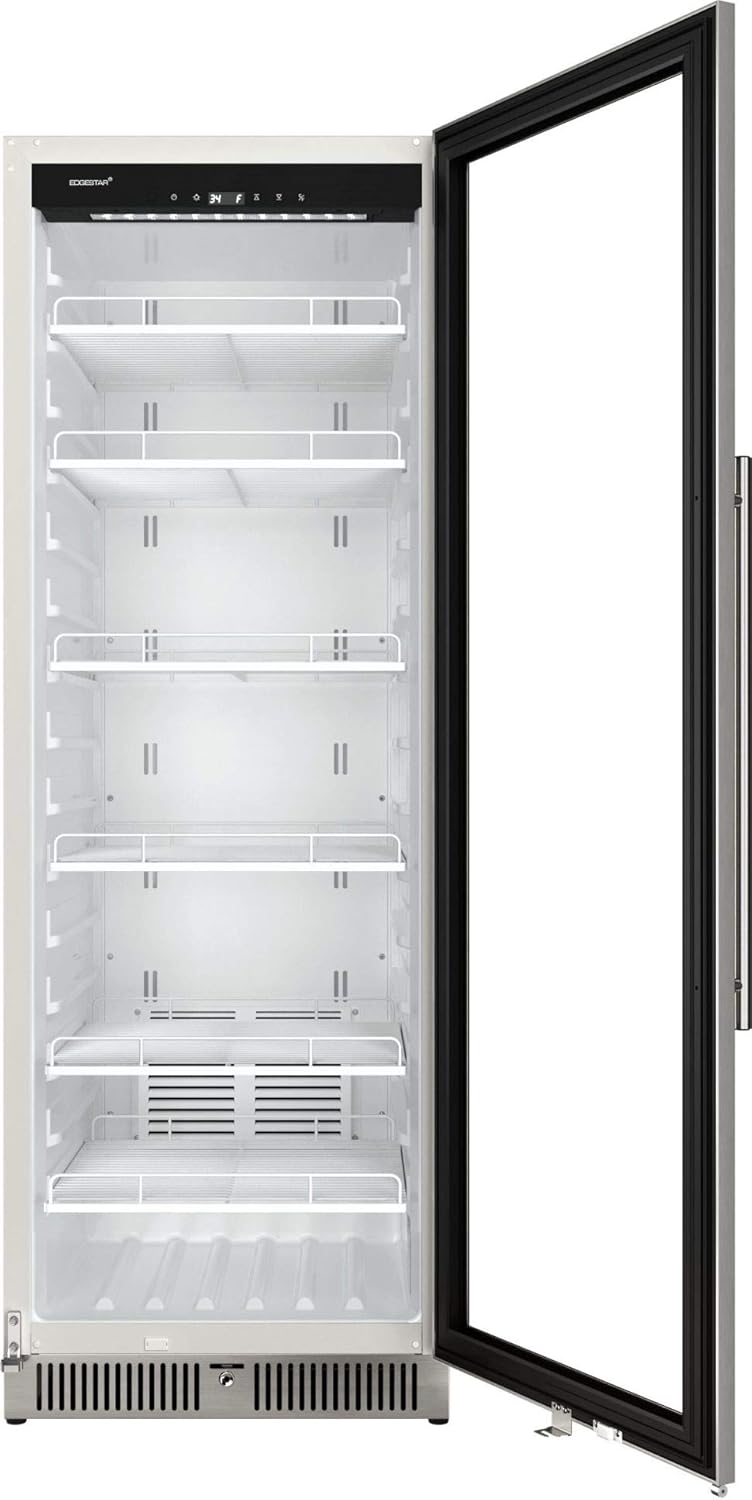
Image: The EdgeStar VBM131 Commercial Beverage Merchandiser with its door open, revealing the empty interior and adjustable shelf brackets, ready for setup.
3.2 Leveling the Unit
Adjust the leveling legs at the bottom of the unit to ensure it is perfectly level. A level unit prevents vibrations and ensures proper door sealing.
3.3 Door Reversal (Optional)
The door on this unit is reversible. If you wish to change the door swing direction, refer to the detailed instructions provided in the separate door reversal kit or contact customer support for guidance. This process typically involves moving hinges and the door handle to the opposite side.
3.4 Power Connection
Once the unit has settled, plug it into a dedicated, grounded 115 Volt AC outlet. Avoid sharing the outlet with other high-power appliances.
4. Operating Instructions
Learn how to effectively use your EdgeStar beverage merchandiser.
4.1 Temperature Control
The unit features a digital touch control panel located at the top of the interior. Use the '+' and '-' buttons to adjust the desired temperature. The temperature range is 34-64 degrees Fahrenheit (1-18 degrees Celsius). The display will show the current internal temperature.
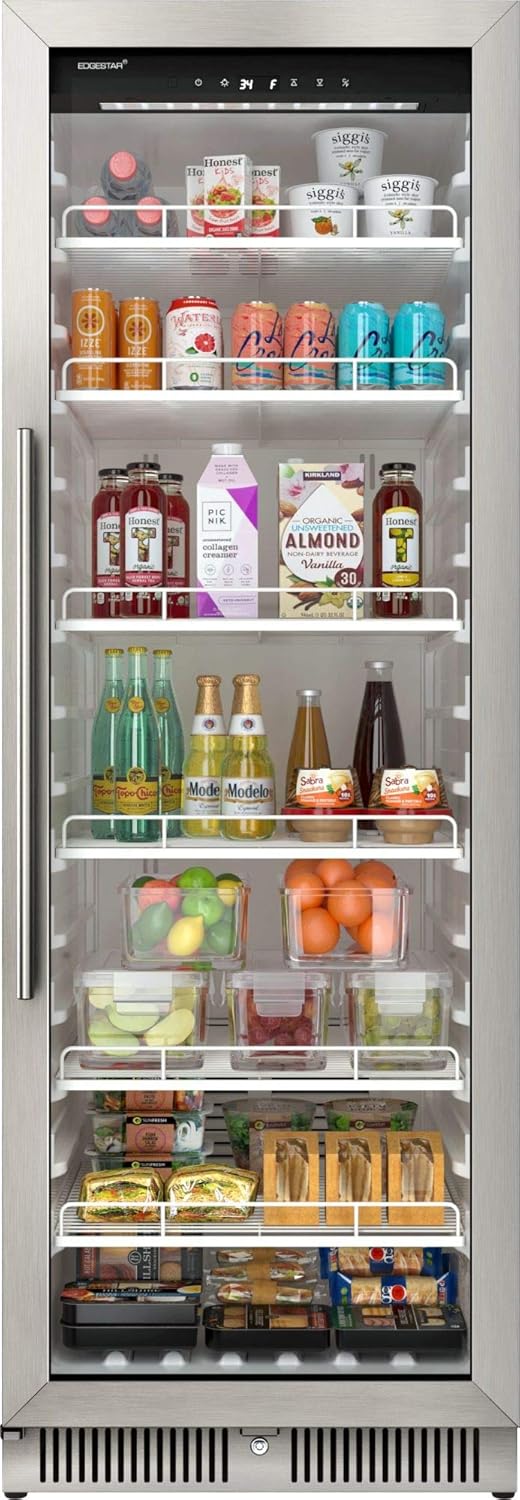
Image: Angled view of the EdgeStar VBM131 Commercial Beverage Merchandiser with its door open, showcasing the interior filled with various items and the digital control panel at the top.
4.2 LED Interior Lighting
The interior LED lighting can be controlled via a button on the control panel. Press the light button to turn the lights on or off, enhancing the display of your beverages.
4.3 Door Ajar and Temperature Alarms
The unit is equipped with a door ajar alarm that will sound if the door is left open for an extended period, helping to prevent temperature fluctuations. A temperature alarm will also alert you if the internal temperature deviates significantly from the set point, indicating a potential issue.
4.4 Adjusting Shelves
The six wire shelves are adjustable to accommodate items of various sizes. To adjust a shelf, empty it, lift it slightly, and pull it out. Reinsert the shelf into the desired set of shelf supports, ensuring it is level and securely seated.
5. Maintenance
Regular maintenance ensures the longevity and optimal performance of your merchandiser.
5.1 Cleaning the Interior
Unplug the unit before cleaning. Use a soft cloth and a mild, non-abrasive cleaner to wipe down the interior surfaces and shelves. For stubborn stains, a solution of baking soda and water can be used. Rinse thoroughly and dry completely before plugging the unit back in.

Image: A close-up view of one of the adjustable wire shelves, highlighting its design for easy cleaning and rearrangement.
5.2 Cleaning the Exterior
Wipe the exterior stainless steel surfaces with a soft cloth and a stainless steel cleaner. For the glass door, use a glass cleaner. Avoid abrasive cleaners or scouring pads that could scratch the finish.
5.3 Defrosting
This unit features a frost-free defrost system, which automatically prevents ice buildup on the evaporator coils. Manual defrosting is generally not required. However, if excessive ice accumulation occurs, unplug the unit and allow the ice to melt naturally, then wipe away any excess water.
6. Troubleshooting
Before contacting customer service, try these solutions for common issues.
| Problem | Possible Cause | Solution |
|---|---|---|
| Unit does not operate | No power; circuit breaker tripped; power cord not fully plugged in. | Check power supply, reset circuit breaker, ensure cord is securely plugged in. |
| Unit is not cold enough | Door not closed properly; excessive door opening; warm items added; poor ventilation; temperature set too high. | Ensure door is sealed; reduce door openings; allow warm items to cool before placing inside; ensure proper clearance; lower set temperature. |
| Unit makes unusual noises | Unit not level; loose components; normal operating sounds (e.g., refrigerant gurgling). | Level the unit; check for loose parts; some noises are normal. If noise is excessive or new, contact support. |
| Door does not close completely | Unit not level; door gasket dirty or damaged; shelves obstructing door. | Level the unit; clean or replace gasket; ensure shelves are properly seated. |
If the problem persists after attempting these solutions, please contact EdgeStar customer support.
7. Specifications
Detailed technical specifications for the EdgeStar VBM131 Commercial Beverage Merchandiser.
| Specification | Value |
|---|---|
| Brand Name | EdgeStar |
| Model Info | VBM131SS |
| Item Weight | 185 pounds |
| Product Dimensions (D x W x H) | 28 x 24 x 68 inches |
| Capacity | 13.7 Cubic Feet |
| Annual Energy Consumption | 161 Watts |
| Installation Type | Built-In, Free Standing |
| Form Factor | Freezer Less |
| Special Features | Digital Temperature Control |
| Color | 13.7 Cubic Feet (Stainless Steel) |
| Control Console | Push Button |
| Voltage | 115 Volts |
| Defrost System | Frost Free |
| Door Hinges | Right (Reversible) |
| Door Material Type | Glass |
| Shelf Type | Adjustable Wire Shelves |
| Number of Shelves | 6 |
| Certification | NSF |
| Material Type | Metal, Stainless Steel |
| Included Components | Product Only |
8. Warranty and Support
EdgeStar products are manufactured with quality and care. For specific warranty details, please refer to the warranty card included with your product or visit the official EdgeStar website. Keep your purchase receipt as proof of purchase for warranty claims.
Customer Support:
If you require technical assistance, troubleshooting beyond this manual, or have questions regarding your product, please contact EdgeStar customer support. You may also find additional resources, including a downloadable PDF user manual, on the EdgeStar website.
Online User Manual: Download PDF User Manual
Related documentsVBM131SS


Ask a question about this manual
Ask about setup, troubleshooting, compatibility, parts, safety, or missing instructions. Manuals+ will review the question and use this page’s manual context to help answer it.