
1. Introduction
This manual provides essential information for the safe and efficient operation of your RCA RPJ107 Home Theater Projector. Please read it thoroughly before using the device and retain it for future reference. The RCA RPJ107 projector is designed to deliver a versatile viewing experience, supporting various input sources and offering flexible projection sizes for both indoor and outdoor environments.
2. Safety Information
- Do not block ventilation openings. Ensure adequate airflow around the projector to prevent overheating.
- Do not expose the projector to rain or moisture to avoid electric shock or fire.
- Use only the power adapter supplied with the projector.
- Avoid looking directly into the projector lens when the lamp is on, as it can cause eye damage.
- Place the projector on a stable, level surface.
- Keep the projector away from heat sources and direct sunlight.
- Do not attempt to disassemble or modify the projector. Refer all servicing to qualified personnel.
3. Package Contents
Verify that all items listed below are included in your package:
- RCA RPJ107 Home Theater Projector
- Remote Control (2 AA batteries required, not included)
- AC Power Adapter
- Lens Cover
- Instruction Manual (this document)
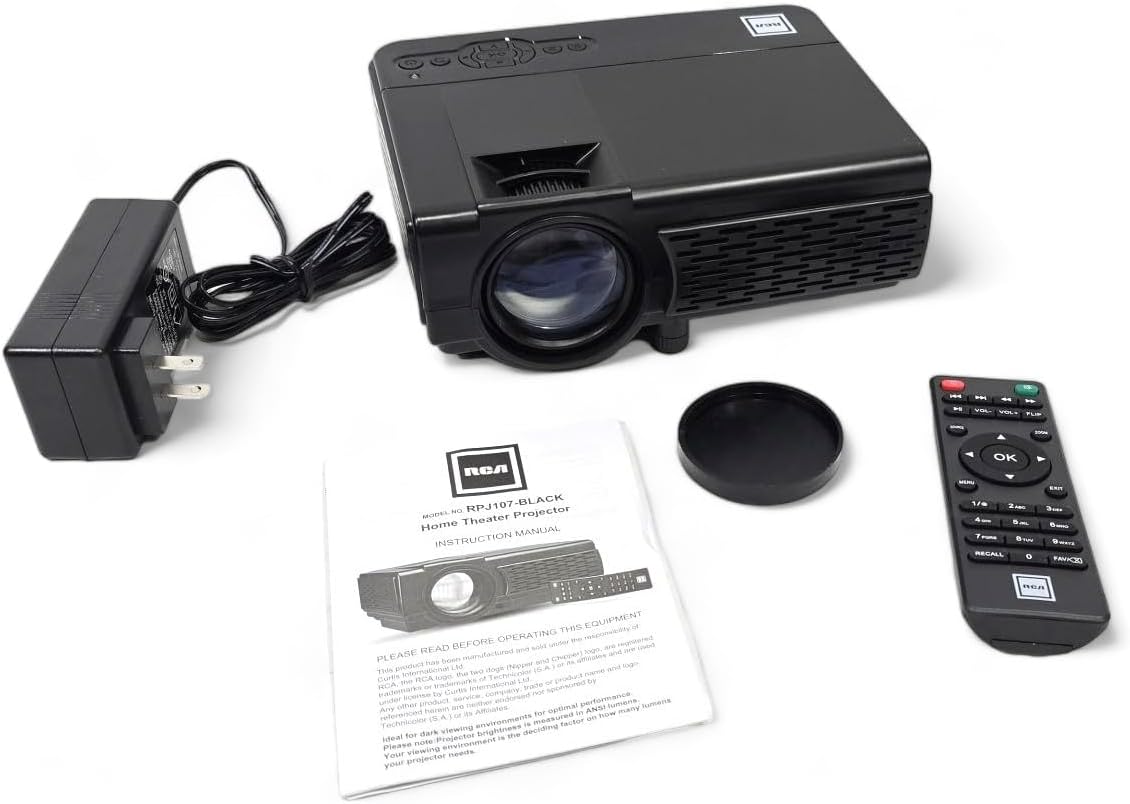
4. Product Overview
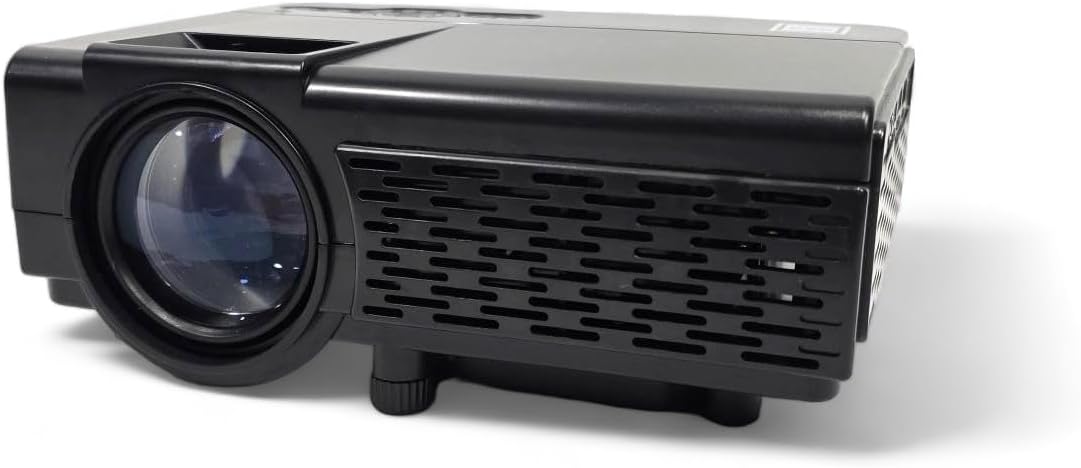
4.1 Projector Components
4.2 Input/Output Ports
The projector features a variety of ports for connecting external devices:

- Audio Jack: For connecting external headphones or speakers.
- AV Input: For connecting devices using an AV cable (e.g., older DVD players).
- DC IN: Power input for the AC adapter.
- MicroSD Slot: For playing media directly from a MicroSD card.
- HDMI 1 / HDMI 2: High-Definition Multimedia Interface for connecting modern devices like Blu-ray players, gaming consoles, or streaming sticks.
- USB: For playing media directly from a USB drive.
- VGA: For connecting computers or laptops.
5. Setup
5.1 Placement
Position the projector on a flat, stable surface. The ideal projection distance will vary based on the desired screen size. The projector can project an image from 30 inches to 150 inches, with a recommended range of 37 inches to 100 inches for optimal clarity.
5.2 Power Connection
- Connect the AC power adapter to the DC IN port on the projector.
- Plug the other end of the power adapter into a standard electrical outlet.
5.3 Focus and Keystone Adjustment
- Focus: Rotate the focus ring around the projector lens until the image appears sharp and clear.
- Keystone: Use the keystone adjustment knob (typically located near the lens) to correct trapezoidal distortion if the projector is not perfectly perpendicular to the screen.
- Height Adjustment: Utilize the footpad on the bottom of the projector to slightly adjust the projection angle.
6. Operating Instructions
6.1 Power On/Off
Press the power button on the projector or the remote control to turn the unit on or off.
6.2 Input Source Selection
After powering on, select your desired input source using the 'Source' button on the projector or remote control. Navigate through options like HDMI 1, HDMI 2, AV, USB, TF Card, or VGA.
6.3 Connecting Devices
The RCA RPJ107 projector offers broad compatibility with various multimedia devices:
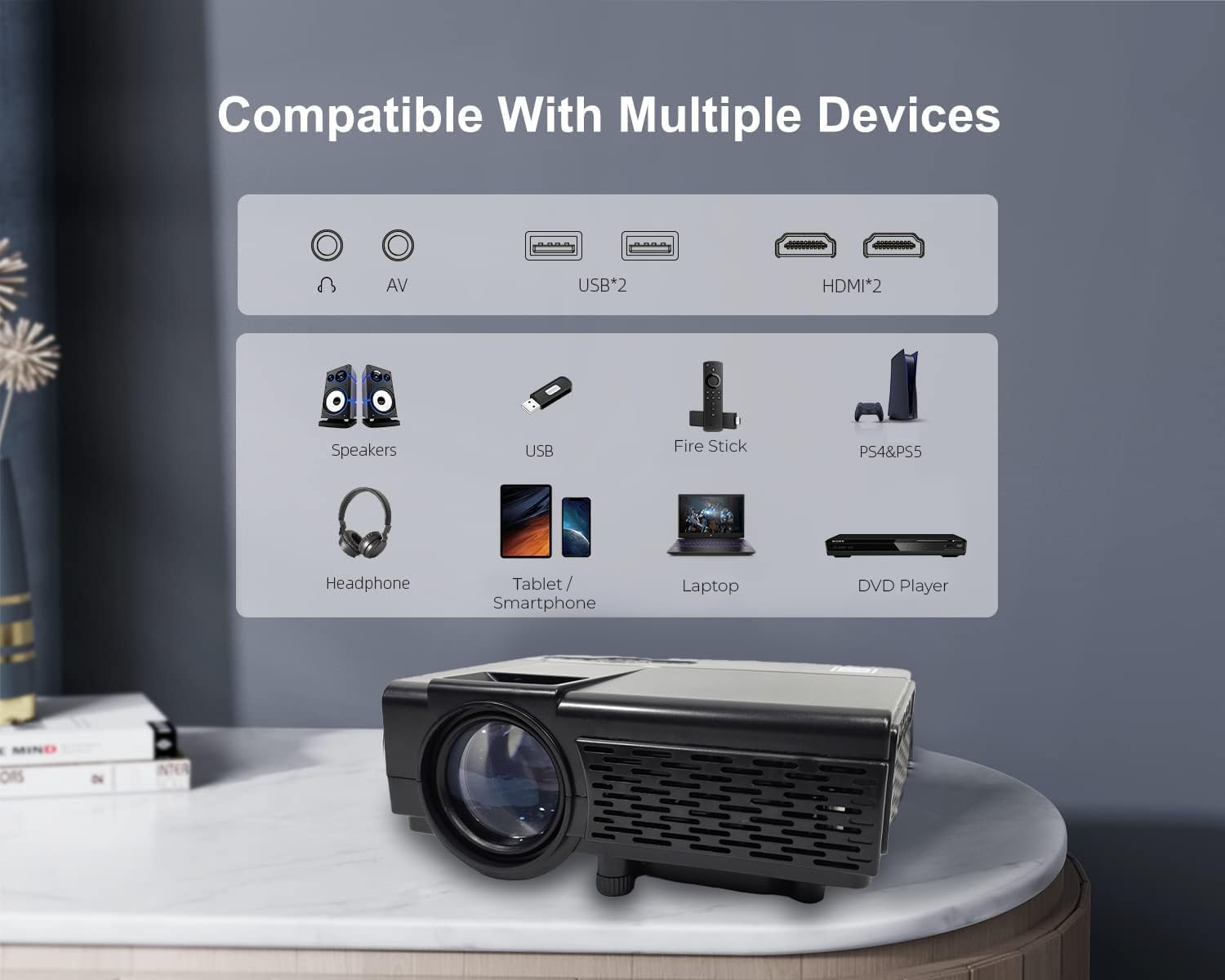
- HDMI: Connect your device (e.g., streaming stick, game console, Blu-ray player) to either HDMI 1 or HDMI 2 port. Select the corresponding HDMI input.
- AV: Use an AV cable to connect devices with AV output. Select 'AV' as the input source.
- USB / TF Card: Insert a USB drive or MicroSD card into the respective slot. The projector's media player interface will typically launch automatically, allowing you to browse and play supported video, audio, and image files.
- VGA: Connect a computer or laptop using a VGA cable. Select 'VGA' as the input source.
6.4 Bluetooth Audio Connection
The projector features Bluetooth 4.2 for connecting to external audio devices such as Bluetooth speakers or headphones. This function is for audio output only; it does not support video input via Bluetooth.
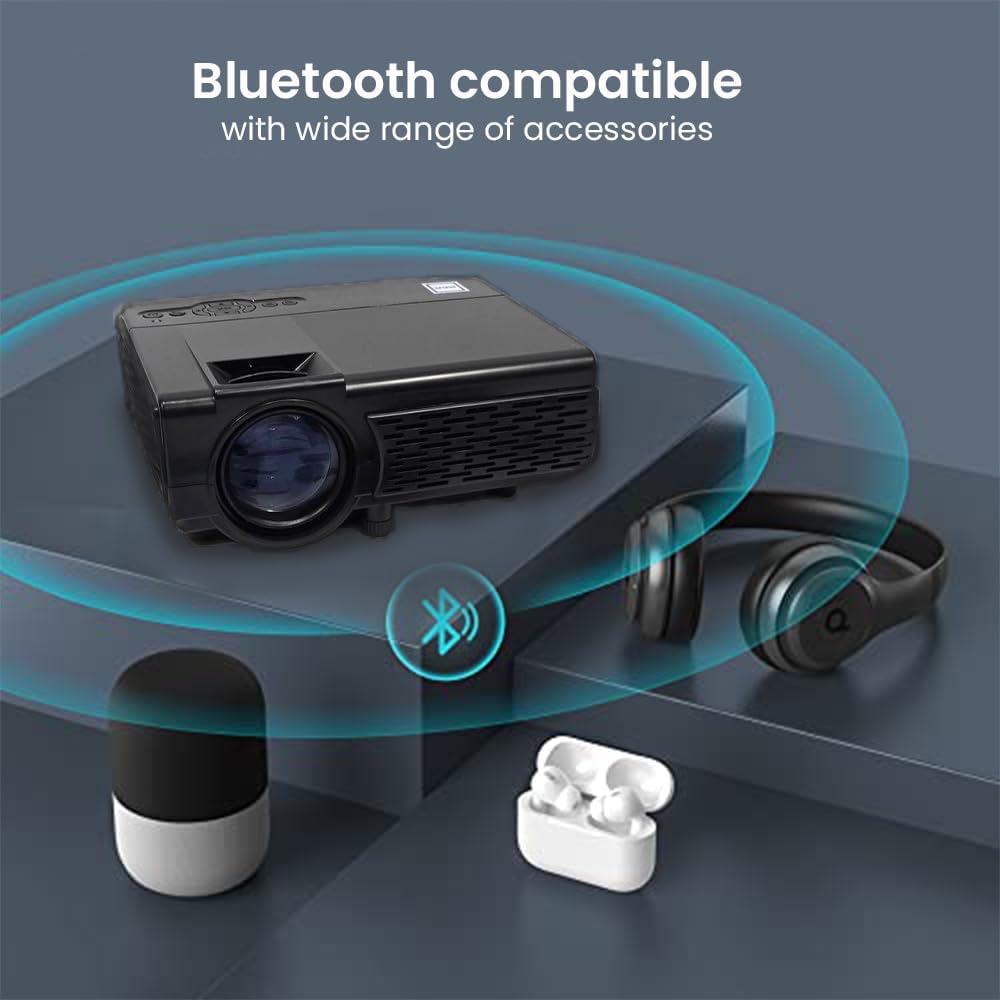
- Ensure your Bluetooth audio device is in pairing mode.
- Access the Bluetooth settings menu on the projector.
- Select your audio device from the list of available devices to pair.
6.5 Projection Environment
The RCA RPJ107 is suitable for various viewing environments, from indoor home theaters to outdoor movie nights.

7. Maintenance
- Lens Cleaning: Use a soft, lint-free cloth specifically designed for optical lenses to gently wipe the projector lens. Do not use abrasive cleaners or cloths.
- Dust Removal: Regularly clean the projector's ventilation openings with a soft brush or compressed air to prevent dust buildup, which can affect performance and lifespan.
- Storage: When not in use, store the projector in a cool, dry place, away from direct sunlight and extreme temperatures. Use the lens cover to protect the lens from dust and scratches.
8. Troubleshooting
| Problem | Possible Cause | Solution |
|---|---|---|
| No image on screen | Projector not powered on; Incorrect input source selected; Input cable loose or faulty. | Ensure power is connected and unit is on; Select correct input source (HDMI, AV, etc.); Check cable connections. |
| Image is blurry | Focus not adjusted; Keystone not adjusted; Projector too close/far from screen. | Adjust the focus ring; Adjust the keystone knob; Reposition the projector for optimal distance. |
| No sound | Volume too low; Mute function active; External audio device not connected or paired correctly. | Increase volume; Disable mute; Ensure Bluetooth audio device is paired or external speakers are connected properly. |
| Remote control not working | Batteries low or incorrectly inserted; Obstruction between remote and projector. | Replace batteries (2 AA); Ensure clear line of sight to the projector's IR receiver. |
9. Specifications
| Feature | Detail |
|---|---|
| Brand | RCA |
| Model Number | RPJ107 |
| Display Resolution (Native) | 800 x 480 |
| Supported Input Resolution | Up to 1080p via HDMI |
| White Brightness | 33 Lumens |
| Projection Size | 30 - 150 inches (Recommended: 37 - 100 inches) |
| Connectivity Technology | Bluetooth 4.2 (Audio only), HDMI (x2), AV, USB, VGA, TF/MicroSD Card Slot |
| Speaker Type | Built-In |
| Product Dimensions (L x D x H) | 7.9 x 6.1 x 3.3 inches |
| Item Weight | 3 pounds |
| Color | Black |
10. Warranty and Support
This RCA RPJ107 projector is offered as an Amazon Renewed product. For specific warranty details, return policies, or technical support, please refer to the terms and conditions provided by the Amazon Renewed program or contact the seller directly. Keep your purchase receipt for any warranty claims.


