
ROVSUN G46000670, G46000671
ROVSUN Smart 12000 BTU Window Air Conditioner User Manual
Model: G46000670, G46000671
Product Overview
The ROVSUN Smart 12000 BTU Window Air Conditioner is designed to provide efficient cooling for rooms up to 550 square feet. This unit features smart controls via WiFi, a remote, and a digital display, along with energy-saving modes and an easy installation process.

Image: Front view of the ROVSUN 12000 BTU Window Air Conditioner, showing the control panel, air vents, and accompanying remote control and smartphone app interface.
Safety Information
Please read all safety instructions carefully before operating the air conditioner. Failure to follow these instructions may result in electric shock, fire, or personal injury.
- Ensure the unit is properly grounded.
- Do not operate the unit with a damaged power cord or plug.
- Do not insert fingers or objects into the air inlet/outlet.
- Keep flammable materials away from the unit.
- Unplug the unit before cleaning or servicing.
Package Contents
- ROVSUN 12000 BTU Window Air Conditioner Unit
- Remote Control
- Installation Kit (side panels, mounting hardware)
- User Manual
Setup and Installation
The ROVSUN air conditioner comes with an easy install kit for quick setup in double-hung windows.
Window Requirements:
- Window Width: 26-36 inches
- Window Height: Minimum 16 inches
Installation Steps:
- Carefully unpack the air conditioner and all accessories.
- Attach the side panels to the unit according to the detailed instructions in the included manual.
- Place the unit securely in the window opening, ensuring it is level and properly supported.
- Extend the side panels to fill the window gap and secure them.
- Install any additional mounting hardware as specified in the manual to ensure stability and seal.

Image: The ROVSUN air conditioner installed in a window, demonstrating the extended side panels for a secure fit.

Image: A diagram illustrating the dimensions of the air conditioner unit and the recommended window size for installation, including voltage information.
Video: A demonstration of the easy installation process for the ROVSUN window air conditioner, highlighting how it fits into a window opening.
Operating Instructions
The ROVSUN Smart Air Conditioner offers multiple ways to control your comfort.
Control Options:
- LED Digital Display: Directly adjust settings on the unit's control panel.
- Remote Control: Use the included remote for convenient adjustments from a distance.
- Smartphone App (WiFi): Connect the unit to your home WiFi network and control it from anywhere using the dedicated app. This allows for advanced scheduling and mode selection.
Available Modes and Functions:
- Cool Mode: Provides powerful cooling to reach your desired temperature (61°F - 88°F).
- Fan Mode: Circulates air without cooling. Multiple fan speeds available.
- ECO Mode: Energy-saving mode that cycles the compressor on and off to maintain temperature efficiently.
- Sleep Mode: Adjusts temperature and fan speed for comfortable sleep while saving energy.
- 24-Hour Timer: Program the unit to turn on or off automatically at set times.
- Auto Mode: Automatically selects the appropriate operating mode (Cool, Fan) based on the room temperature.
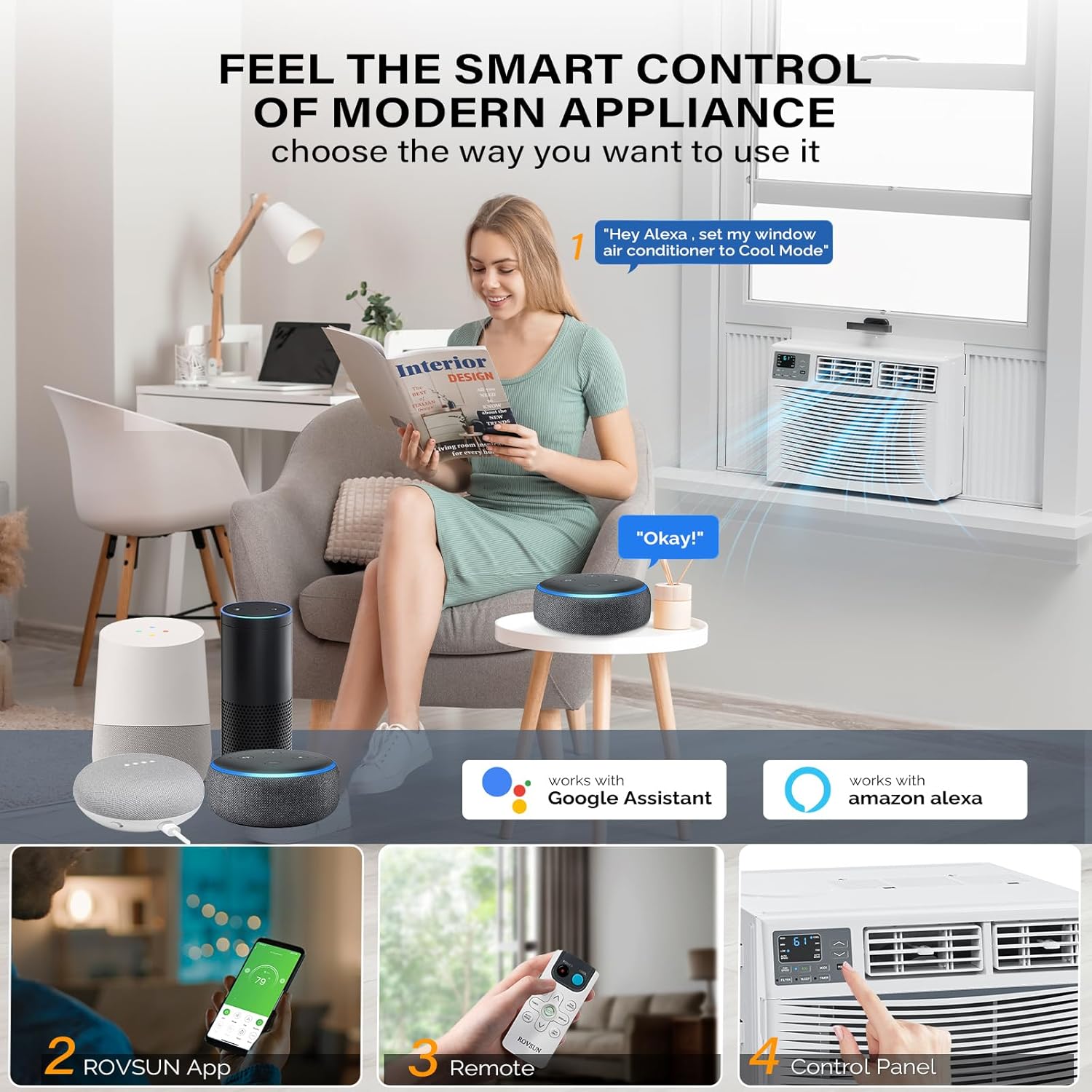
Image: An illustration of the multiple control options for the smart air conditioner, including voice commands via smart assistants, smartphone app, remote, and the unit's control panel.
Video: A user demonstrating the manual controls and basic operation of the ROVSUN air conditioner, including adjusting settings and observing the air flow.
Maintenance
Regular maintenance ensures optimal performance and longevity of your air conditioner.
Cleaning the Air Filter:
- The air filter should be cleaned regularly, typically every two weeks, or more often depending on usage and air quality.
- To remove the filter, open the front panel of the unit.
- Gently slide out the filter.
- Wash the filter with warm, soapy water. Rinse thoroughly and allow it to air dry completely before reinserting.
- A clean filter helps maintain cooling efficiency and air quality.
Video: A brief demonstration of how to access and remove the air filter for cleaning, showing the filter being pulled out from the front of the unit.
Troubleshooting
If you encounter issues with your ROVSUN air conditioner, refer to the following common problems and solutions:
| Problem | Possible Cause | Solution |
|---|---|---|
| Unit does not turn on | No power, tripped circuit breaker, power cord issue. | Check power connection, reset circuit breaker, inspect power cord for damage. |
| Insufficient cooling | Dirty air filter, blocked air vents, room size too large, open windows/doors. | Clean air filter, ensure vents are clear, close windows/doors, verify unit BTU matches room size. |
| Unusual noise | Loose parts, unit not level, fan obstruction. | Check for loose screws, ensure unit is level, remove any obstructions from fan. |
| Water leakage | Drainage issue, unit not tilted correctly. | Ensure proper drainage and slight tilt towards the outside for water runoff. |
For further assistance, please contact ROVSUN customer support.
Specifications
| Feature | Detail |
|---|---|
| Brand | ROVSUN |
| Model Numbers | G46000670, G46000671 |
| Cooling Power | 12000 British Thermal Units |
| Coverage Area | Up to 550 Square Feet |
| Voltage | 115 Volts |
| Noise Level | 52 dB |
| Product Dimensions (D x W x H) | 21.5 x 19.76 x 15.16 inches |
| Form Factor | Window |
| Special Features | Eco-friendly, LED Display, WiFi, Remote Control |
Warranty and Support
The ROVSUN Smart 12000 BTU Window Air Conditioner comes with a 1-year warranty. For any questions or support needs regarding your unit, please do not hesitate to contact ROVSUN customer service. We are committed to providing satisfied service.
For more information, visit the official ROVSUN Store.
Related Documents - G46000670, G46000671
 |
ROVSUN Window Air Conditioner User Manual: Installation, Operation, and Troubleshooting Comprehensive user manual for ROVSUN Window Air Conditioners (8000, 10000, 12000 BTU). Includes installation guides, operating instructions, safety precautions, and troubleshooting tips. |
 |
ROVSUN Wi-Fi Function User Manual for Smart Air Conditioners Comprehensive user manual for ROVSUN smart air conditioners, detailing Wi-Fi setup, app control via SmartLife-SmartHome, device management, and troubleshooting. |
 |
Rovsun Window Air Conditioner Use & Care Guide Comprehensive guide for Rovsun window air conditioners (8,000-12,000 BTU), covering installation, operation, maintenance, and troubleshooting. |
 |
ROVSUN Air Conditioner Remote Control Manual: Functions and Operation Comprehensive guide to the ROVSUN air conditioner remote control, detailing display symbols, button functions, operating modes (Cooling, Heating, Fan, Dry, Auto), and special features like Timer, Sleep, ECO, and I FEEL. |
 |
ROVSUN 6,000 BTU Window Air Conditioner Use & Care Guide This guide provides essential information for the safe installation, operation, and maintenance of the ROVSUN 6,000 BTU Window Air Conditioner. Learn about safety precautions, electrical requirements, packing list, assembly steps, using the control panel and remote, cleaning, and troubleshooting common issues. |
 |
ROVSUN Air Conditioner Service Manual: Error Codes and Troubleshooting Guide Comprehensive service manual detailing error codes (E, P, F series) and troubleshooting flowcharts for ROVSUN air conditioners, helping technicians diagnose and resolve common issues. Includes detailed steps for communication failures, sensor errors, motor issues, and protection modes. |
Ask a question about this manual
Ask about setup, troubleshooting, compatibility, parts, safety, or missing instructions. Manuals+ will review the question and use this page’s manual context to help answer it.