
1. Introduction
This manual provides instructions for the ALLIMITY EN3V39S remote control, designed as a replacement for Sharp televisions. This remote control requires no programming or setup; simply insert batteries to begin use.
2. Package Contents
- 1 x ALLIMITY EN3V39S Remote Control
3. Setup: Battery Installation
To prepare your remote control for use, follow these steps to install the batteries:
- Locate the battery compartment cover on the back of the remote control.
- Press down on the tab and slide the cover downwards to open the compartment.
- Insert two AAA alkaline batteries, ensuring the positive (+) and negative (-) terminals align correctly with the markings inside the compartment.
- Slide the battery compartment cover back into place until it clicks securely.
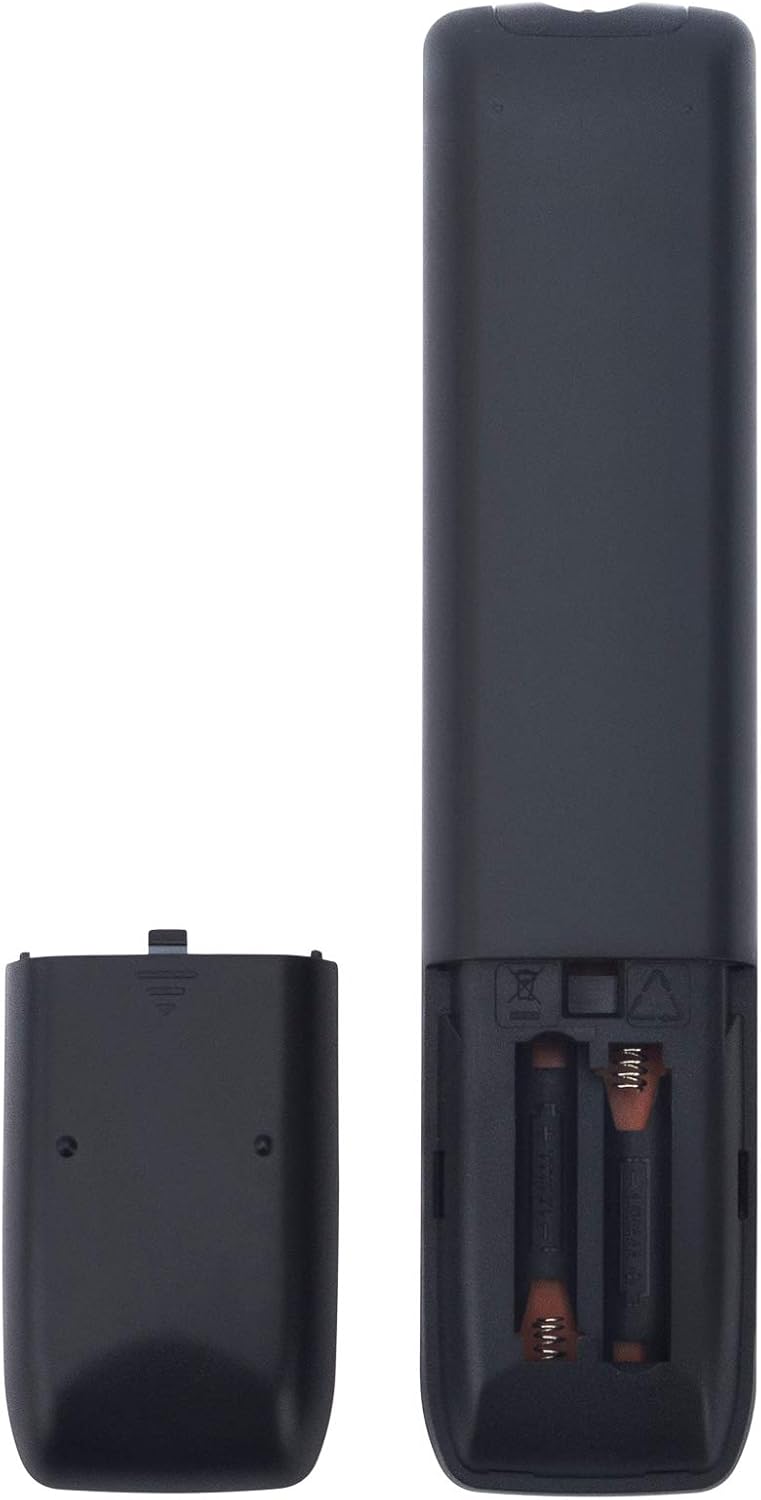
Image: Rear view of the remote control with the battery cover open, illustrating battery insertion.
The remote control is now ready for use with your Sharp TV without any additional programming.
4. Operating Instructions
The ALLIMITY EN3V39S remote control provides direct access to various functions of your Sharp TV. Point the remote control directly at your television's infrared receiver for optimal performance.

Image: Front view of the ALLIMITY EN3V39S remote control, displaying its button layout.
Basic Functions:
- Power (●): Turns the TV on or off.
- Input: Selects the video input source (e.g., HDMI 1, AV).
- Number Buttons (0-9): Directly enter channel numbers.
- VOL (+/-): Adjusts the volume level.
- CH (▲/▼): Changes the television channel up or down.
- Mute (🔇): Mutes or unmutes the TV audio.
- Navigation Buttons (▲/▼/◀/▶): Navigate through menus and options.
- OK: Confirms selections in menus.
- Back: Returns to the previous menu or screen.
- Exit: Exits the current menu or application.
Special Features:
- APPS: Accesses the TV's smart applications menu.
- Netflix, Claro video, Tikilive, YouTube: Dedicated buttons for quick access to these streaming services.
- Picture, Sound, Aspect, Sleep: Direct access to TV settings for picture, sound, aspect ratio, and sleep timer.
- CC: Activates or deactivates Closed Captions.
- Home (🏠): Returns to the TV's home screen.
- Media Playback Controls (◀◀, ▶▶, ▮▮, ▶, ■): Control media playback (rewind, fast forward, pause, play, stop).
5. Maintenance
To ensure the longevity and proper functioning of your remote control:
- Cleaning: Wipe the remote control with a soft, dry cloth. Do not use liquid cleaners or abrasive materials.
- Battery Replacement: Replace batteries when the remote's response becomes sluggish or stops working. Always replace both batteries at the same time with new AAA alkaline batteries.
- Storage: Store the remote in a cool, dry place away from direct sunlight and extreme temperatures.
- Avoid Drops: Protect the remote from physical impact, as drops can damage internal components.
6. Troubleshooting
If you encounter issues with your remote control, consider the following:
- Remote Not Responding:
- Check if the batteries are inserted correctly with the correct polarity (+/-).
- Replace old batteries with new AAA alkaline batteries.
- Ensure there are no obstructions between the remote control and the TV's infrared sensor.
- Confirm you are pointing the remote directly at the TV.
- Limited Range:
- The maximum effective range is approximately 10 meters (33 feet). Ensure you are within this range.
- Weak batteries can reduce the remote's effective range. Replace them if necessary.
- Specific Buttons Not Working:
- Ensure the TV is fully powered on and not in a standby mode that might restrict certain functions.
- If only certain buttons fail, it might indicate a physical issue with the remote.
7. Specifications
| Feature | Detail |
|---|---|
| Brand | ALLIMITY |
| Model Number | EN3V39S |
| Compatible Devices | Sharp Televisions |
| Connectivity Technology | Infrared |
| Special Feature | No Programming Required |
| Max Number of Supported Devices | 1 |
| Button Quantity | 20 |
| Controller Type | Button Control |
| Maximum Range | 10 Meters (approx. 33 feet) |
| Battery Type | 2 x AAA Alkaline Batteries (not included) |
| Item Weight | 3.36 ounces (approx. 95 grams) |
| Item Dimensions (L x W x H) | 6"L x 2"W x 0.5"H (approx. 15.24 x 5.08 x 1.27 cm) |
8. Warranty and Support
For information regarding warranty coverage or customer support, please refer to your purchase documentation or contact the seller directly. Keep your proof of purchase for any warranty claims.
