
Sandinrayli Sandinrayli Folding Electric Treadmill
Sandinrayli Folding Electric Treadmill Instruction Manual
Model: Sandinrayli Folding Electric Treadmill
1. Important Safety Information
Please read this entire manual carefully before assembling or operating your Sandinrayli Folding Electric Treadmill. Retain this manual for future reference. Failure to follow these instructions could result in injury or damage to the product.
- Always place the treadmill on a solid, level surface. Ensure there is adequate clear space (at least 6.5 feet behind and 2 feet on each side) for safe operation.
- Keep children and pets away from the treadmill during operation.
- Wear appropriate exercise clothing and athletic shoes. Avoid loose clothing that could get caught in moving parts.
- The safety key must be attached to your clothing during operation. In case of an emergency, the safety key will detach, stopping the treadmill.
- Do not operate the treadmill if it has a damaged cord or plug, or if it is not working properly.
- Consult a physician before beginning any exercise program, especially if you have pre-existing health conditions.
- The maximum user weight capacity for this treadmill is 220 lbs (100 kg).
2. Product Overview
The Sandinrayli Folding Electric Treadmill is designed for walking, jogging, and light running in a home or office environment. It features a powerful motor, a clear LCD display, and a space-saving foldable design.

Image: The Sandinrayli Folding Electric Treadmill shown in both operational and folded states, highlighting its compact design.
Key Features:
- Powerful 2.0HP Motor: Provides smooth and quiet operation for walking, jogging, and running. Speed range: 0.6-5.0 mph (1-8 km/h).
- Multifunctional LCD Display: Tracks time, speed, distance, and calories burned.
- 12 Preset Programs & 3 Countdown Modes: Offers a variety of workout options to suit different fitness levels.
- Foldable Design & Transport Wheels: Allows for easy storage and portability.
- Integrated Features: Includes heart rate sensors, a phone/iPad holder, cup holders, and a safety key for enhanced convenience and safety.
- Bluetooth Audio System: Connect your devices via the included MP3 cable to play music during your workout.

Image: Detailed view of the LCD display, indicating its ability to show speed, time, distance, calories, and pulse.
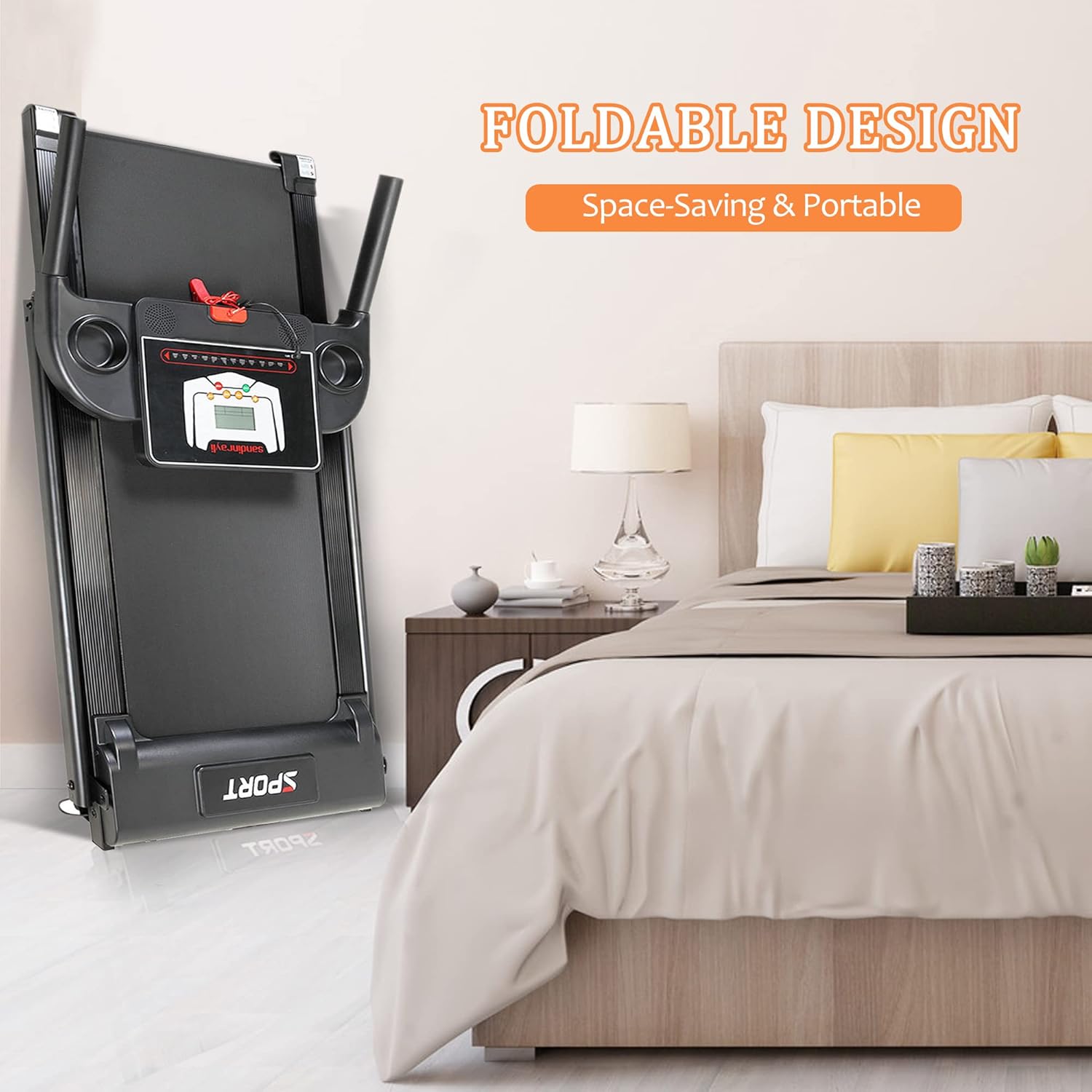
Image: Close-up of the treadmill's console and handlebars, highlighting the heart rate sensor, phone/iPad holder, cup holder, and the safety key attachment point.
3. Assembly Instructions
The Sandinrayli Folding Electric Treadmill requires some assembly. Please follow these steps carefully:
- Unpack Components: Carefully remove all parts from the packaging. Verify that all components listed in the packing list are present.
- Position the Base: Place the main base frame of the treadmill on a flat, stable surface where you intend to use it.
- Attach Upright Posts: Secure the upright posts to the base frame using the provided hardware. Ensure they are firmly tightened.
- Install Console: Mount the console onto the top of the upright posts. Connect any necessary cables from the console to the main frame.
- Secure Handlebars: Attach the handlebars to the console or upright posts as per the diagrams in the separate assembly guide (if provided).
- Unfold Treadmill: Gently lower the running deck from its folded position until it locks into place. Ensure it is fully extended and stable before use.
- Final Check: Before plugging in, double-check all bolts and nuts to ensure they are securely tightened.

Image: The treadmill in its folded, space-saving configuration, suitable for compact living spaces.

Image: A user tilting the treadmill to engage the transport wheels, illustrating its ease of movement.
4. Operating Instructions
4.1 Powering On/Off
- Power On: Plug the power cord into a grounded 110V outlet. Flip the main power switch located near the front of the treadmill to the 'ON' position. The console display will light up.
- Safety Key: Attach the safety key clip to your clothing and insert the magnetic end into the designated slot on the console. The treadmill will not operate without the safety key in place.
- Power Off: Remove the safety key, then flip the main power switch to the 'OFF' position. Unplug the treadmill from the outlet when not in use.
4.2 Using the Console
The LCD display provides real-time feedback on your workout. Buttons on the console allow you to control speed, select programs, and start/stop your workout.
- START Button: Press to begin your workout. The belt will start moving at a low speed.
- STOP Button: Press to gradually slow down and stop the treadmill belt.
- SPEED +/- Buttons: Use these buttons to increase or decrease the treadmill's speed.
- MODE Button: Press to cycle through different display modes (e.g., time, distance, calories).
- PROGRAM Button: Press to select from the 12 preset workout programs or 3 countdown modes. Refer to the console's specific instructions for details on each program.
4.3 MP3 Connection
Connect your audio device (e.g., smartphone, MP3 player) to the treadmill's audio input jack using the provided MP3 cable. Play music through the treadmill's integrated speakers.

Image: The treadmill's console with a smartphone placed in the holder, demonstrating the Bluetooth audio system and MP3 connectivity.
5. Maintenance
Regular maintenance ensures the longevity and optimal performance of your treadmill.
5.1 Cleaning
- Wipe down the console and other surfaces with a soft, damp cloth after each use to remove sweat and dust.
- Do not use abrasive cleaners or solvents, as they may damage the finish.
- Periodically vacuum underneath the treadmill to prevent dust and debris from accumulating.
5.2 Lubrication
The running belt requires periodic lubrication to reduce friction and extend its lifespan. Use the silicone oil provided or a treadmill-specific lubricant.
- Frequency: Lubricate every 3-6 months, or after approximately 50 hours of use, depending on usage.
- Procedure: Turn off and unplug the treadmill. Loosen the rear roller bolts slightly to lift the belt. Apply a thin line of silicone lubricant evenly under the center of the running belt. Tighten the bolts, plug in, and run the treadmill at a low speed for a few minutes to distribute the lubricant.

Image: Illustration of applying silicone lubricant to the running belt for smooth operation.
5.3 Belt Adjustment
If the running belt slips or drifts to one side, it may need adjustment.
- Centering the Belt: If the belt drifts to the left, turn the left rear roller bolt clockwise 1/4 turn. If it drifts to the right, turn the right rear roller bolt clockwise 1/4 turn. Run the treadmill at a low speed and observe. Repeat small adjustments until the belt is centered.
- Tensioning the Belt: If the belt slips during use, it may be too loose. Turn both rear roller bolts clockwise 1/4 turn simultaneously. Test the belt and repeat small adjustments until slipping stops. Do not overtighten.

Image: Demonstrating the process of adjusting the treadmill belt using an Allen wrench at the rear roller.
6. Troubleshooting
If you encounter issues with your treadmill, refer to the following common problems and solutions:
| Problem | Possible Cause | Solution |
|---|---|---|
| Treadmill does not power on. | Power cord not plugged in; main switch off; safety key not inserted. | Ensure power cord is securely plugged in. Turn main switch to 'ON'. Insert safety key fully. |
| Belt stops suddenly during operation. | Safety key detached; motor overload. | Re-insert safety key. Reduce load or allow motor to cool down. |
| Belt slips or hesitates. | Belt too loose; insufficient lubrication. | Adjust belt tension (refer to Section 5.3). Lubricate belt (refer to Section 5.2). |
| Unusual noise from treadmill. | Loose parts; motor issue; belt rubbing. | Check all bolts and nuts for tightness. Ensure belt is centered. If noise persists, contact support. |
| Display not working correctly. | Loose cable connection; console malfunction. | Check console cable connections. If issue persists, contact support. |
For issues not listed here or if solutions do not resolve the problem, please contact customer support.
7. Specifications
Detailed technical specifications for your Sandinrayli Folding Electric Treadmill:
| Specification | Value |
|---|---|
| Brand | Sandinrayli |
| Color | Black |
| Product Dimensions (L x W x H) | 51.19" x 22.4" x 42.13" |
| Folded Size (L x W x H) | 50" x 22.4" x 7.5" |
| Material | Acrylonitrile Butadiene Styrene (ABS), Alloy Steel |
| Maximum Speed | 5 Miles per Hour (8 km/h) |
| Minimum Speed | 0.6 Miles per Hour (1 km/h) |
| Maximum Horsepower | 2 Horsepower |
| Maximum Weight Recommendation | 220 Pounds (100 kg) |
| Deck Length | 41.34 Inches |
| Assembly Required | Yes |
| Power Source | Corded Electric (110V) |

Image: Visual representation of the treadmill's dimensions when unfolded and folded, including speed range, load capacity, and LCD display size.
8. Warranty and Support
For warranty information or technical support, please refer to the warranty card included with your product or contact Sandinrayli customer service directly. Please have your product model and purchase date available when contacting support.
You can often find support contact details on the manufacturer's official website or through your point of purchase.