
BITIWEND AUB08YDRN3X9
BITIWEND Wireless Door Sensor Chime Alarm
User Manual
Introduction
Thank you for choosing the BITIWEND Wireless Door Sensor Chime Alarm. This system is designed to provide reliable security and convenience for your home, office, or shop. With its wide operating range, customizable chime options, and easy installation, it helps you monitor entry points effectively.
Product Components
The BITIWEND Wireless Door Sensor Chime Alarm package typically includes the following components:
- Wireless Receiver(s)
- Door/Window Magnetic Sensor(s)
- Mounting Hardware (double-sided adhesive tape, screws)
- User Manual

Image: Overview of the BITIWEND Wireless Door Sensor Chime Alarm components, showing two chime receivers and one magnetic door sensor.

Image: Detailed view of the BITIWEND chime receiver and sensor with dimensions and button labels for forward, back, and volume controls.
Specifications
| Brand | BITIWEND |
| Model Number | AUB08YDRN3X9 |
| Working Range | Up to 600 feet (183 meters) |
| Alarm Volume | 0-110dB (5 adjustable levels) |
| Chime Options | 58 melodies |
| Expandability | Receiver can be paired with up to 58 sensors; Sensor can be paired with up to 58 receivers |
| Power Source (Receiver) | Standard AC outlet (Plug-in) |
| Power Source (Sensor) | 1 Lithium Ion battery (included) |
| Product Dimensions | 9.19 x 8.99 x 12.4 cm (Receiver); Sensor dimensions not specified but shown in images. |
| Item Weight | 222 g |
Setup
1. Receiver Installation
- Unpack the receiver unit.
- Plug the receiver into any standard electrical outlet within the desired operating range. Ensure it is not obstructed by large metal objects or thick walls that could interfere with the wireless signal.
2. Sensor Installation
The magnetic sensor consists of two parts: a main sensor unit and a smaller magnetic strip. These two parts must be aligned and placed within 1 cm of each other when the door/window is closed.
- Identify a clean, dry surface on your door or window frame where the sensor can be mounted.
- Peel off the insulating paper from the battery compartment of the sensor before use.
- Using the provided double-sided adhesive tape, attach the larger main sensor unit to the door or window frame.
- Attach the smaller magnetic strip to the moving part of the door or window, ensuring it aligns with the main sensor unit when closed. The gap between the two parts should be no more than 1 cm. Alternatively, screws can be used for a more permanent installation.
- Important Note: This device is not suitable for installation on metal doors or metal door frames, as metal can interfere with the magnetic contact and wireless signal, leading to unreliable operation.

Image: The BITIWEND chime receiver plugged into an outlet and the sensor mounted on a glass door, illustrating its use as a welcome chime for a shop.

Image: An illustration demonstrating the ultra-long 600ft wireless range of the BITIWEND system, with receivers placed in different parts of a house and the sensor on a garage door.
Operating Instructions
1. Changing Chimes/Melodies
The receiver offers 58 different chime options. Use the 'Forward' and 'Back' buttons on the side of the receiver to cycle through the available melodies. Press the 'Forward Button' to go to the next chime and the 'Back Button' to go to the previous chime.

Image: The BITIWEND system demonstrating the ability to customize individual transmitters by setting different music ringtones for front and back doors.
2. Adjusting Volume
The receiver has 5 adjustable volume levels, ranging from 0dB (mute) to 110dB. Press the 'Volume Button' on the side of the receiver to cycle through the volume levels until you reach your desired loudness.
3. Pairing Additional Sensors/Receivers
The system supports pairing of up to 58 sensors with one receiver, or one sensor with up to 58 receivers. To pair a new sensor or receiver:
- Plug in the receiver.
- Press and hold the 'Volume Button' on the receiver for approximately 5 seconds until the LED indicator flashes rapidly. This indicates pairing mode.
- Within 10 seconds, activate the sensor by separating its two magnetic parts (e.g., open the door). The receiver will chime to confirm successful pairing.
- Repeat for any additional sensors or receivers you wish to pair.
4. LED Indicator
The receiver features an LED indicator that provides a visual alert when the sensor is triggered. This is particularly useful for individuals with hearing impairments.
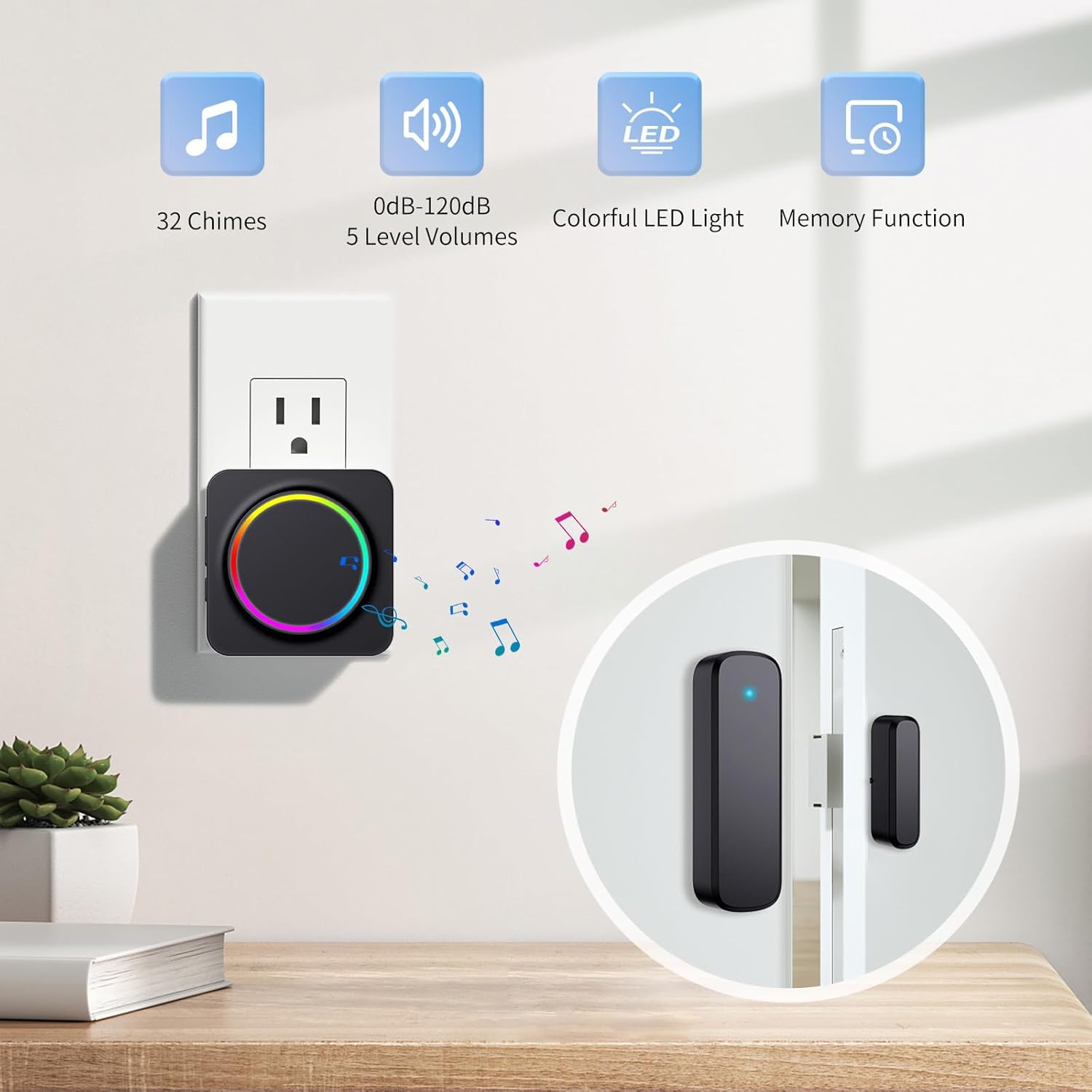
Image: An illustration highlighting the key features of the BITIWEND system: 32 chimes, 0dB-120dB 5 level volumes, colorful LED light, and memory function.
Safety Information
The BITIWEND Wireless Door Sensor Chime Alarm is designed to enhance safety and security. The loud 110dB alarm is effective for detecting unauthorized entry, deterring intruders, and alerting occupants.
It can also be used to monitor children, babies, or pets, providing an alert if they attempt to leave the house through a monitored door or window.

Image: The BITIWEND system illustrating its use for home safety, with the sensor on a door and the receiver alerting to a potential intruder.

Image: The BITIWEND system demonstrating its application for child safety, with the sensor on a door and the receiver alerting when a child opens it.
Maintenance
- Cleaning: Wipe the receiver and sensor units with a soft, dry cloth. Do not use abrasive cleaners or solvents.
- Battery Replacement: The sensor unit is powered by a Lithium Ion battery. If the sensor's performance degrades or it stops transmitting signals, replace the battery with a new one of the same type. Refer to the sensor unit for battery compartment access.
- Environmental Conditions: Ensure the units are kept away from extreme temperatures, direct sunlight, and excessive moisture to prolong their lifespan.
Troubleshooting
- No Sound from Receiver:
- Ensure the receiver is properly plugged into a working electrical outlet.
- Check the volume level. Press the 'Volume Button' to increase the volume.
- Re-pair the sensor with the receiver (refer to 'Pairing Additional Sensors/Receivers' section).
- Sensor Not Triggering Alarm:
- Verify that the sensor's two parts are aligned correctly and are within 1 cm of each other when the door/window is closed.
- Check the sensor's battery. Replace if necessary.
- Ensure the sensor is not mounted on a metal door or metal door frame, as this can prevent proper operation.
- Re-pair the sensor with the receiver.
- Intermittent Operation:
- Check for potential interference from other wireless devices or large metal objects between the sensor and receiver.
- Ensure the sensor and receiver are within the specified 600-foot operating range. Walls and obstacles can reduce this range.
- Re-pair the sensor and receiver.
Warranty and Support
For warranty information or technical support, please contact BITIWEND customer service directly. Refer to the product packaging or the official BITIWEND website for contact details.
Related documentsAUB08YDRN3X9


Ask a question about this manual
Ask about setup, troubleshooting, compatibility, parts, safety, or missing instructions. Manuals+ will review the question and use this page’s manual context to help answer it.