
TecTake 403915
TecTake Portable Air Conditioner User Manual
Model: 403915 | Brand: TecTake
1. Introduction
Thank you for choosing the TecTake Portable Air Conditioner. This unit is designed to provide efficient cooling and air circulation for your home or office. Featuring a touch control panel, remote control, multiple speed levels, and wind modes, it offers a customizable and comfortable environment. This manual provides essential information for the safe and effective operation, maintenance, and troubleshooting of your new air conditioner.

The TecTake Portable Air Conditioner, highlighting its key features such as 3 fan speeds, 3 modes, touch control, remote control, integrated timer, large water tank, adjustable vent, and swivel castors.
2. Safety Instructions
Please read all safety instructions carefully before using the appliance. Failure to follow these instructions may result in electric shock, fire, or serious injury.
- Ensure the power supply voltage matches the rating label on the unit.
- Do not operate the unit with a damaged cord or plug.
- Keep the unit away from water and other liquids. Do not immerse the unit in water.
- Do not block the air inlets or outlets. Maintain adequate clearance around the unit for proper airflow.
- Unplug the unit from the power outlet before cleaning, maintenance, or when not in use.
- Do not allow children to operate the appliance without supervision.
- Use only original accessories and spare parts.
- Do not attempt to repair or modify the unit yourself. Contact qualified service personnel for repairs.
- Ensure the unit is placed on a stable, level surface to prevent tipping.
3. Package Contents
Verify that all components are present and in good condition upon unpacking:
- Portable Air Conditioner Unit
- Remote Control
- 2 Ice Packs
- Wall Mounting Materials (screws, bracket)
- User Manual

Overview of the product dimensions and included accessories.
4. Setup
- Positioning the Unit: Place the air conditioner on a firm, level surface. Ensure there is sufficient space around the unit for proper air circulation. The unit is equipped with four smooth-running double castors for easy mobility. Two of these castors have brakes to secure the unit in place.

The unit's fully swivelling double castors, two of which can be locked to prevent unwanted movement.
- Filling the Water Tank: For cooling and humidification, fill the 4-litre water tank with clean, cold water. The water tank has a readable fill level indicator. For enhanced cooling, place the two included ice packs in the freezer until frozen, then add them to the water tank.
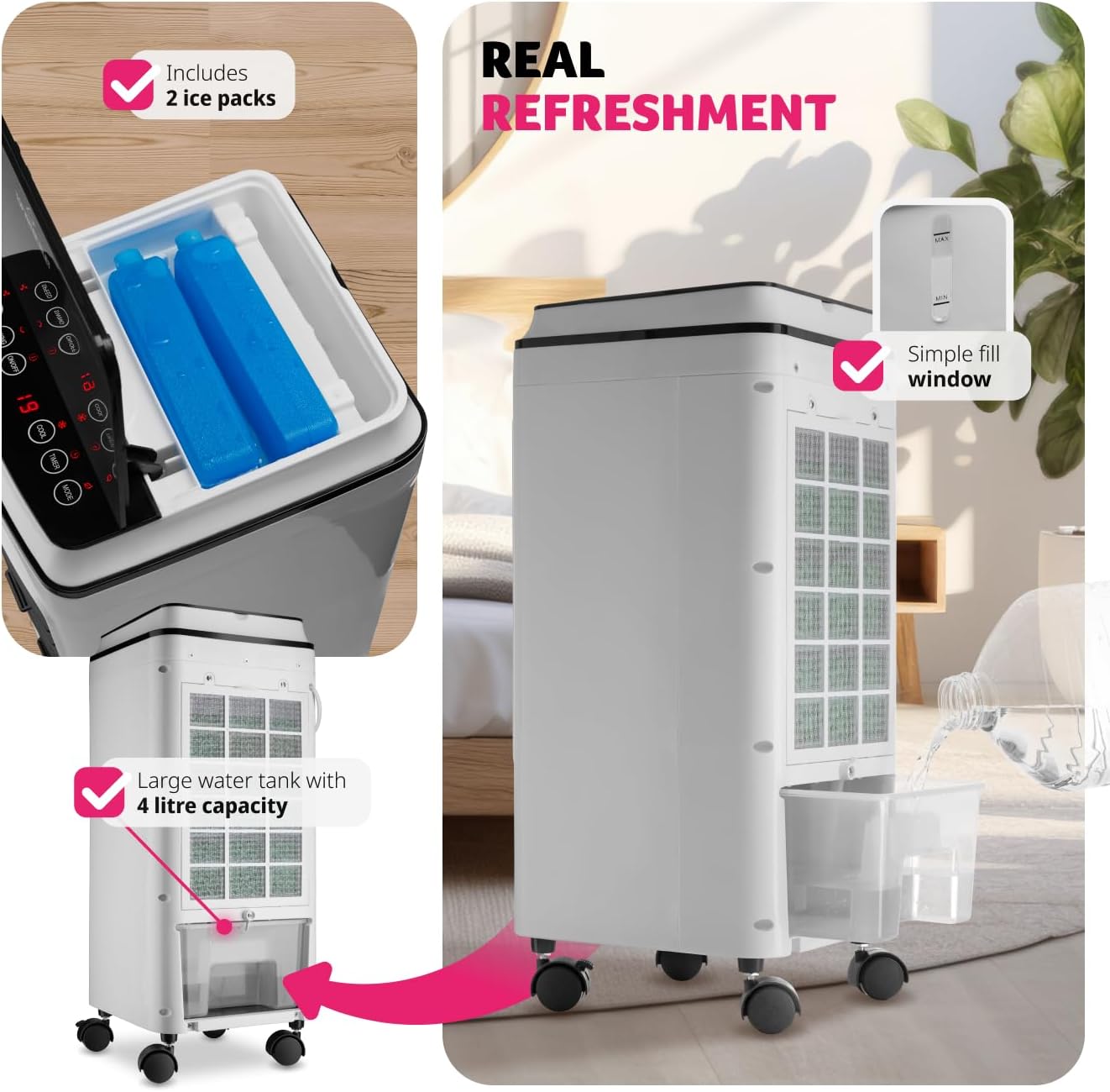
Instructions for filling the 4-litre water tank and adding the included ice packs for improved cooling.
- Power Connection: Plug the power cord into a suitable electrical outlet (240 Volts).
- Optional Wall Mounting: If desired, the unit can be wall-mounted using the provided materials. Refer to the separate wall mounting instructions for detailed steps.
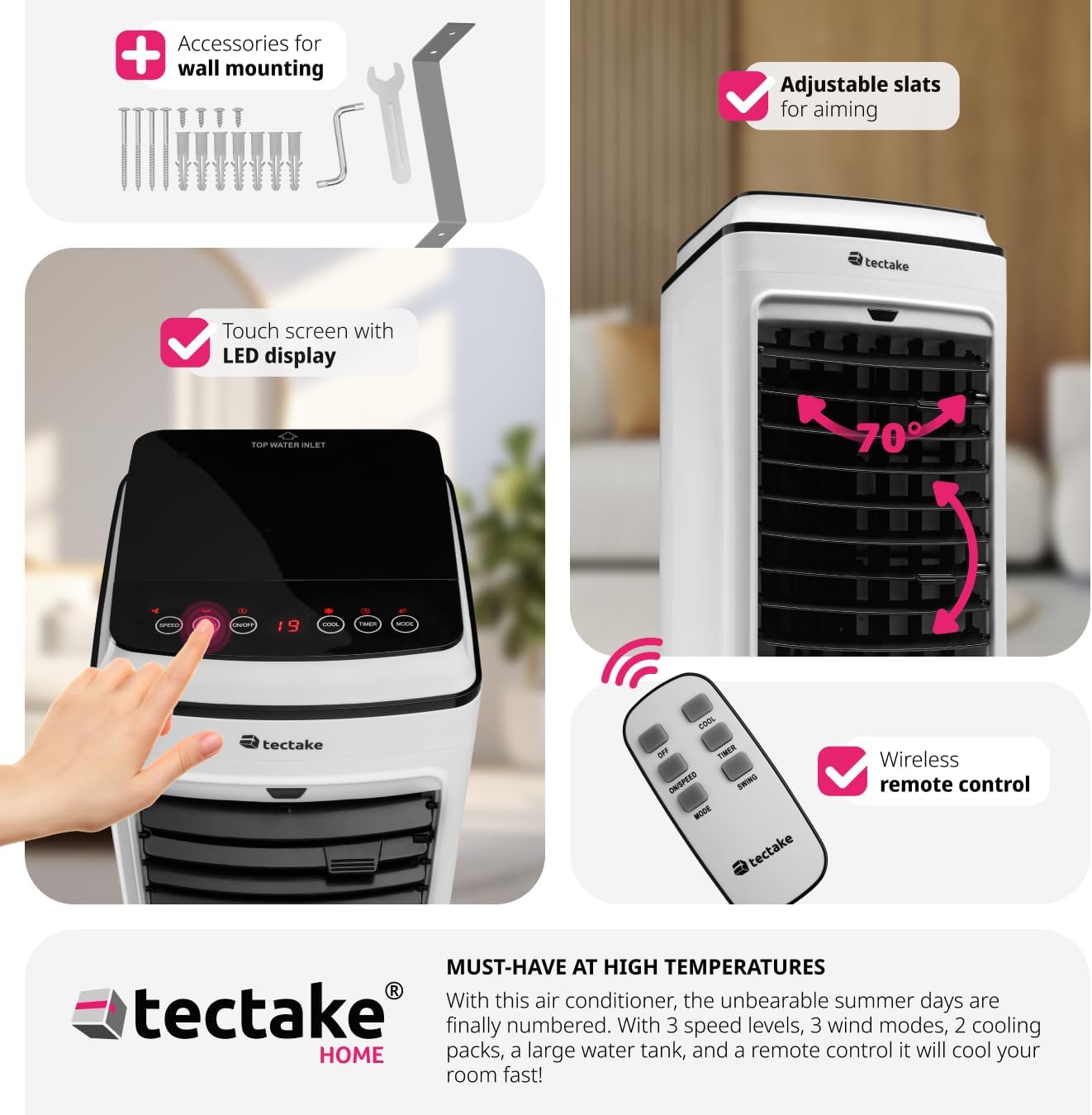
The unit can be wall-mounted using the included accessories.
5. Operating Instructions
Your TecTake Portable Air Conditioner can be operated using the intuitive LED touch control panel on top of the unit or the included remote control.
5.1 Control Panel and Remote Control
The touch control panel features LED lighting for easy operation, even in low light conditions. All functions available on the control panel are also accessible via the remote control.
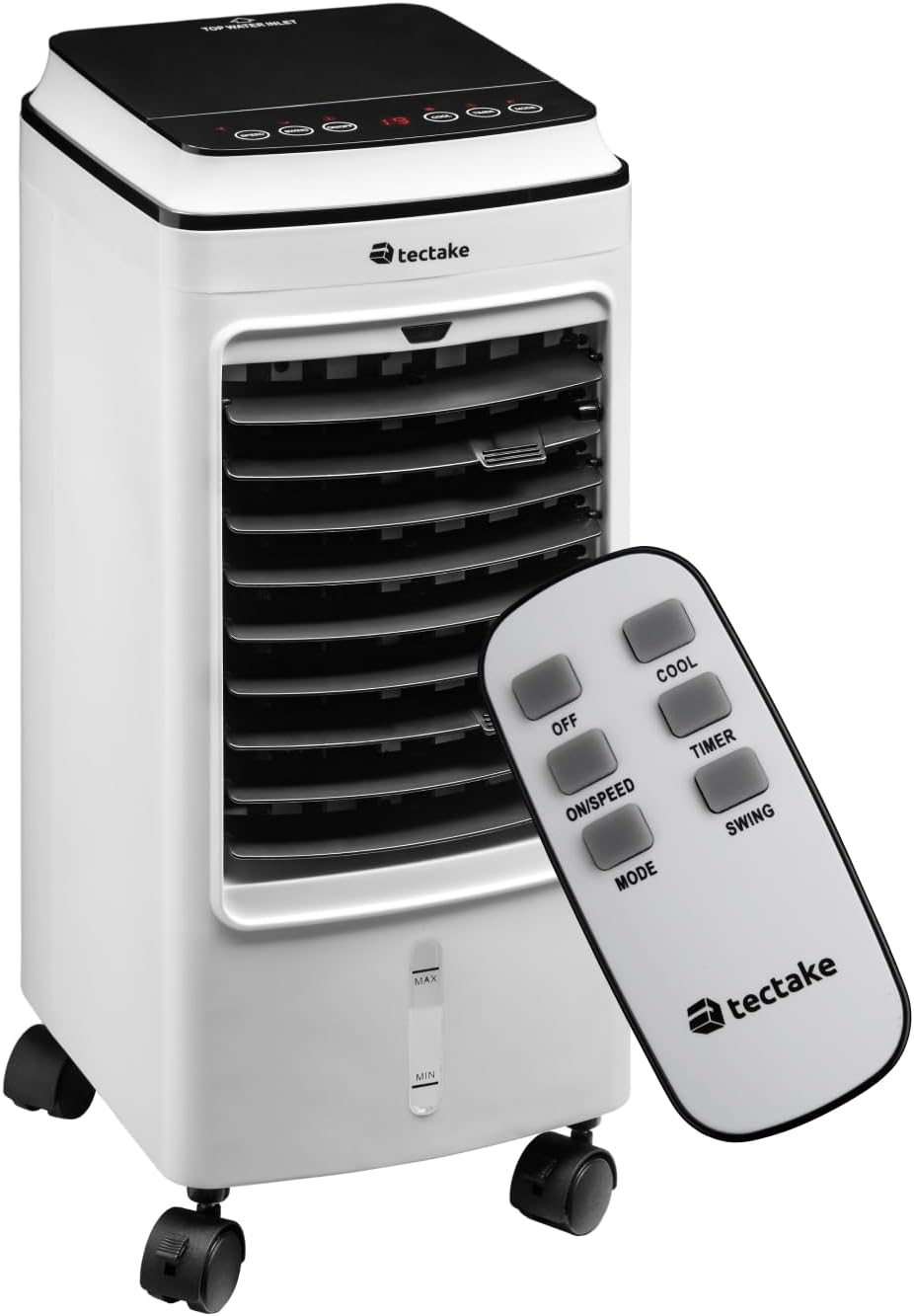
The portable air conditioner unit and its remote control.

The touch sensitive control panel is intuitive and user-friendly.

Remote control functions for easy adjustment from a distance.
5.2 Functions
- Power On/Off: Press the ON/OFF button to turn the unit on or off.
- Speed Levels: Press the ON/SPEED button repeatedly to cycle through three fan speed levels (Low, Medium, High).
- Wind Modes: Press the MODE button to select from three wind modes:
- Normal: Constant airflow at the selected speed.
- Natural: Simulates natural breeze with varying fan speeds.
- Snooze (Sleep): Operates at a lower, quieter speed for comfortable sleep.
- Cool Function: Press the COOL button to activate the cooling function, utilizing the water tank and ice packs.
- Timer Function: Press the TIMER button to set the operating time from 1 to 8 hours. The unit will automatically turn off after the set time. This function is ideal for ensuring comfortable sleep without continuous operation.
- Swing Function: Press the SWING button to activate the automatic oscillation of the vertical slats, distributing air across a wider area. The horizontal slats can be manually adjusted to direct airflow precisely.

Adjustable inner and outer slats allow you to direct the cold breeze.

The unit offers quiet operation (under 60 dB) and a timer function (1-8 hours) for comfortable use during sleep.
6. Maintenance
Regular maintenance ensures optimal performance and extends the lifespan of your air conditioner. Always unplug the unit before performing any maintenance.
- Cleaning the Air Filter: The air filter should be cleaned regularly, especially if the unit is used frequently.
- Unplug the unit from the power outlet.
- Locate the air filter at the back of the unit.
- Loosen the two upper screws securing the filter cover.
- Remove the filter and gently clean it with a soft brush or vacuum cleaner. For a more thorough cleaning, rinse it under running water (ensure it is completely dry before reinserting).
- Reinsert the clean, dry filter and secure the screws.

Steps for easy air filter cleaning.
- Cleaning the Water Tank: To prevent mold and mildew, the water tank should be cleaned regularly.
While the water tank is not designed for complete removal, it can be cleaned by draining any remaining water and wiping the interior with a damp cloth and mild detergent. Rinse thoroughly and allow to air dry before refilling. Regular draining of old water and refilling with fresh water is recommended.
- Exterior Cleaning: Wipe the exterior of the unit with a soft, damp cloth. Do not use abrasive cleaners or solvents.
- Storage: If storing the unit for an extended period, ensure the water tank is empty and dry, and the filter is clean. Store in a cool, dry place.
7. Troubleshooting
Before contacting customer support, please refer to the following table for common issues and their solutions.
| Problem | Possible Cause | Solution |
|---|---|---|
| Unit does not turn on. | No power supply; power cord not plugged in; power outlet faulty. | Ensure the unit is properly plugged into a working power outlet. Check the circuit breaker. |
| No cool air / Insufficient cooling. | Water tank empty; ice packs not frozen; air filter dirty; room too large; windows/doors open. | Fill the water tank. Freeze and add ice packs. Clean the air filter. Ensure the room size is appropriate for the unit's capacity. Close windows and doors. |
| Unit is noisy. | Unit not on a level surface; air filter dirty; foreign object inside. | Place the unit on a stable, level surface. Clean the air filter. Check for any obstructions. |
| Remote control not working. | Batteries dead or incorrectly inserted; obstruction between remote and unit. | Replace batteries. Ensure line of sight to the unit's receiver. |
8. Specifications
| Feature | Detail |
|---|---|
| Model Number | 403915 |
| Manufacturer | tectake |
| Product Dimensions | 23.5 x 26.5 x 60 cm |
| Item Weight | 5.2 kg |
| Colour | White |
| Power Source | Corded Electric |
| Voltage | 240 Volts |
| Wattage | 75 W |
| Water Tank Capacity | 4 litres |
| Number of Speeds | 3 |
| Wind Modes | Normal, Natural, Snooze |
| Timer Function | 1-8 hours |
| Controls Type | Remote, Touch Panel |
| Special Features | Portable, Adjustable Slats, Quiet Operation |
9. Warranty and Support
Your TecTake Portable Air Conditioner comes with a standard manufacturer's warranty. Please refer to the warranty card included in your package for specific terms and conditions.
For technical support, troubleshooting assistance beyond this manual, or warranty claims, please contact TecTake customer service. Contact details can typically be found on the product packaging, the official TecTake website, or your purchase documentation.
When contacting support, please have your model number (403915) and purchase date ready.
Related documents403915


Ask a question about this manual
Ask about setup, troubleshooting, compatibility, parts, safety, or missing instructions. Manuals+ will review the question and use this page’s manual context to help answer it.