
1. Introduction
This manual provides detailed instructions for the proper use and maintenance of your USHINING W380S 3G Unlocked Senior Flip Phone. Designed for ease of use, this phone features large buttons, a clear display, and essential functions including an SOS emergency button and a charging cradle. Please read this manual thoroughly before operating your device.
2. Package Contents
Verify that all items listed below are included in your package. If any items are missing or damaged, please contact customer support.
- USHINING W380S Flip Phone
- Charging Cradle
- Charging Cord (Micro USB)
- User Manual
- Battery (Nokia BL-5C compatible)
- SIM Card Adapter
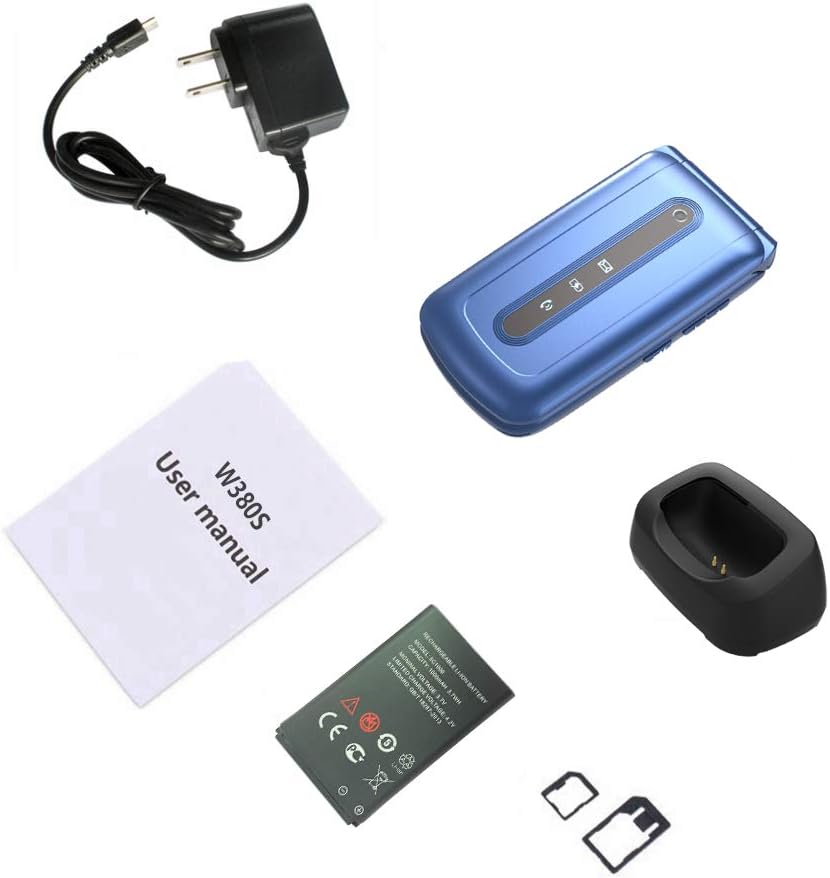
Image: Contents of the USHINING W380S package, including the flip phone, charging cradle, charging cord, user manual, battery, and SIM card adapter.
3. Phone Overview
Familiarize yourself with the key components and features of your USHINING W380S flip phone.
- Large Buttons: Designed for easy dialing and navigation.
- Large Icon Display: Ensures clear visibility of menu options and text.
- SOS Button: Located on the back for emergency calls.
- Charging Cradle: Simplifies charging by placing the phone in the dock.
- High-Quality Speaker: Provides loud and clear audio for calls.
- Dual LED Torch: Integrated flashlight for convenience.

Image: The USHINING W380S flip phone shown in its charging cradle and a separate view of the phone's rear, highlighting the SOS button.

Image: The USHINING W380S flip phone open, displaying large icons on the screen and large, easy-to-press buttons on the keypad.
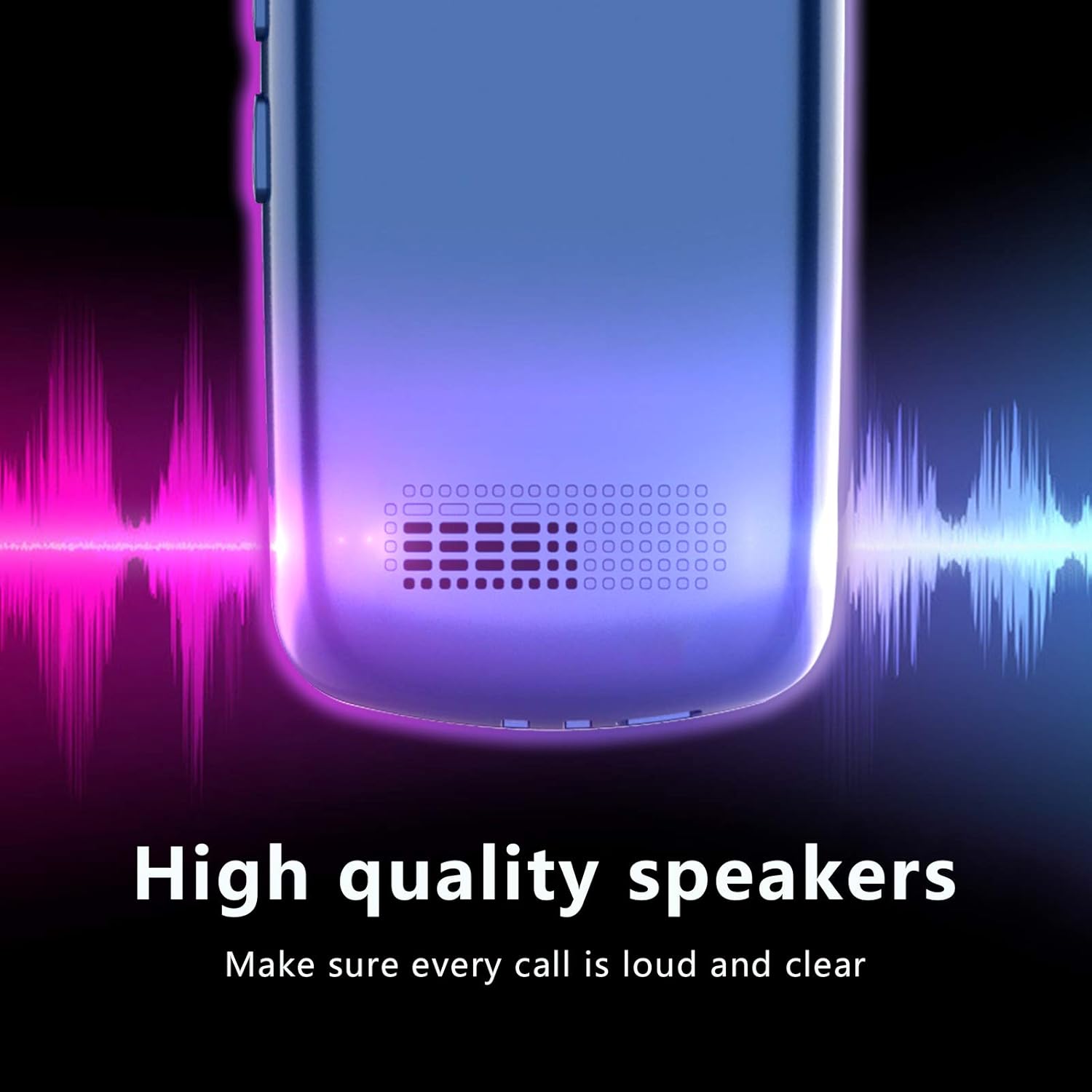
Image: A close-up view of the USHINING W380S phone's speaker grille, emphasizing its high-quality audio output.
4. Setup
4.1 Battery Installation
- Remove the back cover of the phone by gently prying it open from the notch.
- Insert the battery into the compartment, ensuring the gold contacts align with the phone's terminals.
- Replace the back cover, pressing firmly until it clicks into place.
4.2 SIM Card Installation
Important Note for 3G SIM Card Activation:
Since this is a 3G phone and many carriers have stopped activating new SIM cards for 3G devices, please do not activate a new SIM card directly on this phone. When purchasing a new SIM card, provide the IMEI number of an older phone or any other compatible phone to get the SIM card activated. Once activated, you can then insert the SIM card into your USHINING W380S phone. It will automatically connect to the carrier's network after turning on.
- Ensure the phone is powered off and the battery is removed.
- Locate the SIM card slot(s) beneath the battery compartment. This phone supports a standard size SIM card.
- Insert the activated standard SIM card into the designated slot with the gold contacts facing down and the cut corner aligned correctly.
4.3 Micro SD Card Installation (Optional)
To expand storage for photos or contacts, you can install a Micro SD card (up to 32GB, not included).
- Ensure the phone is powered off and the battery is removed.
- Locate the Micro SD card slot next to the SIM card slot.
- Insert the Micro SD card into the slot until it clicks into place.
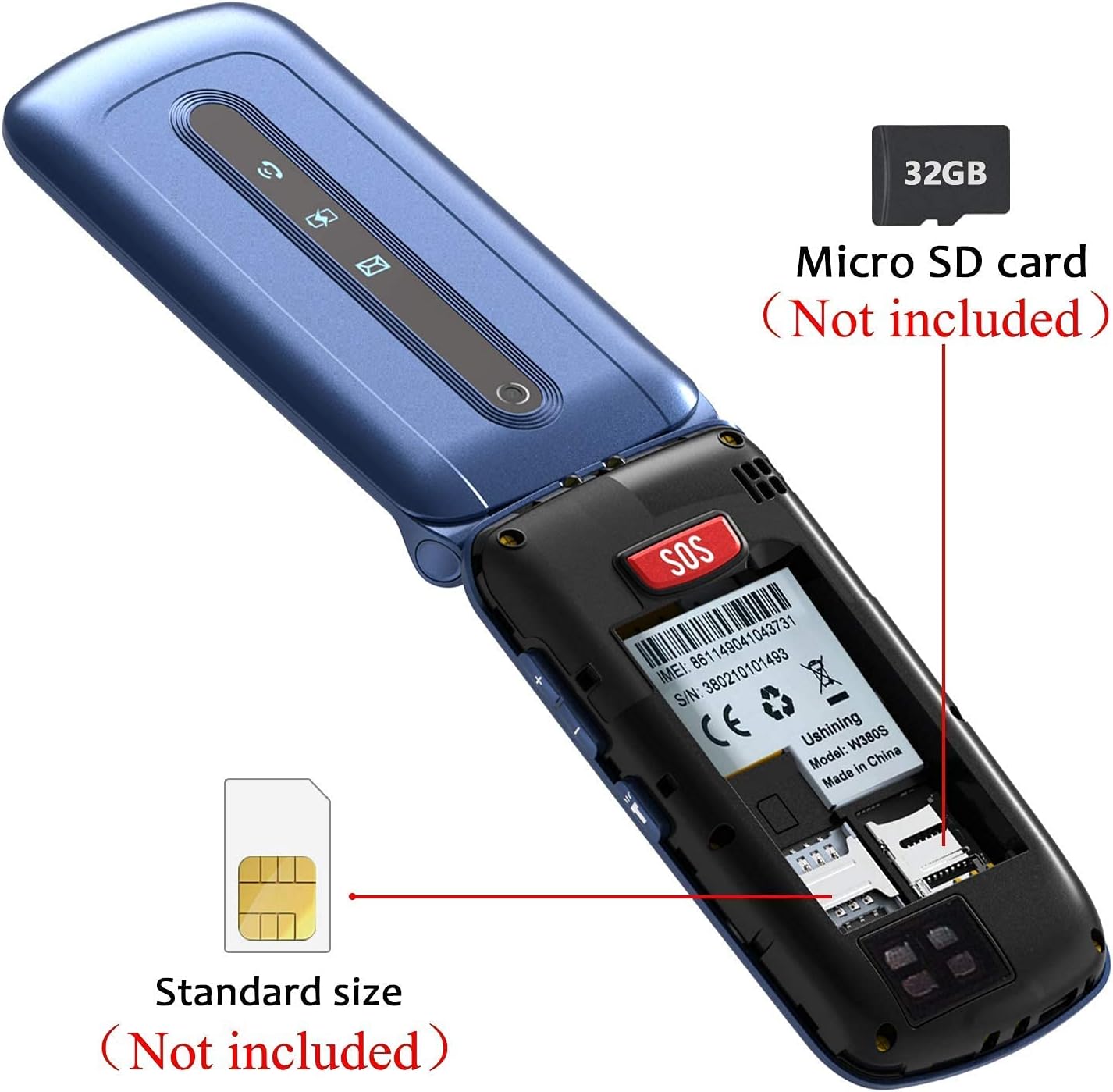
Image: An internal view of the USHINING W380S flip phone, showing the slots for a standard SIM card and a Micro SD card.

Image: A graphic emphasizing the important instruction for activating a new SIM card for the 3G phone, advising against direct activation on the device.
4.4 Charging the Phone
You can charge your phone using the included charging cradle or directly via the Micro USB port.
- Using the Charging Cradle: Connect the charging cord to the cradle and a power adapter. Place the phone into the cradle, ensuring it sits securely and the charging indicator appears on the screen.
- Direct Charging: Connect the charging cord directly to the Micro USB port on the side of the phone and to a power adapter.
4.5 Powering On/Off
- To Power On: Press and hold the red 'End Call' button until the screen lights up.
- To Power Off: Press and hold the red 'End Call' button until the power off options appear, then select 'Power Off'.
5. Operating Instructions
5.1 Making and Receiving Calls
- To Make a Call: Enter the phone number using the keypad and press the green 'Call' button.
- To Answer a Call: Press the green 'Call' button when the phone rings.
- To End a Call: Press the red 'End Call' button.
5.2 Sending and Receiving Messages
- Navigate to the 'Messages' menu.
- Select 'Write Message' to compose a new SMS.
- Enter the recipient's number and your message, then send.
- New messages will appear in your inbox.
5.3 SOS Emergency Function
The SOS button allows you to quickly contact pre-set emergency numbers.
- Go to 'Settings' > 'SOS Settings' to configure up to 5 emergency contacts.
- In an emergency, press and hold the red SOS button on the back of the phone.
- The phone will automatically dial the emergency contacts in sequence until one answers. It will also send an emergency SMS to these contacts.

Image: A diagram illustrating the SOS emergency call function, showing the SOS button on the phone and how it connects to pre-set family numbers and first aid contacts.
5.4 Speed Dial
Assign frequently called numbers to speed dial keys (M1, M2, M3).
- Go to 'Settings' > 'Speed Dial'.
- Select M1, M2, or M3 and assign a contact from your phonebook or enter a new number.
- To use, press and hold the assigned speed dial key.
5.5 Phonebook
Store and manage your contacts.
- Navigate to the 'Phonebook' menu.
- Select 'Add New Contact' to save a name and number.
- You can also edit or delete existing contacts.
5.6 Camera
The phone includes a basic camera for capturing photos.
- Access the camera from the main menu.
- Point the camera at your subject and press the 'OK' button to take a photo.
- Photos are saved to the phone's memory or the Micro SD card if installed.
5.7 Torch/Flashlight
Activate the dual LED torch for illumination.
- The torch can typically be activated by a dedicated side button or through the 'Tools' menu.

Image: The USHINING W380S flip phone held in a hand, with its dual LED torch emitting light.
5.8 Basic Settings
Customize your phone's behavior through the 'Settings' menu.
- Language: Change the display language.
- Time & Date: Set the current time and date.
- Volume: Adjust ringtone, call, and media volumes.
- Display: Modify backlight time, contrast, etc.
6. Maintenance
To ensure the longevity and optimal performance of your USHINING W380S phone, follow these maintenance guidelines:
- Keep the phone dry. Moisture can damage electronic circuits.
- Avoid extreme temperatures. High temperatures can shorten the life of electronic devices and damage batteries.
- Do not use harsh chemicals, cleaning solvents, or strong detergents to clean the phone. Wipe it with a soft, damp cloth.
- Handle the phone gently. Dropping, knocking, or shaking it can damage internal components.
- Do not attempt to disassemble the phone. This will void the warranty and can cause damage.
7. Troubleshooting
If you encounter issues with your phone, refer to the following common problems and solutions:
| Problem | Possible Solution |
|---|---|
| Phone does not power on. | Ensure the battery is correctly installed and charged. Connect to the charger for at least 30 minutes. |
| Cannot make or receive calls. | Check if the SIM card is properly inserted and activated. Verify network signal strength. Contact your carrier if necessary. |
| No sound during calls. | Check the call volume settings. Ensure the speaker is not blocked. |
| Battery drains quickly. | Reduce screen brightness, close unused applications, or consider replacing an old battery. |
| SOS button not working. | Verify that emergency contacts are correctly set up in the SOS settings. Ensure the phone has network coverage. |
If the problem persists, please contact customer support for further assistance.
8. Specifications
Key technical specifications for the USHINING W380S flip phone:
- Model: W380S
- Dimensions: 4.09 x 2.11 x 0.75 inches
- Item Weight: 8.8 ounces
- RAM: 64 MB
- ROM: 128 MB
- Display Size: 2.4 Inches
- Display Resolution: 240 x 320
- Wireless Communication Technologies: Bluetooth, Cellular (3G WCDMA: 850/1900MHz; 2G GSM: 850/1900 mHz)
- Connectivity Technologies: Bluetooth, Micro USB
- Battery Capacity: 1000 Milliamp Hours
- Expandable Memory: Micro SD card up to 32GB (not included)
- Camera: Rear
- Human Interface Input: Buttons, Dial
9. Warranty and Support
For warranty information and customer support, please refer to the documentation included with your purchase or contact USHINING customer service. Keep your purchase receipt as proof of purchase for warranty claims.
For inquiries, you may visit the USHINING store page on Amazon and use the 'Ask a question' feature to send an email. Customer support typically responds within 24 hours.