
Introduction
Thank you for purchasing the MITO Bladeless Neck Fan. This manual provides important information regarding the safe operation, setup, maintenance, and troubleshooting of your device. Please read this manual thoroughly before use and retain it for future reference.
The MITO Bladeless Neck Fan is designed for personal cooling, offering a hands-free experience with its wearable design. It features a 4000 mAh rechargeable battery, three-speed settings, and a quiet operation for comfort in various environments.
Safety Information
To ensure safe operation, please observe the following precautions:
- Keep the device away from water and moisture.
- Do not insert foreign objects into the air outlets.
- Avoid disassembling or modifying the fan.
- Keep out of reach of small children without supervision.
- Use only the provided charging cable or a certified equivalent.
- Do not expose the battery to extreme temperatures or direct sunlight.
- The bladeless design prevents hair from getting caught, making it safe for children and the elderly.
Package Contents
Verify that all items are present in the package:
- MITO Bladeless Neck Fan
- USB-C Charging Cable
- User Manual

Image: Contents of the MITO Bladeless Neck Fan package.
Setup
Charging the Device
Before first use, fully charge the neck fan. The device is equipped with a 4000 mAh battery.
- Locate the USB-C charging port on the side of the fan.
- Connect the provided USB-C cable to the fan's charging port.
- Connect the other end of the USB-C cable to a compatible USB power adapter (not included) or a computer's USB port.
- The charging indicator light will illuminate during charging and turn off or change color when fully charged (refer to LED indicator section for details).
A full charge typically provides 4-16 hours of operation, depending on the selected speed setting.
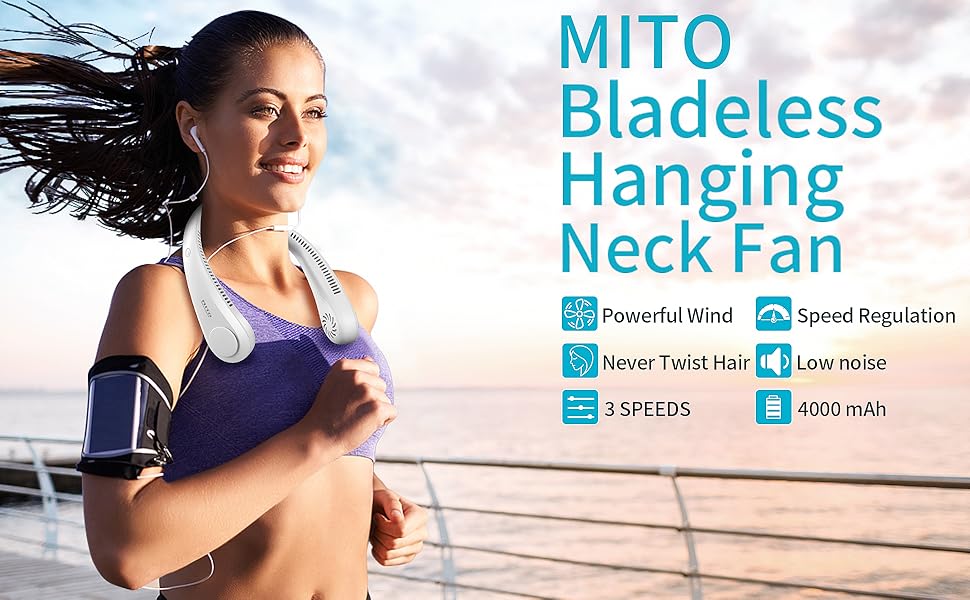
Image: Close-up of the MITO Bladeless Neck Fan showing the charging port and control button.
Operating Instructions
Wearing the Fan
Place the neck fan around your neck with the air outlets facing upwards and inwards, ensuring comfortable positioning. The flexible design allows for a secure fit.

Image: A person wearing the MITO Bladeless Neck Fan, demonstrating its hands-free design.
Power On/Off and Speed Adjustment
The fan features a single control button for power and speed settings.
- To Power On: Press the power button once. The fan will start at Speed 1 (Breeze mode).
- To Adjust Speed: Press the power button repeatedly to cycle through the speed settings:
- Speed 1 (Breeze): Provides gentle airflow for up to 17 hours.
- Speed 2 (Mild Wind): Offers moderate cooling for up to 10 hours.
- Speed 3 (Cool Wind): Delivers maximum airflow for up to 5 hours.
- To Power Off: After Speed 3, pressing the button again will turn the fan off.
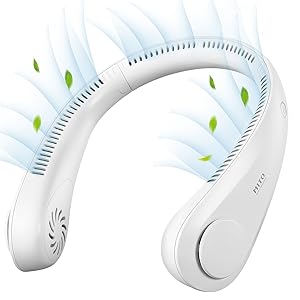
Image: Battery life indications for Speed 1 (17 hours), Speed 2 (10 hours), and Speed 3 (5 hours).
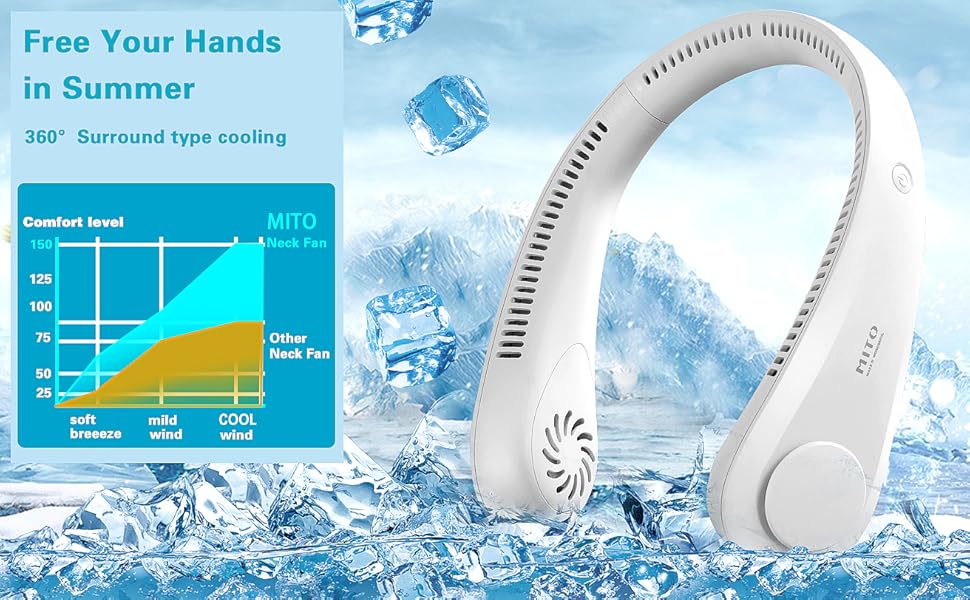
Image: Illustration highlighting the 72 air outlets and 360-degree surrounding airflow.
Maintenance
Cleaning
Regular cleaning helps maintain optimal performance and hygiene.
- Ensure the fan is turned off and disconnected from any power source before cleaning.
- Wipe the exterior of the fan with a soft, dry, or slightly damp cloth.
- Do not use abrasive cleaners, solvents, or immerse the device in water.
- Use a soft brush or compressed air to gently clear any dust from the air inlets and outlets.
Storage
When not in use for extended periods, store the fan in a cool, dry place, away from direct sunlight and extreme temperatures. Ensure the battery is partially charged (around 50%) before storage to prolong its lifespan.
Troubleshooting
If you encounter issues with your MITO Bladeless Neck Fan, refer to the following common problems and solutions:
| Problem | Possible Cause | Solution |
|---|---|---|
| Fan does not turn on. | Battery is depleted. | Charge the fan using the provided USB-C cable. |
| Fan turns off unexpectedly. | Low battery. | Recharge the fan. |
| Weak airflow. | Air inlets/outlets are blocked or fan is on low speed. | Ensure air vents are clear. Increase fan speed by pressing the power button. |
| Charging indicator not working. | Faulty cable or power source. | Try a different USB-C cable or power adapter. Ensure connections are secure. |
If the problem persists after attempting these solutions, please contact customer support.
Specifications
| Feature | Detail |
|---|---|
| Brand | MITO |
| Model Name | MITO Bladeless Neck Fan |
| Model Number | AUB08Y5TP3ZK |
| Color | White |
| Power Source | Battery Powered |
| Battery Capacity | 4000 mAh |
| Number of Speeds | 3 |
| Noise Level | 25 Decibels |
| Wattage | 5 watts |
| Voltage | 5 Volts |
| Item Weight | 9.1 Ounces |
| Material | Plastic, Silicone |
| Special Features | Bladeless, Portable |
Warranty and Support
Warranty Information
The MITO Bladeless Neck Fan comes with a standard manufacturer's warranty. Please refer to the product packaging or contact your retailer for specific warranty terms and conditions.
Customer Support
For technical assistance, troubleshooting not covered in this manual, or warranty claims, please contact MITO customer support through their official website or the retailer where the product was purchased. Please have your model number (AUB08Y5TP3ZK) and purchase date available when contacting support.
Product Video
Video: Official product overview of the MITO Bladeless Neck Fan, demonstrating its features and use.