
ipega PG-SW038
User Manual: ipega SW038 Ninja Run Pro Wireless Controller
Model: PG-SW038
Introduction
This manual provides comprehensive instructions for the ipega SW038 Ninja Run Pro Wireless Controller. It covers setup, operation, maintenance, and troubleshooting to ensure optimal performance and longevity of your device. This controller is designed for use with Nintendo Switch, Switch Lite, PS3, PC, and Android devices.
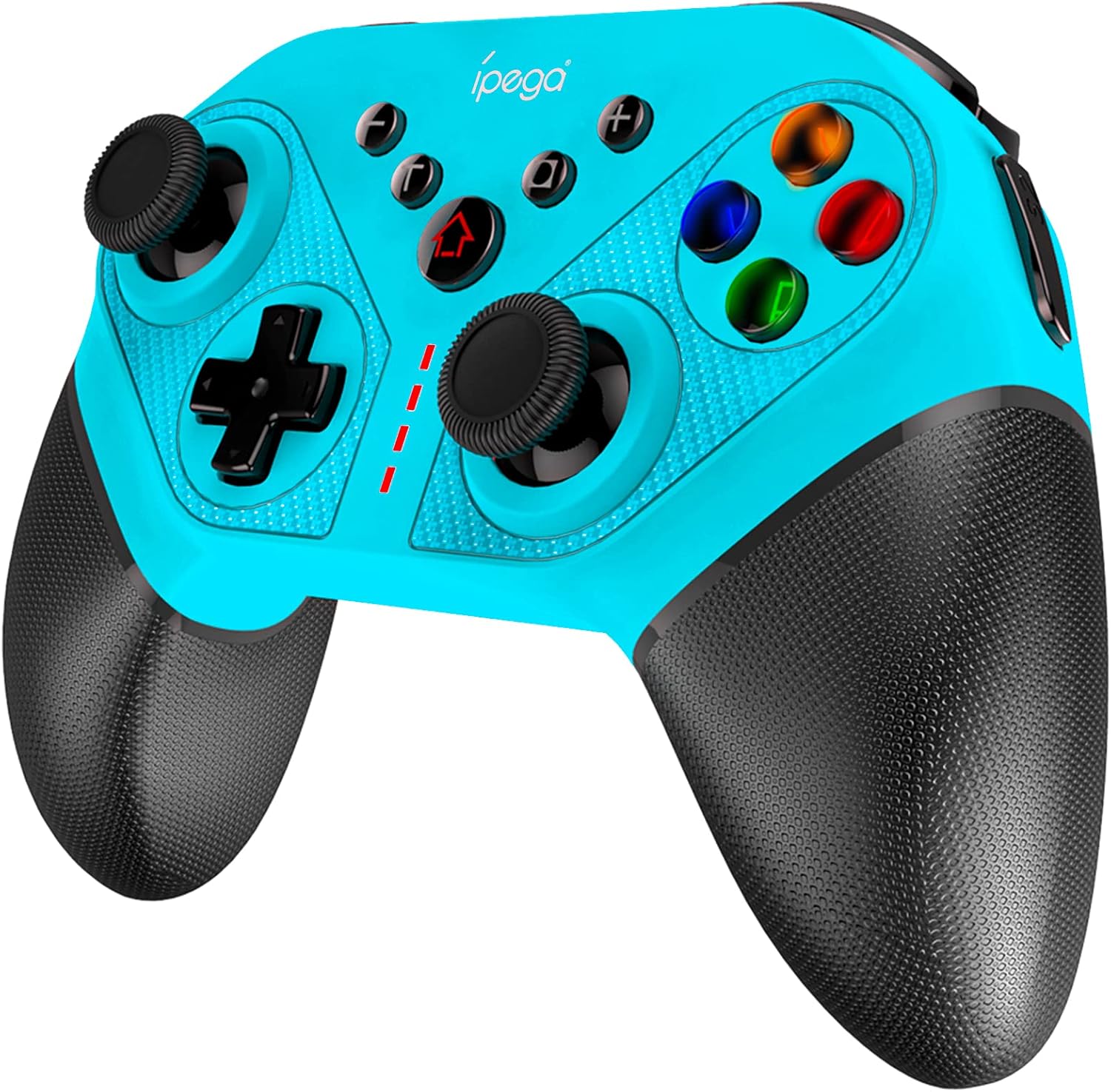
Figure 1: ipega SW038 Ninja Run Pro Wireless Controller (Blue)
Package Contents
Please verify that all items are present in the package:
- 1 x ipega SW038 Gaming Controller
- 1 x User Manual (this document)
- 1 x Protective Case (if included in specific bundles)
- 1 x USB-C Fast Charging Cable
Product Features
The ipega SW038 controller is equipped with advanced features for an enhanced gaming experience:
- Universal Compatibility: Designed for Nintendo Switch, Switch Lite, PS3, PC, and Android devices.
- Long Battery Life: Built-in 400mAh rechargeable Lithium battery provides approximately 12 hours of gaming time. Fully charges within 3 hours via USB-C.
- 6-Axis Gyro: Supports precise motion control for accurate in-game movements.
- Dual Motors Vibration: Provides realistic and immersive haptic feedback.
- Ergonomic Design & Non-slip Handles: Ensures comfortable grip and prevents slipping during extended gaming sessions.
- 4 Memory Programmable Buttons (S1, S2, S3, S4): Allows for custom button mapping and simplified complex combos.
- Turbo Function: Enables rapid-fire input for competitive gaming.
- Screenshot Button: Capture in-game moments instantly.
- Colorful LED Backlights: Illuminated ABXY buttons for enhanced visibility and aesthetics.

Figure 2: The ipega SW038 controller provides a real gaming experience with its ergonomic design and responsive controls.

Figure 3: Detail of the non-slip textured handles, designed for comfortable and secure grip.

Figure 4: Battery specifications: 400mAh capacity, 10-12 hours playing time, 3 hours charging time via USB-C.
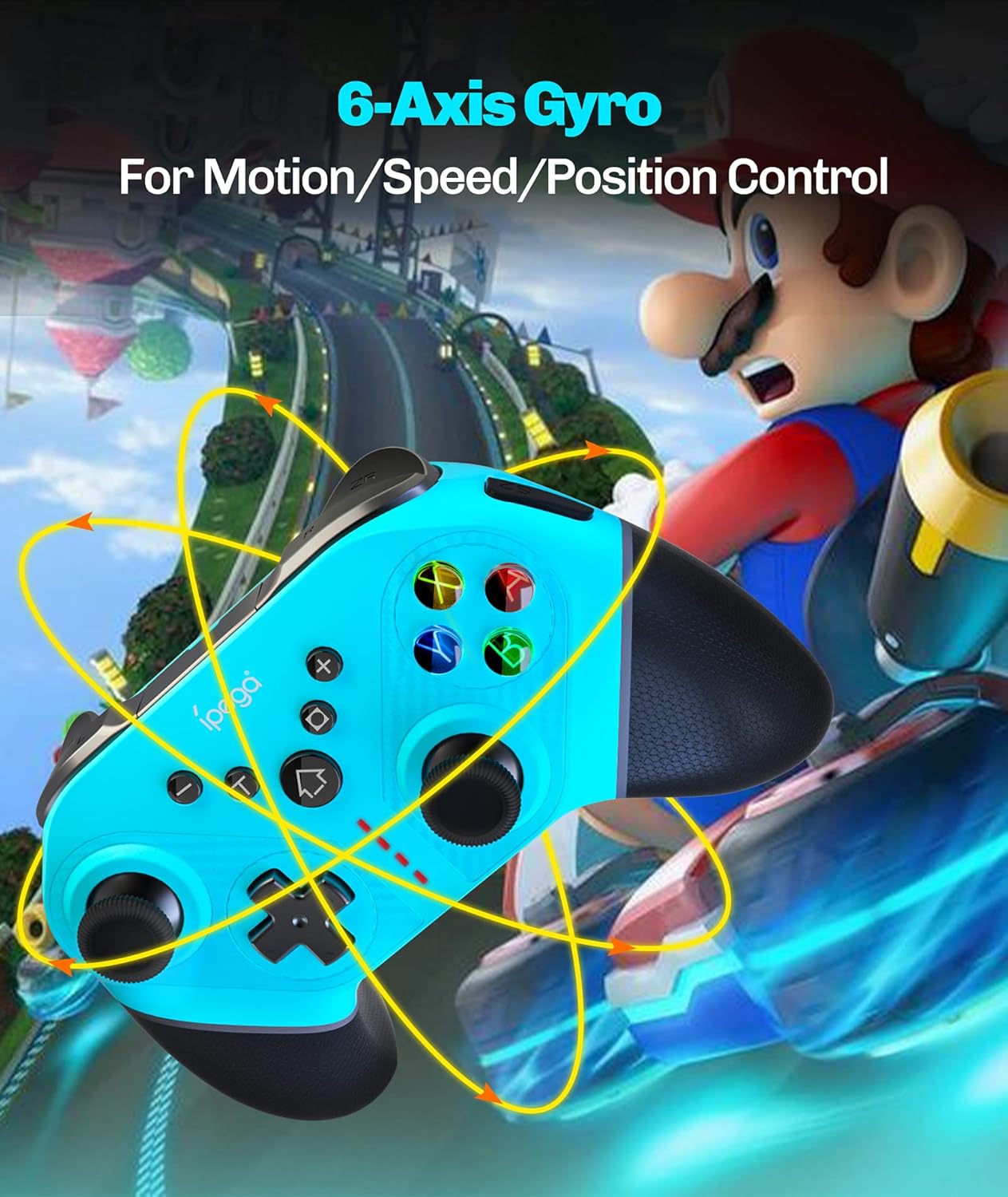
Figure 5: The 6-Axis Gyro feature allows for precise motion, speed, and position control in games.

Figure 6: The four memory programmable buttons (S1, S2, S3, S4) simplify complex in-game actions.

Figure 7: The ABXY buttons feature colorful LED backlights for improved visibility and aesthetic appeal.
Setup and Connection
Follow these steps to connect your ipega SW038 controller to your device:
Connecting to Nintendo Switch/Switch Lite:
- From the HOME Menu, select Controllers, then Change Grip/Order.
- While the screen displays "Press L + R on the controller", press and hold the HOME button and Y button on the ipega controller simultaneously for 3 seconds until the LED indicators start flashing rapidly.
- Once connected, the corresponding player LED(s) on the controller will light up solid.
Connecting to PS3:
- Connect the controller to the PS3 console using the provided USB-C cable.
- Press the HOME button on the controller.
- The controller will automatically pair and function as a wired controller. For wireless connection, disconnect the USB cable after initial pairing.
Connecting to PC (Windows):
- Connect the controller to your PC using the provided USB-C cable.
- The PC should automatically detect and install the necessary drivers.
- The controller will function as a wired XInput or DInput controller, depending on the game's requirements.
Connecting to Android Devices:
- Enable Bluetooth on your Android device.
- Press and hold the HOME button and A button on the ipega controller simultaneously for 3 seconds until the LED indicators start flashing rapidly.
- On your Android device, search for Bluetooth devices and select "PG-SW038" or similar.
- Once connected, the LED indicator on the controller will light up solid.
Operating Instructions
Charging the Controller:
Connect the provided USB-C cable to the controller's charging port and the other end to a USB power source (e.g., console, PC, USB wall adapter). The LED indicators will show charging status and turn off when fully charged. You can continue playing while the controller charges.
Using Programmable Buttons (S1, S2, S3, S4):
The four programmable buttons on the back of the controller allow you to map single buttons or complex combos for quick execution. Refer to the specific programming instructions in the full manual (if available) or experiment with your game's control settings.
Turbo Function:
To activate Turbo for a button, press and hold the Turbo button, then press the desired action button (e.g., A, B, X, Y, L, R, ZL, ZR). To deactivate Turbo, repeat the process.
Screenshot Button:
Press the Screenshot button (located near the HOME button) to capture a screenshot of your current game screen. This feature is primarily supported on Nintendo Switch.
Vibration Adjustment:
The dual motors provide adjustable vibration feedback. Specific adjustment methods may vary by console or game. Consult your console's settings or game options for vibration intensity control.
Maintenance
- Cleaning: Use a soft, dry cloth to clean the controller. For stubborn dirt, slightly dampen the cloth with water. Do not use harsh chemicals or abrasive cleaners.
- Storage: Store the controller in a cool, dry place away from direct sunlight and extreme temperatures. If storing for an extended period, ensure the battery is partially charged (around 50%) to preserve battery health.
- Battery Care: Avoid fully discharging the battery frequently. Charge the controller regularly, even if not in use, to maintain battery performance.
Troubleshooting
| Problem | Possible Cause | Solution |
|---|---|---|
| Controller does not turn on. | Battery is depleted. | Charge the controller using the provided USB-C cable. |
| Controller does not connect to device. | Incorrect pairing mode; device Bluetooth off; interference. | Ensure correct pairing mode for your device (see Setup section). Turn off and on Bluetooth on your device. Move closer to the device. |
| Buttons or joysticks are unresponsive. | Software glitch; physical damage; low battery. | Restart the controller and the device. Ensure controller is fully charged. If issues persist, contact customer support. |
| Vibration is not working. | Vibration setting off in game/console; driver issue. | Check game and console settings to ensure vibration is enabled. Reconnect the controller. |
Specifications
| Feature | Detail |
|---|---|
| Model Number | PG-SW038 |
| Compatibility | Nintendo Switch, Switch Lite, PS3, PC, Android |
| Connectivity | Wireless (Bluetooth), USB-C (Wired) |
| Battery Capacity | 400mAh Lithium Battery |
| Playing Time | Approx. 12 hours |
| Charging Time | Approx. 3 hours |
| Dimensions (L x W x H) | 15.5 x 6.3 x 11.5 cm |
| Weight | 18 g |
| Color | Blue |
Warranty Information
This ipega product comes with a worry-free 12-month warranty from the date of purchase. This warranty covers manufacturing defects and issues arising from normal use. It does not cover damage caused by misuse, accidents, unauthorized modifications, or natural disasters. Please retain your proof of purchase for warranty claims.
Customer Support
For any questions, technical assistance, or warranty claims, please contact ipega customer service. Refer to the contact information provided on the product packaging or the official ipega website. Our friendly customer service team is ready to assist you.
Related documentsPG-SW038


Ask a question about this manual
Ask about setup, troubleshooting, compatibility, parts, safety, or missing instructions. Manuals+ will review the question and use this page’s manual context to help answer it.