
TOBUSA T0344-BK-27
TOBUSA 22-inch Touch Control Table Lamp with USB Ports and AC Outlet Instruction Manual
Model: T0344-BK-27
Introduction
Thank you for choosing the TOBUSA 22-inch Touch Control Table Lamp set. This manual provides essential information for the safe and efficient use of your new lamps. These modern lamps feature 3-way dimmable touch control, dual 5V/2.1A USB charging ports, and a 2-prong AC outlet, making them ideal for various settings such as bedrooms, living rooms, and offices. Please read these instructions carefully before assembly and use, and retain them for future reference.
Important Safety Instructions
- Indoor Use Only: This lamp is designed for indoor use in dry locations. Do not expose to water or moisture.
- Electrical Safety: Always unplug the lamp from the power outlet before cleaning, changing light bulbs, or performing any maintenance.
- Bulb Type: Use only E26 base bulbs. Do not exceed the maximum wattage of 100W for incandescent bulbs or the equivalent for LED bulbs. The included LED bulbs are 7W.
- Stable Placement: Ensure the lamp is placed on a stable, flat surface to prevent tipping.
- Avoid Overloading: Do not overload the USB charging ports or AC outlet. Refer to device specifications for charging requirements.
- Children and Pets: Keep the lamp out of reach of children and pets to prevent accidents.
- Damaged Cord: Do not operate the lamp with a damaged cord or plug. If damaged, contact qualified service personnel.
Package Contents
Verify that all components are present and undamaged before proceeding with assembly.
- 2 x Lamp Bases with USB Ports and AC Outlet
- 2 x Lamp Shades (Fabric, Cream)
- 2 x Harps (for holding lampshade)
- 2 x Finials (for securing lampshade)
- 2 x A19 LED Edison Bulbs (7W, 2700K Warm White)

Image: Overview of the TOBUSA table lamp, showing the base, rectangular fabric shade, and an included LED bulb, highlighting its modern design and key features.
Setup Instructions
Follow these steps to assemble your TOBUSA table lamp:
- Place the Harp: Carefully place the harp onto the saddle located on the lamp base. Ensure it is seated securely and without inclination to maintain balance.
- Install the LED Bulb: Screw the provided A19 LED bulb into the E26 socket. Do not overtighten.
- Position the Lampshade: Place the fabric lampshade over the harp, aligning the top ring of the shade with the top of the harp.
- Secure the Finial: Screw the finial onto the threaded rod at the top of the harp to firmly secure the lampshade in place.
- Connect to Power: Plug the lamp's power cord into a standard 120V AC wall outlet.

Image: A visual guide illustrating the simple four-step assembly process for the table lamp, from placing the harp to securing the lampshade with the finial.
Operating Instructions
Touch Control Dimmable Function
The TOBUSA table lamp features a convenient 3-way touch control dimming function. To operate, simply touch any metal part of the lamp (base, stem, or finial) to cycle through the brightness settings:
- First Touch: Activates Low brightness (ideal for soft ambient light or night light).
- Second Touch: Switches to Medium brightness (suitable for general illumination).
- Third Touch: Switches to High brightness (provides bright light for reading or tasks).
- Fourth Touch: Turns the lamp OFF.
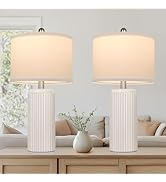
Image: This image demonstrates the lamp's touch control, cycling through off, low, medium, and high brightness settings, illustrating its versatility for different lighting needs.
USB Charging Ports and AC Outlet
Each lamp base is equipped with two 5V/2.1A USB charging ports and one 2-prong AC outlet for your convenience. These ports are active when the lamp is plugged into a wall outlet, regardless of the lamp's light status.
- USB Ports: Connect your smartphones, tablets, e-readers, or other USB-powered devices to the USB ports for charging.
- AC Outlet: Use the 2-prong AC outlet to power small electronic devices or appliances.

Image: The lamp's base is shown with a smartphone and tablet connected to its USB ports, and another device plugged into the AC outlet, demonstrating its integrated charging capabilities.
Care and Maintenance
Cleaning
- Always unplug the lamp before cleaning.
- Wipe the lamp base and shade with a soft, dry cloth. Do not use abrasive cleaners, solvents, or polishes as they may damage the finish.
Bulb Replacement
- Ensure the lamp is unplugged and the bulb has cooled completely before attempting to replace it.
- Unscrew the old bulb from the E26 socket.
- Screw in a new E26 base bulb. The lamp is compatible with LED bulbs up to 7W (included) or incandescent bulbs up to 100W.
Troubleshooting
| Problem | Possible Cause | Solution |
|---|---|---|
| Lamp does not turn on. | 1. Lamp is unplugged. 2. Light bulb is loose or burnt out. 3. Wall switch is off or circuit breaker tripped. | 1. Ensure the power cord is securely plugged into an active outlet. 2. Tighten the bulb or replace it with a new one. 3. Check the wall switch and circuit breaker. |
| Touch control is unresponsive. | 1. Incorrect bulb type (non-dimmable). 2. Poor contact with metal part. 3. Electrical interference. | 1. Ensure a dimmable LED bulb or incandescent bulb is used. 2. Make sure you are touching a metal part of the lamp firmly. 3. Try plugging the lamp into a different outlet. |
| USB ports or AC outlet not working. | 1. Lamp is not plugged in. 2. Device cable is faulty. 3. Device is not compatible or requires more power. | 1. Confirm the lamp is plugged into a live power outlet. 2. Try a different USB cable or AC adapter. 3. Check device power requirements and ensure they are within the lamp's output limits (5V/2.1A for USB). |
Product Specifications
| Feature | Specification |
|---|---|
| Model Name | T0344-BK-27 |
| Dimensions | 6.8"D x 12.5"W x 22"H |
| Item Weight | 7.99 pounds (per set) |
| Material | Metal Base, Fabric Shade |
| Finish Type | Polished |
| Shade Color | Cream |
| Light Source Type | LED (Bulbs Included) |
| Bulb Base | E26 |
| Max Wattage | 100 Watts (incandescent equivalent) |
| Brightness | 800 Lumen (per included LED bulb) |
| Color Temperature | 2700 Kelvin (Warm White) |
| Control Method | Touch |
| USB Output | 5V/2.1A (2 ports per lamp) |
| AC Outlet | 1 x 2-prong US standard outlet per lamp |
| Power Source | Corded Electric |
| Indoor/Outdoor Usage | Indoor |
Warranty and Support
TOBUSA is committed to providing high-quality products. For any questions, concerns, or support needs regarding your table lamps, please contact the manufacturer or your retailer. Please retain your proof of purchase for warranty claims.
Ask a question about this manual
Ask about setup, troubleshooting, compatibility, parts, safety, or missing instructions. Manuals+ will review the question and use this page’s manual context to help answer it.