
GANPE GANPE-HC1025-3240HBI
GANPE 32 x 40 inch LED Bathroom Mirror User Manual
Model: GANPE-HC1025-3240HBI
Important Safety Information
Please read all instructions carefully before installation and use. Keep this manual for future reference.
- This mirror contains electrical components and may have sharp edges. To avoid injury, do not install or use if the product is damaged.
- Keep away from water and avoid contact with electrical outlets.
- Always unplug the mirror from the power source when not in use or before cleaning.
- Do not attempt to repair or modify the mirror. Contact qualified personnel for service.
- Keep out of reach of children and pets.
Product Overview
The GANPE LED Bathroom Mirror is a smart vanity mirror designed for modern bathrooms. It features integrated LED lighting with adjustable color temperature and brightness, a human body induction sensor for automatic light activation, a Bluetooth speaker for audio streaming, and an anti-fog function. The mirror is IP44 waterproof rated and can be mounted vertically or horizontally.
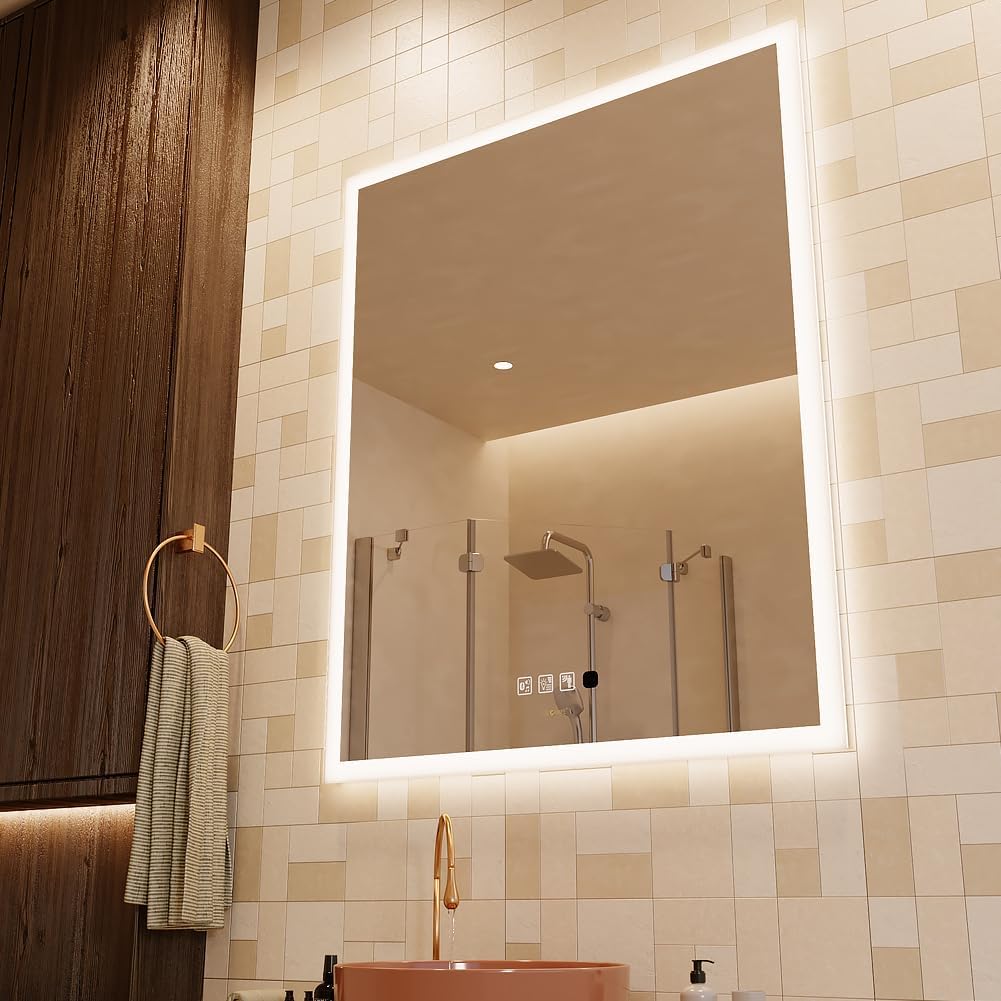
Image: The GANPE LED Bathroom Mirror, showcasing its illuminated design in a contemporary bathroom setting.
Package Contents
Ensure all components are present before beginning installation:
- GANPE LED Bathroom Mirror
- Installation Board
- Wall Hardware (screws, anchors)
- User Manual (this document)
Setup and Installation
This mirror offers two installation methods: hardwired or plug-in. It can be hung vertically or horizontally to best fit your bathroom layout.
1. Preparation
- Unpack the mirror and inspect for any damage. Keep the packaging until installation is complete and tested.
- Choose a suitable location on the wall, ensuring it is structurally sound to support the mirror's weight (approximately 35.8 lbs).
- Ensure the power supply to the installation area is turned off at the circuit breaker.
2. Mounting the Mirror
We provide an installation board and wall hardware for secure mounting.
- Use the provided installation board as a template to mark the drilling points on the wall.
- Drill holes at the marked positions and insert wall anchors if necessary.
- Secure the installation board to the wall using the provided screws.
- Carefully hang the mirror onto the installed board. Ensure it is securely seated.

Image: An illustration detailing the wall mounting process, including drilling and securing the installation board.
3. Electrical Connection
The mirror can be hardwired or connected via a plug. If using the plug, ensure the cord is routed safely.
- For hardwiring, consult a qualified electrician to connect the mirror's wiring to your home's electrical system according to local codes.
- For plug-in use, connect the mirror's power cord to a suitable electrical outlet. Note that the cord is black.

Image: Examples of the mirror installed both horizontally and vertically, illustrating its adaptable design.
Operating Instructions
The mirror features a smart touch switch and human body induction for various functions.
1. Power On/Off and Light Adjustment
- Short Touch: Briefly touch the power switch icon on the mirror to turn the light on or off.
- Change Color Temperature: Quick double-click the power switch to cycle through 3 color temperatures: 3000K (Warm Light), 4000K (Natural Light), and 6500K (White Light).
- Adjust Brightness (Dimming): Long touch the power switch to continuously adjust the brightness level. Release when the desired brightness is reached.
- Memory Function: The mirror will remember your last brightness and color temperature settings for convenience.

Image: Visual guide to adjusting the mirror's light color temperature and brightness, highlighting the smart touch switch.
2. Human Body Induction Sensor
The human body induction sensor can automatically switch the light based on presence.
- Activate/Deactivate: Use the dedicated human induction touch button to turn the sensing function on or off.
- Automatic Activation: When activated, the light will turn on when a person is detected within approximately 2 meters of the mirror.
- Automatic Deactivation: When people leave the detection area, the light will turn off after approximately 1 minute.

Image: A visual representation of the human body induction feature, demonstrating how the mirror lights up upon detecting movement.
3. Anti-Fog Function
The defogger film helps keep the mirror clear in steamy environments.
- Activation: The defogger film will work automatically when the mirror light is turned on.
- Automatic Shut-off: The anti-fog function will automatically turn off after 1 hour to conserve energy.

Image: A visual demonstration of the anti-fog feature, showing a clear mirror surface after activation compared to a fogged one.
4. Bluetooth Speaker
Enjoy audio by connecting your device to the mirror's integrated Bluetooth speaker.
- Turn On/Off: Use the dedicated Bluetooth button on the mirror to activate or deactivate the speaker.
- Pairing: On your phone or tablet, enable Bluetooth and search for "GANPE Mirror".
- Password: Enter the password "6688" when prompted to pair.
- Connection: Wait for the connection to succeed. You can now stream audio to the mirror.

Image: A user interacting with the Bluetooth speaker function, connecting a mobile device to play music through the mirror.
Maintenance
Proper care will ensure the longevity and performance of your mirror.
- Cleaning the Mirror Surface: Use a soft, damp cloth to wipe the mirror surface. For stubborn stains, a solution of 70% alcohol can be used. Avoid abrasive cleaners or harsh chemicals that may damage the mirror or its coatings.
- Cleaning the Frame: Wipe the frame with a soft, dry cloth.
- Electrical Components: Ensure the mirror is unplugged before cleaning. Do not spray water directly onto electrical components.
Troubleshooting
If you encounter issues with your GANPE LED Bathroom Mirror, refer to the following common problems and solutions:
| Problem | Possible Cause | Solution |
|---|---|---|
| Light does not turn on. | No power, loose connection, sensor deactivated. | Check power supply and connections. Ensure the human body induction sensor is activated if using that mode. Try manually turning on with the touch switch. |
| Bluetooth speaker not connecting. | Bluetooth not enabled on mirror/device, incorrect password, device too far. | Ensure mirror's Bluetooth is on. Check device's Bluetooth settings. Re-enter password "6688". Move device closer to the mirror. |
| Human sensor not responding. | Sensor deactivated, obstruction, out of range. | Ensure the human induction touch button is activated. Clear any obstructions in front of the sensor. Ensure movement is within 2 meters of the mirror. |
| Anti-fog not effective. | Function not active, excessive humidity. | Ensure the mirror light is on, as the anti-fog activates with the light. Allow a few minutes for the defogger to work. |
| Touch controls are unresponsive. | Wet hands, temporary glitch. | Ensure hands are dry. Try a firm, direct touch. If unresponsive, try cycling power to the mirror. |
Specifications
| Feature | Detail |
|---|---|
| Brand | GANPE |
| Model Number | GANPE-HC1025-3240HBI |
| Product Dimensions | 32"L x 40"W |
| Item Weight | 35.8 pounds |
| Material | Glass (Copper-free silver mirror) |
| Mounting Type | Wall Mount (Vertical & Horizontal) |
| Special Features | Adjustable lighting (3000K-4000K-6500K), Dimmable, Bluetooth Speaker, Human Body Sensing Switch, Anti-fog, IP44 Waterproof |
| Color Rendering Index (CRI) | 95 |
| UPC | 789622468480 |
Warranty and Support
GANPE is committed to providing high-quality products and customer satisfaction.
- Warranty: This product comes with a 1-year warranty. Free replacement of parts is available for three years.
- Returns: Free returns are available within 30 days of purchase.
- Customer Support: For any questions or assistance regarding the product, please contact our 24/7 Email Assistant. Refer to your purchase documentation for contact details.