
1. Introduction
Thank you for choosing the PULITUO 12V Cordless Reciprocating Saw. This manual provides essential information for the safe operation, maintenance, and troubleshooting of your new tool. Please read it thoroughly before first use and keep it for future reference.
2. Safety Instructions
Always follow basic safety precautions to reduce the risk of fire, electric shock, and personal injury. Keep your work area clean and well-lit. Do not operate power tools in explosive atmospheres, such as in the presence of flammable liquids, gases, or dust. Always wear appropriate personal protective equipment, including eye protection, hearing protection, and gloves. Ensure the tool is switched off before making any adjustments, changing accessories, or storing it.
3. Package Contents
Verify that all items are present upon unpacking:
- 1 x PULITUO Cordless Reciprocating Saw
- 2 x 12V Max Lithium-ion Batteries (2000mAh)
- 1 x Battery Charger
- 2 x Wood Cutting Saw Blades
- 2 x Metal Cutting Saw Blades
- 1 x Clamping Jaw
- 1 x Tool Box
- 1 x User Manual (this document)

Image: Complete kit contents of the PULITUO Reciprocating Saw.
4. Product Overview
The PULITUO 12V Cordless Reciprocating Saw is a versatile tool designed for cutting wood and metal. It features a compact and lightweight design for single-hand operation, variable speed control, and a tool-free blade change system. The included clamping jaw enhances stability for branch cutting.

Image: Labeled components of the reciprocating saw.
- Saw Blade: Interchangeable blades for various materials.
- Footplate: Provides stability against the workpiece.
- Plate Releasing Button: For adjusting or removing the footplate.
- Battery Indicator: Displays remaining battery charge.
- ON/OFF Switch: Controls tool power.
- Switch Safety Button: Prevents accidental startup.
- Battery: Removable 12V Lithium-ion power source.
- Clamping Jaw: Optional attachment for securing branches during cutting.
5. Setup
5.1 Battery Charging
Insert the 12V Lithium-ion battery into the provided charger. Connect the charger to a standard power outlet. The battery indicator on the charger will show the charging status. A full charge typically takes approximately 1 hour with the 2.4A fast charger. Ensure the battery is fully charged before first use.

Image: Battery insertion and charging information.
5.2 Blade Installation
The saw features a tool-free blade change system:
- Ensure the battery is removed from the saw.
- Rotate the blade clamp collar counter-clockwise.
- Insert the appropriate saw blade (wood or metal) fully into the blade clamp.
- Release the collar to secure the blade. Tug on the blade to ensure it is firmly locked in place.


Image: Steps for tool-free blade installation.
5.3 Clamping Jaw Attachment
For enhanced stability when cutting branches, attach the clamping jaw:
- Align the clamping jaw with the front of the saw's footplate.
- Slide the clamping jaw onto the footplate until it clicks into place.
- Ensure it is securely fastened before operation. The clamping jaw can be removed by pressing the release button and sliding it off.


Image: Steps for attaching the clamping jaw.
6. Operating Instructions
6.1 Powering On/Off
To start the saw, press and hold the safety button, then press the ON/OFF trigger switch. To stop the saw, release the trigger switch. The saw features variable speed control, allowing you to adjust the cutting speed by varying the pressure on the trigger.


Image: Trigger and safety button for operation.
6.2 Cutting Techniques
Always ensure the workpiece is stable before cutting. Apply firm but not excessive pressure. Allow the saw to do the work. For optimal battery life and cutting performance, use the appropriate blade for the material.
- Wood Cutting: Use wood-specific blades. For branches, utilize the clamping jaw for increased stability. The saw can cut wood up to 3.9 inches (10 cm) in width.
- Metal Cutting: Use metal-specific blades. The saw can cut metal up to 0.19 inches (0.5 cm) in thickness.

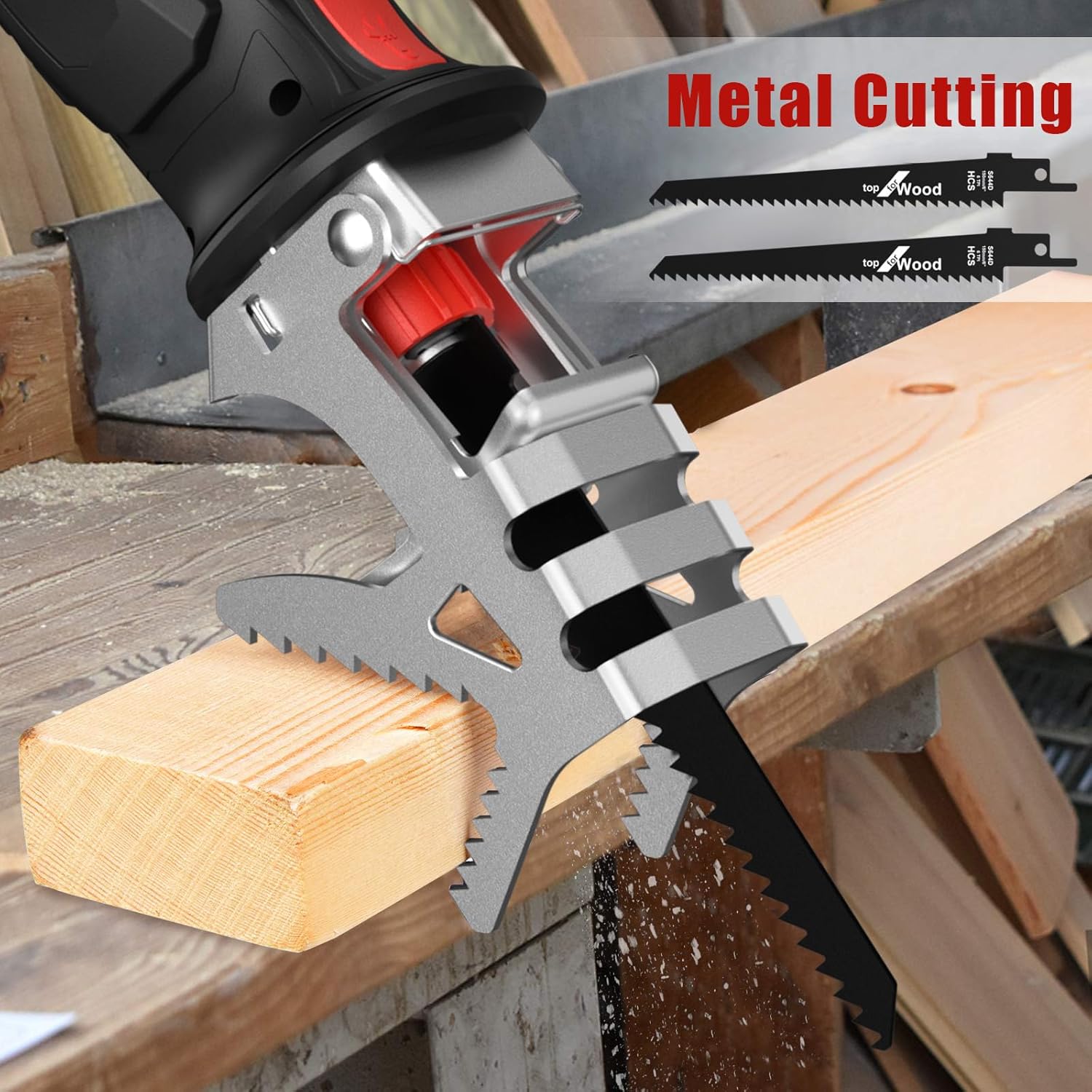
Image: Saw in use for cutting wood and branches.


Image: Saw in use for cutting metal and various materials.
7. Maintenance
7.1 Cleaning
After each use, disconnect the battery and clean the saw. Remove any sawdust, metal shavings, or debris from the ventilation openings and blade clamp area using a soft brush or compressed air. Do not use water or chemical cleaners.
7.2 Blade Replacement
Replace blades when they become dull or damaged to maintain cutting efficiency and safety. Refer to section 5.2 for blade installation instructions.
7.3 Battery Care
Store batteries in a cool, dry place away from direct sunlight. Do not store fully discharged batteries for extended periods. Recharge batteries before storing if they are low on charge. Do not expose batteries to extreme temperatures.
8. Troubleshooting
- Saw does not start: Ensure the battery is fully charged and properly inserted. Check that the safety button is pressed before the trigger.
- Reduced cutting performance: The blade may be dull or incorrect for the material. Replace the blade or select the appropriate type. Ensure the battery is fully charged.
- Excessive vibration: Check that the blade is correctly installed and secured. Ensure the clamping jaw (if used) is properly attached.
- Battery not charging: Verify the charger is properly connected to the power outlet and the battery. Check for any damage to the charger or battery.
If problems persist, contact customer support.
9. Specifications
| Feature | Specification |
|---|---|
| Brand | PULITUO |
| Model | 12V Cordless Reciprocating Saw |
| Voltage | 12 Volts |
| Battery Type | Lithium-ion (2x 2000mAh included) |
| Charger | 2.4A Fast Charger (1-hour charge time) |
| No-Load Speed | 0-2700 RPM |
| Stroke Length | 20 mm |
| Max Wood Cutting Depth | 3.9 inches (10 cm) |
| Max Metal Cutting Depth | 0.19 inches (0.5 cm) |
| Weight (tool only) | 1.2 kg (2.6 lbs) |
| Dimensions (L x W x H) | 28.3 x 9.78 x 32.99 cm (approx. 11.1 x 3.85 x 13 inches) |
| Handle Material | Rubber |
| Special Features | Tool-free blade change, Depth adjustment, Clamping jaw |
10. Warranty and Support
PULITUO products are manufactured to high-quality standards. For any questions regarding product operation, maintenance, or if you encounter any issues, please refer to the retailer's return and support policies. Keep your purchase receipt as proof of purchase for any warranty claims.
