
FDW Computer Gaming L Shaped Desk
FDW 51-inch L-Shaped Computer Desk User Manual
Model: Computer Gaming L Shaped Desk
Introduction
Thank you for purchasing the FDW 51-inch L-Shaped Computer Desk. This manual provides comprehensive instructions for assembly, operation, maintenance, and troubleshooting to ensure you get the most out of your new desk. Designed for home office, gaming, and study, this desk offers ample space and a sturdy structure for various activities.
Safety Information
- Always follow assembly instructions carefully.
- Ensure all screws and fasteners are tightened securely before use. Periodically check and re-tighten as needed.
- Do not exceed the maximum weight recommendation of 50 kilograms (approximately 110 pounds) on the desk surface.
- Keep small parts and packaging materials away from children to prevent choking hazards.
- Place the desk on a level surface to prevent tipping. Use the adjustable feet to stabilize on uneven floors.
- Avoid placing hot items directly on the desk surface without protection.
Parts List
Before beginning assembly, please verify that all components are present and undamaged. All necessary assembly tools are included with your purchase.
- Desk Panels (L-shaped sections, monitor stand)
- Steel Frame Components (legs, support bars)
- Adjustable Foot Pads
- Assembly Hardware (screws, bolts, nuts)
- Assembly Tools (e.g., Allen wrench)
Setup and Assembly
Assembly is required for this product. It is recommended that two people assemble the desk for ease and safety.
Step 1: Unpack and Identify Components
Carefully unpack all parts from the box. Lay them out on a clean, soft surface to prevent scratches. Refer to the included parts diagram to identify each component.

Figure 1: Desk Dimensions and Component Layout. Note the overall L-shape and the elevated monitor stand.
Step 2: Assemble the Steel Frame
Connect the various steel frame components using the provided hardware. Ensure all connections are firm but do not fully tighten screws until the entire frame is assembled. This allows for minor adjustments.

Figure 2: Details of the X-shape frame design for enhanced stability and adjustable feet for leveling on uneven surfaces.
Step 3: Attach Desk Panels
Carefully place the L-shaped desk panels onto the assembled steel frame. Align the pre-drilled holes in the panels with the holes in the frame. Secure the panels using the appropriate screws. The desk features a 15mm thick desktop made from environmental grade board.

Figure 3: Overview of the large surface area of the L-shaped desk, highlighting its various sections and the thickness of the desktop material.
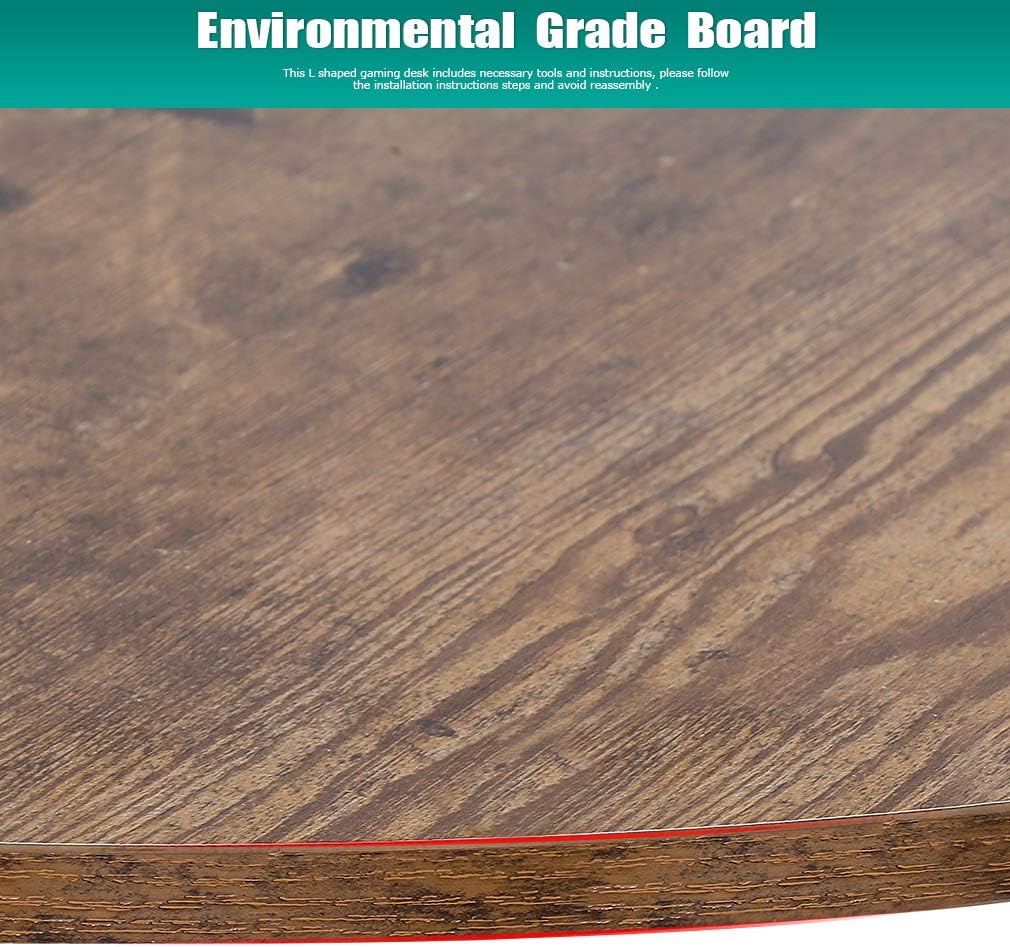
Figure 4: Detail of the environmental grade board used for the desk's surface, ensuring durability and quality.
Step 4: Install Monitor Stand
The monitor stand can be installed on either the left or right side of the desk, according to your preference and setup. Attach the monitor stand to the main desk surface using the designated hardware. This stand helps raise your monitor to a more ergonomic viewing height.
Step 5: Final Tightening and Leveling
Once all components are in place, go back and fully tighten all screws and fasteners. Adjust the leg pads at the bottom of the desk to ensure the desk is stable and level on your floor. This prevents wobbling and ensures a sturdy workstation.
Operating Instructions
The FDW L-Shaped Computer Desk is designed for versatile use in various settings.
- Monitor Stand Usage: Utilize the elevated monitor stand to position your display at an ergonomic height, reducing strain on your neck and eyes.
- Space Utilization: The L-shaped design provides ample surface area for multiple monitors, keyboards, and other office or gaming peripherals. The corner design optimizes space in your room.
- Multi-functional Use: This desk is suitable for various activities including computer work, gaming, studying, and general office tasks.

Figure 5: The FDW L-Shaped Computer Desk in a typical setup, demonstrating its spacious and functional design.

Figure 6: Illustrations of the desk's versatility for studying, gaming, and efficient office work.
Maintenance
To maintain the appearance and longevity of your FDW L-Shaped Computer Desk, follow these simple care instructions:
- Cleaning: Wipe the desk surface and frame with a dry or damp cloth. Avoid using harsh chemicals or abrasive cleaners, which can damage the finish.
- Spills: Clean up spills immediately to prevent staining or damage to the desktop material.
- Stability Check: Periodically check all screws and connections to ensure they remain tight. Re-tighten if any looseness is detected.
- Sunlight Exposure: Avoid prolonged exposure to direct sunlight, which may cause fading or discoloration over time.
Troubleshooting
If you encounter any issues with your desk, refer to the following common problems and solutions:
| Problem | Possible Cause | Solution |
|---|---|---|
| Desk is wobbly or unstable. | Loose fasteners or uneven floor. | Ensure all screws are fully tightened. Adjust the leg pads at the bottom of the desk to level it on uneven surfaces. |
| Parts do not align during assembly. | Incorrect orientation of parts or screws tightened too early. | Review the assembly instructions to ensure correct part orientation. Loosen all screws slightly, align parts, then re-tighten. |
| Monitor stand feels loose. | Screws securing the monitor stand are not tight enough. | Tighten the screws that attach the monitor stand to the main desk surface. |
Specifications
| Feature | Detail |
|---|---|
| Brand | FDW |
| Product Dimensions | 51"D x 51"W x 30"H |
| Color | Vintage (Black frame, Vintage wood-look top) |
| Style | Modern |
| Base Material | Alloy Steel |
| Top Material Type | Glass (Tempered Glass finish) |
| Special Feature | Adjustable (Adjustable leg pads) |
| Room Type | Office |
| Recommended Uses | Gaming, Study, Home Office |
| Model Number | Computer Gaming L Shaped Desk |
| Model Name | Corner Desk Home Office Writing |
| UPC | 195030034030 |
| Item Weight | 40 Pounds |
| Maximum Weight Recommendation | 50 Kilograms (approx. 110 lbs) |
| Tabletop Thickness | 0.24 Inches (6mm) |
| Minimum Height | 30 Inches |
| Working Surface Diagonal Length | 60.83 Inches |
| Required Assembly | Yes |
| Recommended Number of People for Assembly | 2 |
| Includes All Assembly Tools | Yes |
Warranty and Support
Manufacturer Warranty: This product comes with a 90-day manufacturer warranty from the date of purchase. This warranty covers defects in materials and workmanship under normal use.
Customer Support: For any questions regarding assembly, missing parts, or product issues, please contact FDW customer service. Refer to your purchase documentation for specific contact details or visit the FDW brand store on Amazon.
Online Resources: For additional support and product information, you may visit the official FDW store: FDW Store on Amazon.
Related documentsComputer Gaming L Shaped Desk


Ask a question about this manual
Ask about setup, troubleshooting, compatibility, parts, safety, or missing instructions. Manuals+ will review the question and use this page’s manual context to help answer it.