
Introduction
This instruction manual provides essential information for the proper setup, operation, and maintenance of your Ozuly replacement TV remote control. This remote is specifically designed for compatibility with various Element TV models. Please read this manual thoroughly before use.
Compatibility
This remote control is a replacement unit compatible with the following Element TV models:
- ELSW3917BF
- E4SFT5017
- E4STA5017
- ELSJ5017
- ELST3216H
- ELST5016S
- E2SW5018
- E4SW5518
- E4SW6518
- E2SW3918
Important: This is not a universal remote control. It is designed to work with the listed Element TV models without additional programming or pairing. Ensure your TV model is listed above for proper functionality.
Setup
The Ozuly replacement TV remote control is designed for immediate use with compatible Element TV models. No programming or pairing is required.
1. Installing Batteries
- Locate the battery compartment cover on the back of the remote control.
- Slide the cover downwards or press the latch to open it.
- Insert two AAA batteries (not included), ensuring the positive (+) and negative (-) terminals align correctly with the markings inside the compartment.
- Replace the battery compartment cover by sliding it back into place until it clicks securely.
Once batteries are installed, the remote control is ready for operation with your compatible Element TV.

Image: The remote control shown with several Element TVs, indicating it works immediately upon battery insertion.
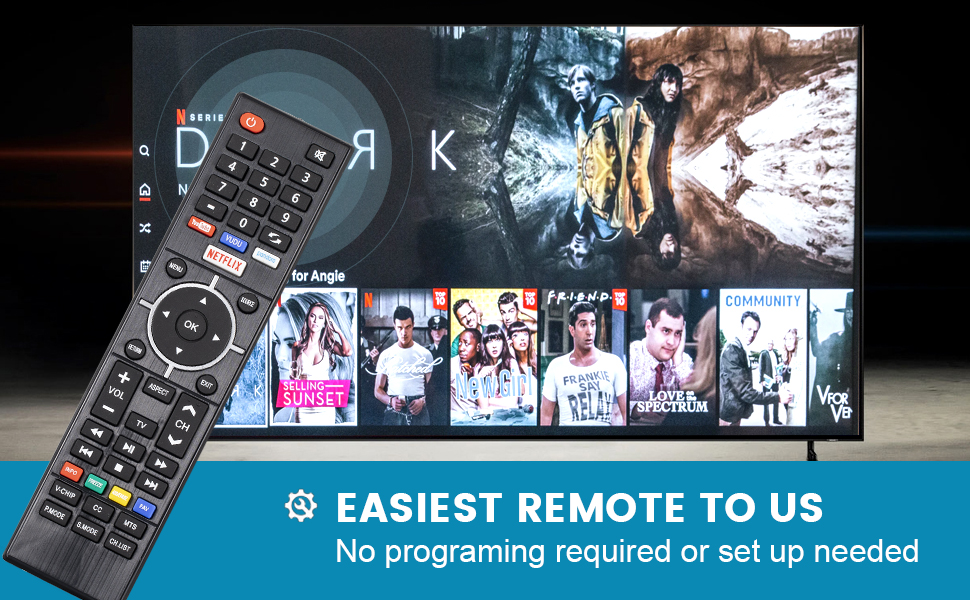
Image: Remote control next to a TV screen, highlighting that no programming or setup is needed.
Operating the Remote Control
The remote control provides standard functions for navigating and controlling your Element TV.
Key Functions:
- Power Button (U): Turns the TV on or off.
- Number Buttons (0-9): Directly select channels.
- Volume Up/Down (VOL +/-): Adjusts the TV volume.
- Channel Up/Down (CH +/-): Changes TV channels.
- Mute Button (🔇): Mutes or unmutes the TV audio.
- Navigation Pad (Up, Down, Left, Right, OK): Navigates menus and confirms selections.
- Menu Button: Accesses the TV's main menu.
- Source Button: Selects input sources (HDMI, AV, etc.).
- Return/Exit Buttons: Navigates back or exits menus.
- Quick Access Buttons: Dedicated buttons for streaming services like YouTube, Vudu, Pandora, and Netflix (functionality depends on TV model and internet connection).
- Playback Controls (Play, Pause, Stop, Rewind, Fast Forward): Controls media playback.
Point the remote control directly at the TV's infrared sensor for optimal response. The remote is designed for a long-distance, precise control range of up to 15 meters.
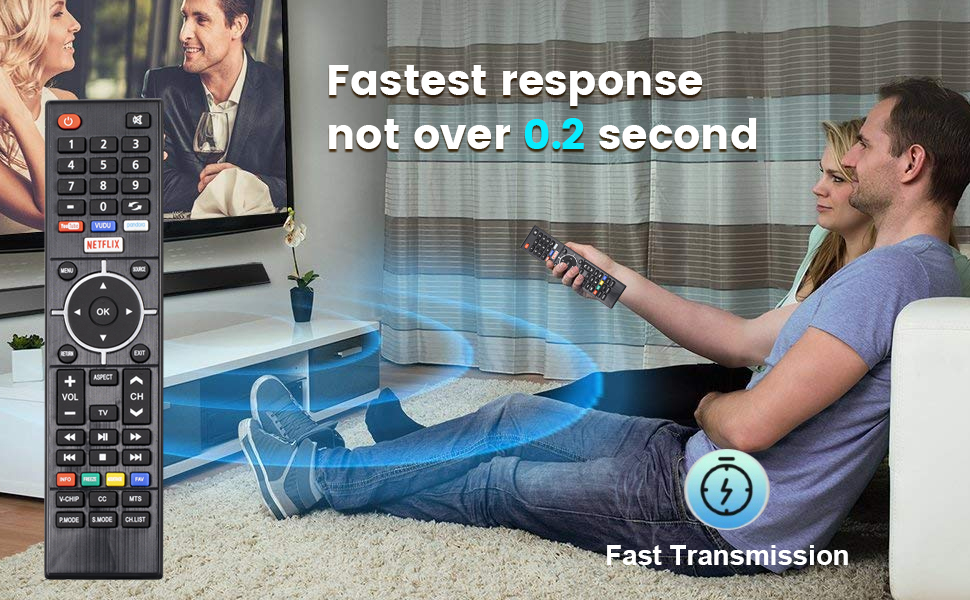
Image: A user operating the remote control towards a TV, demonstrating its fast response time.

Image: A user controlling a TV from a distance, illustrating the remote's effective range.
Maintenance
Battery Replacement:
When the remote control's performance degrades or it stops responding, replace the batteries. Always replace both batteries simultaneously with new AAA batteries. Do not mix old and new batteries, or different types of batteries.
Cleaning:
To clean the remote control, use a soft, dry cloth. Do not use liquid cleaners, sprays, or abrasive materials, as these can damage the remote's surface or internal components.
Storage:
Store the remote control in a dry place away from direct sunlight and extreme temperatures. If the remote will not be used for an extended period, remove the batteries to prevent leakage.
Troubleshooting
If you encounter issues with your remote control, refer to the following common problems and solutions:
| Problem | Possible Cause | Solution |
|---|---|---|
| Remote not responding | Dead or incorrectly inserted batteries. | Replace batteries with new AAA batteries, ensuring correct polarity (+/-). |
| Remote not responding | Obstruction between remote and TV sensor. | Ensure a clear line of sight between the remote and the TV's infrared sensor. |
| Remote not responding | Remote is not compatible with your TV model. | Verify your TV model against the compatibility list in this manual. This remote is not universal. |
| Buttons are sticky or unresponsive | Dirt or debris under buttons. | Clean the remote control with a soft, dry cloth. Avoid liquids. |
Specifications
- Model Number: Ele-U
- Brand: Ozuly
- Product Dimensions: 7.8 x 2.3 x 1.1 inches
- Item Weight: 3.2 ounces
- Color: Black
- Power Source: 2 x AAA Batteries (not included)
- Special Feature: No Programming Required
- Max Number of Supported Devices: 1 (specific Element TV)
- Date First Available: January 1, 2021

Image: Multiple views of the remote control, illustrating its physical design.

Image: Remote control highlighting its internal smart chip for improved performance.
Warranty and Support
Warranty Information:
This product comes with a 360-day warranty return service from the date of purchase. This warranty covers manufacturing defects and ensures the product functions as intended under normal use.
Customer Support:
For any inquiries, technical assistance, or warranty claims, please contact Ozuly customer service. All customer inquiries are typically responded to within 12 hours.
Please refer to your purchase documentation for specific contact details or visit the official Ozuly support website.