
Introduction
The Akozon KW850 Car Code Reader Scanner is a diagnostic instrument designed to read and clear engine fault codes in vehicles. When a vehicle system experiences a fault, the Malfunction Indicator Lamp (MIL) or engine control light illuminates. The Powertrain Control Module (PCM) stores this fault information. This device allows users to retrieve these fault codes from the PCM to identify the nature and location of the issue, facilitating targeted inspection and repair.
This manual provides instructions for the proper use, setup, and maintenance of your KW850 Car Code Reader Scanner.
Product Overview and Features

Image: Front and back view of the KW850 Car Code Reader Scanner, highlighting its display and robust casing.
The KW850 is equipped with a large LCD display for easy operation and clear data visualization. It supports full On-Board Diagnostics II (OBDII) function tests and is compatible with all American, European, and Asian vehicles compliant with OBDII standards from 1996 and later.
- Engine Code Reading: Reads and identifies engine fault codes to determine the cause of the Malfunction Indicator Lamp (MIL) illumination.
- Code Clearing: Erases diagnostic trouble codes (DTCs) to turn off the MIL.
- Vehicle Detection: Quickly scans codes, reads oxygen sensor test status, and component test status.
- Battery Voltage Detection: Monitors car battery voltage.
- Live Data Stream: Supports custom data flow and graphic display of data streams for real-time monitoring.
- Protocol Support: Supports CAN, J1850PWM, J1850VPW, ISO9141, and KWP2000 protocol modes.
- Multilingual Support: Supports eight languages including English, French, German, Dutch, Spanish, Russian, Portuguese, and Italian.
Package Contents
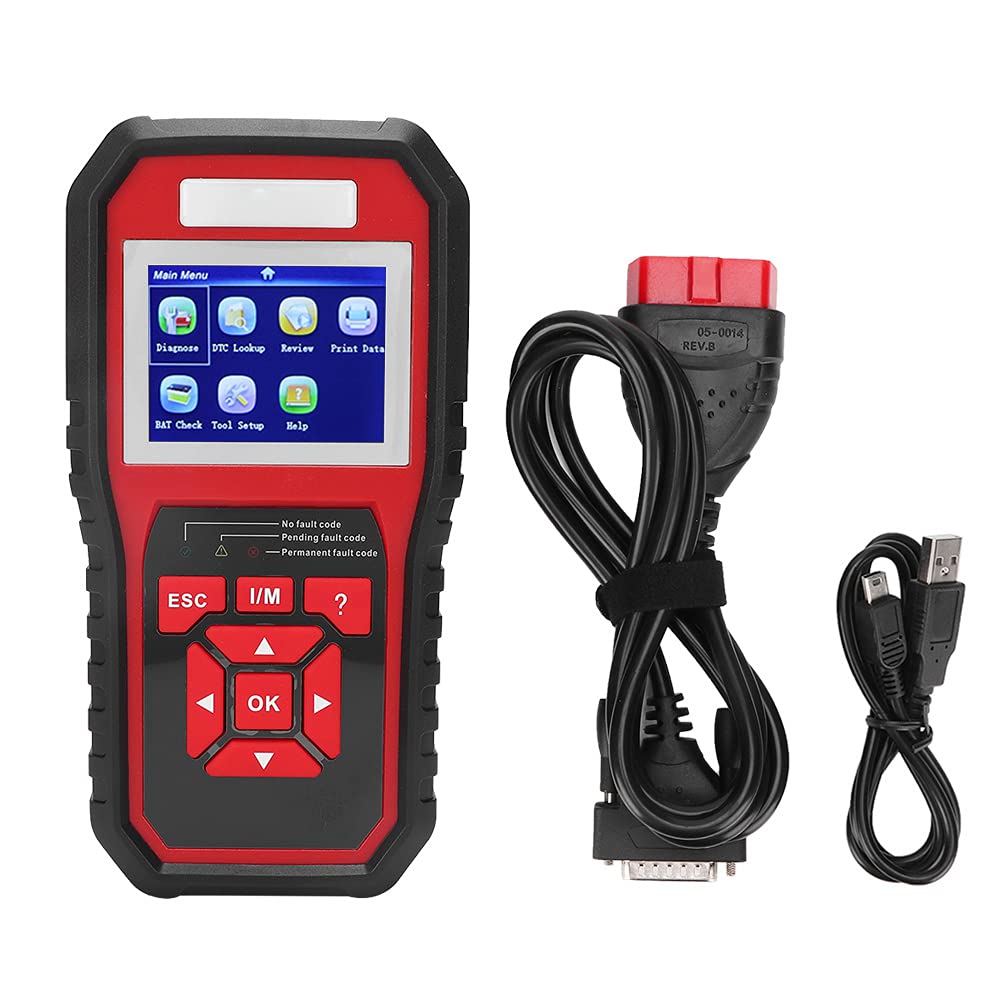
Image: The KW850 diagnostic tool, connection cables, and a black cloth carrying bag.
Verify that all items are present in your package:
- 1 x KW850 Diagnostic Tool (Black + Red)
- 2 x Connection Lines (OBDII cable and USB cable)
- 1 x User Manual (this document)
- 1 x Cloth Bag for storage and transport
Setup
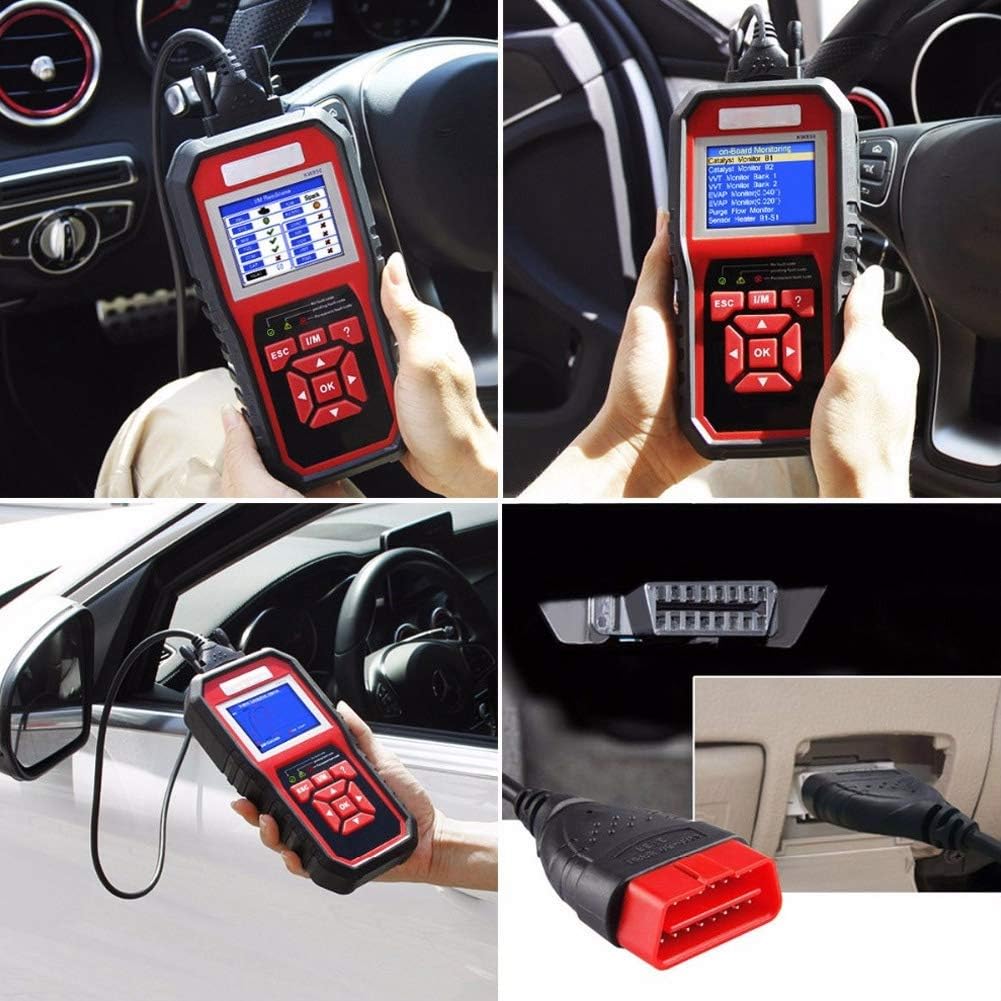
Image: The KW850 diagnostic tool connected to a vehicle's OBDII port, typically located under the dashboard.
- Locate the OBDII Port: The OBDII port is usually located under the dashboard on the driver's side of the vehicle. Refer to your vehicle's owner's manual if you cannot find it.
- Connect the Scanner: With the vehicle's ignition off, firmly plug the OBDII connector cable from the KW850 scanner into the vehicle's OBDII port.
- Turn on Ignition: Turn the vehicle's ignition to the "ON" position (do not start the engine). The scanner will power on automatically.
- Select Language: If prompted, select your preferred language from the available options using the navigation buttons.
Important Safety Note: Operate the vehicle in a well-ventilated work area. Keep the device away from corrosive agents and water.
Operating Instructions

Image: A user holding the KW850 scanner, showing the main menu with options like Diagnose, DTC Lookup, Review, and Print Data.
Navigating the Menu
Use the UP and DOWN arrow buttons to scroll through menu options. Press the OK button to confirm a selection. Use the ESC button to return to the previous screen or exit a function.
1. Reading Diagnostic Trouble Codes (DTCs)
- From the Main Menu, select "Diagnose" and press OK.
- The scanner will establish communication with the vehicle's ECU.
- Select "Read Codes" from the diagnostic menu.
- The screen will display any stored DTCs (Pending, Permanent, or Confirmed). Each code will have a brief description.
- Use the UP and DOWN buttons to view all codes.
2. Clearing Diagnostic Trouble Codes (DTCs)
Caution: Clearing DTCs will erase all diagnostic data from the vehicle's ECU, including freeze frame data and manufacturer-specific enhanced data. Ensure you have recorded all necessary information before clearing codes. Clearing codes does not fix the underlying problem.
- After reading codes, select "Erase Codes" from the diagnostic menu.
- Confirm your selection when prompted.
- The scanner will attempt to clear the codes. The Malfunction Indicator Lamp (MIL) should turn off if the fault is no longer present.
3. Viewing Live Data Stream
- From the "Diagnose" menu, select "Live Data".
- You can view various sensor readings and parameters in real-time. Options may include "View All Items," "Custom Data List," or "Graph Data."
- Use the UP/DOWN buttons to scroll and OK to select.
4. I/M Readiness Status
This function checks the readiness of the emission-related monitoring systems on the vehicle. It indicates if the vehicle's monitors have completed their diagnostic testing.
- From the "Diagnose" menu, select "I/M Readiness".
- The screen will display the status of various monitors (e.g., O2 Sensor Monitor, Catalyst Monitor). "OK" or "Complete" indicates the monitor has run, "INC" or "Incomplete" means it has not.
5. Battery Voltage Check
- From the Main Menu, select "BAT Check" and press OK.
- The scanner will display the current voltage of the vehicle's battery.
Troubleshooting
| Problem | Possible Cause | Solution |
|---|---|---|
| Scanner does not power on. | Loose connection to OBDII port; vehicle ignition not on; vehicle battery low. | Ensure cable is securely connected. Turn ignition to "ON". Check vehicle battery. |
| "Link Error" or "Communication Error" message. | Faulty connection; vehicle not OBDII compliant; ignition off; damaged cable. | Verify connection. Ensure vehicle is OBDII compliant (1996+). Turn ignition on. Try another OBDII compliant vehicle if possible. |
| Cannot clear codes. | Underlying fault still present; ignition not on. | Address the root cause of the fault first. Ensure ignition is on. |
| Screen is blank or frozen. | Software glitch; power interruption. | Disconnect and reconnect the scanner. If problem persists, contact support. |
For further assistance, please refer to the support section.
Specifications
- Model: KW850
- Material: ABS
- Color: Black + Red
- Weight: Approximately 650 g / 22.9 oz (device only)
- Screen Size: 2.8 Inches (LCD Display)
- Power Source: Battery Powered (via vehicle OBDII port)
- Supported Protocols: CAN, J1850PWM, J1850VPW, ISO9141, KWP2000
- Compatibility: OBDII compliant vehicles (US, EU, Asian) 1996 and newer
- Supported Languages: English, French, German, Dutch, Spanish, Russian, Portuguese, Italian
Maintenance
To ensure the longevity and proper functioning of your KW850 Car Code Reader Scanner, follow these maintenance guidelines:
- Cleaning: Use a soft, dry cloth to clean the device. Do not use abrasive cleaners or solvents.
- Storage: Store the device in its provided cloth bag in a cool, dry place, away from direct sunlight and extreme temperatures.
- Cable Care: Avoid bending or crimping the connection cables excessively. Store them neatly to prevent damage.
- Environmental Protection: Keep the device away from water, moisture, and corrosive materials.
Warranty and Support
This product comes with a standard manufacturer's warranty. Please retain your proof of purchase for warranty claims. For technical support, troubleshooting assistance, or warranty inquiries, please contact Akozon customer service through the retailer where the product was purchased or visit the official Akozon website.
Online Resources: For additional information and updates, you may visit the Akozon store page on Amazon: Akozon Store