
1. Introduction
The Walfront SW-S11 is a versatile 150W dual-channel voltage converter designed to adapt electrical appliances for use in different countries. It can convert voltage from 110V to 220V and from 220V to 110V, making it ideal for international travel or using imported electronics. This manual provides important safety information, setup instructions, and operational guidelines to ensure safe and efficient use of your device.
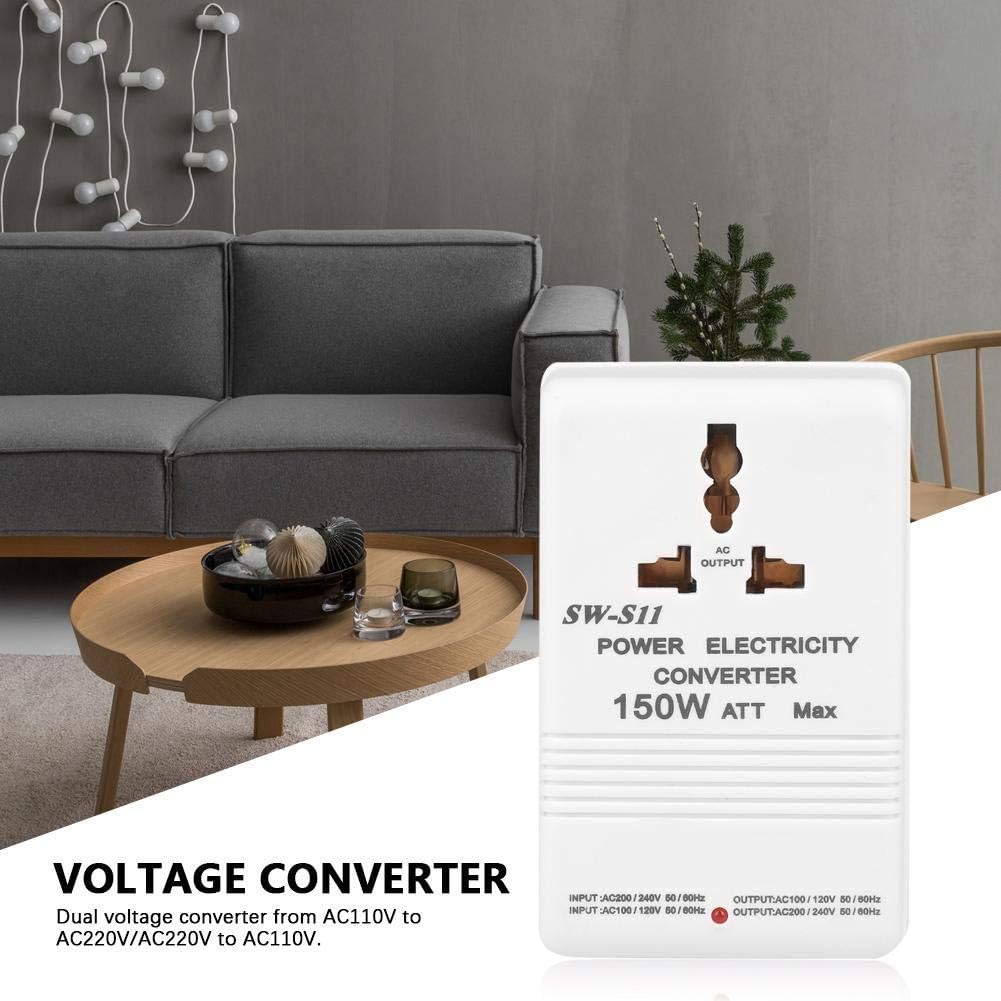
Image 1.1: Front view of the Walfront SW-S11 150W Dual Voltage Converter, showing the AC output socket and power specifications.
2. Safety Information
Please read all safety instructions carefully before using the voltage converter. Failure to follow these instructions may result in electric shock, fire, or damage to the product or connected devices.
- Power Rating: Ensure the power consumption of your appliance does not exceed the converter's maximum power rating of 150W. For optimal performance and safety, the compatible appliance power should be 80W or less. Overloading can cause damage to the converter and the appliance.
- Voltage Selection: Always verify the switch position at the bottom of the adapter before plugging it in. Incorrect voltage selection can damage the converter and your appliance.
- Indoor Use Only: This device is intended for indoor use in dry environments. Do not expose to water, moisture, or extreme temperatures.
- Ventilation: Ensure adequate ventilation around the converter during operation. Do not cover the device.
- Children and Pets: Keep the converter out of reach of children and pets.
- Unplug When Not in Use: Disconnect the converter from the power outlet when not in use.
- Inspection: Regularly inspect the converter for any signs of damage. Do not use if damaged.
3. Package Contents
Upon unpacking, please ensure all items are present and in good condition:
- 1 x Walfront SW-S11 Voltage Converter
4. Specifications
| Feature | Specification |
|---|---|
| Model | SW-S11 |
| Maximum Power | 150 W |
| Compatible Appliance Power | ≤ 80 W |
| Input Voltage (Switch AC220V) | AC 220V |
| Output Voltage (Switch AC220V) | AC 110V |
| Input Voltage (Switch AC110V) | AC 110V |
| Output Voltage (Switch AC110V) | AC 220V |
| Plug Type | CN Plug (Chinese Standard) |
| Dimensions (L x W x H) | 10.5 x 6.5 x 5.5 cm (approx.) |
| Weight | 720 g (approx.) |
5. Setup and Operation
The Walfront SW-S11 features a voltage selector switch at the bottom of the unit. It is crucial to set this switch correctly based on the input voltage of the region you are in and the desired output voltage for your appliance.
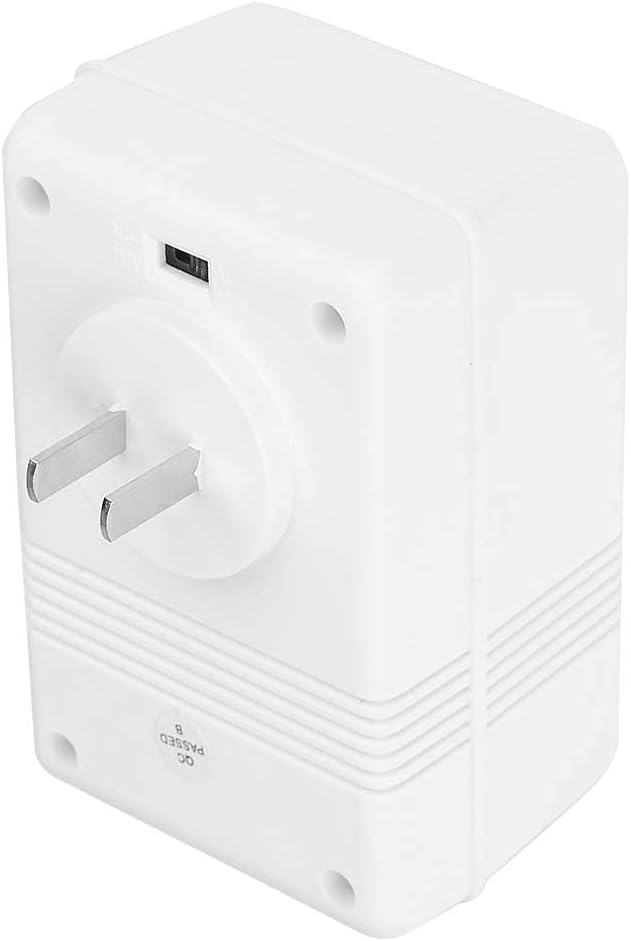
Image 5.1: Bottom view of the converter, highlighting the voltage selector switch.
5.1. Converting 220V to 110V (Step-Down)
Use this setting when you are in a region with 220V AC power (e.g., China, most of Europe) and need to power an appliance that requires 110V AC (e.g., from the USA, Canada, Japan).
- Locate the Switch: Find the voltage selector switch on the bottom of the converter.
- Set to AC220V: Ensure the switch is set to the AC220V position. This indicates that the converter expects a 220V input and will output 110V.
- Connect Appliance: Plug your 110V appliance into the AC Output socket of the converter.
- Connect to Wall: Plug the converter's CN plug into a 220V wall outlet.
- Power On: Turn on your appliance.

Image 5.2: Close-up of the bottom switch, set to AC220V for 220V input / 110V output.
5.2. Converting 110V to 220V (Step-Up)
Use this setting when you are in a region with 110V AC power (e.g., USA, Canada, Japan, Brazil, Taiwan) and need to power an appliance that requires 220V AC (e.g., from Europe, China).
- Locate the Switch: Find the voltage selector switch on the bottom of the converter.
- Set to AC110V: Ensure the switch is set to the AC110V position. This indicates that the converter expects a 110V input and will output 220V.
- Connect Appliance: Plug your 220V appliance into the AC Output socket of the converter.
- Connect to Wall: Plug the converter's CN plug into a 110V wall outlet.
- Power On: Turn on your appliance.

Image 5.3: Close-up of the bottom switch, set to AC110V for 110V input / 220V output.
Important Note: Always double-check the switch setting before plugging in the converter and your appliance. An incorrect setting can lead to irreversible damage to both the converter and the connected device.
6. Maintenance
To ensure the longevity and proper functioning of your Walfront SW-S11 voltage converter, follow these maintenance guidelines:
- Cleaning: Disconnect the converter from the power source before cleaning. Use a soft, dry cloth to wipe the exterior. Do not use liquid cleaners or solvents.
- Storage: Store the converter in a cool, dry place away from direct sunlight and moisture when not in use.
- Avoid Drops: Protect the device from physical shocks and drops.
7. Troubleshooting
If you encounter issues with your voltage converter, please refer to the following common troubleshooting steps:
- Device Not Powering On:
- Ensure the converter is securely plugged into a live wall outlet.
- Verify that your appliance is correctly plugged into the converter's output socket.
- Check the voltage selector switch at the bottom of the converter. Make sure it is set to the correct input voltage for your region (AC220V for 220V input, AC110V for 110V input). An incorrect setting can prevent operation or damage the unit.
- Confirm that your appliance's power consumption does not exceed 80W (compatible power) or 150W (maximum power).
- Unusual Noise or Smell:
- Immediately unplug the converter from the wall outlet and disconnect your appliance.
- This could indicate an overload or internal fault. Do not use the converter again and contact customer support.
8. Warranty and Support
Walfront products are manufactured to high-quality standards. For specific warranty information, please refer to the documentation included with your purchase or contact Walfront customer support directly. Keep your purchase receipt as proof of purchase.
For technical assistance or inquiries, please visit the official Walfront website or contact their customer service department.
