
1. Introduction
The Fender Mustang Micro is a compact, all-in-one personal headphone amplifier designed for guitarists. It offers a wide range of amplifier models and effects, allowing for silent practice and recording directly from your instrument. With its portable design and versatile features, the Mustang Micro provides a convenient solution for practicing at home, on the go, or for capturing your ideas.

Image: The Fender Mustang Micro unit, shown with included guitar picks and an instructional DVD.
Video: An overview of the Fender Mustang Micro Personal Guitar Amplifier, demonstrating its features and portability.
2. Product Overview
The Mustang Micro integrates advanced digital signal processing (DSP) into a compact form factor. It features a variety of amp models and effects, an adjustable EQ, and convenient volume control. Its rotating input plug ensures compatibility with most guitars and basses. The device also supports Bluetooth audio streaming for playing along with tracks and a USB-C interface for recording and firmware updates.

Image: A visual representation highlighting the key features of the Mustang Micro, including 12 amp models, 12 effect combinations, adjustable EQ, volume control, Bluetooth streaming, rechargeable battery, rotating input plug, and USB interface.
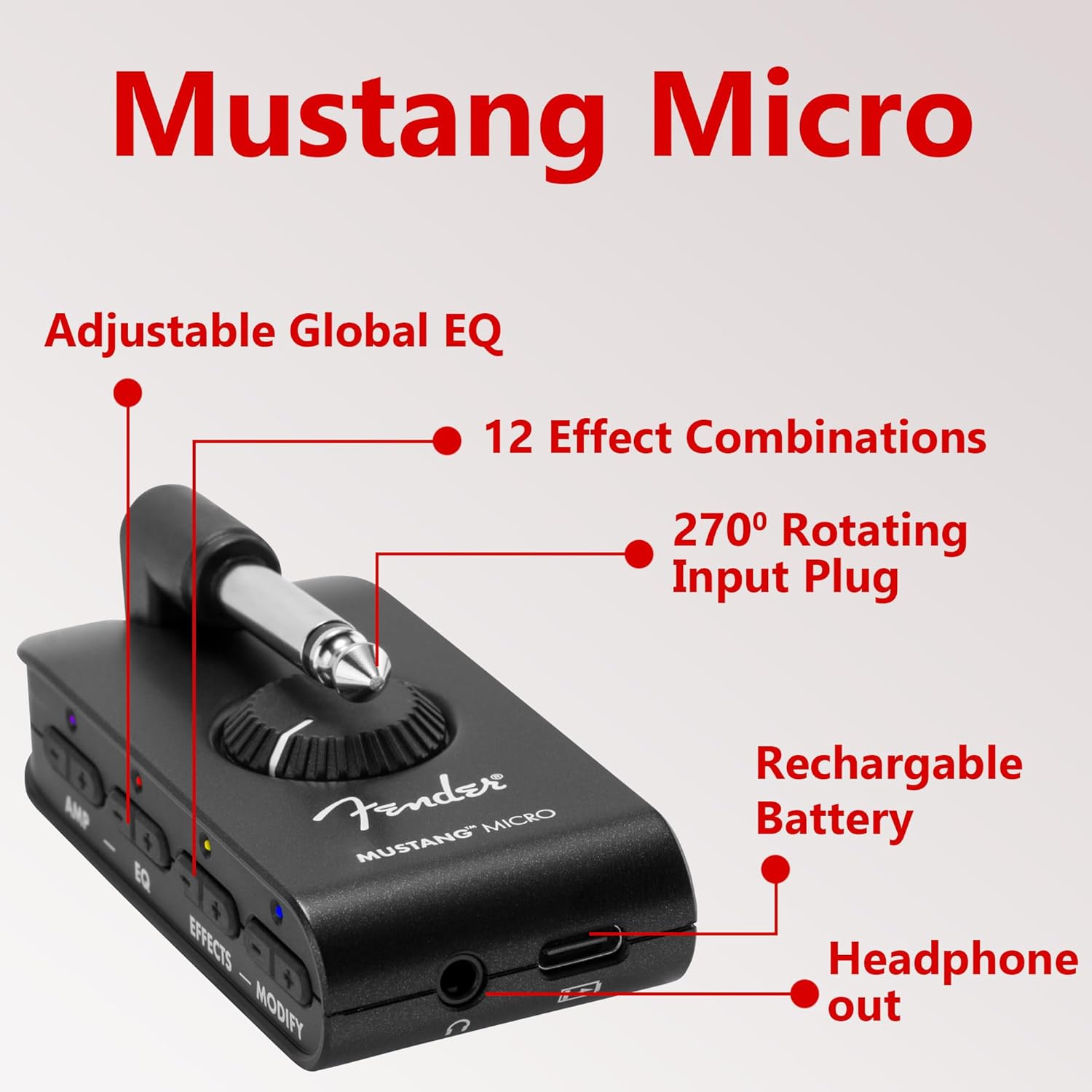
Image: A detailed diagram pointing out the adjustable global EQ, 12 effect combinations, 270-degree rotating input plug, rechargeable battery, and headphone output on the Mustang Micro.
3. Setup
- Charge the Device: Before first use, fully charge your Mustang Micro using the provided USB-C cable. Connect the USB-C end to the device and the USB-A end to a power adapter or computer. The LED indicator will show charging status.
- Connect to Guitar: Plug the 1/4-inch jack of the Mustang Micro directly into your guitar's output jack. The input plug rotates 270 degrees to accommodate various guitar body shapes and jack placements.
- Connect Headphones: Plug your wired headphones or in-ear monitors into the 1/8-inch (3.5mm) stereo headphone jack on the Mustang Micro. Headphones are not included with the unit.
- Power On: Slide the power switch to the 'ON' position. The device will power on, and the LEDs will illuminate.
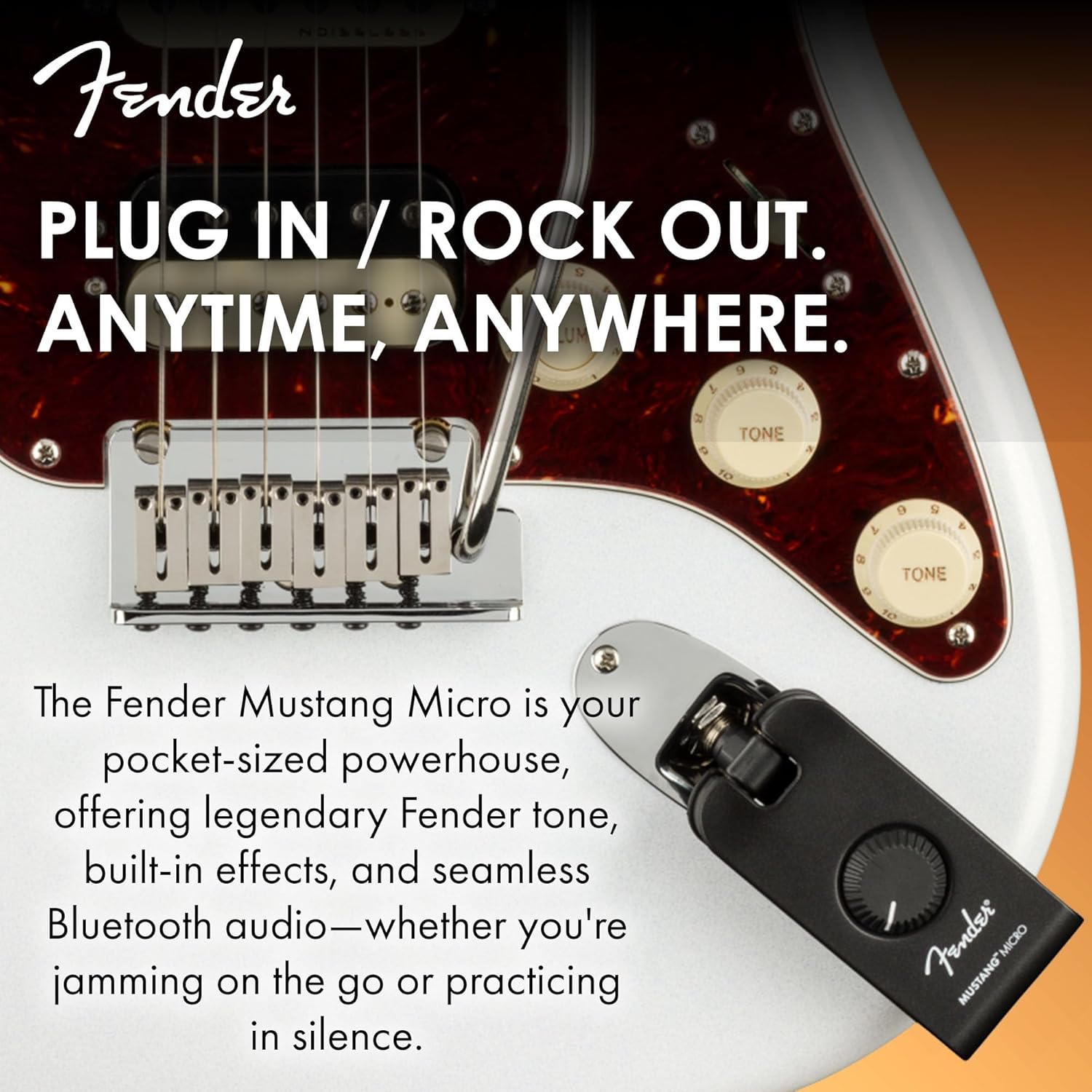
Image: The Fender Mustang Micro is shown plugged into the output jack of an electric guitar, ready for use.

Image: A close-up view of the Fender Mustang Micro connected to an electric guitar, highlighting its compact design and direct plug-in capability.
4. Operating Instructions
4.1 Controls Overview
The Mustang Micro features intuitive controls for selecting amp models, adjusting EQ, choosing effects, and modifying parameters. The main rotary knob controls the master volume.

Image: A detailed view of the Mustang Micro's control panel, showing buttons for AMP, EQ, EFFECTS, and MODIFY, along with the master volume knob and various input/output ports.
4.2 Selecting Amp Models
Press the AMP +/- buttons to cycle through the 12 available amp models. Each amp model is indicated by a specific LED color. Refer to the official Fender documentation for a list of amp models and their corresponding LED colors.
4.3 Adjusting EQ
Press the EQ +/- buttons to adjust the global equalization. There are five EQ settings: a flat setting, two darker settings, and two brighter settings. The LED color indicates the currently selected EQ setting.
4.4 Selecting and Modifying Effects
Press the EFFECTS +/- buttons to cycle through the 12 available effect combinations. Each effect combination is indicated by a specific LED color. Once an effect is selected, press the MODIFY +/- buttons to adjust the effect's parameter (e.g., delay time, reverb depth). The LED color for the MODIFY button indicates the current parameter setting.
4.5 Volume Control
Rotate the large central knob to adjust the master volume for your headphones.
4.6 Bluetooth Audio Streaming
The Mustang Micro supports Bluetooth audio streaming, allowing you to play along with music or backing tracks from your mobile device or computer. The audio is synced, ensuring a seamless playing experience.
- Activate Bluetooth: Slide the power switch to the 'ON' position and then briefly press the Bluetooth button (located near the power switch) to activate pairing mode. The Bluetooth LED will flash.
- Pair Device: On your mobile device or computer, search for Bluetooth devices and select "Mustang Micro" to pair. The Bluetooth LED on the Mustang Micro will turn solid blue once connected.
- Stream Audio: Play audio from your device. The audio will be mixed with your guitar signal and sent to your headphones.

Image: A user playing an electric guitar with the Mustang Micro, while streaming audio via Bluetooth from a smartphone, demonstrating the play-along feature.
4.7 USB Audio Interface
The USB-C port on the Mustang Micro can be used for direct recording to a computer and for firmware updates.
- Recording: Connect the Mustang Micro to your computer using a USB-C cable. The device will be recognized as an audio interface, allowing you to record your guitar signal directly into your Digital Audio Workstation (DAW).
- Firmware Updates: Periodically check the Fender website for firmware updates to ensure your Mustang Micro has the latest features and performance enhancements. Follow the instructions provided by Fender for updating the firmware via USB.
Video: An official Fender video demonstrating the various features and sounds of the Mustang Micro headphone amplifier.
5. Maintenance
- Battery Charging: The Mustang Micro features a rechargeable lithium-ion battery, providing over 4 hours of continuous play time. Recharge the battery using the supplied USB-C cable. A full charge typically takes a few hours.
- Cleaning: Use a soft, dry cloth to clean the exterior of the device. Avoid using abrasive cleaners or solvents.
- Storage: Store the Mustang Micro in a cool, dry place away from direct sunlight and extreme temperatures.
6. Troubleshooting
- No Sound:
- Ensure the Mustang Micro is powered on.
- Check that your headphones are securely plugged into the 1/8-inch jack.
- Verify that the master volume knob is turned up.
- Confirm your guitar is properly connected and its volume is turned up.
- Bluetooth Connection Issues:
- Ensure the Mustang Micro is in Bluetooth pairing mode (flashing blue LED).
- Check your device's Bluetooth settings and ensure it's searching for new devices.
- Try unpairing and re-pairing the device.
- Recording Problems via USB:
- Ensure the USB-C cable is securely connected to both the Mustang Micro and your computer.
- Verify that your DAW recognizes the Mustang Micro as an audio input device.
- Check input levels within your DAW.
- Short USB Cable for Interface Use: The included USB-C cable is short, primarily for charging. If using the Mustang Micro as an audio interface with a computer, you may need a longer USB-C to USB-A or USB-C to USB-C cable, depending on your computer's ports. Additionally, if your audio interface uses 1/4-inch inputs, you will need an 1/8-inch to 1/4-inch adapter for the headphone output.
7. Specifications
| Feature | Detail |
|---|---|
| Item Weight | 7.2 ounces |
| Product Dimensions | 6.5 x 6.5 x 2.5 inches |
| Item Model Number | 2311300000 |
| Compatible Devices | Guitar |
| Connector Type | 1/4-inch input, 1/8-inch headphone out, USB-C |
| Output Wattage | 5 Watts |
| Power Source | Battery Powered, Corded Electric (via USB) |
| Battery Life | Up to 4 hours (continuous play) |
| Bluetooth Version | Bluetooth® 5.0 with A2DP v1.3.1 Protocol |
8. Warranty and Support
For detailed warranty information and technical support, please visit the official Fender website or contact Fender customer service. Keep your proof of purchase for warranty claims.
You can find more information and support resources on the Fender Store on Amazon.


