
KALINCO P22
KALINCO Smart Watch User Manual
Model: P22
Brand: KALINCO
Introduction
This user manual provides comprehensive instructions for setting up, operating, and maintaining your KALINCO Smart Watch (Model P22). This device is designed to help you track your fitness activities, monitor key health metrics, and receive notifications directly on your wrist. Please read this manual carefully to ensure proper use and to maximize the benefits of your smart watch.
What's in the Box
- KALINCO Smart Watch
- User Manual
- Charging Cable
Setup Guide
1. Charging the Smart Watch
Before first use, fully charge your smart watch. Connect the magnetic charging cable to the charging contacts on the back of the watch and plug the USB end into a power source (e.g., computer USB port, USB wall adapter). The watch screen will indicate charging status. A full charge typically takes about 2.5 hours.
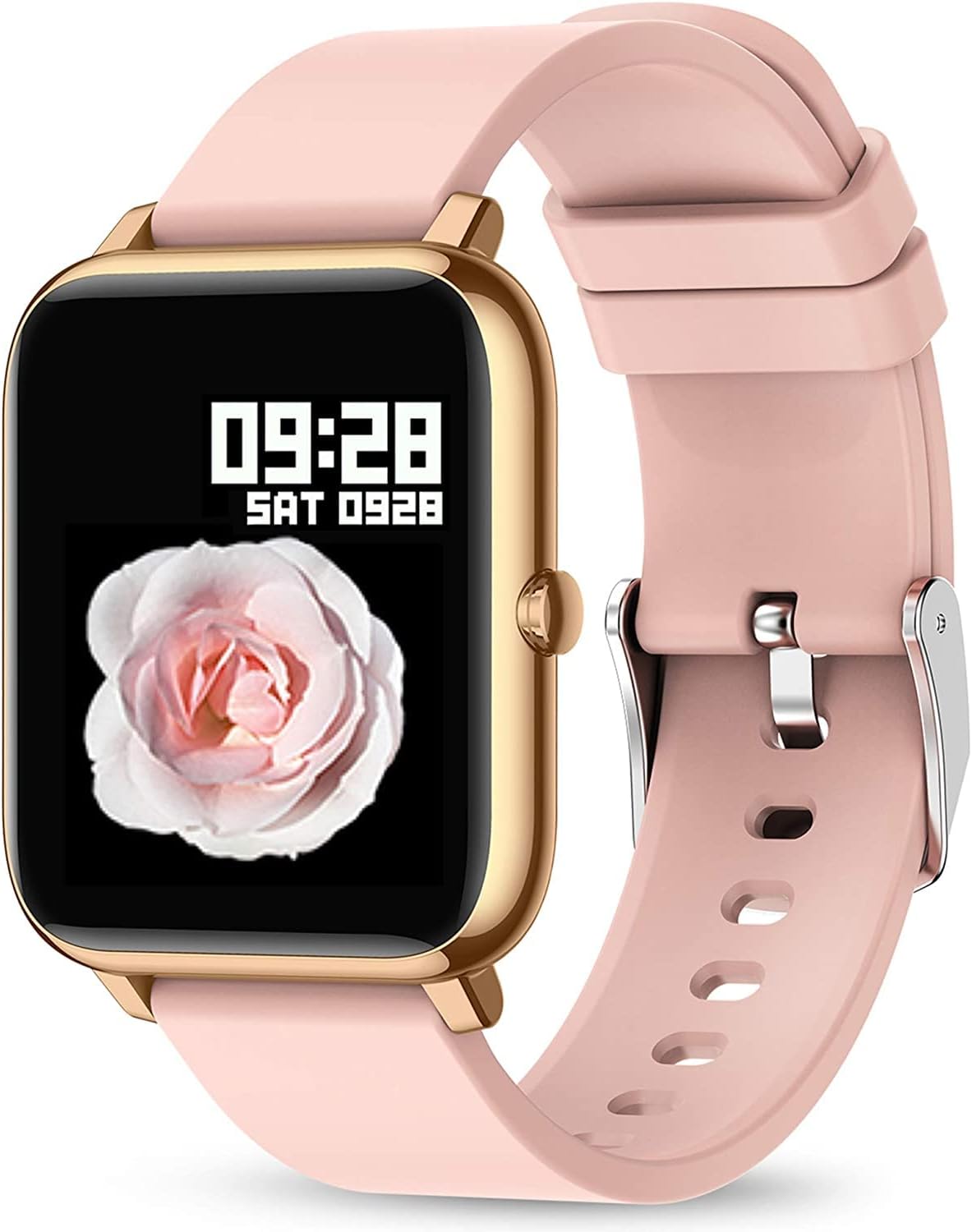
Image: The KALINCO Smart Watch in Gold Pink, showing the magnetic charging cable connected to its back. The screen displays a charging icon.
Video: Instructions on how to charge the KALINCO Smart Watch. This video demonstrates connecting the magnetic charging cable to the watch and a power source.
2. Downloading the App
Search for and download the HeroBandIII app from your smartphone's app store (Google Play Store for Android or Apple App Store for iOS). Ensure your phone meets the compatibility requirements: iOS 9.0/Android OS 4.4 or above.
3. Pairing the Smart Watch with Your Phone
- Enable Bluetooth on your smartphone.
- Open the HeroBandIII app.
- Follow the in-app instructions to search for and connect to your KALINCO Smart Watch (Model P22).
- Once connected, the watch will synchronize time and data with your phone.
Video: A video demonstrating how to connect the KALINCO Smart Watch to a smartphone via the app.
4. Customizing Watch Faces
The HeroBandIII app allows you to personalize your watch face. You can choose from over 200 built-in watch faces or upload a custom photo from your phone's gallery to set as your watch background.

Image: A smartphone displaying the HeroBandIII app's watch face customization interface, with a KALINCO Smart Watch showing a personalized cat image as its background.
Video: Demonstration of how to switch and customize the watch face on the KALINCO Smart Watch using the companion app.
Operating Instructions
Basic Navigation
The watch features a 1.4-inch full-touch LCD screen. Swipe across the screen in different directions to access various functions and menus:
- Swipe up: Access the app selection menu.
- Swipe down: Access quick settings and notifications.
- Swipe left/right: Navigate between main functions like daily activity, heart rate, and sleep data.
- Press the side button: Return to the home screen or wake the screen.
Activity Tracking
The KALINCO Smart Watch tracks your daily activities and supports 7 different sports modes: Walking, Running, Cycling, Skipping, Badminton, Basketball, and Football. The watch displays real-time data such as steps, distance, calories burned, and active minutes. More detailed data and historical trends can be viewed in the HeroBandIII app.

Image: The KALINCO Smart Watch screen showing heart rate data (89 BPM) and icons for deep sleep, light sleep, and awake states.
Health Monitoring
The watch is equipped with sensors to monitor your heart rate, blood pressure, and blood oxygen (SpO2) levels. It also tracks your sleep patterns, distinguishing between deep and light sleep states. This data helps you understand your overall health trends. Note: The data provided by this device is for reference only and cannot be used as medical-grade test results.

Image: The back of the KALINCO Smart Watch, highlighting the green sensor light used for health monitoring. Icons for blood oxygen, heart rate, and blood pressure are also shown.
Notifications
Once paired with your smartphone, the watch will display incoming calls, messages, and notifications from various applications (e.g., SMS, Facebook, Line, Instagram, LinkedIn, Skype, Twitter). The watch will vibrate to alert you. Please note that you cannot answer calls or reply to texts directly from the watch.

Image: The KALINCO Smart Watch screen showing an incoming call alert and a message reminder from "KAKA" about purchasing a Kalinco smart watch.
Other Practical Features
- Timer/Stopwatch: Use the built-in timer or stopwatch for various activities.
- Wake-up Gesture: Raise your wrist to automatically wake the screen. This can be configured in the app.
- Find Phone: If your phone is misplaced nearby, use this feature on the watch to make your phone ring.
- Sedentary Reminder: The watch can remind you to move if you've been inactive for too long.
- Music Control: Control music playback on your smartphone (play, pause, skip tracks) directly from the watch.
- Weather Display: View current weather conditions and forecasts.
- Remote Camera Control: Use the watch as a remote shutter button for your smartphone's camera.

Image: A collage of images demonstrating various features of the KALINCO Smart Watch, including music control, weather display, sedentary alert (represented by a chair icon), and remote camera control.
Brightness Adjustment
The watch offers five levels of brightness adjustment, allowing you to easily read information in various lighting conditions, from bright sunlight to dark environments. Adjust this setting via the watch's quick settings or the HeroBandIII app.
Alarms and Do Not Disturb
Set alarms directly on the watch or through the app. You can also configure 'Do Not Disturb' periods to prevent notifications during specific times, such as during sleep.
Video: A short video demonstrating how to set alarms on the KALINCO Smart Watch.
Maintenance
Battery Life and Charging Tips
The smart watch provides up to 7 days of typical use and over 30 days of standby time on a single charge. To prolong battery life, avoid using fast chargers and always charge using low-power USB ports (e.g., computer USB ports or standard 5V/1A USB adapters).
Water Resistance (IP67)
The KALINCO Smart Watch is IP67 water-resistant, meaning it can withstand splashes, rain, and hand washing. It is not suitable for swimming, showering with hot water, or diving. Avoid prolonged submersion in water.
Cleaning
To clean your watch, wipe it gently with a soft, damp cloth. Do not use harsh chemicals or abrasive materials, as these may damage the device.
Troubleshooting
| Problem | Possible Solution |
|---|---|
| Watch not turning on or charging. | Ensure the charging cable is securely connected to both the watch and a working USB power source. Check if the charging contacts are clean. Allow the watch to charge for at least 10 minutes before attempting to turn it on. |
| Bluetooth disconnection or pairing issues. |
|
| "No Data" for sleep tracking. |
|
| Inaccurate health readings (HR, BP, SpO2). |
|
Specifications
| Feature | Detail |
|---|---|
| Model Name | P22 |
| Screen Size | 1.4 Inches |
| Operating System Compatibility | Android 4.4+, iOS 9.0+ |
| Connectivity Technology | Bluetooth |
| Battery Life (Typical Use) | Up to 7 days |
| Standby Time | 30+ days |
| Water Resistance Rating | IP67 |
| Item Weight | 3.52 ounces (0.1 Kilograms) |
| Special Features | Heart Rate Monitor, Blood Pressure Monitor, Oxymeter (SpO2), Activity Tracker, Notifications, Sleep Monitor, Gesture Control, Sedentary Reminder, Time Display, Music/Camera Control, Calorie Tracker, Step Counter, Alarm Clock |
Warranty and Support
KALINCO offers a 30-day trial period and a 365-day replacement policy for your smart watch. For any inquiries or support, KALINCO aims to provide a 24-hour quick reply service.
For additional information and a detailed user guide, you may refer to the official PDF document: KALINCO Smart Watch User Guide (PDF).
Related documentsP22


Ask a question about this manual
Ask about setup, troubleshooting, compatibility, parts, safety, or missing instructions. Manuals+ will review the question and use this page’s manual context to help answer it.