
Introduction
This manual provides essential instructions for the safe and efficient operation and maintenance of your Dolphin Advantage Ultra Robotic Pool Vacuum Cleaner. Please read this guide thoroughly before initial use and retain it for future reference. The Dolphin Advantage Ultra is designed for in-ground pools up to 50 feet in length, offering advanced cleaning capabilities for various pool surfaces.

Image: The Dolphin Advantage Ultra Robotic Pool Vacuum Cleaner, ready for use.
Setup
- Unboxing and Component Check: Carefully remove all components from the packaging. Verify that all parts listed in the packaging list are present: Advantage Ultra Robotic Pool Cleaner, Fine Filter Basket (9991457-R1), Power Supply Unit (99956035US-F1), User Manual, Quick Start Guide, and Registration Card.
- Power Supply Placement: Position the power supply unit at least 12 feet (3.6 meters) from the edge of the pool. Ensure it is placed in a shaded area to protect it from direct sunlight and extreme weather conditions.
- Connecting the Power Supply: Connect the floating cable from the robot to the power supply unit. Ensure the connection is secure. Plug the power supply unit into a grounded electrical outlet.
- Placing the Robot in the Pool: Gently lower the Dolphin Advantage Ultra into the pool. Allow it to sink to the bottom. Ensure the floating cable is not tangled and has enough slack for the robot to move freely.

Image: A person carefully placing the Dolphin Advantage Ultra into the pool, ensuring proper submersion.
Operating Instructions
- Powering On: Press the power button on the power supply unit. The indicator light will illuminate, signaling that the unit is active.
- Selecting a Cleaning Cycle: The Dolphin Advantage Ultra offers various cleaning cycles. Refer to the power supply unit's interface to select the desired cleaning duration or frequency (e.g., every day, twice a week, three times a week).
- Wall Climbing and Waterline Scrubbing: The robot is equipped with advanced wall-climbing capabilities and PowerStream™ Mobility, allowing it to efficiently clean pool walls and scrub the waterline. Multi-directional jets ensure constant grip on vertical surfaces.
- Active Scrubbing: The active scrubbing brush rotates at twice the speed of the robot's tracks, effectively dislodging stubborn dirt and debris from pool surfaces.
- Patented Swivel Cable: The patented swivel cable is designed to prevent tangling, ensuring uninterrupted cleaning coverage across the entire pool.
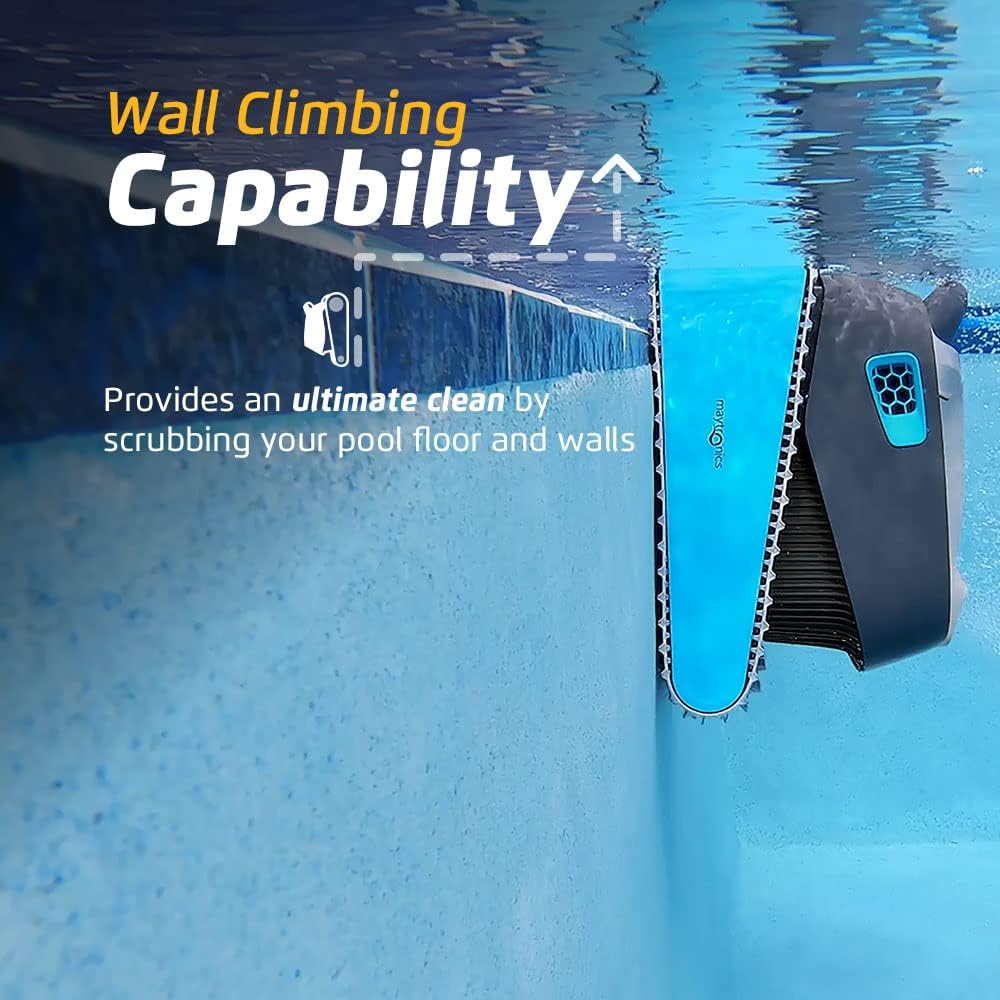
Image: The Dolphin Advantage Ultra demonstrating its wall-climbing capability.

Image: The robot performing waterline scrubbing for a thorough clean.

Image: Close-up of the active scrubbing brush in action.

Image: The simple plug-and-play control panel for easy operation.
Official Product Video: Dolphin Advantage Ultra Overview
Video: This video provides a visual guide to the Dolphin Advantage Ultra, demonstrating its features and ease of use, including the control panel and filter access.
Maintenance
- Removing the Robot: Once the cleaning cycle is complete, the robot will automatically shut off. Use the floating cable to gently pull the robot to the edge of the pool.
- Quick Water Release: The Dolphin Advantage Ultra features a quick water release system, allowing water to drain rapidly for lightweight removal from the pool.
- Easy Filter Care: The robot is equipped with a user-friendly top-load filter basket. Open the top cover, pull out the filter basket, and rinse it thoroughly with a hose to remove collected debris.

Image: The Quick Water Release feature in action, making removal easy.

Image: Accessing the easy-access top-load filter for cleaning.

Image: A person cleaning the filter basket with a hose, demonstrating simple maintenance.
Troubleshooting
- Robot not moving or stopping prematurely: Ensure the power supply unit is properly connected and receiving power. Check the filter basket for excessive debris that might be clogging the system. Inspect the brushes and tracks for any obstructions.
- Poor cleaning performance: Clean the filter basket thoroughly. Ensure the pool water chemistry is balanced, as excessive algae or debris can hinder performance. Check for any damage to the scrubbing brushes.
- Cable tangling: While the patented swivel cable is designed to prevent tangling, ensure the cable is fully extended and not coiled tightly before placing the robot in the pool.
- Robot not climbing walls: Verify that the pool surface is free from excessive slime or algae. Ensure the filter is clean, as reduced suction can affect climbing ability.
Specifications
| Feature | Specification |
|---|---|
| Model Name | Advantage Ultra |
| Brand | Dolphin |
| Hose Length | 60 Feet |
| Special Feature | Self Propelled, Wall Climbing, Waterline Scrubbing, Active Scrubbing |
| Assembly Required | No |
| Control Method | Touch |
| Efficiency | High |
| Installation Type | Robotic |
| Product Dimensions | 22.2 x 17.6 x 12.8 inches |
| Item Weight | 27 pounds |
| Material | Plastic |
| Power Source | Corded Electric |
| UPC | 850015249549 |
Warranty and Support
The Dolphin Advantage Ultra Robotic Pool Vacuum Cleaner comes with a Limited Warranty. For specific details regarding warranty coverage, duration, and terms, please refer to the warranty card included in your product packaging or visit the official Dolphin website.
For technical support, troubleshooting assistance, or to inquire about replacement parts, please contact Dolphin Customer Service. Contact information can typically be found on the manufacturer's website or in your product documentation.

