Introduction
This manual provides detailed instructions for the installation, operation, and maintenance of your Waterdrop WF08 Under Sink Replacement Water Filter. This filter is designed to provide high-quality filtered water and is compatible with Waterdrop WD-AS08, WD-BS08, and WD-AMS08 under-sink water filtration systems.
Compatibility
The Waterdrop WF08 replacement filter is specifically designed for use with the following Waterdrop under-sink water filtration systems:
- Waterdrop WD-AS08
- Waterdrop WD-BS08
- Waterdrop WD-AMS08

Setup and Installation
This section provides instructions for replacing your Waterdrop WF08 filter. The process is designed to be tool-free and straightforward.
Filter Replacement Steps
- Turn off Water Supply: Locate the cold water supply valve under your sink and turn it off to stop the water flow to the filtration system.
- Release Pressure: Open the filtered water faucet to release any residual water pressure in the system. Allow water to drain until it stops.
- Remove Old Filter: Gently twist the housing of the old filter to loosen it. Once loose, pull the expired filter downwards to remove it from the system.
- Install New Filter: Insert the new Waterdrop WF08 filter into the housing. Align the filter correctly and twist it upwards until it is securely in place. The design allows for a quick, tool-free replacement in approximately 30 seconds.
- Restore Water Supply: Close the filtered water faucet and slowly turn the cold water supply valve back on.
- Check for Leaks: Inspect all connections for any signs of water leakage. If leaks occur, ensure the filter is properly seated and connections are tight.
- Flush the Filter: Turn on the filtered water faucet and let the water run for at least 10 minutes to flush out any carbon fines and air from the new filter. The water may appear cloudy or discolored initially; this is normal.

Installation Video Resources
For visual guidance on filter replacement and system installation, please refer to the following official Waterdrop videos:
Operating Your Filter
The Waterdrop WF08 filter is designed for continuous operation, providing filtered water on demand. Once installed and flushed, the system is ready for use.
Filtration Performance
This under-sink water filter utilizes a 0.5-micron coconut shell-made activated carbon filter to reduce a wide range of impurities. It effectively reduces fluoride, lead, hydrogen sulfide, scale, and harmful chemicals. The filter achieves a 98% chlorine reduction rate and eliminates bad taste and odor, ensuring premium quality drinking water.

Water Flow Rate
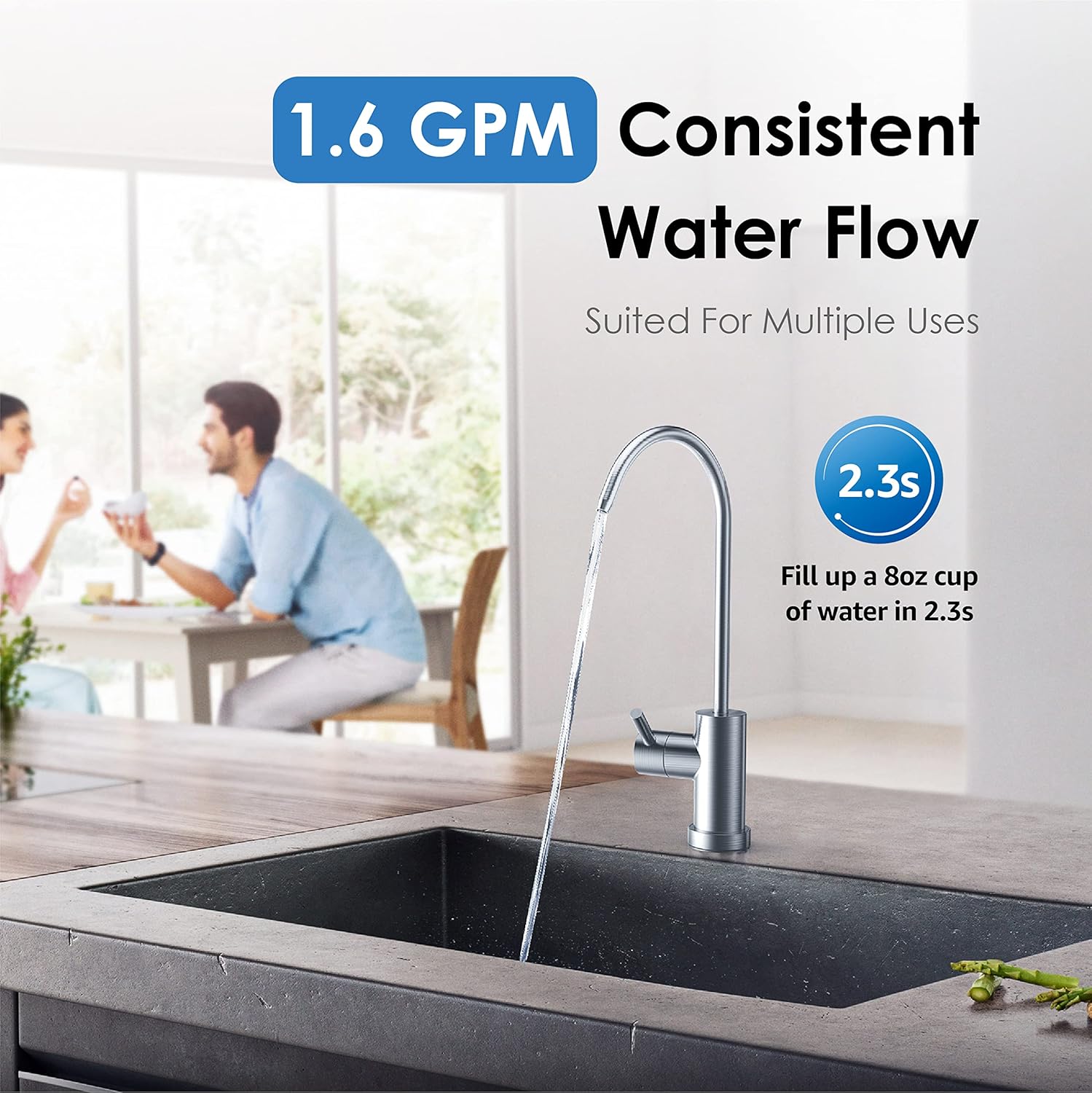
The filter provides a consistent water flow rate of 1.6 gallons per minute (GPM), allowing you to fill an 8oz cup of water in approximately 2.3 seconds. This ensures convenient access to filtered water for various uses.

Maintenance
Regular maintenance, primarily filter replacement, is crucial to ensure optimal performance and water quality from your Waterdrop WF08 filter.
Filter Lifespan and Replacement
The WF08 filter has an extensive capacity of up to 8,000 gallons or 12-24 months of performance. The exact lifespan may vary depending on local water quality and usage. It is recommended to replace the filter when the water flow significantly decreases or when the taste and odor of the water return.
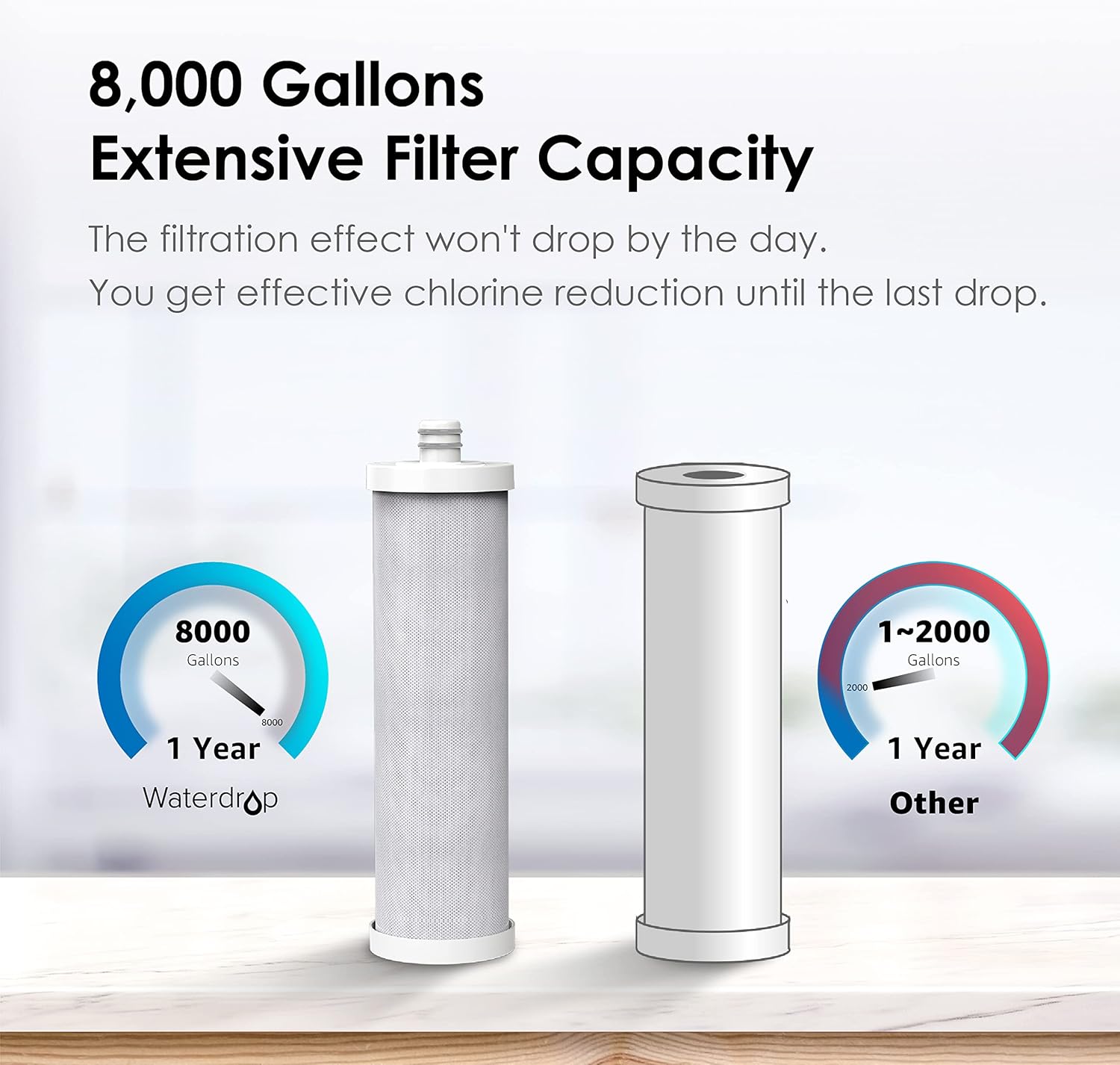
The filter housing is recyclable, allowing you to easily replace only the internal filter cartridge when it expires. This reduces waste and simplifies the replacement process.

Troubleshooting
If you encounter any issues with your Waterdrop WF08 filter, please refer to the following common troubleshooting tips:
- Low Water Flow: If the water flow rate is significantly reduced, it may indicate that the filter is nearing the end of its lifespan or is clogged. Replace the filter as per the maintenance schedule.
- Unpleasant Taste or Odor: A return of unpleasant taste or odor in the filtered water suggests that the filter media is exhausted. Replace the filter immediately.
- Leaks: If you notice any leaks after installation or filter replacement, ensure all connections are tight and the filter is properly seated in its housing. Turn off the water supply, re-seat the filter, and re-tighten connections before turning the water back on.
If the problem persists after attempting these steps, please contact Waterdrop customer support for further assistance.
Specifications
| Feature | Specification |
|---|---|
| Model Number | WD-WF08 |
| Material | Carbon Block |
| Product Dimensions | 3.03"D x 3.03"W x 11.01"H |
| Item Weight | 13.4 ounces (0.38 Kilograms) |
| External Testing Certification | Tested by third-party laboratory against NSF/ANSI standard |
| Product Benefits | Reduces fluoride, lead, hydrogen sulfide, scale, and harmful chemicals |
| Compatible Water Purifier Models | Waterdrop WD-AS08, Waterdrop WD-BS08, Waterdrop WD-AMS08 |
| Capacity | 8,000 Gallons |
| Lifespan | 12-24 months (depending on water quality and usage) |
Warranty and Support
Waterdrop is committed to providing high-quality products and excellent customer service.
Customer Support
If you have any questions regarding the installation, operation, maintenance, or warranty of your Waterdrop WF08 filter, please do not hesitate to contact our customer service team. We are always willing to help.

You can find contact information on the Waterdrop official website or through your product documentation.
Cost-Effectiveness
Using the Waterdrop WF08 filter provides a cost-effective solution for clean drinking water. With its long lifespan and efficient filtration, the daily cost of filtered water is less than $0.05, offering significant savings compared to bottled water.